When building or upgrading a computer, the power supply is one of the most essential parts to choose. Without it, your PC won’t even boot up. But here’s a common question many people ask: can you actually have too much wattage on your power supply?
It may sound like more watts always mean more power for your PC. But in reality, the way power supplies work is a bit different. Let’s break it down in simple words so anyone—even a 12-year-old—can understand without confusion.
Why the power supply matters
Your CPU, GPU, motherboard, storage, and fans all need clean and steady electricity. The power supply unit, often called PSU, is like the heart that pumps power through your system. A poor-quality PSU or the wrong size can lead to crashes, shutdowns, or even damage to your parts.
That’s why knowing how much wattage you actually need is an important step in picking the right one.
Exact Answer: Can you have too much wattage?
The short answer is no, you cannot harm your PC with a power supply that has more wattage than you need. Your computer only pulls the power it requires, not the entire capacity of the PSU. For example, if you have a 1000-watt PSU, but your system only uses 500 watts, it will only draw 500. The extra power is just headroom, which is safe and even beneficial. What really matters is quality, efficiency, and using the right connectors like the c13 power cable or c13 cable that most PSUs rely on.
How power usage works
A common misconception is that a bigger PSU forces more power into the system, but that’s not how it functions. The components—like your CPU and graphics card—decide how much power they need. The PSU simply supplies what’s requested.
So buying a 750-watt PSU for a PC that uses only 350 watts doesn’t overload it. Instead, it just means the PSU isn’t running at full capacity.
The benefits of having extra wattage
While you don’t need far more than your PC requires, having extra wattage gives you:
Future-proofing – If you upgrade to a stronger graphics card or processor later, you won’t have to buy a new PSU.
Cooler operation – A PSU running below full load usually stays cooler and quieter.
Longer life – Parts wear out slower if they’re not constantly at max load.
Downsides of too much wattage
Now, even though extra wattage doesn’t harm your PC, there are a few disadvantages:
Higher cost – Big wattage PSUs are usually more expensive.
Less efficiency at very low loads – If your system only uses a small fraction of the PSU’s capacity, efficiency might drop slightly.
Physical size – Some high-wattage PSUs are larger and may not fit in smaller cases.
So while extra wattage is safe, it might not always be practical if your system is very basic.
The role of c13 power cables and c13 cable
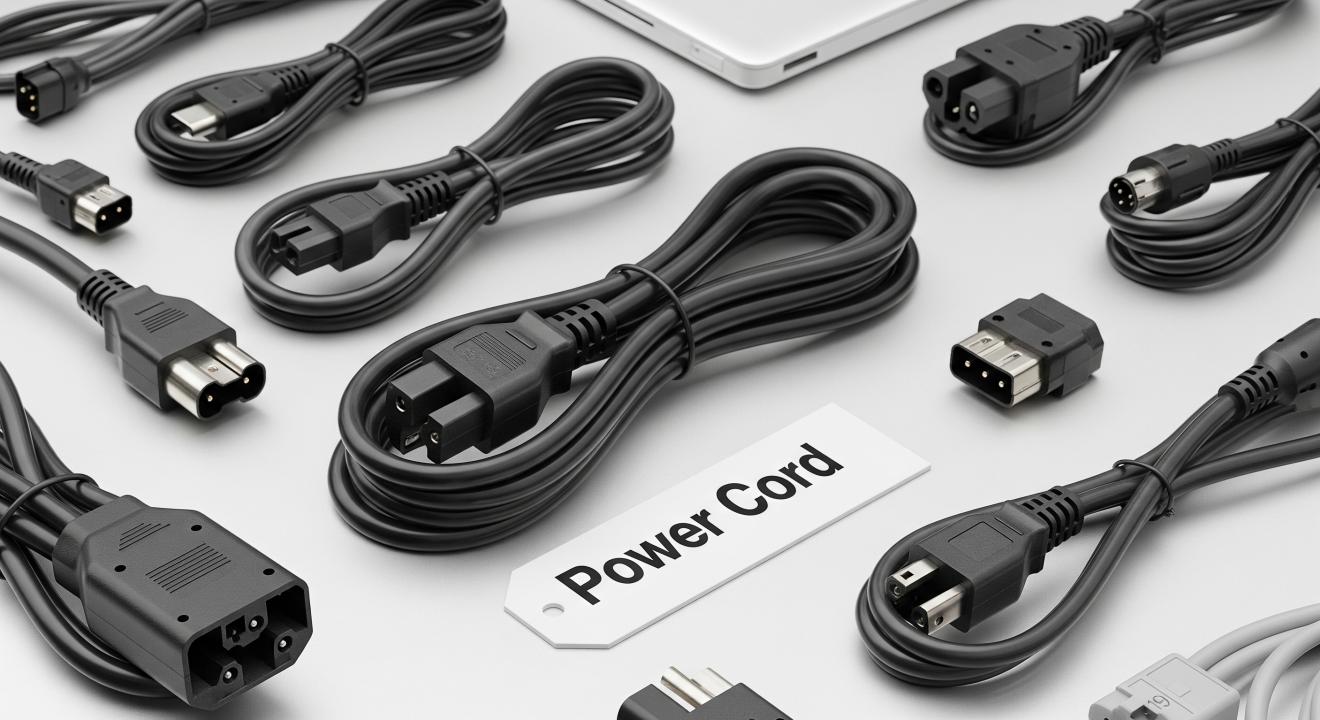
Almost all desktop PSUs are powered by a c13 power cable (also called a c13 cable). This familiar three-prong cable plugs into the back of the PSU and then into your wall socket. It’s standard across most computers, monitors, and servers. Unless it’s broken, you usually can keep using the same c13 cable when swapping to a new PSU.
Why a right angle electrical plug adapter helps
If your PC sits close to a wall, you may notice the power cord sticking out awkwardly. This not only wastes space but can also bend the cord. A right angle electrical plug adapter solves this problem. It lets the c13 power cable bend neatly downward or sideways, saving space and reducing cable strain. It’s a small accessory that makes a big difference in tight setups.
How to decide on the right PSU size
When choosing a PSU, you want to make sure the wattage is enough, but you don’t need to go overboard. Here’s how you decide:
Check your CPU and GPU power use – these two parts take the most power.
Add in storage drives, fans, and accessories – they use less, but still count.
Add some extra headroom – usually 20-30% more wattage than your current needs.
For example, if your system uses about 450 watts, a 600-watt PSU is a great choice. Buying a 1000-watt PSU isn’t harmful, but might be overkill unless you plan big upgrades.
Signs you need more wattage
Sometimes, people wonder if their PC is underpowered. These are common signs of a weak PSU:
Random crashes or system restarts during gaming.
PC fails to start when the graphics card kicks in.
Performance dropping when using heavy programs.
In those cases, upgrading to a PSU with more wattage is the solution.
Safety first when replacing PSUs
Always remember to disconnect all cords before swapping power supplies. Unplug the c13 cable from the wall first. Then remove the old PSU, screw in the new one, and reconnect each plug carefully. If your space behind the tower is small, use a right angle electrical plug adapter for a neater and safer setup.
Common mistakes when buying a PSU
Buying the cheapest one without checking quality or brand.
Picking too low wattage just to save money.
Forgetting future upgrades like a new GPU.
Ignoring efficiency ratings (like 80 Plus Bronze or Gold).
While having more wattage isn’t harmful, having too little definitely causes problems.
Final thoughts
So, can you have too much wattage power supply on a PC? The simple answer is no—your computer only takes the power it needs. A higher wattage PSU won’t hurt your parts, but it may cost more and be less efficient if you don’t use its full potential. The keys are to buy one with the right wattage for your needs, from a trusted brand, and make sure it fits with a proper c13 power cable, c13 cable, or, if space is tight, use a right angle electrical plug adapter. That way, your PC will always run safely, quietly, and ready for upgrades in the future.
Sources: https://www.seehowcan.com/top-5-mistakes-to-avoid-when-choosing-a-computer-power-cord/