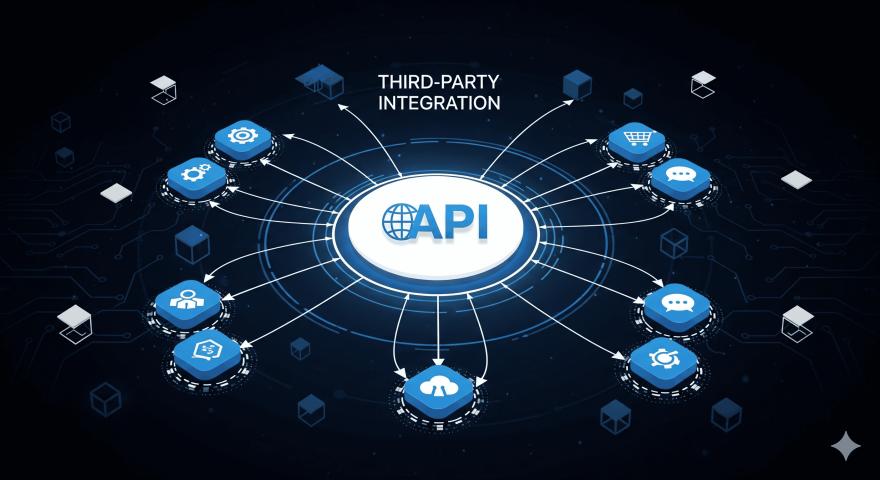
Modern enterprises struggle with fragmented tools, siloed teams, and limited visibility across workstreams. As organizations scale, collaboration challenges multiply across engineering, IT, and business teams. Atlassian Teamwork Collection addresses this by unifying work management, documentation, communication, and AI-powered insights into a single ecosystem. Built for cross-functional alignment, it brings together Jira, Confluence, Loom, Rovo AI, and Atlassian Guard to help teams plan, execute, and collaborate more effectively. This blog explains how enterprises can implement Atlassian Teamwork Collection strategically to improve productivity, governance, and collaboration at scale.
1. Centralize Enterprise Collaboration in One Platform
Atlassian Teamwork Collection consolidates multiple collaboration tools into a unified workspace. This reduces context switching and improves operational clarity across teams.
Single source of truth
All projects, documentation, and discussions live in one connected ecosystem, reducing information silos.Cross-team visibility
Stakeholders can track work progress across departments without manual reporting.Reduced tool sprawl
Eliminates the need for disconnected third-party tools by standardizing collaboration.Faster onboarding
Teams adopt a consistent way of working, reducing training overhead.Improved alignment
Shared goals, timelines, and documentation keep teams aligned on outcomes.
2. Connect Jira and Confluence for Execution and Knowledge
Jira and Confluence work together to link execution with documentation. This ensures work decisions are always backed by context.
Live documentation
Confluence pages update alongside Jira issues, keeping knowledge current.Contextual issue tracking
Requirements, decisions, and updates stay connected to delivery work.Better sprint planning
Teams plan work using documented goals and technical designs.Reduced rework
Clear documentation minimizes misunderstandings and duplicate effort.Audit-ready workflows
Decisions and changes are traceable across tools.
3. Improve Communication with Loom Video Messaging
Loom enhances async communication by replacing long meetings and unclear messages. It helps teams explain work visually and efficiently.
Faster explanations
Teams explain complex topics using short video walkthroughs.Reduced meetings
Async video updates replace status meetings and demos.Clear feedback loops
Visual context improves understanding and decision-making.Remote-friendly collaboration
Distributed teams communicate without timezone constraints.Knowledge reuse
Recorded videos can be reused for onboarding and training.
4. Leverage Rovo AI for Smarter Teamwork
Rovo AI introduces intelligence across Atlassian tools by surfacing insights, answers, and recommendations automatically.
AI-powered search
Instantly find relevant issues, pages, and decisions across tools.Faster decision-making
Teams access the right information without manual digging.Reduced cognitive load
AI summarizes updates, discussions, and project status.Improved productivity
Less time spent searching means more time delivering value.Enterprise-ready intelligence
AI operates within secure, governed environments.
5. Strengthen Security and Governance with Atlassian Guard
Atlassian Guard ensures enterprise-grade security, identity management, and compliance across the Teamwork Collection.
Centralized access control
Manage users and permissions across all Atlassian tools.Enhanced compliance
Supports security standards required by regulated industries.Reduced risk exposure
Proactively manage data access and user activity.Scalable governance
Security policies scale as teams and users grow.Admin visibility
IT teams gain clear oversight of platform usage.
6. Enable Scalable Workflows Across Business and IT Teams
Teamwork Collection supports both technical and business teams with flexible workflows.
Cross-functional alignment
Engineering, IT, and business teams collaborate in one system.Custom workflows
Teams configure processes without heavy customization.Portfolio-level visibility
Leaders track initiatives, dependencies, and outcomes.Faster execution
Automated workflows reduce manual coordination.Enterprise scalability
Designed to support thousands of users and projects.
7. Accelerate Adoption with a Structured Implementation Approach
A phased implementation ensures faster adoption and measurable ROI.
Discovery and planning
Align tools with business goals and team structures.Tool configuration
Set up Jira, Confluence, Loom, and Rovo for real workflows.Security setup
Apply Guard policies for access and compliance.User enablement
Train teams with role-based onboarding.Continuous optimization
Improve workflows based on usage and feedback.
Conclusion
Implementing Atlassian Teamwork Collection is not just a tooling decision—it’s a strategic move toward unified, scalable collaboration. By connecting work execution, knowledge, communication, AI, and security, enterprises gain clarity, speed, and control across teams. With the right implementation approach, organizations can eliminate silos, improve visibility, and drive consistent outcomes. Atlassian Twc enables teams to collaborate with confidence while maintaining governance and flexibility. For enterprises looking to modernize collaboration and scale effectively, Atlassian Teamwork Collection provides a future-ready foundation.