Overview Summary
MBOX is a common email storage format used by many desktop email clients and backup tools.
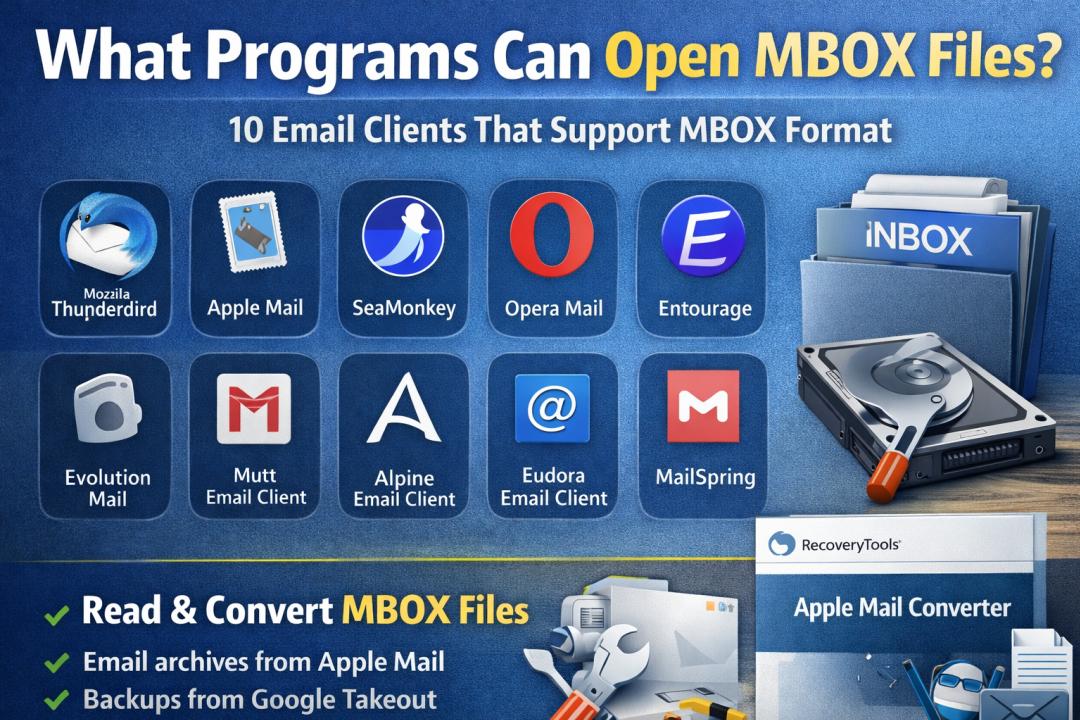
Several programs can open MBOX files directly, including Thunderbird, Apple Mail, and other email applications that support the MBOX mailbox structure.
This guide explains the most common programs that open MBOX files and also covers a reliable way to access or convert MBOX data when email clients fail to load the mailbox.
MBOX is one of the oldest and most widely used email storage formats in the email ecosystem. Instead of saving each email separately, MBOX stores multiple messages inside a single mailbox container file.
Many email clients and migration tools use this format because it is simple, portable, and widely supported.
You may encounter an MBOX file in situations like:
-
exporting email data from Apple Mail
-
backing up Thunderbird mailboxes
-
downloading email archives from Google Takeout
-
migrating emails between platforms
However, opening an MBOX file is not always straightforward because not every email application supports it natively.
Let’s look at the programs that can actually open MBOX files.
Understanding the MBOX email file format
Before exploring compatible programs, it helps to understand how the MBOX format works.
An MBOX file is a mailbox container where multiple email messages are stored sequentially inside one file. Each message begins with a separator line and contains headers, metadata, and the email body.
Key characteristics of MBOX format include:
-
single file stores multiple emails
-
plain text structure
-
used by many Unix-based email systems
-
widely supported by open source email clients
Different applications implement the format slightly differently. For example:
-
Thunderbird uses MBOX with separate index files
-
Apple Mail stores MBOX inside mailbox folders
-
Google Takeout exports Gmail archives as MBOX
Because of these variations, some email clients may fail to open MBOX files created by other applications.
Mozilla Thunderbird
Mozilla Thunderbird is one of the most commonly used email clients that supports the MBOX format.
Thunderbird stores mailbox data using MBOX containers inside its profile folder. This means Thunderbird can easily import or open MBOX files.
Learn: How to Export Mac Mail to PST Format?
Typical features include:
-
cross platform support for Windows, macOS, and Linux
-
manual import using add ons
-
large community support
Example situation
Users who download Gmail backups from Google Takeout often use Thunderbird to open those MBOX archives.
Important note
Thunderbird requires an import extension for loading external MBOX files.
Apple Mail
Apple Mail is the default email application for macOS and also supports the MBOX format.
When Apple Mail exports mailboxes, it creates mailbox folders that contain MBOX files internally.
This allows users to:
-
export email archives
-
import mailbox backups
-
migrate emails between Mac systems
Steps commonly used for opening MBOX in Apple Mail:
-
Open Apple Mail.
-
Click File.
-
Choose Import Mailboxes.
-
Select Files in MBOX format.
-
Select the MBOX file.
Important note
Apple Mail sometimes fails to import large or corrupted MBOX files, especially when the mailbox structure was created by another email client.
SeaMonkey Mail
SeaMonkey is an open source internet suite developed by the Mozilla community.
Its email component is similar to Thunderbird and also supports MBOX mailbox storage.
Users can open MBOX files by copying them into the SeaMonkey profile folder.
Although SeaMonkey is less popular today, it remains compatible with the traditional MBOX structure.
Opera Mail
Opera Mail was once a standalone email client developed by Opera Software.
Older versions of Opera Mail support MBOX >
While the client is no longer actively maintained, some users still rely on it to access archived MBOX files.
Entourage
Microsoft Entourage was an older email client used on macOS before Outlook replaced it.
Earlier versions supported MBOX import when migrating mailbox data from Apple Mail.
Although Entourage is discontinued, it historically played a role in MBOX compatibility for Mac users.
Evolution Mail
Evolution is a Linux based email client commonly used in enterprise environments.
It supports multiple mailbox formats including MBOX.
Evolution is often used by system administrators who manage Linux mail servers or enterprise email archives.
Example
Linux administrators frequently open server mailbox backups stored in MBOX format using Evolution.
Mutt Email Client
Mutt is a command line email client widely used in Unix and Linux environments.
Unlike graphical email clients, Mutt allows users to open mailbox files directly through terminal commands.
Advantages include:
-
extremely lightweight
-
direct MBOX compatibility
-
powerful search and filtering features
Mutt is especially popular among system administrators working with mail servers.
Alpine Email Client
Alpine is another command line email client derived from the Pine email system.
It supports the traditional Unix mailbox format, which is essentially MBOX.
Alpine is still used in academic institutions and Linux-based systems.
Eudora Email Client
Eudora was one of the earliest email clients developed in the 1990s.
The client used MBOX->
Although discontinued, many legacy email archives still exist in Eudora-compatible MBOX format.
MailSpring
MailSpring is a modern email client designed for productivity focused users.
While its internal storage system is different, MailSpring can import email archives including MBOX data through migration tools.
It provides features such as:
-
modern interface
-
email tracking
-
cross platform support
However, direct MBOX handling may require import assistance.
Want to: Export Apple Mail to Zimbra Mail
Common challenges when opening MBOX files
Even though many email clients support MBOX format, users frequently encounter problems while accessing mailbox files.
Common issues include:
-
MBOX file created by one client not importing in another
-
corrupted mailbox structure
-
large mailbox files failing to load
-
email clients not recognizing the file format
For example
Google Takeout exports Gmail archives as MBOX files, but some email applications cannot directly open them because the mailbox structure differs from their internal format.
These compatibility differences often require mailbox conversion.
Automated approach for accessing MBOX files across platforms
Many email clients support MBOX format, but they are often limited when it comes to opening large or corrupted mailbox files.
RecoveryTools Apple Mail Converter provides a practical solution for accessing MBOX mailbox data and converting it into formats supported by different email platforms.
This approach becomes useful when:
-
An email client fails to open the MBOX archive
-
mailbox files are corrupted
-
Users need to migrate emails to Outlook or another platform
-
email data must be extracted from Apple Mail backups
The software reads MBOX mailbox containers and allows users to export email data into other widely supported formats.
Key capabilities include:
-
convert MBOX to PST for Outlook
-
export emails into EML, MSG, PDF and other formats
-
support for Apple Mail mailbox folders
-
recover emails from damaged mailbox files
Steps to access MBOX files using the automated approach
-
Install the MBOX conversion software on your system.
-
Launch the program.
-
Select the MBOX file or Apple Mail mailbox folder.
-
The tool scans the mailbox data automatically.
-
Preview email messages.
-
Choose an export format compatible with your email client.
-
Start the conversion process.
Important note
This method works even when the original email client used to create the MBOX file is no longer available.
Insider notes from real email migration scenarios
From practical experience in email migrations, several patterns appear repeatedly when dealing with MBOX files.
- Apple Mail exports mailbox folders rather than single MBOX file
- Gmail backups from Google Takeout often exceed several gigabytes
- Thunderbird mailboxes can become corrupted when mailbox files grow too large
- Command-line clients remain the most stable for handling very large mailbox archives
Display important note
When working with large mailbox archives above 10 GB, conversion tools often perform better than traditional email clients because they scan mailbox data sequentially instead of loading the entire mailbox into memory.
Expert Advice
What Programs Can Open MBOX Files depends largely on the email client environment and the structure used to create the mailbox archive. Clients like Thunderbird, Apple Mail, Evolution, and SeaMonkey can open MBOX files, but compatibility issues often arise when mailbox structures differ.
If an email client cannot open the archive or the mailbox appears corrupted, converting the MBOX data into a compatible format becomes the safest way to access and migrate the email data across platforms.