If you have ever searched for a tool to merge PDF files, you probably already know the pattern.
You open a site that promises a “free PDF merger.” It looks simple enough. You upload your files, wait for processing, and download the result. Then one of three things happens: the file has a watermark, the site asks you to create an account, or you realize your documents were uploaded to a server you know nothing about.
That workflow is common enough that many people accept it as normal.
I do not think it should be normal.
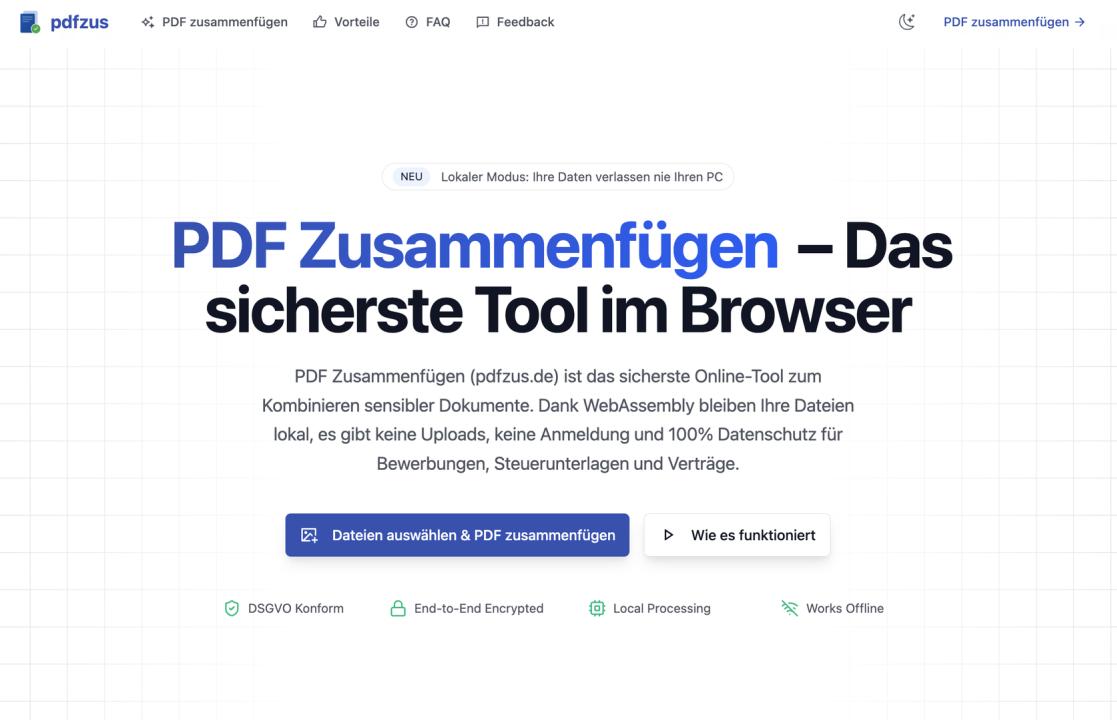
That is the reason I built [pdfzus](https://pdfzus.de/): a browser-based tool to merge PDF files, sort them, and compress the result without turning a basic document task into a trust exercise.
The problem became obvious when the documents were real
I did not start with a grand plan to build an entire PDF platform.
The idea came from small, very practical frustrations.
One of the first stories that stuck with me came from a friend preparing a job application. He had done the hard part already: cover letter, resume, references, everything in order. Then he used a free online PDF tool to combine the files and discovered that the exported document included a watermark. Technically, the tool had worked. Practically, it had made the final application look less professional.
That may sound minor until the document actually matters. When someone is sending application materials, a contract, tax paperwork, or internal company files, “almost good enough” is not good enough.
A second story came from an administration context. A colleague told me she regularly needed to combine invoices and accounting documents, but she was uncomfortable uploading sensitive files to a random external service. In Germany especially, that concern is not theoretical. Privacy expectations are part of everyday decision-making. If a tool asks you to upload financial or personal documents, many users immediately start asking the right question: where is this data going?
The third story was simpler but just as important. A student I met was merging lecture notes and scanned materials with an unstable internet connection. Every interruption broke the workflow. He did not need a more advanced editor. He needed something dependable for a very basic job.
Those examples shaped the product more than any market deck could have.
I realized the market did not need another bloated PDF suite
My first instinct as a builder was the usual one: maybe the answer is to add more features.
That turned out to be the wrong framing.
The problem with most PDF tools is often not that they do too little. It is that they ask too much from the user for a simple task. Too many steps, too many permissions, too many unknowns, too much clutter around a workflow that should take less than a minute.
Most people who search for a `merge PDF` tool are not shopping for a complete document operating system. They are trying to solve one immediate task:
- combine several PDFs into one file
- put them in the right order
- maybe compress the result
- download it and move on
That is it.
So instead of building a broad product, I went in the opposite direction. I narrowed the scope on purpose.
`pdfzus` focuses on a clean, high-frequency workflow: add files, reorder them with drag and drop, merge them, and compress the final file if needed. No forced registration. No watermarking. No unnecessary detours.
That constraint made the product better.
## Why a browser-first architecture mattered
Once the product direction became clear, the architectural choice mattered a lot.
I did not want to build just another upload-and-process service with a friendlier landing page. If the product promise was privacy and low friction, the architecture had to support that directly.
That is why `pdfzus` is built around local browser processing via WebAssembly.
In plain language, the goal is simple: in the common workflow, the files are handled directly in the browser instead of being sent away to an external processing server. For the user, that changes the emotional contract of the product. You are not just trusting nice copy on a webpage. You are using a tool that was designed from the beginning around the idea that sensitive documents should stay as close to the user as possible.
This is especially relevant for the kinds of files people actually merge in real life:
- job application packets
- invoices and receipts
- contracts
- administrative forms
- scanned study materials
- internal office documents
These are not novelty files. They are the documents people most want to keep under control.
Another benefit of the browser-first approach is that once the application is loaded, the workflow can continue locally in the tab. That matters in home-office setups, older networks, student housing, travel situations, and all the annoying real-world moments when “just upload it” stops being reliable.
## The product principles were shaped by specific frustrations
I did not arrive at the final product by chasing trends. I arrived at it by removing the things that kept showing up as friction in real workflows.
### 1. No watermarks
The watermark story from job applications made this non-negotiable.
A merged file should feel like your document, not an advertisement for the service you used. If the output is meant for employers, clients, schools, or official portals, adding branding to the result is not a small inconvenience. It undermines the point of making the document look clean and professional.
### 2. No forced registration
For one-off or occasional PDF work, account creation is usually unnecessary friction. Many users do not want a relationship with a PDF tool. They want a result. Requiring sign-up before they can complete a basic task often feels like a tax on urgency.
### 3. Privacy first, not privacy later
A lot of software adds privacy language in marketing after the architecture is already fixed. I wanted the opposite. The product needed to be shaped around a lower-trust workflow from the beginning, especially for users handling personal or business-sensitive documents.
### 4. Keep the workflow narrow
This may be the least flashy decision, but it is probably the most important. The more product categories you add, the easier it becomes to lose clarity. I would rather have a tool that is clearly useful for merge, sort, and compress than one that gestures toward twenty unrelated PDF features and feels unfocused.
## Real use cases where pdfzus fits well
The easiest way to explain the product is through the users it was designed for.
### Job seekers
A resume package is one of the clearest examples. People often need to combine a cover letter, CV, certificates, and references into one file. They want the order to be clean. They do not want watermarks. And many do not want those personal documents sent to a third-party server.
That is exactly the kind of workflow `pdfzus` is built for.
### Office admins and accounting teams
In office environments, the work is often repetitive rather than glamorous. Invoices, receipts, reports, scanned attachments, monthly bundles. The task itself is simple, but the documents are sensitive. A local, browser-based flow is much easier to justify than “upload everything and hope the vendor is responsible.”
### Students and researchers
Students often need to combine lecture notes, scanned pages, application materials, and supporting documents. They also disproportionately deal with unstable internet, older devices, and time pressure. A simple browser workflow with drag-and-drop ordering is more useful here than a complex interface with dozens of rarely used controls.
### Freelancers and remote workers
Freelancers are often in the middle ground: not large enough for enterprise document infrastructure, but still handling client-sensitive files. They need something lighter than desktop software and more trustworthy than generic upload tools. That is another place where `pdfzus` makes sense.
## What I got wrong at first
The biggest wrong assumption was that users would choose a PDF tool mainly by feature count.
In reality, for this category, many users choose by trust threshold and speed to result.
If someone only wants to merge four files, a giant interface does not feel powerful. It feels like overhead. If the tool asks for sign-up, adds branding, or hides the processing model, it adds doubt rather than value.
That realization changed how I thought about the product.
Instead of asking, “What else can we add?” I started asking, “What can we remove so the user can finish faster and feel safer doing it?”
That is the design principle I trust most now.
## Where pdfzus is strong, and where it is not
I think products get more credible when they state their boundaries clearly.
`pdfzus` is strong when you need a focused workflow for merging, sorting, and compressing PDFs with minimal friction. It is especially useful when privacy matters, when you want a clean export, and when you do not want to install heavyweight software for a small job.
It is not the right tool for every possible PDF task.
If you need OCR, advanced editing, enterprise approvals, complex document collaboration, or a full document management platform, you should use something built for that. I would rather be explicit about this than pretend every product should do everything.
That boundary is not a weakness. It is part of why the product stays understandable.
## Why I think this matters beyond one small tool
`pdfzus` is a small product, but the broader point matters to me.
A lot of everyday software has trained users to normalize bad tradeoffs: upload first, trust later; free means branded output; simple tasks require accounts; privacy is a premium feature.
I think there is room to challenge that.
Not every product category needs a giant platform strategy. Some categories improve when the tool becomes narrower, calmer, and easier to trust. For something as ordinary and frequent as merging PDFs, that feels like the right direction.
That is what I wanted `pdfzus` to represent:
a practical tool that respects the user’s documents, time, and attention.
## If this sounds useful, I would like your feedback
If you have ever had one of these problems:
- a merged file came back with a watermark
- you did not want to upload sensitive documents
- you just wanted to combine files without creating an account
- you needed a PDF workflow that felt simpler and more trustworthy
then you are probably the kind of user I built `pdfzus` for.
You can try it here: pdf zusammenfügen
I am especially interested in feedback from people using it in real workflows: job applications, office administration, invoicing, education, research, and remote work. The product became better because of concrete frustrations, and it will keep improving the same way.