Facing QuickBooks Desktop discontinued upgrade cost? Compare 4 options and 2026 pricing for QuickBooks Online vs Enterprise to find the best and most affordable upgrade path.
Table of Contents
- Introduction
- Why Is QuickBooks Desktop Being Discontinued?
- QuickBooks Desktop Discontinued Upgrade Cost: Your 4 Options
- Option 1: QuickBooks Online
- Option 2: QuickBooks Enterprise
- Option 3: Migrate to a Third-Party Accounting Tool
- Option 4: Stay on Desktop with No Payroll or Banking
- QuickBooks Online vs Enterprise Price 2026: Side-by-Side
- Hidden Fees to Watch Before You Switch
- Conclusion
- Frequently Asked Questions (FAQs)
Introduction
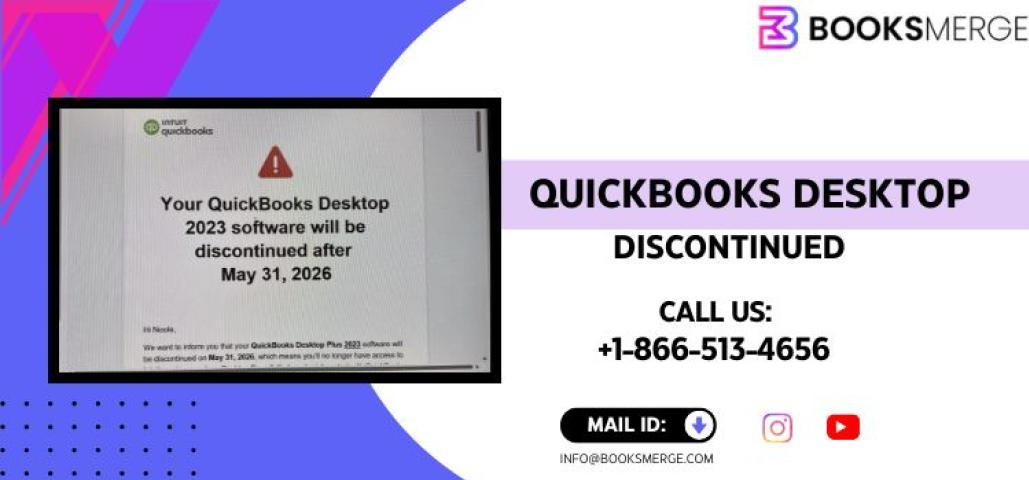
The QuickBooks Desktop discontinued upgrade cost is the number one question small business owners are asking right now. If you used QuickBooks Desktop Pro or Premier, Intuit has ended new license sales and cut off key connected services. This guide breaks down your QuickBooks Desktop 2023 upgrade options in 2026, compares real pricing, and helps you choose the path that saves the most money — without disrupting your business.
Why Is QuickBooks Desktop Being Discontinued?
Intuit made it official: QuickBooks Desktop Pro and Premier are no longer sold as one-time licenses. Starting in 2024, Intuit pushed all users toward subscription-based products.
Here is why this matters to you:
- Desktop Pro and Premier no longer receive security updates or live banking feeds
- Payroll services tied to Desktop have been shut down for non-subscribers
- The QuickBooks Desktop price increase 2026 makes staying on old versions expensive
- Intuit wants 100% of its user base on cloud or subscription software
This is not a small change. If you are still running Desktop, you need to act now.
QuickBooks Desktop Discontinued Upgrade Cost: Your 4 Options
There is no single right answer. Your best option depends on your business size, budget, and how many users you need. Here are the four main paths forward.
Option 1: QuickBooks Online
QuickBooks Online is Intuit's primary replacement for Desktop users.
2026 Pricing:
- Simple Start: ~$17.50/month (1 user)
- Essentials: ~$32.50/month (3 users)
- Plus: ~$49.50/month (5 users)
- Advanced: ~$117.50/month (25 users)
The QuickBooks Online monthly subscription fee adds up over time. At the Plus plan, you pay roughly $594 per year — and that does not include payroll.
Pros:
- Works on any device, anywhere
- Automatic updates
- Easy bank syncing
Cons:
- Features fewer inventory tools than Desktop
- Monthly costs are ongoing with no one-time option
- Data migration can be tricky — watch for hidden fees with QuickBooks Online migration
If you need help deciding, call us at +1-866-513-4656 and our team will walk you through the best plan for your situation.
Option 2: QuickBooks Enterprise
QuickBooks Enterprise is the only Desktop->
QuickBooks Enterprise Silver, Gold, Platinum pricing for 2026:
| Plan | Annual Cost (1 User) | Key Features |
|---|---|---|
| Silver | ~$1,481/year | Core accounting, 30 users max |
| Gold | ~$1,922/year | Silver + Payroll |
| Platinum | ~$2,363/year | Gold + Advanced Inventory |
| Diamond | ~$4,668/year | Platinum + HR + 40 users |
QuickBooks Enterprise 1 user cost per year at the Silver level starts at around $1,481. That is a significant jump from the old Desktop Pro pricing.
Pros:
- Closest experience to Desktop Pro
- Works locally or hosted
- Handles up to 1 million list items
Cons:
- Expensive for small businesses
- Annual subscription only — no perpetual license anymore
- QuickBooks Enterprise worth it for small business? Usually only if you have complex inventory or 5+ users.
Option 3: Migrate to a Third-Party Accounting Tool
Some businesses choose to leave Intuit entirely. Popular alternatives include:
- FreshBooks — great for freelancers and service-based businesses
- Xero — solid mid-market option with strong integrations
- Wave — budget option for very small operations
- Sage 50 — Desktop-like experience with ongoing updates
Migration takes time and planning, but it can be the cheapest QuickBooks option after discontinuation depending on your needs.
Option 4: Stay on Desktop with No Payroll or Banking
You can keep using QuickBooks Desktop 2023 or earlier. However, you will lose:
- Live bank feeds
- Payroll processing inside QuickBooks
- Intuit security patches after the sunset date
This works only if you handle payroll separately and do manual bank imports. It is a short-term fix, not a long-term strategy. Eventually, your version will stop working with modern operating systems.
QuickBooks Online vs Enterprise Price 2026: Side-by-Side
When comparing QuickBooks Online vs Enterprise 2026, price is only part of the picture.
| Factor | QuickBooks Online Plus | QuickBooks Enterprise Silver |
|---|---|---|
| Annual Cost (1 user) | ~$594/year | ~$1,481/year |
| Users Included | 5 | 1 (add more at extra cost) |
| Inventory Management | Basic | Advanced |
| Works Offline | No | Yes (local install) |
| Payroll Included | No (add-on) | No (need Gold) |
| Best For | Small teams, remote work | Mid-size, inventory-heavy |
For most small businesses, QuickBooks Online vs Enterprise price in 2026 favors Online — unless you need heavy inventory tracking or offline access.
Hidden Fees to Watch Before You Switch
Many business owners underestimate how much it costs to switch QuickBooks Desktop to Online. Here is what to budget for:
- Data migration service: $500–$1,500 depending on complexity
- Payroll add-on: $45–$125/month extra on top of your plan
- Accountant access seat: Sometimes an extra fee
- Training time: Your team will need time to learn a new system
Moreover, if you use third-party apps connected to Desktop, those may need replacements too. Therefore, always calculate your full QuickBooks Desktop discontinued upgrade cost before committing.
Conclusion
QuickBooks Desktop discontinued upgrade cost planning is not something you want to rush. Each of the four options has real trade-offs in price, features, and effort. QuickBooks Online works well for small, cloud-friendly teams. QuickBooks Enterprise fits businesses with complex needs. Third-party tools offer independence, and staying on Desktop buys time — but not forever.
Ready to find the right path for your business? Contact BooksMerge today or call us at +1-866-513-4656 — we are here to help you make the smartest, most cost-effective move.
Frequently Asked Questions
Q1. What is the QuickBooks Desktop discontinued upgrade cost for 2026?
The cost depends on which product you move to. QuickBooks Online plans start around $17.50/month, while QuickBooks Enterprise Silver runs about $1,481/year for one user. Factor in data migration and payroll costs as well. Your total switch cost can range from $500 to over $3,000 in the first year.
Q2. Is QuickBooks Enterprise worth it for a small business?
Generally, QuickBooks Enterprise worth it for small business only if you have 5 or more users, complex inventory needs, or require advanced reporting. For a 1–3 person business, QuickBooks Online Plus is usually the more affordable and practical choice given the QuickBooks Enterprise 1 user cost per year.
Q3. What are the hidden fees in QuickBooks Online migration?
The biggest hidden fees with QuickBooks Online migration include data conversion services ($500–$1,500), payroll add-ons, extra user seats, and third-party app replacements. Always get a full cost breakdown before moving. For a detailed estimate, reach out to BooksMerge at +1-866-513-4656.
Q4. What is the cheapest option after QuickBooks Desktop is discontinued?
The cheapest QuickBooks option after discontinuation is QuickBooks Online Simple Start at ~$17.50/month, or migrating to a tool like Wave, which has a basic plan with no monthly fee. However, for businesses needing payroll or multi-user access, QuickBooks Online Essentials or Plus will be the minimum viable option.
Q5. How do I compare QuickBooks Online vs Enterprise price in 2026?
For QuickBooks Online vs Enterprise 2026, Online Plus costs roughly $594/year for 5 users, while Enterprise Silver costs ~$1,481/year for 1 user. Enterprise includes more advanced inventory tools and works offline. Online is cloud-based and easier to scale. Your business size and workflow should drive the decision.
Q6. Can I still use QuickBooks Desktop after it is discontinued?
Yes, but with major limitations. You will lose live bank feeds, payroll processing, and future security updates. The QuickBooks Desktop price increase 2026 also makes older subscription versions pricier to keep active. Staying on Desktop is only a short-term option. Planning your move now avoids a rushed, costly switch later.