You check into your hotel after a long flight, connect to the Wi-Fi, and within minutes, you're sharing credentials between your laptop, phone, and tablet. Then you discover the connection is slow, unsecured, or locks you out after the first device. Does this sound familiar? If you travel often for work or leisure and have battled poor hotel Wi-Fi or public network security, a travel router might be the most underrated item missing from your bag.
What exactly is a travel router?
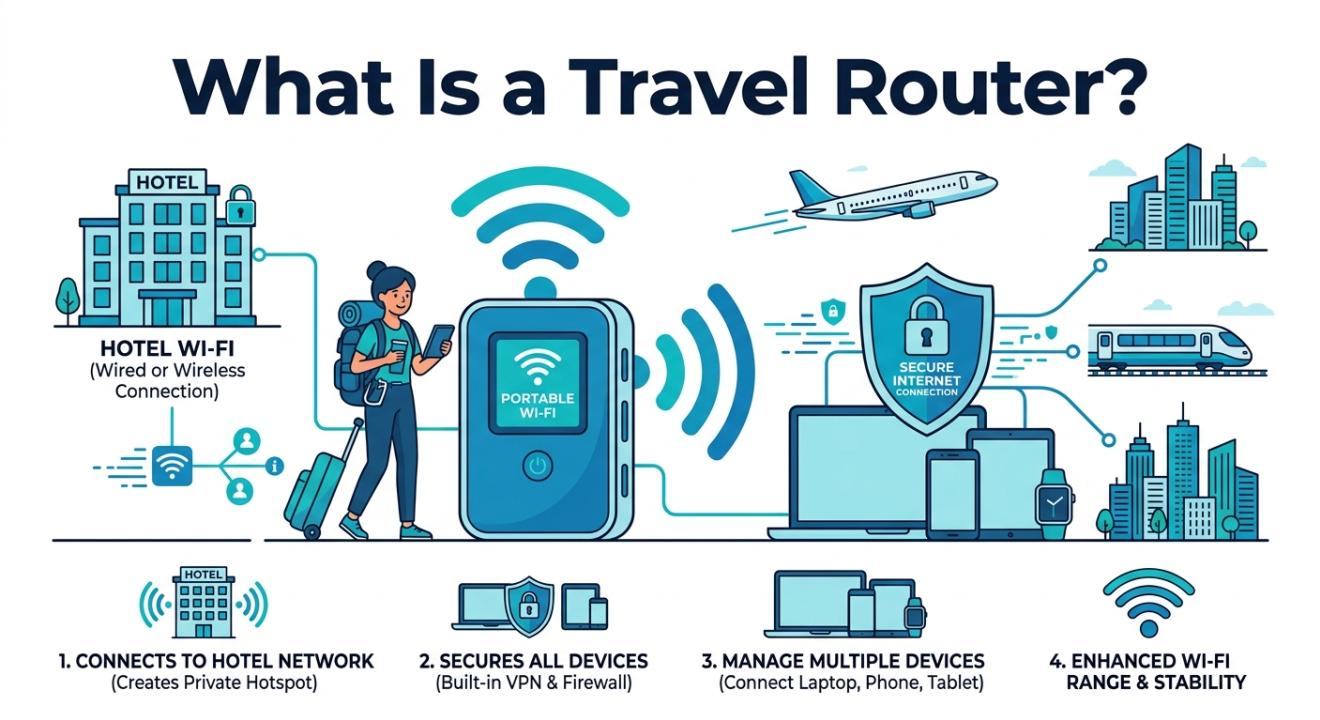
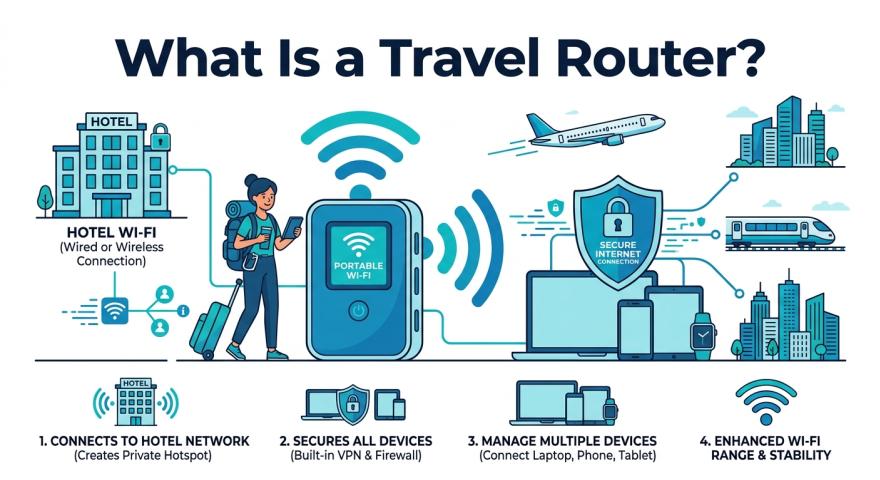
A travel router is a small, portable device that connects to an existing internet source, like a hotel Ethernet port, a public Wi-Fi hotspot, or even a mobile data connection, and creates your own private, secured Wi-Fi network. Think of it as a personal mini-router you can carry in your pocket.
Unlike the full-sized router at home, a travel router focuses on portability without sacrificing function. Most models weigh under 100 grams and fit easily in a jacket pocket or a small pouch in your carry-on.
Key benefits of using a travel router
Here's why frequent travelers swear by them once they've made the switch:
Security first: It encrypts your traffic on untrusted public networks and shields your data from snooping.
One login, all devices: You log in to a hotel portal once, and every device you own connects through it automatically.
Faster speeds: A dedicated channel for your devices often performs better than crowded shared hotel networks.
Built-in VPN support: Many models support OpenVPN or WireGuard, so every device is VPN-protected by default.
Features to look for before you buy
Not all travel routers are the same. When you're shopping, these are the features that really matter in everyday use:
Dual-band Wi-Fi (2.4GHz + 5GHz)
The 5GHz band offers faster speeds for nearby devices; the 2.4GHz band provides better range and can go through walls more easily. Having both bands gives you more options.
Multiple operating modes
Router mode, repeater/extender mode, and access point mode can handle the different setups you’ll find in hotels and Airbnbs.
USB-C charging
You won’t need an extra adapter. Models that charge via USB-C can recharge using your laptop power bank.
VPN client support
If you use a VPN service, look for models that support OpenVPN or WireGuard natively. This means you won’t have to set up each device individually.
Gigabit Ethernet port
Wired connections in hotels are usually faster and more reliable than Wi-Fi. A Gigabit port lets you take full advantage of this.
Compact size and weight
Anything over 150g can start to feel heavy. The best models are about the size of a deck of cards.
Practical tip: If you travel internationally, make sure the router supports both 100V and 240V power input. Many budget models are region-locked and may not charge safely abroad without an extra converter.
Best uses for a travel router
A travel router is helpful in different situations based on your travel habits and locations. This is especially true when you face problems, such as being connected to WiFi but having no internet access.
Business travelers and remote workers
Hotels often limit the number of connections per room or reduce bandwidth during busy times. A travel router solves both problems and keeps your work data on a private, encrypted channel.
Family trips
Instead of juggling multiple hotel Wi-Fi logins and device limits, one travel router can create a shared network for tablets, laptops, phones, and even a streaming stick.
Airbnb and vacation rentals
Some rentals have routers that are unreliable or poorly located. A travel router can extend the signal or replace a weak connection using the property's Ethernet port.
Camping and outdoor trips with mobile data
When paired with a 4G or 5G hotspot or SIM card dongle, a travel router shares that connection with all your devices, often more reliably than a hotspot's Wi-Fi.
International travelers are concerned about surveillance.
Connecting through your own secure network, with a VPN set up at the router level, adds an important layer of privacy when traveling in areas with strict internet policies.
Travel router vs. mobile hotspot — what's the difference?
This is a common point of confusion. A mobile hotspot shares a cellular data connection, while a travel router takes any existing internet source and shares it as a secured private network. They are different tools, although some hybrid devices do both.
If you already pay for unlimited data on your phone plan and rarely stay in hotels, your phone's hotspot feature may be sufficient. However, if you stay in hotels often, work with sensitive data, or travel with multiple people sharing a single connection, a dedicated travel router offers a cleaner and more reliable solution.
The bottom line
A travel router is one of those gadgets that seems unnecessary until you’ve used one. It addresses several real problems: weak hotel Wi-Fi, device login limits, security on open networks, and the hassle of setting up VPNs on every device you own. For solo business travelers, families on the go, or anyone concerned about digital security, it's a practical investment that quickly pays for itself.
If you travel even four or five times a year, it's worth keeping one in your kit at all times.
Frequently asked questions
Do I need a travel router if I already have a VPN?
A VPN and a travel router solve different problems, but they work well together. A VPN encrypts your traffic, while a travel router creates a private network and can run a VPN at the router level. This way, every device you connect to is automatically protected without needing to install a VPN app on each one.
Can a travel router work with hotel Wi-Fi?
Yes, this is one of its main uses. In repeater or WISP mode, a travel router connects to the hotel's wireless network and rebroadcasts it as your own private network. You only have to go through the hotel's login portal once, and all your devices will connect to the router automatically afterward.
What is the difference between a travel router and a regular router?
A standard home router is meant to be plugged into a modem and left in one place. Travel routers are designed for portability; they are smaller, lighter, often battery-powered or USB-charged, and support multiple connection modes (router, repeater, access point) to handle the different setups you’ll encounter while traveling.
Is a travel router safe to use on public Wi-Fi?
Yes, it is significantly safer than connecting your devices directly. Your travel router creates its own encrypted network between itself and your devices. If the router also supports VPN, all your traffic is tunneled through an encrypted connection before it touches the public network. It won't fully secure an unsafe network, but it adds an important layer of protection.
How many devices can connect to a travel router at once?
Most travel routers support 10 to 30 simultaneous connections, which is more than enough for a solo traveler or a small family. Performance can decrease with more active devices, especially on budget models, so if you plan to connect many devices with high-bandwidth needs (streaming, video calls), look for a model with Wi-Fi 6 or dual-band support.