Ask someone who works a rotating schedule what they're doing three Saturdays from now, and watch them pause. Not because they don't know the pattern. They know it cold: two days on, two off, three on, then it flips. The trouble is that the pattern lives as a rule, and the question is about a date. Turning one into the other in your head is where the mistakes happen.
Rotating shifts are common anywhere the lights stay on past a single eight-hour block. Cafes with an early baker and a late closer. A retail floor that opens at 9 and restocks after midnight. A four-person support desk covering weekends. The rota is usually written as a compact rule because a rule is easy to store and easy to email. It is not easy to live inside.
The rule is short. The reading is not.
Take a small bakery with six staff and a coverage need of two people from 5am and one more from 11am through close. A manager might describe the rotation in a sentence: "Anna and Theo open Monday and Tuesday, swap to lates on Wednesday, and the weekend crew slides forward one slot each week." Perfectly clear to the person who built it.
Now hand that sentence to Theo and ask which weekend he has off next month. He has to hold the starting positions in memory, count forward one slot per week without losing his place, and remember that the fifth week resets because the month is long. People are bad at this, and not because they aren't paying attention. Sequential counting under a rule is exactly the kind of task where a small slip early on quietly corrupts everything after it.
The failure mode isn't dramatic. Two people both think they're off the same Sunday, or nobody realizes the 5am slot has a gap until 4:50am.
Spreadsheets help a little, and most managers end up with one. But a plain grid of names and letters (D for day, E for evening, O for off) still asks the reader to decode. A column of D E O O D tells you the shape only if you slow down and translate each cell. The information is there. The legibility isn't.
What actually makes a rotation readable
The fix is boring and it works: stop asking people to decode, and show them the answer directly. A few things carry most of the weight.
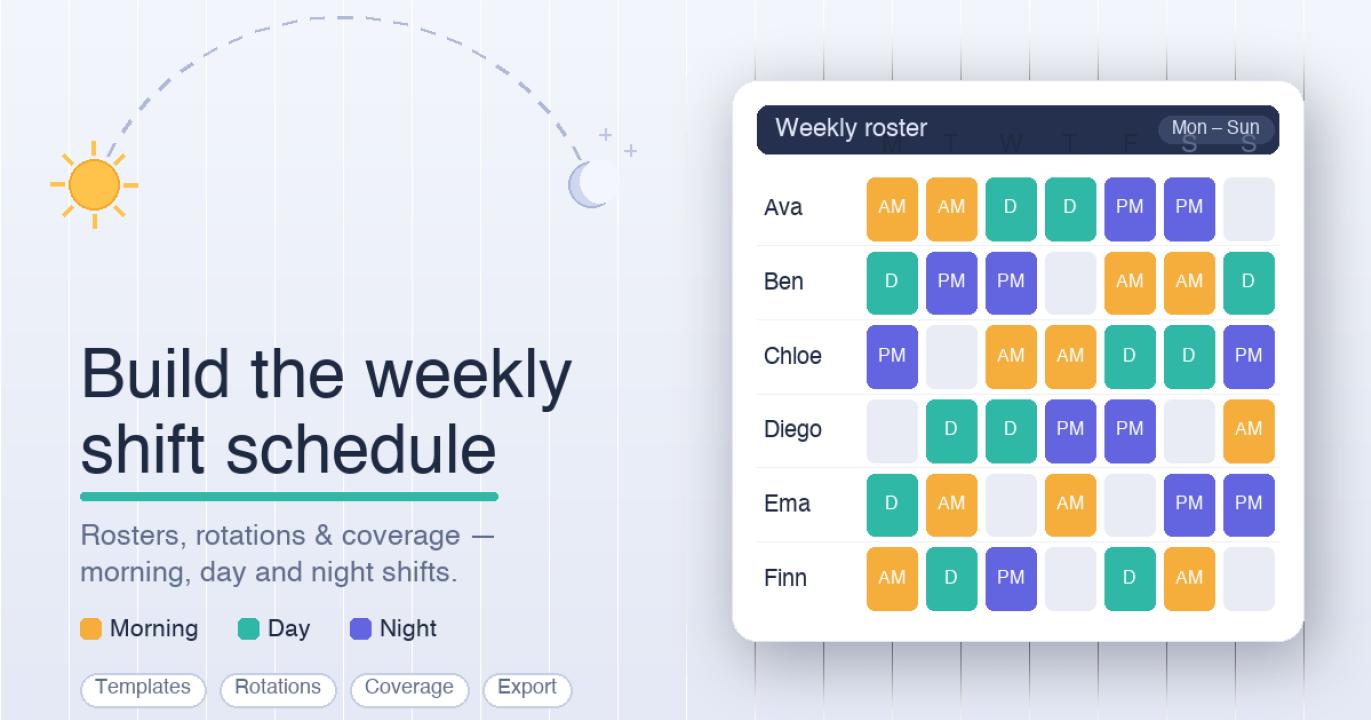
- Color, not letters. A morning block in one color and an evening block in another lets the eye catch the rhythm without reading a single word. You see the "two on, two off" as a visual beat.
- Real dates, not week numbers. "Week 3, Slot B" means nothing to a person planning a dentist appointment. "Thursday the 16th" does.
- One row per person. When each employee's month reads left to right as a strip, gaps and doubles jump out. You can literally point at the empty Tuesday.
- Coverage shown, not implied. A schedule that only lists who works, without making the required two-person minimum visible, hides its own holes.
None of this changes the underlying rule. It changes how much effort a human spends to understand it, and effort is where errors breed. A rotation you can read at a glance is one you can sanity-check at a glance.
Getting from a rule to a picture
The manual path is to build the grid yourself, fill each cell, and color it by hand. That's fine once. It gets tedious the third time you reshuffle because someone swapped a Friday. This is the narrow spot where a generator earns its place: you describe the people, the shift blocks, and the coverage you need, and something else does the tedious job of laying it out as a dated, color-coded grid you can actually look at. A lightweight option like a no-login tool that turns a rotation rule into a visual weekly grid is useful for exactly that first draft step, without asking you to set up an account or import a staff database before you can see anything.
Treat what comes out as a draft, though, not a final rota. A generator lays out the pattern you gave it. It does not know that Anna asked for the 14th off, that Theo is already near his overtime limit for the week, or that your region caps consecutive nights. Those judgments stay with the manager, and they should. The value of a fast visual draft is that it frees up your attention for the parts that need a person: availability, fairness, overtime, and whatever local labor rules apply to your operation.
A short checklist before a rotation goes live
Whether you draw it by hand or generate it, run the same passes before anyone relies on it:
- Does every required slot have someone in it, on every day?
- Is anyone scheduled two shifts that touch, or two on the same day?
- Did the approved time-off requests survive the rotation?
- Is the load roughly even, or did one person quietly draw four weekends in a row?
- Does it hold up against your overtime policy and local labor rules?
That last check is not optional, and no layout tool replaces it. Scheduling brushes up against real rules about hours, rest, and pay, and those vary by place and by contract.
Who this is really for
If you manage a rotation for four to a couple dozen people and you've been keeping it in a spreadsheet you dread editing, the win isn't a fancier system. It's making the schedule readable enough that you and your team can spot problems before they turn into a 4:50am phone call. Start by getting the pattern out of your head and onto a dated, colored grid. Then spend your judgment where it counts, on the exceptions a rule can't see.