Quick Summary
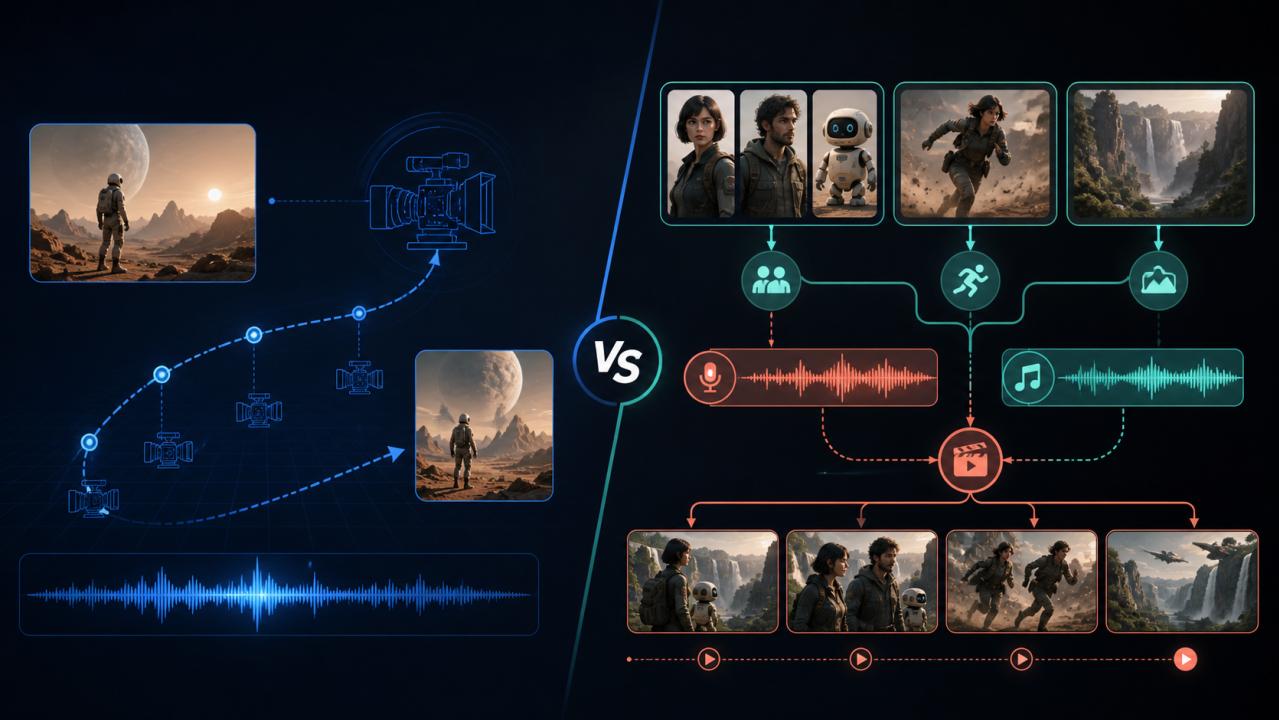
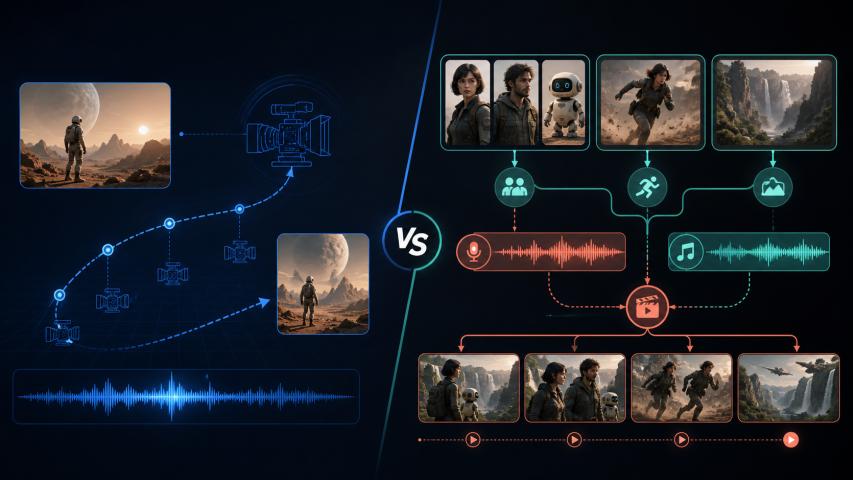
Choosing between FLUX 3 and Seedance 2.0 is less about finding a universal winner and more about matching a model to the work you repeat most often. FLUX 3 is a strong fit for directed, self-contained shots with defined framing, timing, and sound. Seedance 2.0 is better aligned with reference-heavy, multi-shot production that combines images, video, audio, and text.
This comparison is for startup founders, marketers, and creators who need useful video assets without turning every idea into a full production project. It focuses on workflow fit, control, iteration, and practical use cases rather than a one-number ranking.
Why the FLUX 3 vs Seedance 2.0 Decision Matters
AI video tools are increasingly capable, but capability alone does not tell you which one will save time. A product launch video may need one polished shot with a reliable beginning and end. A short-form series may need consistent characters, multiple references, and the ability to revise a selected segment.
Those are different production problems. The model that produces the most impressive isolated clip may still create more work if it does not match your input materials or review process.
For a fair comparison, use five criteria:
• Who it is for: a solo creator, a marketing team, or a production workflow.
• Input control: text, images, keyframes, video references, and audio.
• Shot design: one directed shot versus a connected multi-shot sequence.
• Iteration cost: how easily you can identify and revise one problem.
• Delivery fit: the duration, framing, sound, and consistency your project needs.
FLUX 3: Best for a Controlled, Complete Shot
FLUX 3 is most useful when the brief already has a clear visual destination. The current Flyne page describes text, image, and start/end-frame inputs, along with native audio, flexible framing, 720p or 1080p output, and selectable durations from 5 to 20 seconds. Those controls make it easier to plan a shot before pressing generate.
That is valuable for product reveals, brand transitions, character close-ups, and previsualization. You can start with a product render or campaign still, describe the camera movement and atmosphere, and use an end frame when the final composition matters.
The audio workflow is another practical advantage. Dialogue, room tone, music, and action sounds can be included in the same creative brief, which makes it faster to test whether the visual rhythm and sound design belong together. It does not remove the need for post-production, but it can reduce the number of separate passes needed for an early concept.
The trade-off is that FLUX 3 is most comfortable when you can describe the shot clearly. If your project depends on many unrelated reference files or a long chain of revisions, you may spend more time simplifying the brief before generation.
Choose FLUX 3 when:
• the opening and closing composition matter;
• you need one longer, sound-aware shot;
• you are animating a product image, character still, or storyboard frame;
• your team wants to test camera movement before a larger production.
Seedance 2.0: Best for Multimodal, Multi-Shot Production
Seedance 2.0 is a better match when the creative brief is made from several connected references. Flyne describes a workflow that can combine images, video, audio, and text, with reference-driven generation, multi-shot sequences, character and >
This matters for serialized content. A creator may have a character reference, a wardrobe image, an action clip, a location frame, and a voice or music direction. Instead of treating those assets as separate experiments, the workflow can describe how each reference should influence the result.
Seedance 2.0 also fits projects that evolve after the first render. A selected section may need to be extended, replaced, or connected to another shot while the rest of the idea stays intact. That makes the model attractive for short dramas, educational demos, social series, music visuals, and brand content built from an existing asset library.
The trade-off is organizational. More inputs create more creative control, but they also create more decisions. A reference-heavy prompt needs clear instructions about which file controls the character, motion, setting, or sound. Without that structure, the model may produce an interesting result that is difficult to reproduce.
Choose Seedance 2.0 when:
• one concept needs several visual or audio references;
• character and >
• you want to extend or locally revise existing footage;
• your team is building a repeatable short-form or branded-content series.
FLUX 3 vs Seedance 2.0 Across Five Practical Criteria
Ease of Use
FLUX 3 has a relatively direct mental model: describe a shot, add an image or keyframes when needed, define the visual and audio direction, then refine one variable at a time. Seedance 2.0 can be more powerful for reference-driven work, but the user needs to label the role of each asset clearly.
For a first experiment, FLUX 3 is usually easier to scope. For a production system that already has organized references, Seedance 2.0 may reduce manual assembly later.
Output and Creative Control
Neither model should be judged only by a single showcase clip. FLUX 3 gives the creator more control over the boundaries of a shot, while Seedance 2.0 gives more room to coordinate different media inputs and connected scenes. The better option depends on whether your main risk is an unfocused shot or inconsistent relationships between assets.
Iteration and Workflow Friction
If the problem is camera timing, end-frame composition, or sound placement, FLUX 3 offers a clear set of variables to revisit. If the problem is a missing reference, an unwanted section, or continuity between shots, Seedance 2.0's multimodal and localized-editing approach may be more efficient.
The important metric is not only first-pass quality. Track how many generations it takes to fix one specific issue, and whether the fix damages something that was already working.
Best Fit for Startups and Creators
Startups often need a small set of high-value launch assets: a product reveal, a short demo, a founder story, or a social cutdown. FLUX 3 is a sensible starting point when each asset is designed as a complete shot.
Creators publishing a recurring series may care more about reusable references and continuity. Seedance 2.0 is a sensible starting point when the content system is built around characters, scenes, movement, and sound that need to work together repeatedly.
Sound and Delivery Requirements
Both workflows can involve audio, but the review process still matters. Check dialogue clarity, timing, music rights, room tone, loudness, and the final platform's format before publishing. Native or integrated audio can speed up ideation; it is not a substitute for a delivery check.
A Repeatable Test for Your Next Video Brief
Use the same brief for both models before making a decision. A useful test can be completed in five passes:
1. Write one fixed brief. Include the subject, action, camera movement, lighting, aspect ratio, duration, and sound direction.
2. Create a simple baseline. Start with text only or one reference image so the first comparison has a controlled input.
3. Add the real production constraint. Give FLUX 3 a start and end frame, or give Seedance 2.0 the reference set your project actually needs.
4. Log one problem at a time. Record whether the issue is motion, identity, composition, sound, continuity, or pacing.
5. Compare revision effort. Choose the workflow that fixes the important problem with fewer disruptive changes, not necessarily the one that wins the first render.
This method turns model selection into an internal benchmark. It also creates documentation your team can reuse when the next campaign or series begins.
Frequently Asked Questions
Is FLUX 3 better than Seedance 2.0?
Not for every brief. FLUX 3 is more suitable when you need a controlled, complete shot with defined framing, timing, and sound. Seedance 2.0 is more suitable when several references and connected shots need to work together.
Which model should a beginner try first?
Start with FLUX 3 if you have one clear idea and one image or storyboard frame. Start with Seedance 2.0 if your main challenge is combining several existing references into a coherent sequence.
Can these models replace video editing?
No. They can shorten ideation and production for some clips, but editing is still needed for selection, pacing, captions, sound mixing, brand checks, and rights review.
How should a marketing team compare them?
Use the same brief, reference assets, aspect ratio, and target duration. Evaluate the number of revisions, the consistency of the final assets, and how much manual cleanup is required after generation.
Conclusion: Choose the Workflow You Can Repeat
FLUX 3 and Seedance 2.0 solve different bottlenecks. FLUX 3 is a practical choice when you want to direct one complete, sound-aware shot. Seedance 2.0 is a practical choice when you want several references, connected scenes, and local revisions to fit into one production process.
The best next step is a small, controlled comparison rather than a broad tool migration. Run the same brief through both workflows, document the revision cost, and choose the one that fits the content your team needs to publish repeatedly. For reference-heavy, multi-shot experiments, explore the Seedance 2.0 video workflow and use the test above to evaluate it against your own production constraints.
Sources
• Flyne's current FLUX 3 AI Video Generator page for the listed inputs, audio workflow, duration, and resolution options.
• Flyne's Seedance 2.0 page for reference-driven generation, multi-shot workflows, consistency, and localized editing.
• ByteDance Seed: Seedance 2.0 for the model's multimodal audio-video positioning.
SEO Title: FLUX 3 vs Seedance 2.0: Which AI Video Model Fits Your Workflow Today?
Excerpt: Compare FLUX 3 and Seedance 2.0 by input control, shot design, audio, continuity, and revision effort so creators can choose a repeatable AI video workflow.
Meta Description: Compare FLUX 3 and Seedance 2.0 by shot control, multimodal references, audio, continuity, and practical AI video workflows.
Tags: FLUX 3, Seedance 2.0, AI video, video generation, startup marketing, content creation