Introduction
Today, security is no longer an afterthought in software development. It must be a core part of every phase, from design to deployment. This is where DevSecOps comes in. If you're new to this powerful approach, you're in the right place. This blog post offers the ultimate DevSecOps course and tutorial for beginners, designed to guide you step-by-step. Whether you are exploring a DevSecOps Course, starting your DevSecOps Online Training, or looking for a solid DevSecOps Tutorial for Beginners, you will find everything you need here.
What Is DevSecOps?
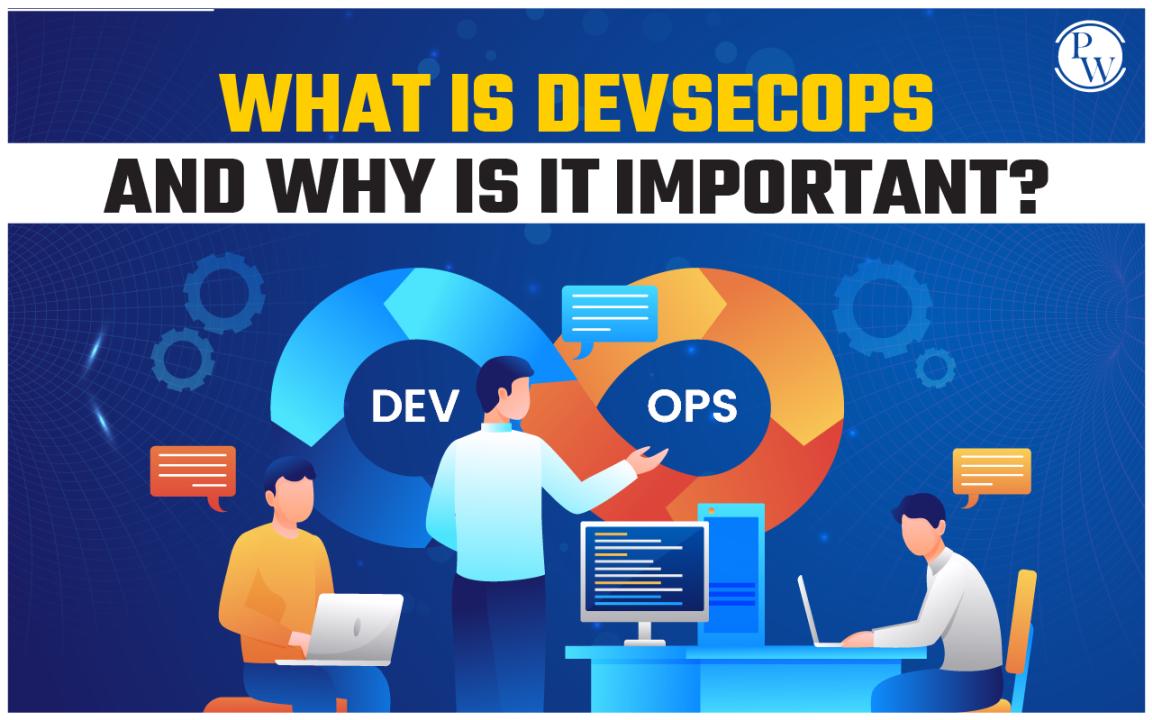
DevSecOps stands for Development, Security, and Operations. It integrates security practices within the DevOps process. Instead of leaving security testing for the end of the development cycle, DevSecOps ensures it is continuous and automated throughout the software delivery lifecycle.

Key Principles of DevSecOps
Security as Code: Embed security into code and infrastructure.
Automation: Automate security tests and vulnerability scanning.
Shift Left: Address security issues early in the development process.
Continuous Monitoring: Keep an eye on systems even after deployment.
Collaboration: Developers, security professionals, and operations teams must work together.
Why DevSecOps Matters
Faster Deliveries: Integrating security early prevents delays.
Cost Reduction: Fixing bugs early is cheaper than post-release patches.
Enhanced Trust: Secure products build customer confidence.
According to a 2024 State of DevSecOps report, companies practicing strong DevSecOps principles saw a 40% reduction in security incidents compared to those using traditional methods.
Getting Started: The Basics You Should Know
Core Components
Version Control Systems (e.g., Git)
Continuous Integration/Continuous Deployment (CI/CD) Tools (e.g., Jenkins)
Static Application Security Testing (SAST) Tools (e.g., SonarQube)
Dynamic Application Security Testing (DAST) Tools (e.g., OWASP ZAP)
Container Security (e.g., Docker security scanning)
Infrastructure as Code (IaC) Security (e.g., Terraform scanning)
Skills You Should Build
Basic programming knowledge (Python, JavaScript, or similar)
Familiarity with Linux commands
Understanding of CI/CD pipeline concepts
Basics of cloud computing (AWS, Azure, or GCP)
Knowledge of cybersecurity fundamentals
Step-by-Step DevSecOps Tutorial for Beginners
Step 1: Understand the Software Development Lifecycle (SDLC)
Before you add security to DevOps, you must understand the development lifecycle:
Requirements gathering
Design
Implementation
Testing
Deployment
Maintenance
Security should be present in each phase.
Step 2: Learn Basic DevOps Concepts
Study how continuous integration and delivery work. Understand how code moves from developer machines to production environments.
Step 3: Set Up Your DevSecOps Environment
Install Core Tools:
Git for version control
Docker for containerization
Jenkins for automation
SonarQube for static code analysis
Basic Setup Example:
# Install Git
sudo apt-get install git
# Install Docker
sudo apt install docker.io
# Install Jenkins
sudo apt install jenkins
Step 4: Integrate Security into CI/CD Pipeline
Run static code analysis as soon as a developer commits code.
Scan Docker images before pushing to production.
Perform automated security tests during deployment.
Example Jenkinsfile Snippet:
pipeline {
agent any
stages {
stage('Static Code Analysis') {
steps {
sh 'sonar-scanner'
}
}
stage('Docker Build and Scan') {
steps {
sh 'docker build -t myapp .'
sh 'docker scan myapp'
}
}
}
}
Step 5: Master Threat Modeling
Identify possible threats to your application. Tools like Threat Dragon can help visually model threats.
Example Threats:
SQL Injection
Cross-site Scripting (XSS)
Broken Authentication
Step 6: Implement Continuous Monitoring
Set up security monitoring using:
ELK Stack (Elasticsearch, Logstash, Kibana)
Prometheus and Grafana
Continuous monitoring helps detect and respond to threats quickly.
Step 7: Practice, Practice, Practice
Use vulnerable applications like DVWA (Damn Vulnerable Web Application) to practice your skills safely.
Real-World Applications of DevSecOps
1. Banking Sector
Banks use DevSecOps to secure millions of transactions daily. They integrate fraud detection models directly into their CI/CD pipelines.
2. Healthcare Industry
Healthcare apps use DevSecOps to protect sensitive patient information and comply with regulations like HIPAA.
3. E-commerce
Online retailers use DevSecOps to safeguard customer payment data and personal information.
Challenges You May Face
Tool Overload: Start with a few essential tools. Expand later.
Resistance to Change: Encourage teams with real-world success stories.
Skill Gaps: Keep learning through practice projects and labs.
Tips for Success in DevSecOps Online Training
Start Small: Focus on one security tool at a time.
Practice Labs: Regular hands-on practice beats theory in DevSecOps Online Training
Stay Updated: The cybersecurity landscape changes daily.
Join Communities: Engage with online forums and groups.
Learn Cloud Security: Cloud platforms are critical in DevSecOps.
Common Mistakes to Avoid
Ignoring security during development
Relying solely on automated tools
Not updating dependencies and libraries
Skipping configuration and infrastructure security
Roadmap to Master DevSecOps
Beginner Level
Learn Git basics
Understand CI/CD pipelines
Set up Jenkins and Docker
Intermediate Level
Integrate static and dynamic security testing
Master container security
Learn Infrastructure as Code (IaC)
Advanced Level
Build secure Kubernetes clusters
Implement Identity and Access Management (IAM)
Set up security orchestration and automated incident response
Recommended Practice Projects
Build a Secure CI/CD Pipeline: Include SonarQube scans and Docker image scans.
Deploy a Secure Web Application: Use HTTPS, authentication, and security headers.
Containerize an App and Implement Runtime Security: Use Falco or AquaSec.
Visual Learning: Basic DevSecOps Workflow Diagram
Developer --> Git Commit --> Jenkins Pipeline --> Static Scan --> Build Docker Image --> Container Scan --> Deploy to Cloud --> Monitor Logs
Each arrow represents a point where security is checked.
Frequently Asked Questions
What does a DevSecOps Engineer do?
A DevSecOps engineer automates and integrates security at every phase of the software development process.
How long does it take to learn DevSecOps?
It depends on your background. If you already know DevOps basics, you can start becoming proficient in DevSecOps in 4-6 months with regular practice.
Is coding necessary for DevSecOps?
Yes. Knowing how to script and read code helps you automate security testing and understand vulnerabilities.
Conclusion
Learning DevSecOps is essential for building secure, scalable applications in today's fast-paced tech world. This ultimate DevSecOps course and tutorial for beginners gives you the foundation you need to start your journey. By focusing on the fundamentals of a DevSecOps Course, practicing with a DevSecOps Online Training, and following a practical DevSecOps Tutorial for Beginners, you can transform your skill set and open exciting career opportunities.
Ready to start your DevSecOps journey? Dive into practice, keep learning, and stay curious!