Creating clear and effective step by step guides is crucial for enhancing user experiences, training employees, and sharing knowledge within an organization. Whether you need to create tutorials, standard operating procedures (SOPs), or instructional materials, selecting the right tool for the job can make a big difference in how efficiently and effectively you can produce your guides. If you’re just starting out, here’s a beginner’s guide to choosing the right step by step guide tool for your needs.
User-Friendliness
When selecting a tool for creating guides, the user interface should be intuitive and easy to navigate. As a beginner, you want to avoid tools that are overly complex or require a steep learning curve. Ideally, you want a tool that allows you to capture, organize, and convert workflows into actionable steps with just a few clicks.
Tip: Look for SOP builder tool that offer drag-and-drop functionality, simple text editors, and a clear structure for adding steps in your guides. Some tools even have tutorial modes to help you get started quickly.
Customization and Branding Options
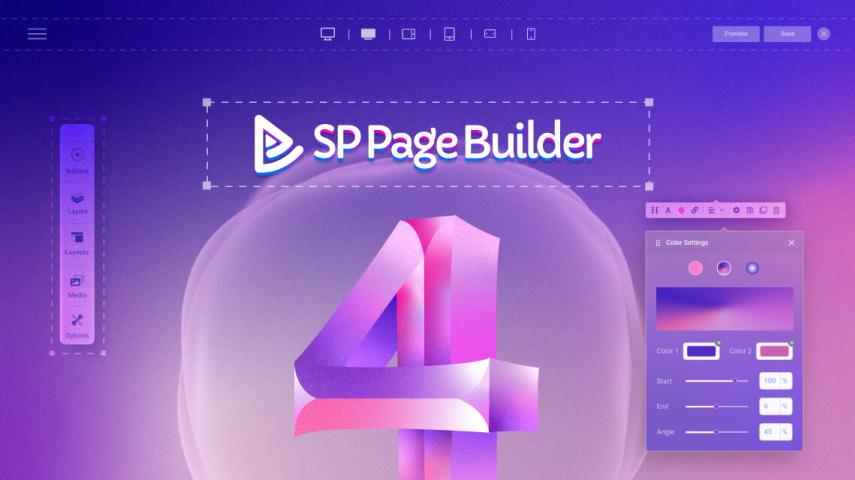
Your guides should reflect your brand identity, especially if they are being shared with clients or used in customer-facing materials. Look for a step by step guide tool that allows for significant customization. This can include options to adjust colors, fonts, logos, and layout designs. The ability to personalize your guides will help maintain a professional and consistent image.
Tip: Make sure the tool allows you to embed your company’s logo and adjust the color scheme to match your brand, which will ensure the guides align with your business aesthetics.
Collaboration Features
If you work with a team to create documentation, collaboration is key. The tool you choose should allow multiple people to work on a guide simultaneously or provide a smooth review and approval process. Features like real-time editing, comments, and version tracking can help streamline teamwork and reduce errors in your guides.
Tip: Select tools that enable team collaboration, such as shared workspaces or live editing, so your team can create guides together without any hassle.
Integrations with Other Tools
Many organizations rely on various software platforms to manage projects, communicate with teams, and store documents. When choosing AI-powered guide creation tools, it’s important to check if it integrates with your existing systems. Look for tools that can link up with project management software, communication tools, or cloud storage services.
Tip: If your team uses Slack, Google Drive, or project management platforms like Trello, Jira, or Asana, make sure the guide tool integrates with these services to ensure smooth workflows.
Flexibility in Output Formats
You want your guides to be easily shareable and accessible in different formats. Whether it’s PDFs, Word documents, HTML pages, or other formats, the tool you choose should give you the flexibility to export your guides as needed. You may also want the option to embed guides directly into your website or online knowledge base.
Tip: Look for tools that allow you to export guides in multiple formats, such as PDF, HTML, or even video, depending on how you plan to distribute your content.
AI and Automation Capabilities
Modern step by step guide tools often incorporate AI and automation to speed up the process. AI can help you automatically generate steps based on recorded workflows or suggest the most efficient way to organize a guide. Automation can help streamline repetitive tasks and ensure guides are kept up-to-date.
Tip: Consider tools that offer AI-powered features like workflow recording, automatic step generation, and guide suggestions to make your guide creation process faster and more efficient.
Support and Documentation
Even with an intuitive tool, there may be times when you need help. Comprehensive customer support and accessible documentation can make a world of difference when you’re troubleshooting issues or learning how to use advanced features. Before choosing a tool, check whether it offers sufficient support resources.
Tip: Opt for tools that offer tutorials, online help centers, customer support via live chat, and an active community to ensure you get the assistance you need when problems arise.
Scalability and Pricing
Finally, consider your future needs. As your organization grows, you may need to create more guides or work with a larger team. It’s important to choose a tool that can scale with your needs without breaking the bank. Look for a solution that offers flexible pricing options, including tiered plans based on your team size and the number of guides you need to create.
Tip: Choose a tool that offers scalable pricing options, so you only pay for what you need as your business grows. Many tools offer a free version or a trial period, which can be a great way to test out the features before committing.
Conclusion
Selecting the right step by step guide tool can significantly improve how you create and manage instructional content. As a beginner, it’s essential to choose a tool that balances ease of use with advanced features like customization, collaboration, and AI support. By considering the factors mentioned in this guide—user-friendliness, collaboration features, customization options, integration capabilities, and scalability—you’ll be well on your way to finding the perfect tool for your needs. The right step by step guide tool can not only save you time but also improve the quality and effectiveness of your guides, making them a valuable resource for your team and clients.