
If you have ever wanted to connect more devices to your computer or make your USB cables reach farther, you might think about using a USB port extender. But is it safe? Can you trust these devices with your gadgets? Let’s look at what USB port extenders are, how they work, and how to use them safely.
What Is a USB Port Extender?
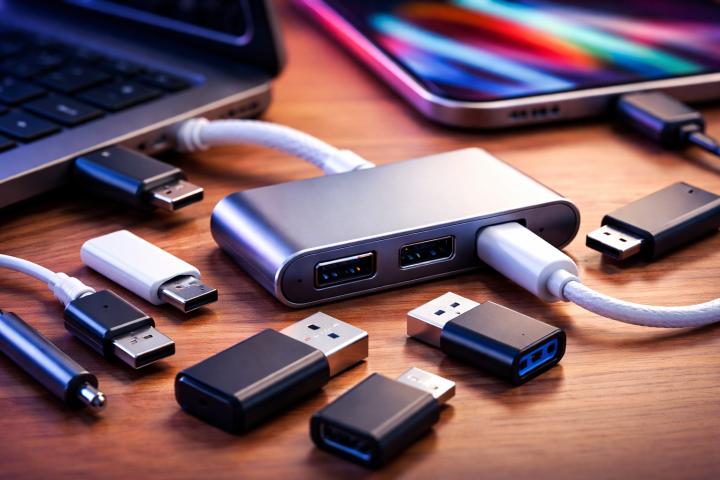
A USB port extender is a device that helps you plug more USB gadgets into your computer. It can also help you connect devices that are far away from your computer.
Some people call these devices USB extenders or USB hubs. They make it easy to add more keyboards, mice, printers, or other USB gadgets to your setup.
What Are USB Extenders and USB Repeater Cables?
A USB extender is a special cable or device that lets you connect USB gadgets over longer distances. Sometimes, it uses a different type of cable, like Ethernet, to send the USB signal farther.
A USB repeater cable is a cable with a built-in booster. This booster keeps the USB signal strong, even if the cable is long. It helps your device work just like it was right next to your computer.
How Do USB Port Extenders Work?
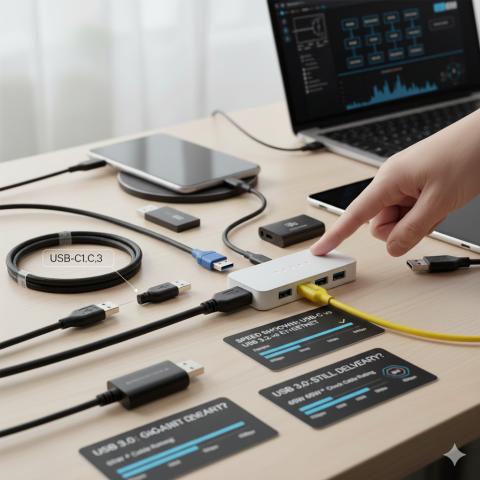
USB port extenders work by splitting one USB port into several. This lets you plug in more devices at the same time.
USB extenders and repeater cables work by boosting or repeating the USB signal. This helps the signal travel farther without getting weak.
Are USB Port Extenders Safe to Use?
Most USB port extenders are safe if you use them the right way. But just like any gadget, you need to be careful.
Always buy from trusted brands. Cheap or fake extenders can cause problems like overheating or device damage.
Don’t plug in too many devices at once. This can overload the extender and make it overheat.
What Are the Risks?
Using any USB port extender or repeater cable can have some risks if you are not careful. Here are some things to watch out for:
Overloading: Plugging in too many devices can make the extender overheat.
Cheap products: Fake or low-quality extenders can damage your devices.
Signal loss: If the cable is too long, the signal can get weak.
Compatibility issues: Not all extenders work with every device.
How to Use USB Port Extenders Safely
Follow these tips to keep your devices and home safe:
Don’t plug in too many devices at once. Only use as many as the extender is made for.
Buy from trusted brands. This helps avoid cheap or fake products.
Check for overheating. If the extender feels hot, unplug it for a while.
Don’t use damaged cables or extenders. If something looks broken, don’t use it.
Keep cables neat. Don’t let them get tangled or bent too much.
What About USB Repeater Cables?
USB repeater cables are safe if you use them as directed. They help keep the USB signal strong over long distances.
Just like with extenders, always buy from trusted brands. Cheap repeater cables can cause problems.
Tips for Using USB Extenders and Repeater Cables
Check the maximum length. Most USB cables have a limit before the signal gets weak.
Use a repeater cable for long distances. This keeps the signal strong.
Make sure your device is compatible. Not all cables work with every gadget.
Don’t use too many extenders in a row. This can weaken the signal.
Are USB Port Extenders Safe? The Exact Answer
USB port extenders are safe if you use them the right way. Always buy from trusted brands, don’t overload them, and check for damage. USB extenders and USB repeater cables are also safe when used as directed. Just make sure to follow basic safety tips and use the right device for your needs.
Real-Life Examples
Home office: Use a USB port extender to plug in your keyboard, mouse, and printer at the same time.
Gaming setup: Use a USB repeater cable to connect your controller from farther away.
Photography: Use a USB extender to connect your camera to your computer from across the room.
Common Mistakes to Avoid
Using cheap or fake extenders. These can be dangerous.
Plugging in too many devices. This can cause overheating.
Ignoring damage. Never use a cable or extender that looks broken.
Running cables under rugs or furniture. This can cause overheating and fire.
Using the wrong cable for your device. Always check compatibility.
Extra Safety Tips
If you have kids or pets, keep cables and extenders out of their reach. Children and animals might chew on cords or pull them, which can be dangerous.
Unplug your extender when you are not using it. This helps save energy and reduces the risk of fire.
If you notice your extender is getting hot, unplug it right away and check for damage or overloading.
How to Choose the Right USB Port Extender
Look for extenders with good reviews and from trusted brands. This helps you avoid cheap or fake products.
Check the power rating of the extender. Make sure it can handle the devices you want to plug in.
Choose extenders with a sturdy design and thick wires. These are less likely to overheat or break.
FAQ: Common Questions About USB Port Extenders
Q: Can I use any USB port extender for my computer?
A: Most computers work with standard USB port extenders, but always check compatibility.
Q: Are USB repeater cables safe for my devices?
A: Yes, if you use them as directed and buy from trusted brands.
Q: What should I do if my extender feels hot?
A: Unplug it right away and check for damage or overloading.
Q: How many devices can I plug into a USB port extender?
A: Check the power rating of the extender. Only plug in as many devices as it is made for.
Q: Can I use a USB repeater cable with a USB hub?
A: Yes, you can use them together, but check the limits of both devices.