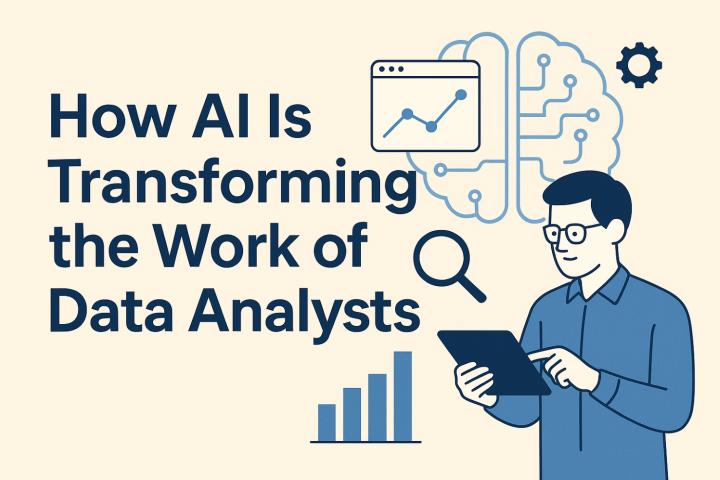
In today’s dynamic business landscape, the role of a Business Analyst (BA) continues to evolve. With the rise of digital transformation, automation, and data-driven decision-making, BAs are expected to master a wide range of tools to remain effective and competitive. What once began with Microsoft Excel has now expanded to include sophisticated platforms powered by artificial intelligence (AI), cloud computing, and advanced analytics.
Business analyst courses have adapted to this shift by incorporating a blend of traditional and cutting-edge tools that prepare learners for real-world challenges. This explores the progression of these tools from the foundational to the futuristic and highlights why learning them is essential in any modern BA Training and Placement program.
The Foundations: Excel and Microsoft Office Suite
Excel: The Original Power Tool
For decades, Microsoft Excel has been the go-to tool for Business Analysts. It remains an essential component of any business analyst course due to its versatility in data organization, analysis, and visualization.
Key Excel Functions for BAs:
Data cleaning using filters and formulas
PivotTables for summarizing large datasets
Charts and graphs for visual analysis
VLOOKUP, HLOOKUP, INDEX, and MATCH for relational data lookup
Microsoft Word and PowerPoint
Effective communication is vital for BAs. Word helps in preparing Business Requirements Documents (BRDs), Software Requirement Specifications (SRS), and stakeholder reports. PowerPoint is used for presenting findings, project updates, and solution proposals.
Collaboration and Project Management Tools
Microsoft Teams & Slack
Modern BA courses teach communication tools like Microsoft Teams and Slack, which streamline collaboration among distributed teams. These platforms support real-time chat, video calls, and file sharing.
JIRA and Confluence (Atlassian Suite)
Widely used in Agile environments, JIRA helps manage tasks, backlogs, and sprints. Confluence allows BAs to maintain knowledge bases, document requirements, and link them to development tickets.
Trello and Monday.com
Visual project boards such as Trello and Monday.com are also featured in BA training. These tools help in managing tasks, assigning responsibilities, and tracking deadlines using Kanban->
Data Management and Analysis Tools
SQL (Structured Query Language)
SQL is a cornerstone skill taught in business analyst courses. BAs use SQL to query relational databases, extract relevant data, and perform validations.
Common SQL operations include:
SELECT, WHERE, and JOIN statements
GROUP BY and ORDER BY clauses
Aggregations (COUNT, SUM, AVG)
Subqueries and nested queries
Power BI and Tableau
Data visualization tools like Power BI and Tableau are essential for turning raw data into actionable insights. BAs learn to create dashboards, KPIs, and interactive reports to support strategic decisions.
Excel Power Query and DAX
Advanced Excel features like Power Query and Data Analysis Expressions (DAX) are also covered in modern training. These enable complex data modeling and transformation within Excel and Power BI.
Modeling and Design Tools
Lucidchart, Draw.io, and MS Visio
Diagramming tools such as Lucidchart, Draw.io, and MS Visio are crucial for creating business process models, UML diagrams, and data flow charts.
Bizagi Modeler
Bizagi Modeler is commonly used to design BPMN-compliant workflows. BA courses include hands-on training on how to visualize current (As-Is) and future (To-Be) processes.
Balsamiq, Figma, Adobe XD
Wireframing and prototyping tools like Balsamiq (low-fidelity), Figma, and Adobe XD (high-fidelity) help BAs design intuitive user interfaces and communicate UI/UX requirements effectively.
Agile and Scrum Toolkits
Scrum Boards and Burn-Down Charts
Business analyst training often includes Agile toolkits that feature Scrum boards, burn-down charts, sprint planning tools, and retrospective trackers.
Agile Plugins for JIRA
Plugins and extensions allow BAs to customize JIRA for Agile use, such as setting up epics, user stories, and tracking velocity.
VersionOne and Rally
Some programs also introduce enterprise-level Agile platforms like VersionOne and Rally, offering deeper integration with large-scale product development environments.
Testing and Validation Tools
TestRail and Zephyr
Testing tools such as TestRail and Zephyr (JIRA plugin) are introduced to help BAs support the QA team in test case design, execution, and traceability.
Selenium Basics
Although not always required, some courses briefly cover automation tools like Selenium to give BAs insight into the testing process.
Documentation and Knowledge Management
Confluence Templates and Custom Pages
BAs use Confluence for maintaining structured documentation such as BRDs, SRS, and UAT plans. Templates and macros improve content consistency.
Google Workspace (Docs, Sheets, Slides)
Google’s collaboration suite is often integrated into training for cloud-based documentation and real-time editing capabilities.
Artificial Intelligence and Automation Tools
ChatGPT and AI Assistants
Progressive BA courses now include AI tools like ChatGPT for drafting documentation, generating user stories, and summarizing meetings.
Microsoft Copilot
Microsoft’s Copilot tool, integrated within Office apps, helps BAs write better content, analyze data faster, and improve productivity.
RPA Tools (UiPath, Automation Anywhere)
Robotic Process Automation (RPA) is gaining traction. BAs are taught to identify automation opportunities and document RPA workflows.
Cloud and Integration Platforms
Microsoft Azure and AWS Basics
Many business analyst courses introduce the basics of cloud platforms to help BAs understand where applications are hosted and how they integrate.
Zapier and Make (Integromat)
These low-code tools allow BAs to automate workflows between different applications. Understanding integration and API triggers is increasingly important.
AI-Driven Analytics
Natural Language Processing (NLP)
Courses are beginning to touch on NLP tools that allow BAs to analyze unstructured data from chat logs, surveys, and social media.
Predictive Analytics Tools
AI-powered platforms that support predictive modeling and trend analysis are also introduced to give BAs future-focused decision-making capabilities.
Why Learning These Tools Matters
Real-World Readiness
Employers expect new Business Analysts to be fluent in both traditional and emerging tools. Having hands-on experience with these platforms enhances job readiness.
Enhanced Collaboration
Modern tools support cross-functional collaboration, allowing BAs to work seamlessly with developers, designers, QA teams, and stakeholders.
Increased Efficiency and Accuracy
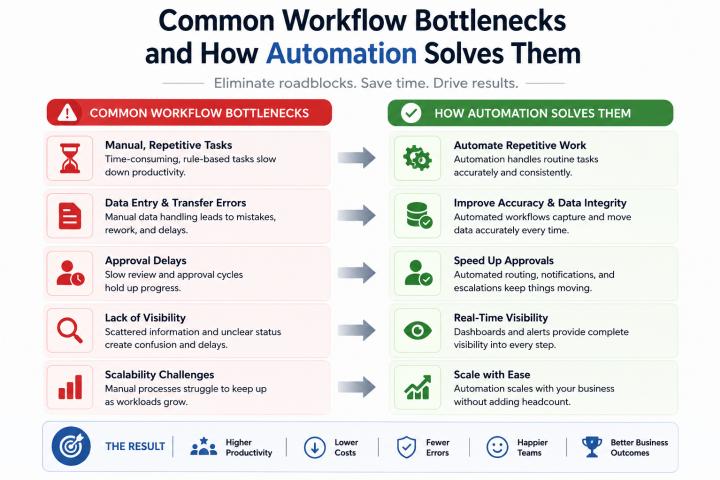
Automation and AI reduce manual effort, enhance data accuracy, and free up BAs to focus on higher-level analysis and strategy.
Better Stakeholder Communication
Visualization, documentation, and communication tools enable BAs to convey complex ideas clearly and gain stakeholder buy-in more effectively.
Conclusion
From Excel to AI, the toolkit of a Business Analyst has expanded significantly. Business analyst courses that evolve with these changes provide learners with the skills needed to stay relevant and excel in today’s tech-driven business environments. Whether it's mastering Excel formulas or using ChatGPT to draft requirement documents, the ability to work across a spectrum of tools defines the modern BA.
Investing in comprehensive Business Analyst Classes Online that covers both foundational and advanced platforms is essential for career growth. By understanding and applying these tools, Business Analysts can contribute meaningfully to innovation, efficiency, and business success in any industry.