Working from home has become the new normal for millions of people. But not everyone has a spare room to turn into an office. Many of us need to create a workspace in our living room while keeping it functional for daily life.
The challenge is real: how do you set up a productive work area without turning your living space into a cluttered mess? The good news is that with smart planning and the right furniture choices, you can create a living room office combo that works for both productivity and relaxation.
Understanding Your Space Constraints
Before diving into specific layouts, take a close look at your living room. Measure the available space and note any obstacles like radiators, windows, or built-in features. Consider traffic flow patterns and how family members use the space throughout the day.
Small spaces require creative solutions. Every square foot counts when you're trying to balance work needs with living comfort. The key is finding furniture and arrangements that serve multiple purposes without overwhelming the room.
Essential Elements for a Dual-Purpose Space
Your living room office needs certain basics to function well. A comfortable chair that supports good posture is non-negotiable. You'll spend hours in this seat, so invest in quality. A stable surface for your laptop or computer comes next. This doesn't always mean a traditional desk.
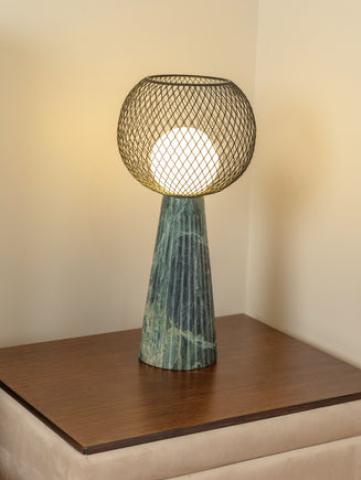
Good lighting prevents eye strain and creates a professional atmosphere for video calls. Natural light works best, but add task lighting for darker corners or evening work sessions. Storage solutions keep work materials organized and out of sight when you're off the clock.
Compact Desk Solutions That Actually Work
Traditional desks often feel too bulky for living rooms. Wall-mounted desks save floor space and can fold away when not in use. These work especially well in tight corners or along empty walls.
Console tables make excellent desk alternatives. They're narrow enough to fit behind sofas and blend seamlessly with living room decor. Look for options with drawers or shelves for hidden storage.
Rolling carts offer ultimate flexibility. Move your workspace where you need it, then roll it away when work is done. Choose a cart with multiple levels to hold your laptop, documents, and office supplies.
Smart Furniture Choices for Multi-Use Spaces
Furniture that serves double duty is your best friend in a small space. Ottoman storage cubes work as seating, footrests, and file cabinets. Side tables with built-in charging stations keep devices powered and organized.
Bookcases can act as room dividers, creating a visual separation between work and living areas. Choose open shelving to maintain light flow while defining different zones.
Nesting tables stack when not needed and expand for extra workspace during busy periods. They're perfect for holding reference materials or a second monitor.
Layout Strategies for Different Room Shapes
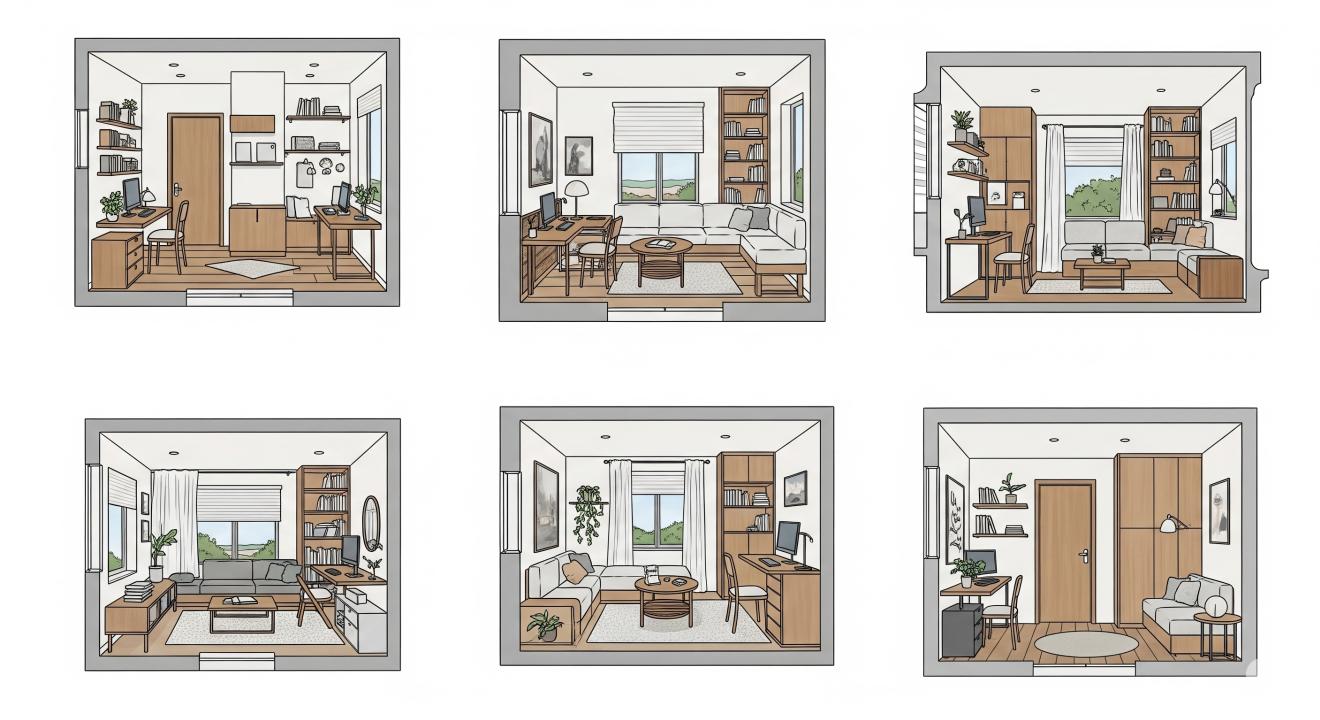
Long, narrow living rooms benefit from placing the work area at one end. This creates a natural division between work and relaxation zones. Use a bookshelf or tall plant to reinforce the boundary.
Square rooms offer more flexibility. Consider placing your desk along a wall perpendicular to the main seating area. This arrangement keeps work materials out of the main sight line while watching TV or entertaining guests.
Open concept spaces need creative zoning. Use area rugs to define different spaces visually. A large rug under your seating area and a smaller one under your desk creates distinct zones without walls.
Corner Workstations That Maximize Space
Corners often go unused in living rooms, making them perfect for compact offices. Corner desks fit snugly into these spaces while providing ample work surface. Look for L-shaped options that wrap around the corner for maximum efficiency.
Floating corner shelves create vertical storage without taking up floor space. Install them at various heights to hold books, plants, and decorative items that make the space feel less like a sterile office.
Corner floor lamps provide focused lighting for work tasks while adding ambient lighting to the room. Choose adjustable options that can direct light exactly where you need it.
Cable Management and Tech Integration
Nothing ruins the aesthetic of a living room office like tangled cables. Invest in cable management solutions that keep wires hidden and organized. Cable clips attach to desk edges and guide cords out of sight.
Power strips with USB ports reduce the number of adapters needed. Mount them under your desk or inside a drawer to keep them accessible but hidden.
Consider wireless versions of your peripherals when possible. Wireless keyboards, mice, and printers reduce cable clutter and offer more flexibility in positioning.
Lighting Solutions for Productivity and Ambiance
Good lighting serves both work productivity and living room ambiance. Position your desk near a window for natural light during the day. Use sheer curtains to diffuse harsh sunlight while maintaining brightness.
Task lighting becomes crucial for evening work sessions. Desk lamps with adjustable arms let you direct light exactly where you need it. Choose warm white LEDs that are easier on the eyes than harsh fluorescents.
Ambient lighting helps transition from work mode to relaxation mode. Dimmer switches or multiple light sources let you adjust the mood as needed throughout the day.
Storage Solutions That Don't Scream "Office"
Traditional filing cabinets clash with living room decor. Instead, use attractive storage that blends with your >
Built-in storage maximizes space efficiency. If you're handy with tools, consider adding shelves above your desk area or inside unused alcoves. Custom solutions often work better than store-bought options in tight spaces.
Hidden storage keeps work materials out of sight during off-hours. Ottoman storage, coffee tables with drawers, and storage benches all provide places to tuck away work items.
Creating Visual Separation Without Walls
Open floor plans need visual cues to separate work and living areas. Room dividers don't have to be solid walls. Tall plants, decorative screens, or curtain panels can create boundaries while maintaining openness.
Color changes help define different zones. Use a different paint color or wallpaper on the wall behind your desk to create a visual anchor for your work area.
Furniture placement creates natural boundaries. Position your sofa with its back to your work area, or use a console table to separate the spaces functionally.
Ergonomic Considerations in Limited Space
Comfort matters even in small spaces. Your monitor should be at eye level to prevent neck strain. If you're using a laptop, invest in a laptop stand and external keyboard to achieve proper positioning.
Chair height should allow your feet to rest flat on the floor with your knees at 90 degrees. If your chair doesn't adjust enough, use a footrest to achieve proper positioning.
Take regular breaks to stretch and move around. Small spaces can feel confining, so build movement into your work routine. Even a few minutes of stretching every hour makes a difference.
Budget-Friendly Setup Ideas
Creating a functional workspace doesn't require a huge budget. Start with the essentials and add improvements over time. A simple folding table and comfortable dining chair can get you started.
Shop secondhand for furniture pieces. Thrift stores, estate sales, and online marketplaces often have quality pieces at fraction of retail prices. A fresh coat of paint can transform dated furniture into stylish workspace elements.
DIY solutions save money and create custom fits for your space. Simple floating shelves, pegboard organizers, and painted furniture can create a professional-looking setup without breaking the bank.
Technology Setup for Small Spaces
Choose technology that fits your space constraints. All-in-one computers take up less space than tower PCs and separate monitors. Ultrabooks offer full computer functionality in a compact package.
Wireless technology reduces cable clutter and increases flexibility. Wireless printers can be placed anywhere in the room, not just near your desk. Cloud storage reduces the need for physical file storage.
Multi-function devices save space and money. A printer that also scans and copies eliminates the need for separate devices. Look for compact options designed for home offices.
Maintaining Work-Life Balance in Shared Spaces
When your office is also your living room, establishing boundaries becomes important. Set specific work hours and stick to them. When work time ends, put away work materials and transition to relaxation mode.
Create rituals that signal the start and end of work time. This might be as simple as opening your laptop to start work and closing it to end the day. Physical actions help your brain switch between work and personal time.
Communicate boundaries with family members or roommates. Let them know when you're working and need minimal interruptions. Headphones can signal that you're in work mode even when you can't physically separate yourself.
Seasonal Adjustments and Flexibility
Your needs may change with the seasons. In winter, you might need more artificial lighting and heating considerations. Summer might require adjusting your setup to avoid glare or overheating.
Be prepared to adjust your layout as needed. What works in one season might not work in another. Flexibility is key to maintaining a functional workspace year-round.
Consider portable elements that can be moved or stored seasonally. A desk fan for summer, a small heater for winter, or adjustable lighting can help you adapt to changing conditions.
Common Mistakes to Avoid
Don't sacrifice comfort for aesthetics. A beautiful workspace that's uncomfortable to use will hurt your productivity and health. Function should always come first.
Avoid overcrowding your space with too many work-related items. Keep only the essentials visible and store the rest out of sight. A cluttered workspace creates stress and reduces focus.
Don't forget about ventilation and air quality. Stuffy air makes concentration difficult. Ensure your workspace has good air circulation, especially if it's in a corner or enclosed area.
Maintaining Your Dual-Purpose Space
Regular cleaning and organization keep your space functional. Spend a few minutes each day putting things back in their designated places. This prevents clutter from building up and overwhelming your space.
Review your setup regularly and make adjustments as needed. What worked last month might not work this month. Stay flexible and willing to change things up.
Invest in quality organizers and storage solutions. Cheap options often break or don't function well, leading to frustration and mess. Quality storage pays for itself over time.
Future-Proofing Your Setup
Consider how your work needs might change over time. Will you need more storage? Different technology? Plan for growth when setting up your initial workspace.
Choose furniture and storage that can adapt to changing needs. Modular systems can be reconfigured as your requirements evolve. Neutral colors and classic >
Stay informed about new products and solutions for small spaces. The market for home office solutions continues to grow, offering new options for maximizing small spaces.
FAQ
Q: How much space do I need for a living room office combo? A: You can create a functional workspace in as little as 25-30 square feet. A corner desk setup or wall-mounted desk can work in even smaller spaces.
Q: What's the best desk size for a small living room? A: For tight spaces, look for desks that are 36-48 inches wide and 20-24 inches deep. This provides enough workspace without overwhelming the room.
Q: How do I hide work clutter when entertaining guests? A: Use storage solutions like baskets, drawers, or cabinets to quickly tuck away work materials. A decorative screen can also hide your work area temporarily.
Q: Can I use my dining table as a desk? A: Yes, but consider ergonomics. Dining tables are often too high for comfortable computer work. Use a footrest and adjustable chair to improve positioning.
Q: What's the most important piece of furniture for a small office? A: A good chair is crucial since you'll spend most of your time sitting. Invest in ergonomic support to prevent pain and fatigue.
Q: How do I deal with noise in a living room office? A: Use noise-canceling headphones, add soft furnishings to absorb sound, or create a sound barrier with a bookshelf or room divider.
Q: Should I buy a standing desk for my small space? A: Standing desks can be great for small spaces if you choose a compact model. Look for adjustable options that can convert between sitting and standing positions.
Q: How do I keep my work area organized daily? A: Establish a 5-minute cleanup routine at the end of each workday. Put everything back in its designated place and prepare for the next day.
Q: What lighting is best for video calls in a living room? A: Position yourself facing a window for natural light, or use a ring light or desk lamp positioned behind your computer screen to illuminate your face evenly.
Q: Can I create a private work area in an open living room? A: Yes, use room dividers, curtains, tall plants, or furniture placement to create visual privacy without permanent walls.
Creating a functional remote work setup in your living room requires planning and creativity, but it's definitely achievable. Start with the basics, invest in quality pieces that serve multiple purposes, and don't be afraid to adjust your setup as your needs change. With the right approach, you can have a productive workspace that doesn't compromise your living space comfort.
For more inspiration and specific layout ideas, check out these creative small space office solutions that show how others have successfully combined work and living areas in compact homes.