Staying connected to the internet is essential for work, streaming, gaming, and daily life. However, many homes and offices still struggle with WiFi dead zones. If you've noticed your internet signal dropping whenever you move away from your router, you're not alone. That's where Mesh WiFi comes in. It’s a modern solution that aims to get rid of weak spots and provide smooth, consistent coverage everywhere.
Let’s break down what Mesh WiFi is, how it works, and why it’s becoming the preferred choice for households and businesses.
What is Mesh WiFi?
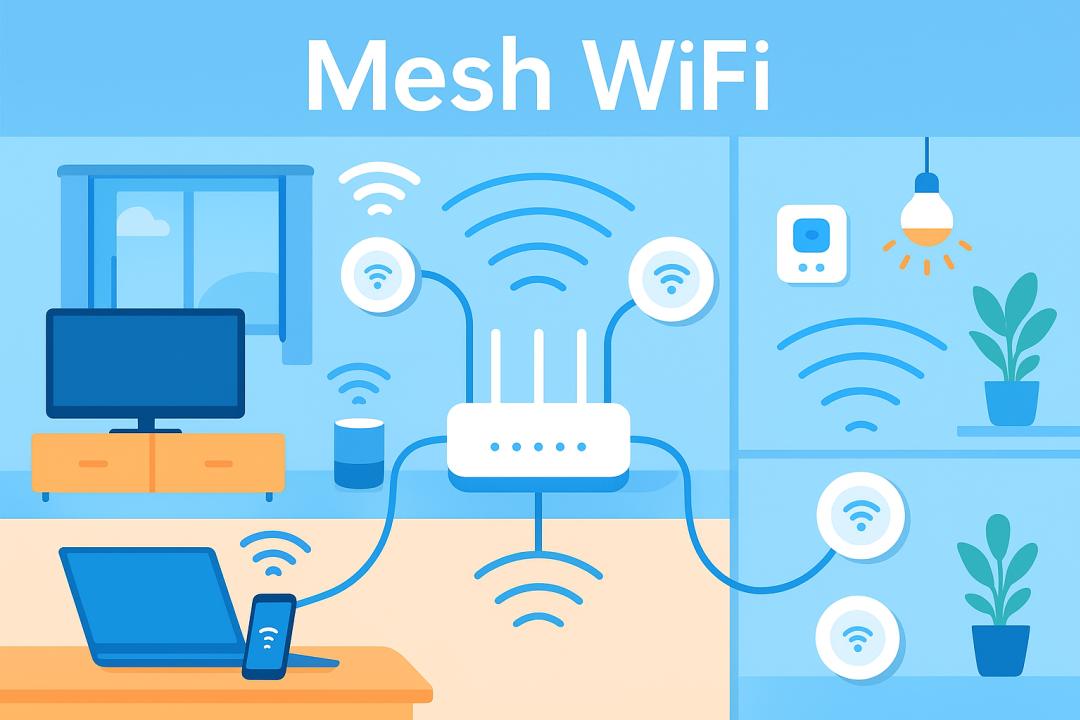
Mesh WiFi is a wireless system made up of several devices called nodes or satellites that work together to form a single, seamless WiFi network. Instead of depending on one router to send out the signal, Mesh systems distribute the connection through various access points positioned throughout your area.
Think of it like a team. Rather than one player trying to cover the whole field, each node manages its section and passes the connection to the next node as you move. This design makes the network stronger and more reliable while removing those annoying dead zones.
How Does Mesh WiFi Work?
Traditional routers send WiFi signals from one spot. The farther you move from it, the weaker the connection becomes. Walls, furniture, and large areas can make this even worse.
Mesh WiFi fixes this by creating a mesh network. Each node in the system communicates with the others and transfers data between them. If one node faces interference, it automatically redirects the data through another node. This way, you always have the best connection possible, no matter where you are in your home or office.
Here’s how it typically works:
- Main Node: Connects directly to your modem and acts as the central hub.
- Additional Nodes: It is placed in various areas, such as bedrooms, upstairs, or office spaces, to improve coverage.
- Seamless Roaming: As you move from room to room, your device automatically connects to the nearest node, maintaining the signal.
The result is one unified WiFi network with a single name and password. You won't need to manually switch between networks as you would with range extenders.
Why Mesh WiFi is Different from Traditional Routers
Many people wonder if they can just use a WiFi extender instead. While extenders do work, they often create a second network with a different name. This can lead to your phone or laptop not switching automatically, which slows down the connection.
Mesh WiFi is smarter. All nodes belong to the same network. The system manages the connections, ensuring devices always get the fastest route to the internet.
Benefits of Mesh WiFi
- Whole-Home Coverage – Perfect for large homes, multi-story buildings, or offices where a single router is not enough.
- No Dead Zones – It eliminates weak spots by spreading signals evenly.
- Easy Expansion – You can add more nodes anytime to increase coverage.
- Seamless Connection – Devices switch automatically to the strongest node without interruptions.
- Smart Management – Many mesh systems come with mobile apps that let you monitor usage, pause internet access, and manage security.
Setting Up Mesh WiFi
Setting up Mesh WiFi is usually simple. Most systems are made to be easy to use and can be managed with a smartphone app. The process typically includes:
- Connecting the main node to your modem.
- Placing additional nodes around your home (the app usually recommends the best spots).
- Following step-by-step instructions to link all nodes into one network.
Within minutes, you’ll have an optimized WiFi system running.
When Should You Consider Mesh WiFi?
Mesh WiFi is especially helpful if:
- You live in a large or multi-story home.
- You experience dead zones where WiFi never reaches.
- You want consistent internet for remote work, gaming, or streaming.
- Multiple devices are connected at the same time.
- You’re tired of manually switching between extenders or networks.
For small apartments or single rooms, a traditional router may be enough. But for bigger households or businesses, Mesh WiFi offers a noticeable upgrade.
FAQs About Mesh WiFi
1. Is Mesh WiFi faster than a regular router?
Mesh WiFi isn’t necessarily faster on its own, but it gives you steady speeds throughout your entire space by eliminating weak spots.
2. How many nodes do I need for Mesh WiFi?
The coverage depends on the size of your home. A typical system includes two or three nodes, which can serve most medium to large homes. You can add more if needed.
3. Does Mesh WiFi replace my router?
Yes, most Mesh WiFi systems function as both a router and an extender. The main node connects to your modem and acts as your router.
4. Is Mesh WiFi good for gaming and streaming?
Yes, it reduces lag and keeps speeds steady, even if you move around your home while gaming or streaming.
5. Can I use Mesh WiFi with my existing internet provider?
Absolutely. Mesh systems work with any internet service provider. You just connect the main node to your modem.
6. Is Mesh WiFi secure?
Most Mesh WiFi systems include strong security features like automatic updates, app-based management, and guest networks, making them as secure, or even more secure, than traditional routers.
Final Thoughts
Mesh WiFi is revolutionizing how we connect at home, work, and even where rural wireless internet service providers supply connections. Instead of dealing with dead zones, buffering, slow speeds, or multiple networks, Mesh WiFi provides an uncomplicated and uniform system that delivers seamless internet throughout your location.
No matter if you're remote work, streaming high definition (4K) content, or browsing casually on your phone, Mesh WIFI simply offers reliable connectivity and performance. It has an appropriate solution for today's connectivity-driven world.