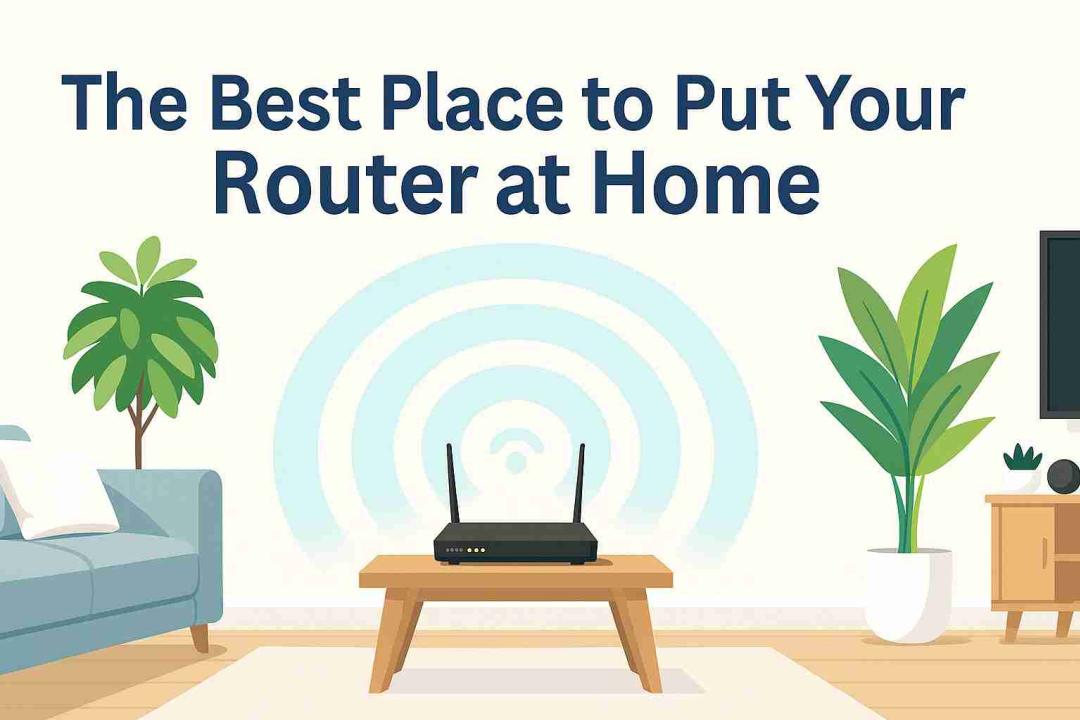
You’ve just moved into your new home. Everything is unpacked, your furniture is set up, and your internet service is finally connected. There’s just one question left: where should you put your Wi-Fi router?
It might seem like a small detail, but the location of your router can greatly affect how fast and reliable your internet connection feels. Choose the wrong spot, and you could face buffering videos, dropped Zoom calls, and frustrating dead zones in certain rooms.
The good news is that finding the best place for your Wi-Fi router doesn’t take a networking degree. You just need a few smart tips and a little strategy. Let’s break it down.
Why Router Placement Matters More Than You Think
Your Wi-Fi router functions like a mini radio station. It broadcasts signals throughout your home, and its location impacts how evenly those signals spread.
If your router is tucked away in a corner or hidden behind the TV, much of that signal gets absorbed or blocked. Walls, appliances, and even mirrors can all weaken Wi-Fi signals.
The result?
- Laggy streaming on your smart TV
- Spotty coverage in bedrooms or offices
- Slow downloads when you’re far from the router
Often, the fix isn’t upgrading your internet plan. It’s simply about placing your router in a better spot.
The Golden Rule: Place Your Router at the Center of Your Home
Think of your Wi-Fi signal like light from a lamp. You want it to illuminate every corner of your home. If you place the lamp in a corner, half the room will remain dark. The same principle applies to Wi-Fi.
That’s why central placement is crucial. When your router is located in the middle of your home, it can distribute signals evenly in every direction.
Pro Tip: If your internet jack is near an exterior wall, don’t settle for that corner. Use a longer Ethernet cable to move the router closer to the center of your living space.
Keep It High, Keep It Clear
Wi-Fi signals don’t just travel sideways; they also move downward and outward. This means your router should be positioned a few feet above the ground, not on the floor.
Placing your router on a shelf, desk, or wall mount can significantly improve your coverage. By keeping it off the floor, you’ll avoid signal absorption from carpets and enhance coverage across rooms. And remember, avoid hiding it in a cabinet or behind the TV. Thick materials can block or reflect signals, drastically reducing your Wi-Fi strength.
Best placement idea: A bookshelf or open hallway shelf near the home’s center is ideal.
Avoid These Wi-Fi “Dead Zones”
Even in a perfect house layout, there are still a few places that will kill your signal.
Here’s where not to put your router:
- Behind furniture or TV units: Materials like metal and wood block signals.
- Near windows or exterior walls: A lot of signal escapes outdoors.
- In the basement or attic: Wi-Fi struggles through floors and ceilings.
- Next to large appliances: Microwaves, fridges, and cordless phones cause interference.Rule of thumb: Give your router space to “breathe” at least a few feet from other electronics or obstructions.
Think About Your Home’s Shape and Size
No two homes are alike, and neither are their Wi-Fi challenges.
If you live in:
- A single-story home: Place the router roughly in the middle, at table height, for even coverage in all rooms.
- A multi-story home: Put the router on the middle floor, preferably near the center. Wi-Fi signals travel downward better than upward, so this setup helps both the upper and lower levels stay connected.
- A long or L-shaped home: Central placement might not suffice. You may need a mesh Wi-Fi system or extender to effectively cover the far ends.
Pay Attention to Interference
Wi-Fi signals use radio frequencies, and they can be interrupted by other signals or materials.
Common culprits include:
- Microwave ovens (especially on 2.4GHz frequency)
- Baby monitors
- Bluetooth speakers
- Smart home hubs
- Walls made of concrete, metal, or brick
To minimize interference, keep your router at least 3–6 feet away from these items.
Pro Tip: If you use dual-band Wi-Fi, connect most devices to the 5GHz band for faster speeds and less interference.
Router Antennas Matter Too
If your router has antennas, don’t overlook them; they’re designed to shape and direct your signal.
Here’s the quick guide:
- For single-story homes: Keep antennas vertical to spread the signal horizontally.
- For multi-story homes: Angle one antenna vertically and the other horizontally to improve coverage between floors.
Even small adjustments in antenna position can boost your Wi-Fi range noticeably.
Use Tools to Test Your Placement
Once your router is set up, it’s time to test it. You can use a Wi-Fi analyzer app or a simple Speedtest to measure your signal strength in different rooms.
Check:
- How strong your signal is near the router
- How much it drops off in far rooms
- Whether certain walls or floors cause dead zones
If the results are inconsistent, try moving your router a few feet. Sometimes even small adjustments can make a significant difference.
Bonus Tip: Upgrade If You’ve Outgrown Your Router
If you’ve followed all the best placement rules and still have weak Wi-Fi, your router might be outdated.
Newer models, especially Wi-Fi 6 routers, deliver stronger and more efficient signals, making them perfect for homes with multiple devices and streaming needs. Alternatively, consider a mesh Wi-Fi system. These systems use multiple routers that work together to provide seamless coverage for large or multi-floor homes.
Example: A Perfect Placement in Action
Let’s say your internet port is in the living room corner. Instead of leaving the router on the floor next to your TV, elevate it.
- Use a longer Ethernet cable to place the router near the center of your home.
- Put it on a high shelf or console table, at least 4 feet off the ground.
- Keep it in the open air, not behind furniture.
- Position antennas correctly for your home’s layout.
- Test Wi-Fi strength across rooms to confirm coverage.
You’ll notice smoother streaming, fewer dropped connections, and overall better internet performance, all without spending more on your plan.
Conclusion
The best location for your router isn’t a secret; it’s simply where your Wi-Fi can move freely. Keep it central, elevated, and away from interference to enjoy faster speeds and more reliable connections throughout your home.
The next time you move or set up new internet service, remember: router placement isn’t just technical; it’s strategic. One smart choice can turn your home into a well-connected space.
FAQs On Best Place For Router
1. What’s the ideal height for router placement?
About 3 to 5 feet above the floor is best. This height allows signals to spread evenly and reduces interference from furniture and flooring.
2. Should I put my router near the TV or entertainment system?
No, these large electronics block and interfere with Wi-Fi signals. Keep your router a few feet away from TVs and speakers.
3. Can I keep my router inside a cabinet for a cleaner look?
It’s not recommended. Cabinets and walls absorb signals, reducing your router’s range and speed. Keep it in the open for best performance.
4. What’s the best router location for a two-story home?
Place it on the middle floor, near the center of the house, so the signal travels easily up and down.
5. How do I fix weak Wi-Fi in far rooms?
You can add a Wi-Fi extender or upgrade to a mesh router system for seamless coverage throughout your home.