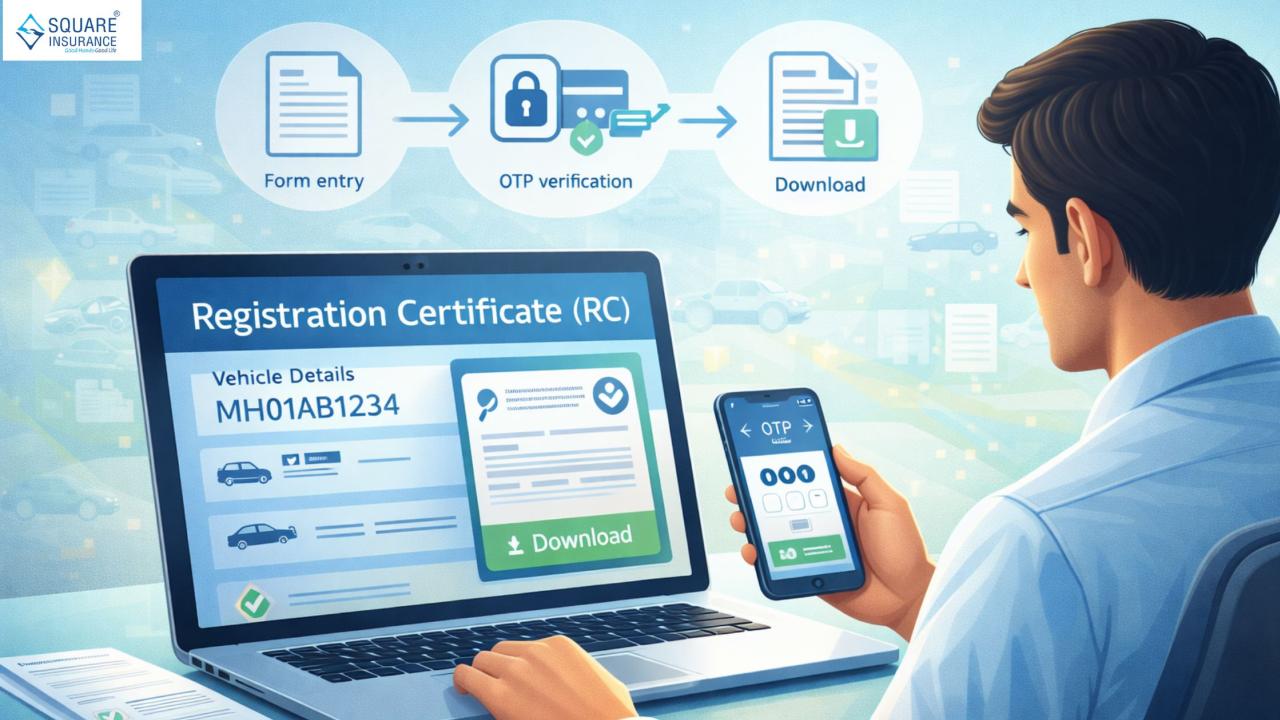
The Registration Certificate (RC) is one of the most important documents for any vehicle owner. It proves that a vehicle is legally registered and contains key details such as the owner’s name, vehicle number, engine number, and registration validity. Earlier, people had to carry a physical RC or visit offices for copies. Today, the RC can be accessed and downloaded online, making the process faster and more convenient.
This guide explains how to download RC online in a simple and clear manner. It also covers common questions, benefits, and useful tips so that vehicle owners can complete the process without confusion.
What Is an RC and Why Is It Important?
The Registration Certificate is an official document issued after a vehicle is registered. It confirms that the vehicle is authorized for use on public roads.
The RC includes:
- Vehicle registration number
- Owner’s name
- Vehicle type and class
- Engine and chassis detailsRegistration date and validity
- Having access to the RC is necessary for driving, insurance, resale, and verification purposes.
Why Download RC Online?
Downloading RC online offers several advantages:
- No need to carry the physical document at all times
- Easy access in case the original RC is lost or damaged
- Saves time and effortHelps during inspections or verification
- An online RC is especially helpful for quick reference and record keeping.
Things You Need Before Downloading RC Online
Before starting the process, keep the following details ready:
- Vehicle registration number
- Registered mobile number
- A stable internet connection
- A smartphone or computer
Having the correct information ensures a smooth process.
Step-by-Step Guide to Download RC Online
Step 1: Open the Official Online Vehicle Service Platform
Start by accessing the official online vehicle services system provided for citizens. Make sure to use a secure device and connection.
Step 2: Select the RC Download or Vehicle Services Option
Look for the option related to vehicle documents or RC services. This section allows users to view and download registration details.
Step 3: Enter Vehicle Registration Details
Enter your vehicle registration number carefully in the required format. Double-check the number to avoid errors.
Step 4: Verify Using Mobile Number
An OTP may be sent to the mobile number linked to the vehicle record. Enter the OTP correctly to continue.
Step 5: View RC Details
Once verification is successful, the RC details of your vehicle will appear on the screen. Check the information to check that it is correct.
Step 6: Download or Save the RC
You can now download the RC in digital format or save it on your device for future use.
How to Access RC on Mobile Devices
The RC can also be accessed using mobile devices. After verification, users can view the RC on their phone screen and save it for offline access. This is helpful when physical documents are not available.
What to Do If You Cannot Download RC?
Sometimes, users may face issues while downloading the RC. Common reasons include:
- Incorrect registration number entered
- Mobile number not linked to the vehicle
- Network issues
- Temporary system unavailability
In such cases, recheck details, wait for some time, and try again.
Is Online RC Valid?
Yes, the digitally available RC is legally accepted for verification and reference purposes. It contains the same information as the physical RC and is useful in most situations.
However, vehicle owners should ensure the information displayed is accurate and up to date.
Tips for Safe and Easy RC Download
- Always use a secure internet connection
- Avoid sharing OTP or vehicle details with others
- Save the RC in a protected folder on your device
- Keep a backup copy if possible
- Check details carefully after downloading
These small steps help keep your vehicle information safe.
When Should You Download RC Online?
You may need to download RC online in situations such as:
- When the physical RC is lost or damaged
- During vehicle checks or verification
- For insurance or service-related reference
- When selling or transferring the vehicle
Having digital access makes these situations easier to handle.
Frequently Asked Questions
Q.1 Can RC be downloaded anytime?
Yes, the service is usually available throughout the day, except during maintenance.
Q.2 Is there any cost involved?
In most cases, viewing or downloading RC online does not require a fee.
Q.3 Can RC be downloaded for old vehicles?
Yes, as long as the vehicle is registered and details are available in the system.
Benefits of Keeping RC in Digital Form
- Easy access anytime
- Reduced risk of loss
- Quick verification
- Environment-friendly option
- Saves time during emergencies
Digital RCs help vehicle owners stay prepared.
Why Knowing the RC Download Process Is Useful
Understanding how to download RC online helps vehicle owners avoid unnecessary delays and stress. It allows quick access to important information and reduces dependence on physical documents. This knowledge is especially useful during travel, inspections, or document verification.
Conclusion
Downloading RC online is a simple and convenient process that saves time and effort for vehicle owners. By following the step-by-step method and keeping the required details ready, anyone can access their RC easily. The online RC provides quick access to important vehicle information and acts as a reliable backup when physical documents are not available.
Staying informed about digital vehicle services helps make ownership smoother and more organized. With proper care and awareness, downloading and using RC online becomes a hassle-free experience.