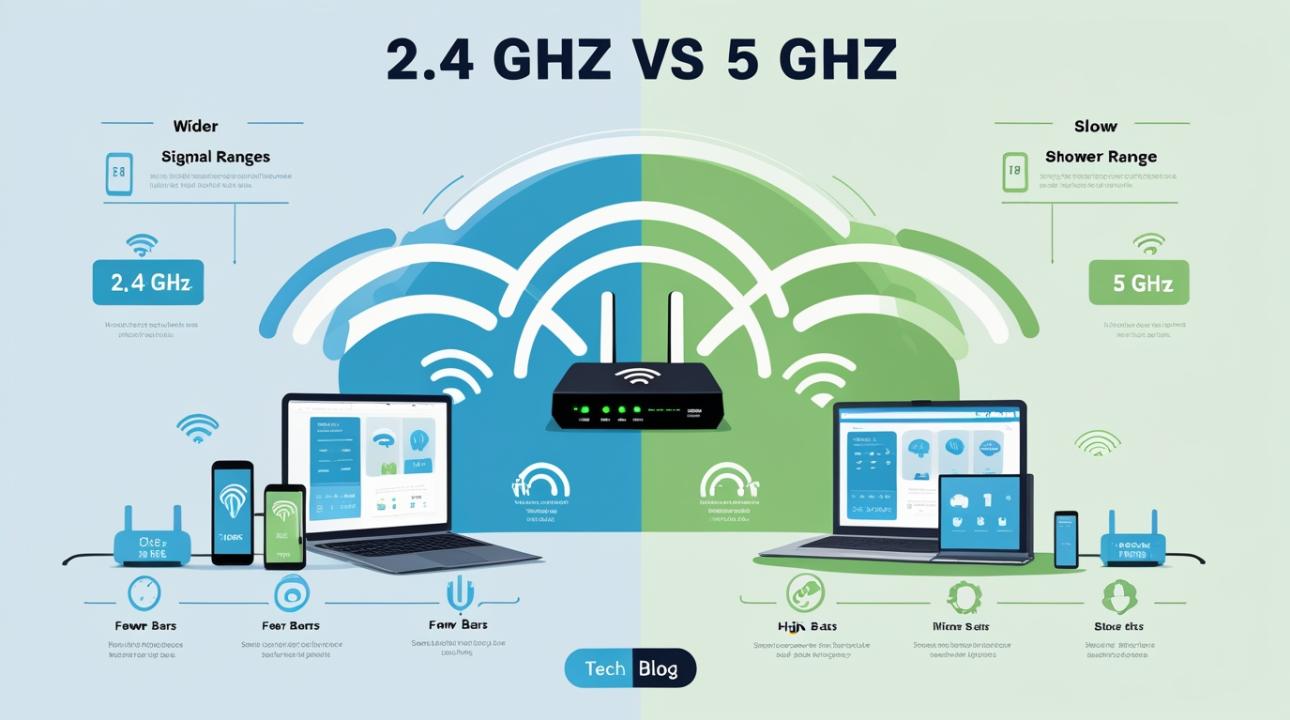
Have you ever wondered why your WiFi is blazing fast in one room but painfully slow in another? Or why does your phone show full bars but videos still buffer? The answer often comes down to one simple but powerful factor: 2.4 vs 5 GHz WiFi.
Most people don’t realize that modern routers broadcast two different types of wireless signals. Choosing the wrong one or not understanding the difference can seriously affect your internet experience. Whether you’re working from home, gaming online, or just streaming Netflix, knowing how 2.4 GHz and 5 GHz WiFi networks work can instantly improve your connection.
Let’s break it down in a simple, real-world way so you can understand which one is better for your needs.
What is 2.4 GHz WiFi?
The 2.4 GHz band is the older and more widely used WiFi frequency. Think of it as the “long-distance runner” of wireless internet.
Key Features of 2.4 GHz:
Longer range and better wall penetration
Slower speeds compared to 5 GHz
More prone to interference
Used by many household devices
Because it travels farther and penetrates walls better, 2.4 GHz WiFi is ideal for larger homes or areas with many obstacles, such as walls, floors, and furniture.
However, there’s a downside. Almost everything uses this frequency, including microwaves, Bluetooth devices, baby monitors, and even neighboring WiFi networks. That means congestion is common, and speeds can drop during peak usage.
Best uses for 2.4 GHz:
Browsing websites
Checking emails
Smart home devices (lights, plugs, cameras)
Devices far from the router
What is 5 GHz WiFi?
The 5 GHz band is the newer, faster sibling. If 2.4 GHz is a long-distance runner, 5 GHz is a sprinter, fast but with less range.
Key Features of 5 GHz:
Much faster speeds
Less interference
Shorter range
Weaker at passing through walls
Because it operates on a less crowded frequency, 5 GHz WiFi delivers smoother streaming, faster downloads, and better gaming performance, but only when you’re close to the router.
Best uses for 5 GHz:
HD/4K video streaming
Online gaming
Video calls (Zoom, Google Meet, etc.)
Large file downloads/uploads
2.4 vs 5 GHz WiFi: The Real Difference Explained Simply
When comparing 2.4 vs 5 GHz, the difference isn’t just speed; it’s about trade-offs.
| Feature | 2.4 GHz WiFi | 5 GHz WiFi |
| Speed | Slower | Faster |
| Range | Longer | Shorter |
| Wall Penetration | Strong | Weak |
| Interference | High | Low |
| Best For | Coverage | Performance |
In simple terms:
If you want coverage across your home, choose 2.4 GHz.
If you want speed and performance, choose 5 GHz.
Most modern routers actually use both bands at the same time with dual-band WiFi. This lets your devices switch automatically based on different conditions.
Why Your WiFi Feels Slow Sometimes
Many users blame their internet provider when speeds drop, but the problem often lies within the home, especially regarding band selection.
Here’s what usually happens:
If you connect to 2.4 GHz while sitting near the router, it can be slower than you expect.
If you connect to 5 GHz from a distance, the signal may drop or disconnect.
If too many devices are on 2.4 GHz, it leads to congestion and lag.
So, the real issue isn’t always internet speed, it’s how your devices use the 2.4 GHz and 5 GHz WiFi bands.
Which One Should You Use?
There’s no single “best” option. It depends on your usage and environment.
Use 2.4 GHz if:
Your home is large
You are far from the router.
You only do light browsing or smart device control.
Use 5 GHz if:
You are close to the router.
You need high-speed internet.
You stream videos or play online games.
Pro Tip: If your router allows it, name your WiFi networks differently, like Home_2.4G and Home_5G, so you can manually select the best one for each situation.
Common Misconceptions About 2.4 GHz vs 5 GHz
There’s a lot of confusion around Wi-Fi bands. Let’s clear up some of the most common myths:
1. “5 GHz is always better.”
This isn't true. While 5 GHz provides faster speeds, it performs best at short distances. As you move farther from the router, its signal weakens more quickly than 2.4 GHz.
2. “2.4 GHz is outdated.”
Not at all. The 2.4 GHz band is still commonly used because it covers a larger area and goes through walls and obstacles more effectively. It’s particularly useful for smart home devices and larger spaces.
3. “More bars means better speed.”
Signal strength doesn’t always mean good performance. You might see full bars on 2.4 GHz but still have slow speeds due to congestion from multiple nearby networks on the same channel.
4. “You should disable one band.”
This isn’t necessary. Both bands serve different purposes and work best together. Most modern routers automatically balance devices between 2.4 GHz and 5 GHz for the best performance.
How Dual-Band WiFi Improves Your Experience
Most modern routers use both frequencies together. This is called dual-band technology, and it automatically balances your network.
For example:
Your phone might use 5 GHz for streaming YouTube.
Your smart bulb might stay on 2.4 GHz.
Your laptop might switch depending on the distance.
This smart switching helps reduce lag and improve overall performance without any manual effort.
Real-Life Example
Think of your home WiFi like this:
In your bedroom, far from the router → 2.4 GHz works better because it has a longer range and can pass through walls more easily.
In your living room, close to the router → 5 GHz is ideal since it offers faster speeds and a stronger, more stable connection.
Streaming Netflix in 4K → 5 GHz helps prevent buffering by providing higher bandwidth.
Using smart home devices like lights or plugs → 2.4 GHz is more reliable for low-power, always-connected devices.
This simple comparison shows why understanding 2.4 vs 5 GHz WiFi matters. It helps you choose the right band for the right situation, improving both speed and reliability in your daily internet experience.
Final Thoughts on 2.4 vs 5 GHz WiFi
At the end of the day, the difference between 2.4 GHz and 5 GHz WiFi isn’t about which one is “better.” It’s about which one suits your specific needs.
2.4 GHz gives you reach and stability
5 GHz gives you speed and performance
When used properly together, they create a balanced and efficient home network that can handle everything from casual browsing to high-performance gaming and streaming.
So the next time your WiFi feels slow, don’t immediately blame your internet plan. Instead, check which band you’re connected to. That might be the real reason behind your connection issues.
Frequently Asked Questions (FAQs)
1. What is the main difference between 2.4 GHz and 5 GHz WiFi?
The main difference is that 2.4 GHz offers a longer range but slower speeds, while 5 GHz provides faster speeds but shorter range.
2. Which is better for gaming, 2.4 or 5 GHz?
5 GHz is better for gaming because it has lower latency and faster, more stable performance when you are close to the router.
3. Why is my 5 GHz WiFi not showing on my device?
Your device may be too far from the router or may not support the 5 GHz bands. Some older devices only support 2.4 GHz.
4. Can I use both 2.4 GHz and 5 GHz at the same time?
Yes. Most modern routers support dual-band Wi-Fi, allowing both bands to operate simultaneously.
5. Does switching to 5 GHz increase internet speed?
It can improve your effective speed if you are close to the router and experience less interference, but it does not increase your actual internet plan speed.