After auditing websites across SaaS, FMCG, and Web3 clients, one pattern holds: most teams either skip technical SEO checks entirely or run audits they don't know how to read. SeekLab's free audit tool was built to close both gaps — it runs in under five minutes and produces a prioritised report any team member can act on.
Here's exactly how to use it, what you'll see, and what to do next.
What the SeekLab Audit Tool Does
The SeekLab Audit Tool scans your website for technical SEO issues and surfaces them in a single structured report. It crawls up to 100 pages per scan, assigns an overall SEO score out of 100, and groups every issue into three priority levels: Critical, Warning, and Notice.
In SeekLab's own test scan, the tool completed a 100-page crawl and returned a score of 77/100 — with one Critical issue, a cluster of Warnings, and several Notice-level items spread across template and page-level problems.
How to Run Your Audit
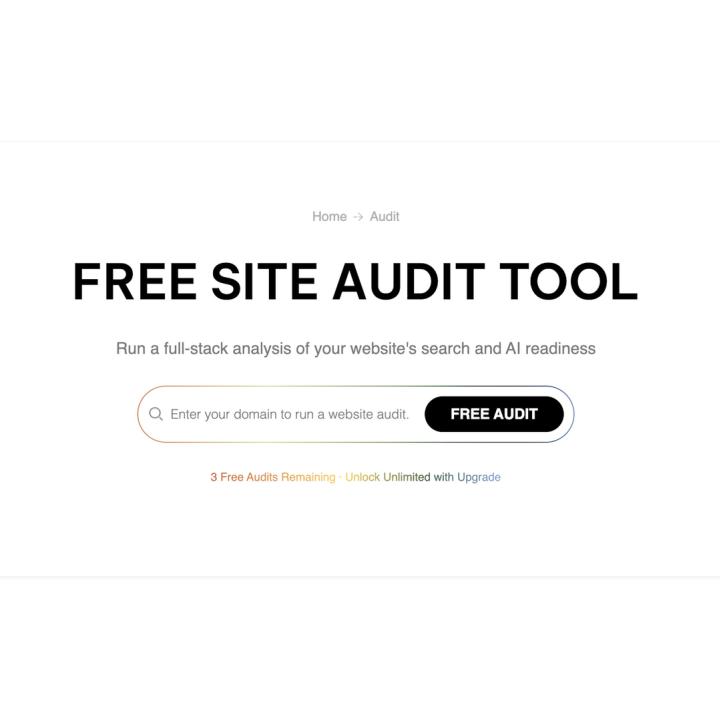
- Go to seeklab.io/audit
- Enter your domain in the "Enter your domain to audit" field
- Click to start the scan
- Wait approximately 5 minutes for the crawl to complete
- When the report status shows Success, your results are ready
That's the full workflow. No setup, no account required to start.
How to Read the Report
The report organises every issue into three tiers, so you always know what to fix first.
Critical These are issues that directly harm crawlability, indexing, or user experience. Fix these before anything else. In the SeekLab test scan, this tier flagged one duplicate meta description.
Warning These are issues that reduce ranking potential but won't break the site. Common examples from the SeekLab scan included:
- Missing Alt Text: 10 instances
- Title Too Long: 2 instances
- Missing Meta Descriptions: 3 pages
- Missing H2 Tags: 14 pages
- Meta Description Too Long: 8 pages
Notice These are lower-priority patterns worth tracking over time. The SeekLab scan returned notices for duplicate H1/title tags (40 instances), nofollow external links (90), and a small number of redirect and anchor text issues.
One practical rule from SeekLab's consulting work: when Warning or Notice issues appear repeatedly across many pages, they're almost always template-level problems. Fix the template once rather than editing each page individually.
What to Do After the Report Is Ready
Three actions are available directly from the report:
- Copy Link — saves the report URL so you can share it or bookmark it
- Export — downloads the full report for your records or team review
- Contact Us — connects you with SeekLab's team if you need help turning findings into an action plan
SeekLab provides paid consulting for teams that need structured support moving from audit output to resolved issues.
When to Run an Audit
Run the SeekLab audit:
- After any significant website update or migration
- Before launching a new content push
- When traffic drops unexpectedly
- Quarterly as a routine health check
Exporting the report each time gives your team a clear before/after record across audits.
The One Thing Most Teams Miss
Running the audit is easy. The common failure point is letting the report sit unread. The most valuable use of the tool is to focus the Critical tier first, then batch the Warning items by type — because grouped fixes at the template level take a fraction of the time that page-by-page edits do.
A website that gets audited and acted on outperforms one with a perfect-looking homepage every time.
Want to run your first scan? Visit seeklab.io/audit — it's free, no signup required, and results are ready in about five minutes.
For teams needing deeper analysis or help prioritising fixes, seeklab.io offers full-scope technical SEO consulting across website structure, content, and AI search visibility.