In today’s fast-evolving web ecosystem, browser extensions have become powerful tools for enhancing productivity, customizing browsing experiences, and adding new functionalities directly into the browser. Among modern browsers, Microsoft Edge has gained significant popularity due to its performance, security, and compatibility with Chromium-based technologies. This makes Edge Extension Development an essential skill for developers looking to build scalable and impactful browser tools.
Introduction to Edge Extensions
Browser extensions are small software programs that modify and enhance browser functionality. With Microsoft Edge now built on the Chromium engine, developers can leverage familiar technologies such as HTML, CSS, and JavaScript to create extensions efficiently. This compatibility also allows developers to reuse much of the code from extensions built for Google Chrome.
Extensions can perform a variety of tasks such as blocking ads, managing passwords, automating workflows, or integrating external services. As businesses and individuals seek more tailored browsing experiences, the demand for well-built extensions continues to grow.
Why Choose Edge for Extension Development?
Microsoft Edge provides several advantages for developers. It offers a robust developer ecosystem, excellent debugging tools, and seamless integration with Windows environments. Additionally, the Edge Add-ons store provides a platform to distribute your extensions to millions of users.
Another major advantage is cross-browser compatibility. Since Edge supports Chromium-based extensions, developers can easily adapt their Chrome extensions for Edge with minimal modifications. This reduces development time and increases reach.
Setting Up Your Development Environment
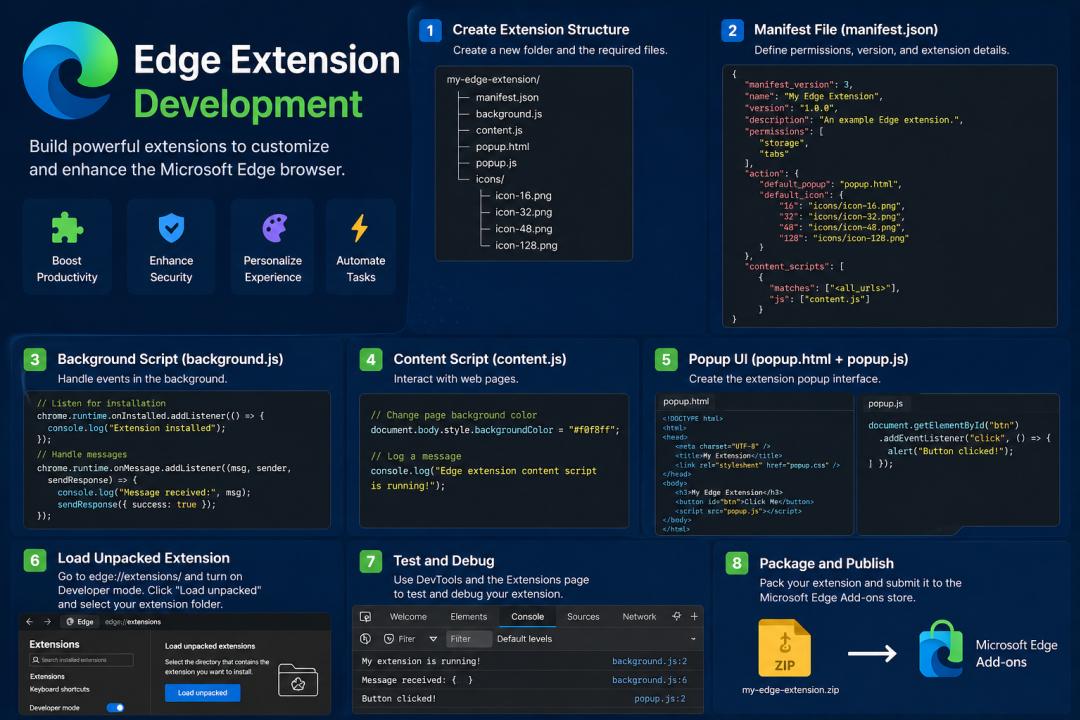
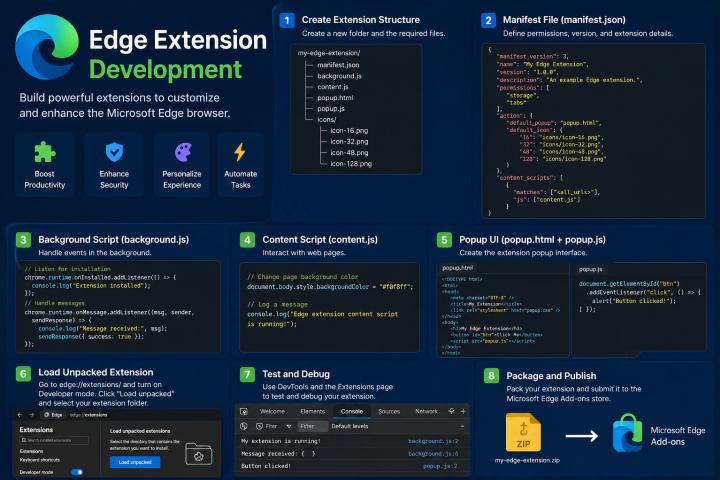
To begin developing an Edge extension, you need a basic understanding of web technologies. Start by creating a project folder and adding essential files such as:
- manifest.json (configuration file)
- background scripts
- content scripts
- popup HTML and JavaScript files
- icons for your extension
The manifest file is the backbone of your extension. It defines permissions, scripts, and metadata. Using Manifest V3 is recommended as it improves security and performance.
Building Your First Extension
The process of building an extension starts with defining its purpose. For example, you might create a simple extension that changes the background color of a webpage or displays a custom popup.
A basic workflow includes writing JavaScript to interact with browser APIs, designing a popup interface using HTML and CSS, and configuring permissions in the manifest file. Edge provides APIs similar to Chrome, making development straightforward.
Testing and Debugging
Testing is a crucial part of extension development. Microsoft Edge offers built-in developer tools that allow you to inspect your extension, debug scripts, and monitor performance. You can load your extension temporarily by enabling developer mode and selecting your project folder.
Debugging helps identify issues such as permission errors, script failures, or UI glitches. Regular testing ensures a smooth user experience and prevents bugs in the final release.
Optimizing Performance and Security
Performance and security are critical factors for any browser extension. Avoid unnecessary permissions, minimize background scripts, and ensure efficient code execution. Extensions should not slow down the browser or compromise user data.
Microsoft Edge enforces strict policies for extensions published on its store. Developers must follow guidelines related to privacy, data handling, and user consent. Implementing secure coding practices is essential for gaining user trust.
Publishing Your Extension
Once your extension is complete and tested, the next step is publishing it on the Edge Add-ons store. This involves packaging your extension files and submitting them for review. After approval, your extension becomes available to users worldwide.
A well-written description, proper keywords, and attractive visuals can improve your extension’s visibility and downloads.
Future of Edge Extensions
As web technologies continue to evolve, browser extensions will play an even more significant role in enhancing user experiences. With continuous updates from Microsoft, Edge is becoming a powerful platform for developers.
At this point, mastering Edge Extension Development not only opens up opportunities for creating useful tools but also allows developers to contribute to a growing ecosystem of browser enhancements.
Edge extension development is an exciting and rewarding field for developers who want to build practical, user-focused tools. With the support of modern web technologies and a strong platform like Microsoft Edge, creating extensions has never been easier.
By following a structured approach—planning, developing, testing, and publishing—you can successfully create extensions that stand out in the market. Whether you are a beginner or an experienced developer, investing time in learning Edge extensions can significantly boost your development skills and career opportunities.