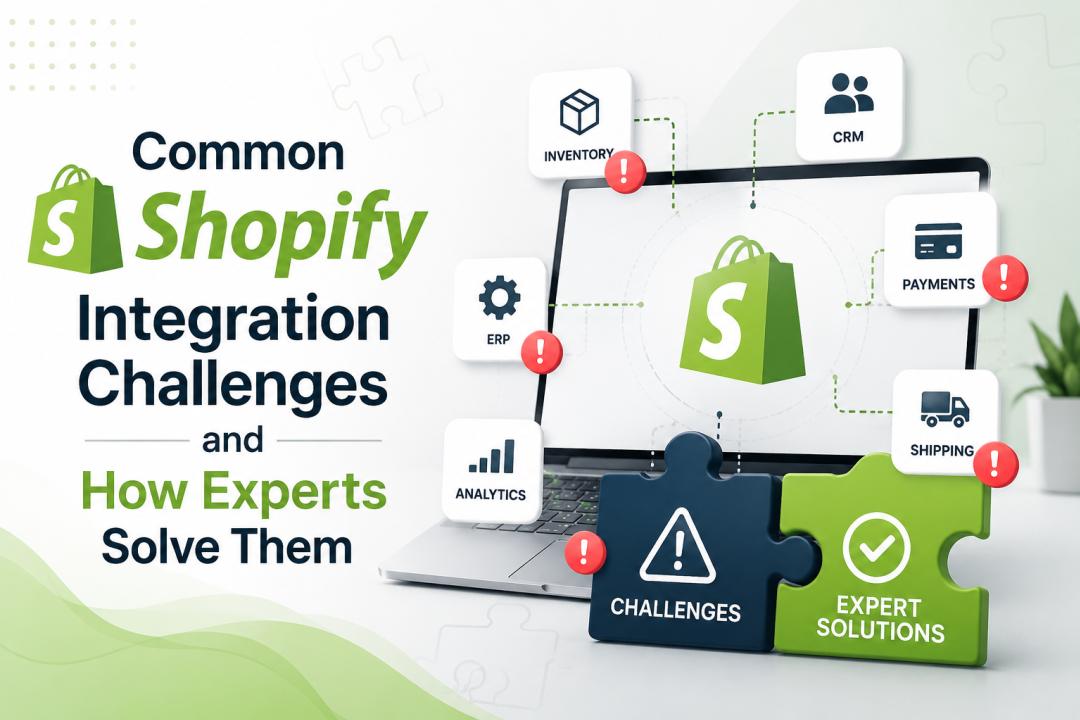
Growing e-commerce businesses often need their Shopify store to talk to many other systems – ERP, CRM, accounting, logistics, and more. These Shopify integration services connect data (orders, inventory, customer info, etc.) across platforms to automate workflows. In practice, though, the moment a store scales up, integration becomes tricky.
As one integration expert notes, “integrating Shopify… isn’t hard; it’s keeping them integrated at scale that breaks business processes”. In other words, simple point-to-point hooks give way to fragile, brittle connections as order volume and complexity rise.
For example, merchants may begin with a few add-on apps and spreadsheets, but soon find staff copying data between screens each day. At that point, “disconnected software stops being a growth enabler and starts acting like a tax on operations”. Common symptoms include inventory quantities drifting out of sync, manual order fixes piling up, or sales reports that require constant spreadsheet clean-up. In short, integration problems often show up as operational headaches: a Shopify order never reaches the ERP with full details, or a back-office update doesn’t reflect in the online store. Experts agree that many of these issues boil down to a handful of root causes.
Below we outline the key integration challenges and how professionals address them.
Common Shopify Integration Challenges
1. Data Mapping and Synchronization Errors:
One of the top challenges is ensuring data fields line up between Shopify and other systems. For example, a product SKU or customer ID in Shopify must match the same identifiers in the ERP or CRM. If mapping is off, data can become “wrong or incompatible” across platforms. Mismatched SKUs, missing fields, or duplicate records lead to broken automations – for instance, orders failing to sync or wrong stock levels after fulfillment.
In practice, integrating Shopify with a complex ERP often fails because of “communication and alignment” issues in data mapping. When data ownership is unclear, bad data quickly spreads: one system marks an item in stock while another marks it out-of-stock, causing overselling or lost sales.
2. Inventory and Order Sync Issues:
Closely related is real-time inventory and order synchronization. A classic case: a sale on Shopify doesn’t immediately update the warehouse system, so two customers end up buying the “last” item.
This is common in multi-location or high-volume stores. Without proper integration, oversells or stockouts happen. Similarly, order information (fulfillment status, shipping, cancellations) must flow back to Shopify and to customer service/finance teams. Failing to sync orders and refunds can disrupt the customer experience and accounting. One integration guide warns that “shipping data needs to flow back to Shopify” and that fulfillment statuses (“fulfilled, partially fulfilled, canceled”) should mean the same across all systems to avoid confusion.
3. API Rate Limits and Performance Bottlenecks:
Shopify’s APIs have built-in rate limits (for example, Admin GraphQL has a bucket limit). Well-designed integrations can still hit throttling if they make too many or too-large requests at once. As one Shopify API expert explains, “even well-built integrations can be throttled if they burst too hard or fetch too much data too often”. For instance, repeatedly pulling full order lists or inventory snapshots will easily exceed rate caps.
This is especially acute during peak events (sales spikes) or when syncing multiple stores at once. The remedy is technical: rather than brute-forcing data fetches, use optimized queries, pagination, caching, and respect Shopify’s recommended update mechanisms.
4. Data Consistency with Event-driven Flows:
Related to API limits, integrations must handle real-time event flows correctly. Shopify relies on webhooks (event callbacks) to notify about changes (new orders, inventory updates, etc.). But webhooks can arrive out of order or get duplicated. An integration that assumes events come neatly in chronological sequence will eventually “surprise” you with race conditions. Without careful design (using timestamps, event IDs, reconciliation jobs), you can end up with out-of-sync records.
For example, a product price might get updated twice in quick succession, or an inventory change might get applied before the system has registered a new item variant. Professionals counter this by implementing idempotent operations and reconciliation checks to ensure final consistency.
5. Multi-channel and Multi-store Complexity:
Many Shopify merchants sell on multiple channels (DTC webstore, B2B portal, marketplaces, retail POS, social commerce, etc.). Each channel generates data in slightly different ways, splintering inventory pools and customer profiles. Shopify calls this multichannel fragmentation: “Each channel – DTC site, B2B portal, retail, marketplaces – creates data in different formats… The same person becomes multiple ‘customers.’ Inventory splinters into multiple pools”.
The result is a tangled web of partial truths: one channel’s order can erase stock in another, or customers appear twice. Keeping stock synchronized across warehouses and channels is a major headache.
Experts note that without a unified commerce approach, inventory allocation and customer data quickly become inconsistent, hurting forecasting and customer service.
6. Legacy Systems and Technical Debt:
Many integrations involve older ERPs, inventory systems, or customs apps that lack modern APIs or require manual workarounds. Integrating Shopify with a legacy system often leads to fragile point-to-point scripts or brittle middleware. Over time, this “middleware spaghetti” accumulates technical debt.
One article on enterprise integration warns that relying on custom scripts and middleware “creates compounding integration debt and fragile dependencies”. As a result, routine upgrades or new channel launches become risky projects. The underlying technical constraints (e.g., no webhook support, SOAP-only interfaces) can block innovation, so businesses feel stuck between painful replatforming and endless maintenance.
7. Security and Compliance Hurdles:
Every new integration increases the potential security risk. Moving customer and order data across systems expands the “attack surface” and compliance scope. Common risks include leaked API keys, insufficient access controls, and scattered credentials. Shopify’s guides repeatedly caution about these issues. For example, one integration review notes risks like “leaked secrets, over-broad scopes, [or] sloppy token storage” and emphasizes using OAuth and expiring tokens for security.
From a compliance standpoint, regulations like GDPR/CCPA require tracking where personal data lives. Integration projects often stumble if data deletion workflows or audit logs are not planned. Shopify itself offers enterprise compliance tools (GDPR support, PCI/DSS compliance, data residency), but integrating systems must implement strict governance too.
8. Planning, Testing and User Adoption:
Often, integration woes come down to people and process. If the project is rushed or under-resourced, the result is a fragile integration. Shopify integration providers warn of pitfalls such as “poor planning” and “inadequate testing”. For instance, skipping comprehensive testing means edge cases (edited orders, partial refunds, currency issues) will only surface in live operations.
Likewise, neglecting training or documentation means the ops team can’t troubleshoot issues when they arise. Integration isn’t a one-and-done task: teams must be prepared to monitor and tweak the system. Business-wide communication is crucial – every stakeholder (sales, support, warehouse, finance) needs to know how data moves.
In short, without a clear strategy and buy-in, even a technically sound integration can fail in practice.
9. Maintenance and Scalability:
Lastly, keeping integrations running smoothly over time is a big challenge. Shopify releases new API versions quarterly, deprecating old ones. Add in changes on the other side (ERP updates, new marketplaces, business rule changes) and integrations can break unexpectedly.
One NetSuite integration guide urges companies to have an integration maintenance plan: “Failure to update the integration may cause erroneous behavior, security vulnerabilities, and poor performance”. Scalability is also an issue – a solution that worked for 100 orders/day may falter at 10,000 orders/day.
As businesses expand (new products, territories, customer types), the integration must adapt. Poor scalability planning leads to slow sync times, delayed updates, and mounting technical debt. In short, integration needs evolve as fast as the business does.
How Experts Solve These Challenges
Integration specialists tackle the above challenges by combining solid architecture with best practices and the right tools. Below are key strategies experts use:
Adopt an API-first, Event-driven Architecture:
Rather than ad-hoc scripts, modern integrators treat integration as a core part of the system architecture. They start with stable API contracts for key data domains (customers, orders, products, inventory) so that each system can evolve independently. This means defining canonical fields and using event-driven flows (webhooks) to propagate changes. For example, using Shopify’s webhooks and GraphQL Admin API lets teams receive real-time updates rather than polling, reducing load. Shopify’s enterprise guidance emphasizes this shift: by “treating integration as a product capability,” companies adopt API-first design and event-driven sync so latency and data staleness become manageable.
In practice, experts use webhooks to trigger updates (e.g., when inventory changes, Shopify sends an immediate notification to the ERP) and fall back on batch syncing only for analytics. This minimizes API calls and ensures the integration moves state changes quickly across systems.
Use a Unified API Layer or iPaaS Platform:
One powerful solution is to centralize all integrations through a single platform or middleware. Instead of dozens of point-to-point scripts, a unified integration layer (or Integration Platform as a Service – iPaaS) acts as the central hub. This layer normalizes data models and handles authentication, error handling, and retries. For example, third-party platforms like Celigo or Apideck offer pre-built connectors and a common data schema for Shopify and other apps.
As one provider notes, using pre-built templates “eliminates the need to start from scratch” by automating key workflows (order sync, inventory updates, etc.) and hiding “brittle API calls” from the user. In essence, the unified API approach means you write your integration logic once and connect to many systems – Apideck, for instance, “normalizes data across 200+ integrations, so you write once and connect everywhere”. Shopify itself provides foundational support here: a single unified Admin API can reduce “28 integration points to one central hub,” and Shopify’s Partner Solutions Center offers prebuilt ERP connectors and vetted partners for common needs.
In short, experts avoid fragile custom scripts by leveraging proven integration platforms and middleware that scale.
Leverage Pre-built Connectors and Templates:
When possible, experts start with off-the-shelf connectors. Many popular ERP, CRM, shipping, and marketing systems already have Shopify integrations. Using these as a base saves time and avoids reinventing the wheel. For example, Celigo provides “pre-built integration apps and templates designed specifically for Shopify,” which automate customer, order, and inventory sync. Specialists assess whether each business rule can fit within a connector’s logic.
If a packaged connector is insufficient (e.g., for complex bundle logic or B2B pricing), they still often start there and then customize. The key is knowing each tool’s limits – as one integration guide notes, generic connectors may “lack the capabilities to support the intricate components of Shopify Plus,” such as real-time two-way workflows. By contrast, custom or middleware solutions can handle unique processes.
The most effective approach is hybrid: use prebuilt apps for standard flows (common ERPs, CRMs, marketplaces), and reserve custom development only for truly unique needs.
Design for Data Quality and Governance:
Experts recognize that clean data is the foundation of any integration. Early in a project, they define which system is the “source of truth” for each piece of data (e.g. ERP owns product master, Shopify owns customer shopping behavior) and build data models accordingly.
This avoids duplicate keys or conflicting updates. They often recommend master data management practices: for instance, creating a “single master record” for customers or products and merging or normalizing inputs. Integration specialists implement validation rules and reconciliation jobs to catch mismatches before they propagate. For example, if two systems format addresses differently, the integration can standardize them.
Many enterprises choose to centralize commerce data in Shopify itself – using it as the hub for product catalogs and orders – so that downstream systems only read from Shopify. Regardless of approach, the experts enforce strict mapping (field-to-field rules) and use techniques like hashing or timestamps to ensure updates apply correctly. By building these governance rules into the integration layer, they prevent data drift and maintain trust in automated workflows.
Automate Workflows and Exception Handling:
Rather than simple syncs, experienced integrators automate as much of the business process as possible. This includes multi-step flows: for example, an order triggers inventory reservation in an ERP, then a shipping request to a 3PL, then a fulfillment update back to Shopify.
Tools like Celigo let teams orchestrate these end-to-end flows visually, without custom coding for each step. Crucially, experts build robust error handling: rather than let a failed API call stop the chain, the middleware logs errors, retries operations, and alerts humans when necessary. One integration platform advertises “operational dashboards, detailed logs, retry logic, and AI-assisted alerts” so non-technical team members can resolve issues.
This means if a purchase order fails due to an invalid SKU, the system can automatically quarantine that order and notify an operations manager, instead of silently losing data.
By prioritizing workflow automation with built-in resilience, experts dramatically reduce the manual firefighting that plagues most DIY integrations.
Plan for Scalability and Flexibility:
Good integration design anticipates growth. Integration experts ensure that their solution can handle more stores, higher order volumes, and new data sources without a full rewrite. They do this by keeping integrations modular and reusable. For instance, they may version API endpoints and connector settings so that adding a new sales channel is a matter of configuration, not new code.
Many iPaaS solutions are “architected for enterprise scale,” meaning they can support many Shopify stores or companies simultaneously. They also set system-of-record boundaries: each system’s responsibilities are clear, so scaling (e.g., adding a third-party logistics provider) is just another node in the workflow.
This approach “eliminates the tech debt of point-to-point scripts”. In practice, experts might use message queues or enterprise buses to decouple services, allowing horizontal scaling. The bottom line: a solution built for scale will grow as the business grows, rather than crashing under load or requiring a costly rewrite later.
Security-First Integration:
To manage security and compliance, experts follow best practices. They never embed long-lived secrets; instead, Shopify’s OAuth flows are used so tokens can rotate automatically. Access scopes are kept as narrow as possible, and audit logging is enabled on both sides.
Integration platforms (and Shopify itself) offer features like audit trails and role-based access, which experts take advantage of. For personal data, they implement “least-privilege” principles and ensure there are processes to delete or purge data if a GDPR/CCPA request comes in. Shopify notes that using OAuth and centralized token management makes integration security “enforceable rather than aspirational”.
Finally, integrations are often run on secure, SOC2/PCI-certified infrastructure so that sensitive financial data (orders, payments) are handled compliantly. In summary, by embedding security into the integration design—using expired tokens, encryption, and strict scopes—experts keep data safe even as it flows between systems.
Thorough Planning, Testing and Support:
Before writing a line of code, integration specialists spend significant time in discovery. They map out every system and workflow, documenting which fields sync in which direction, and how exceptions (e.g., partial refunds, order edits) are handled. As one guide emphasizes, discovery should identify all “failure scenarios” – from missing SKUs to refund edge cases – early on.
During development, teams perform rigorous testing not only of the “happy path,” but of all real-world scenarios (edited orders, multi-currency checks, mixed cart types, etc.). User Acceptance Testing involves business stakeholders (fulfillment, support, finance) to catch mismatches before launch. This discipline avoids situations where the integration goes live, only to crash when an unusual order comes in.
After launch, experts don’t disappear: they hand over monitoring tools (dashboards, alerts) and often provide a maintenance retainer. In practice, they advise that go-live should be a controlled event (often starting with a subset of data or a dark launch) rather than a “big bang.” This measured approach means any integration issues can be caught early without major disruption.
Engage Experienced Shopify Integration Services:
Many companies find that the fastest way to solve integration headaches is to hire specialists. A dedicated Shopify integration company or qualified agency brings proven frameworks and staff familiar with common pitfalls.
Such experts guide the project end-to-end – from strategic planning to execution and ongoing support. They help avoid beginner mistakes like picking the wrong tools or skipping critical testing. For example, HulkApps recommends involving specialists to handle custom development, consulting, and maintenance rather than overloading your team.
Shopify itself provides resources: its Partner Solutions Center connects merchants with certified partners and pre-built solutions for complex needs. Engaging experienced Shopify integration services means you benefit from best practices like error monitoring, governance controls, and security measures already built in. In short, experts treat integration as a solved engineering problem – one that can unlock automation without constant firefighting.
Summary
While Shopify integrations can be complex, successful implementations follow clear patterns. Experts emphasize an API-first, event-driven design, robust data mapping, and thorough testing. They leverage middleware or iPaaS platforms with pre-built connectors to reduce custom coding.
Data governance and security are baked into the process. And above all, they approach integration as an ongoing architecture, not a one-time project. Done right, each integration is not just a solution but a strength – enabling fast launches, consistent data, and the ability to scale without fear.
By learning from these common challenges and solutions, businesses can ensure their Shopify store communicates smoothly with the rest of their tech stack, turning what was once an obstacle into a competitive advantage.
Frequently Asked Questions
1. What are the most common Shopify integration challenges?
Some of the most common Shopify integration challenges include inventory synchronization issues, payment gateway conflicts, ERP and CRM connectivity problems, data mapping errors, API limitations, and delays in real-time data updates. These challenges can affect store performance and customer experience if not addressed properly.
2. Why do Shopify integrations sometimes fail?
Shopify integrations may fail due to incorrect API configurations, incompatible third-party applications, poor data mapping, insufficient testing, or outdated software. Experienced integration specialists can identify and resolve these issues before they impact business operations.
3. How do experts solve inventory synchronization issues in Shopify?
Experts use automated workflows, webhooks, and custom integration solutions to keep inventory data synchronized across Shopify and connected systems. This helps prevent overselling, stock discrepancies, and fulfillment delays.
4. Can Shopify be integrated with ERP and CRM systems?
Yes, Shopify can be integrated with various ERP and CRM platforms to automate the exchange of customer, inventory, order, and financial data. Professional integration services ensure seamless communication between systems while maintaining data accuracy.
5. How do Shopify experts overcome API limitations?
Shopify experts optimize API usage through efficient request handling, webhook implementation, caching techniques, and custom workflows. These strategies help maintain reliable integrations while staying within Shopify's API rate limits.
6. How long does a Shopify integration project take?
The timeline depends on the complexity of the integration and the systems involved. Basic integrations may take a few days, while custom integrations involving ERP, CRM, or multiple third-party applications can take several weeks.
7. Why should businesses hire Shopify integration experts?
Shopify integration experts have the technical knowledge to handle complex integrations, troubleshoot issues, ensure data accuracy, and optimize system performance. Their expertise helps businesses avoid costly errors and achieve a scalable, reliable eCommerce ecosystem.