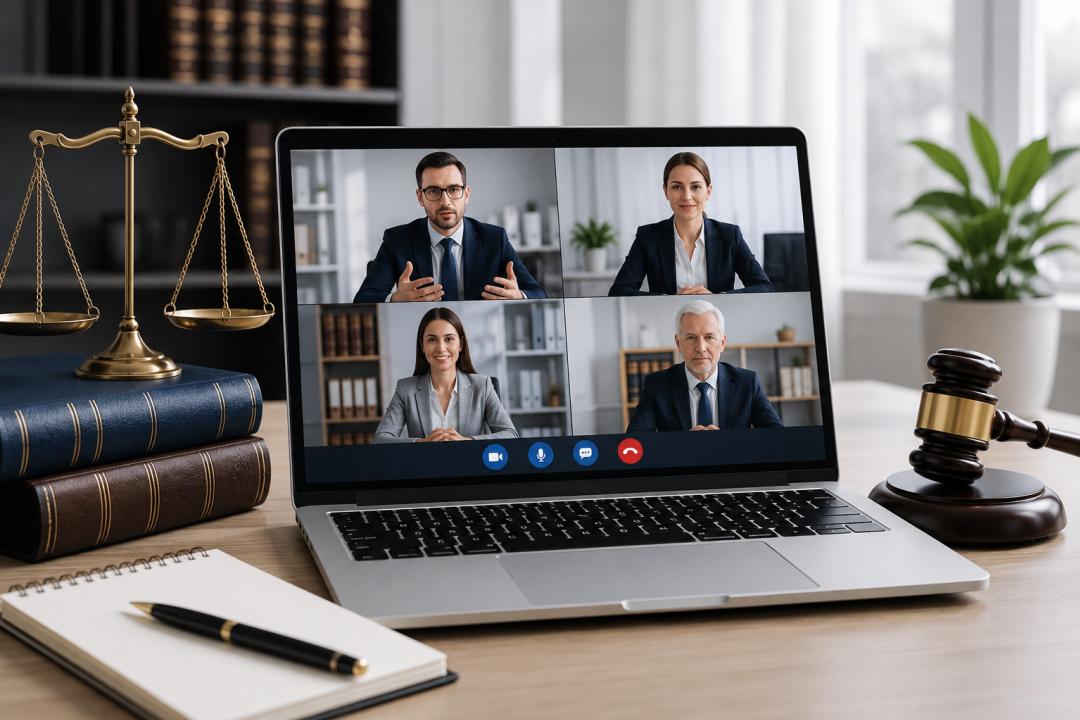
The legal industry is increasingly embracing digital communication tools to improve efficiency, client service, and collaboration. From virtual consultations and depositions to remote court hearings and internal team meetings, video conferencing has become an integral part of modern legal practice.
However, unlike many other industries, law firms handle highly confidential information, privileged communications, and sensitive case documents daily. This makes selecting the right video conferencing platform a critical decision. Security, privacy, compliance, and reliability are no longer optional features they are business necessities.
This guide explores the essential features legal professionals should look for in video conferencing software, common use cases, and best practices for secure virtual communication.
Why Video Conferencing Matters for Modern Law Firms
Legal professionals are expected to provide responsive, efficient services while managing increasing workloads and client expectations. Video conferencing helps law firms achieve these goals by enabling secure communication regardless of location.
Some of the most common benefits include Faster client consultations
- Reduced travel expenses
- Improved collaboration between legal teams
- Flexible work arrangements
- Efficient witness interviews
- Remote depositions
- Virtual court appearances
- Better client accessibility
As hybrid and remote work models continue to grow, video conferencing is becoming a permanent part of legal operations.
Common Legal Use Cases for Video Conferencing
Client Consultations
Video conferencing allows attorneys to meet with clients remotely without compromising convenience or professionalism. Clients can receive legal guidance from their homes or offices while maintaining confidentiality.
Depositions and Witness Interviews
Many legal professionals now conduct preliminary interviews, witness statements, and depositions through secure video conferencing platforms.
Virtual Court Hearings
Many courts have adopted virtual hearings for certain proceedings. Attorneys can participate remotely while maintaining professional communication standards.
Internal Team Collaboration
Law firms often have attorneys, paralegals, and support staff working across multiple locations. Video conferencing helps streamline communication and case coordination.
Legal Training and Continuing Education
Law firms can conduct workshops, compliance training, and professional development sessions through virtual meeting platforms.
Security Requirements for Legal Video Conferencing
Security remains one of the most important considerations when selecting a video conferencing solution for legal use.
End-to-End Encryption
Encryption helps protect communication from unauthorized access while data is transmitted across networks.
Video conferencing platforms should protect:
- Audio communications
- Video streams
- Chat messages
- Shared documents
- Meeting recordings
Multi-Factor Authentication
Multi-factor authentication provides an additional layer of protection by requiring users to verify their identity through multiple methods.
Meeting Passwords
Password-protected meetings help prevent unauthorized participants from joining confidential discussions.
Waiting Rooms
Waiting rooms allow hosts to verify attendees before granting access to a meeting.
Role-Based Access Controls
Legal organizations should be able to assign permissions based on user roles and responsibilities.
Confidentiality and Attorney-Client Privilege
Attorney-client privilege is a cornerstone of legal practice. Law firms must ensure that virtual communication tools do not compromise privileged communications.
Video conferencing platforms should support:
- Private meeting environments
- Secure document sharing
- Access management
- Controlled recording permissions
- Secure storage of meeting data
Protecting client confidentiality helps maintain trust and supports ethical legal practice.
Essential Features of Legal Video Conferencing Software
Screen Sharing
Attorneys frequently review contracts, evidence, case files, and legal documents with clients and colleagues. Screen sharing enables real-time collaboration.
Secure File Sharing
Legal professionals often exchange sensitive files during meetings. Secure file-sharing capabilities help reduce the risk of unauthorized access.
Meeting Recording
Recording functionality can be useful for training, documentation, and reference purposes when appropriate policies are in place.
Meeting Scheduling
Integrated scheduling tools simplify appointment management and client communication.
Administrative Controls
Law firms should have visibility and control over:
- User accounts
- Meeting permissions
- Recording access
- Security settings
- Data retention policies
Mobile Accessibility
Modern legal professionals often work outside traditional office environments. Mobile access supports productivity while maintaining communication standards.
Compliance Considerations
Depending on practice areas and jurisdictions, law firms may need to comply with various security and privacy requirements.
Important considerations include:
- Data protection regulations
- Client confidentiality obligations
- Internal security policies
- Industry-specific compliance standards
- Information governance requirements
Organizations should review vendor documentation and security practices before implementation.
Cloud-Based vs Self-Hosted Video Conferencing
Cloud-Based Platforms
Cloud solutions are typically easier to deploy and maintain.
Benefits include:
- Quick setup
- Automatic updates
- Vendor-managed infrastructure
- Lower IT overhead
Self-Hosted Platforms
Self-hosted solutions provide greater control over infrastructure and data management.
Benefits include:
- Enhanced control
- Custom security configurations
- Internal governance
- Flexible deployment
Potential challenges include:
- Infrastructure management
- Technical expertise requirements
- Ongoing maintenance responsibilities
The best choice depends on the firm's size, security requirements, and available IT resources.
Best Practices for Virtual Legal Meetings
Verify Participant Identity
Always confirm the identity of meeting participants before discussing confidential matters.
Use Strong Access Controls
Require passwords and authentication mechanisms for all meetings involving sensitive information.
Limit Recording Permissions
Only authorized personnel should have permission to record meetings.
Keep Software Updated
Regular updates help protect against security vulnerabilities and improve performance.
Train Employees
Legal professionals should understand secure communication practices and organizational policies.
Secure Shared Documents
Use secure file-sharing systems rather than sending sensitive documents through unsecured channels.
Challenges of Video Conferencing in Legal Practice
While video conferencing offers significant benefits, firms should be aware of potential challenges.
Technical Issues
Connectivity problems can disrupt important meetings and proceedings.
Security Risks
Improper configuration can expose sensitive information to unauthorized users.
User Adoption
Some clients and staff members may require training to become comfortable with virtual communication tools.
Data Management
Organizations must establish clear policies for recording storage, retention, and access.
Future Trends in Legal Video Conferencing
Several emerging technologies are shaping the future of legal communication.
Artificial Intelligence
AI-powered features are increasingly being used for:
- Meeting summaries
- Automated note-taking
- Searchable transcripts
- Action item extraction
Enhanced Security Controls
Future platforms will continue improving authentication, encryption, and threat detection capabilities.
Integrated Legal Workflows
Video conferencing solutions are becoming more tightly integrated with:
- Case management systems
- Document management platforms
- Client portals
- Legal practice software
Hybrid Legal Operations
Law firms are expected to continue supporting hybrid work environments, making secure video communication increasingly important.
Conclusion
Video conferencing has transformed how law firms communicate with clients, collaborate internally, and conduct legal proceedings. The right platform can improve efficiency, enhance client service, and support flexible working arrangements while maintaining security and confidentiality.
When evaluating video conferencing solutions, legal organizations should prioritize encryption, access controls, compliance capabilities, document-sharing features, and administrative oversight. By implementing secure communication practices and choosing the right technology, law firms can confidently support modern legal operations while protecting client trust and sensitive information.