Minecraft has a reputation for being a "simple" game, and in many ways, that reputation is well earned it doesn't demand the same raw horsepower as a hyper-realistic shooter or an open-world blockbuster. But anyone who's tried running a heavily modded world, a massive redstone-powered build, or a busy multiplayer server with shaders enabled knows the truth: Minecraft can absolutely bring an underpowered machine to its knees. Choosing the right system for it isn't about chasing the biggest numbers on a spec sheet, but about understanding exactly what this particular game actually demands from your hardware.
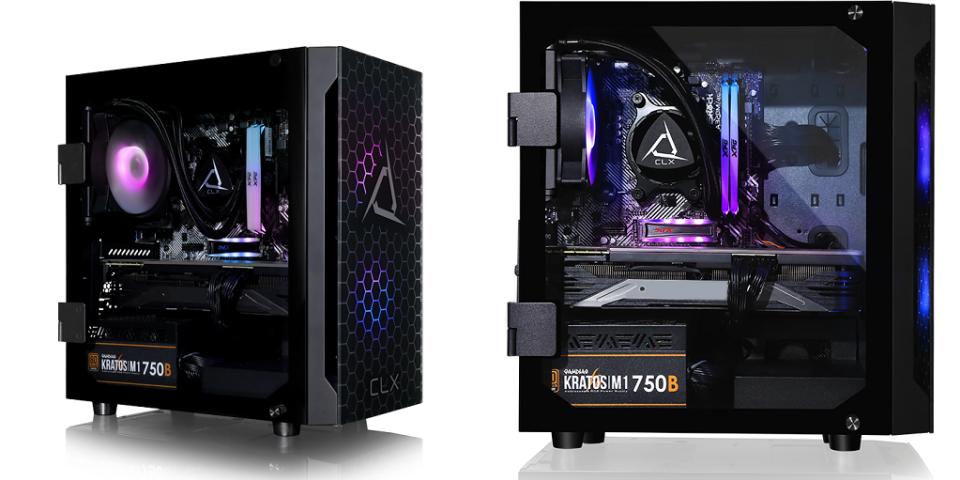
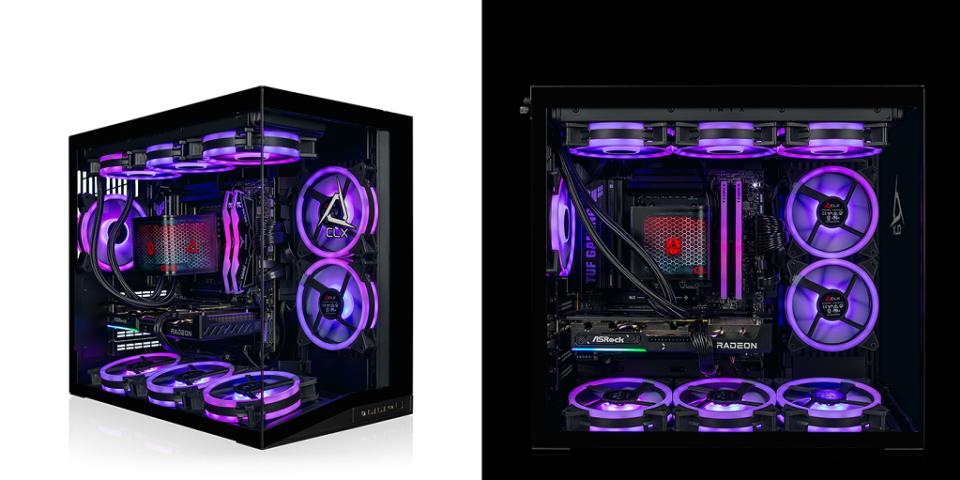
That's exactly why picking the right gaming pc for minecraft comes down to a different set of priorities than picking a PC for most other titles. Minecraft's vanilla version is famously CPU-dependent and lightly threaded, while modded setups, shader packs, and large render distances shift much more of the load onto your GPU and RAM. A balanced system built with this in mind like the TITAN - AMD Ryzen 5 4500 16GB AMD RX580 8GB 400SE gives you smooth performance whether you're playing vanilla survival or running a heavily customized modpack with friends. This article walks through exactly what to look for so you can make a confident, informed decision.
Why Minecraft Has Unusual Hardware Demands
Unlike most modern games, Minecraft's default Java version relies heavily on single-core CPU performance rather than spreading its workload evenly across multiple cores. This is a holdover from how the game was originally built, and even with years of optimization updates, CPU performance remains the single biggest factor in how smoothly chunks load, how far you can see, and how the game handles complex farms, redstone contraptions, or villager-heavy builds. Meanwhile, the Bedrock version and many modern shader-enabled setups shift more demand onto the GPU, meaning a well-rounded system needs strength in both areas rather than just one.
How Important Is the CPU for Minecraft?
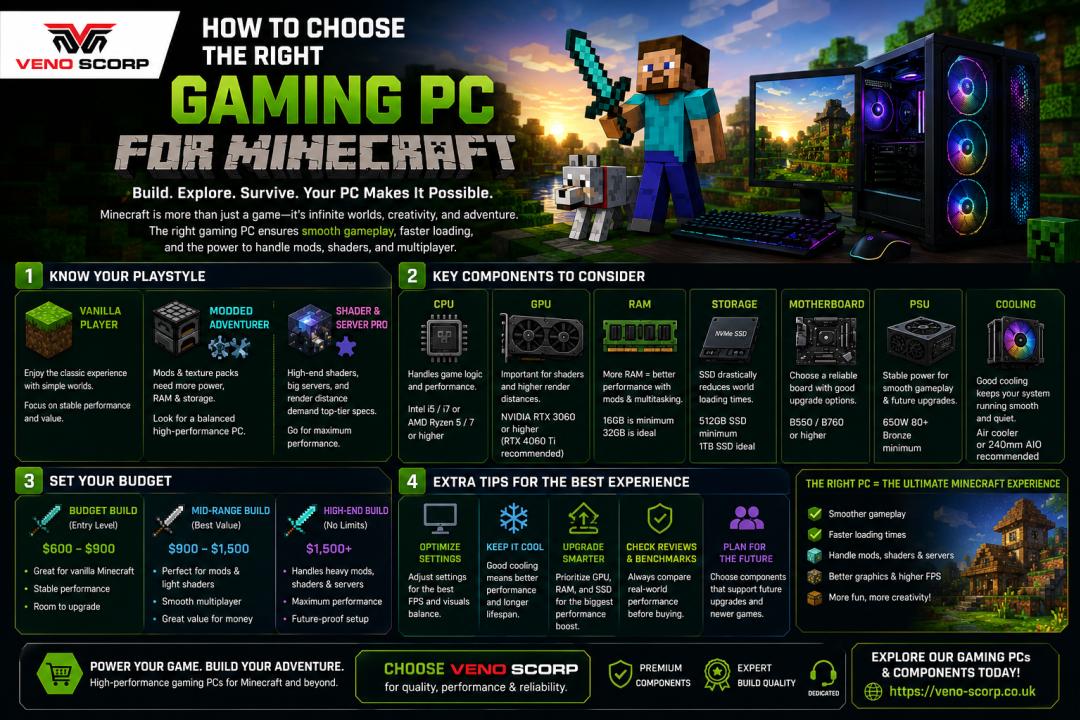
Extremely important, especially for anyone running vanilla survival worlds, large multiplayer servers, or mod-heavy modpacks. A capable mid-range processor handles chunk loading, world generation, and entity processing far more smoothly than weaker chips, even if your graphics card is the same. This is part of why a setup like the AMD Ryzen 5 4500 included in the TITAN build performs so well for Minecraft specifically it provides enough single-core strength to keep up with the game's demands without overspending on cores you won't fully use in this particular title.
Does Minecraft Need a Powerful Graphics Card?
It depends heavily on how you play. Vanilla Minecraft at default settings is relatively light on GPU requirements, and even modest graphics cards can run it at high frame rates. However, the moment you add shader packs, increase render distance significantly, or install graphically intensive texture packs, GPU demand rises substantially. A card like the AMD RX580 8GB strikes a practical balance here strong enough to handle shaders and modded visual overhauls comfortably, without being overkill for a game that, at its core, doesn't require flagship-tier graphics power.
How Much RAM Do You Need for Smooth Performance?
RAM matters more for Minecraft than many players expect, particularly once mods enter the picture. Vanilla survival worlds run comfortably on 8GB, but heavily modded setups, large render distances, and resource-intensive modpacks can quickly demand more. 16GB has become the practical sweet spot for most players, giving the game and your operating system enough breathing room without bottlenecking performance during long sessions, multiplayer hosting, or running additional background applications like Discord and a web browser simultaneously.
What Role Does Storage Play in Minecraft Performance?
Storage speed primarily affects how quickly the game loads, how fast new chunks generate as you explore, and how smoothly large worlds save and back up. While Minecraft doesn't require ultra-high-end storage to run, faster drives noticeably reduce loading stutters, particularly in large or heavily modded worlds where the game is constantly reading and writing data. A solid-state drive is generally recommended over a traditional hard drive for anyone serious about smooth, stutter-free exploration.
Is the TITAN Build a Good Fit for Minecraft Players?
For players who want a gaming pc for minecraft that handles both vanilla and modded play comfortably without unnecessary expense, the TITAN - AMD Ryzen 5 4500 16GB AMD RX580 8GB 400SE configuration hits a practical sweet spot. The Ryzen 5 4500 covers the CPU-heavy demands of chunk loading and world simulation, the 16GB of RAM provides comfortable headroom for mods and multitasking, and the RX580 8GB offers enough graphical power to run shaders and texture overhauls without bottlenecking. It's a setup built around what Minecraft actually needs, rather than spec-sheet numbers that don't translate into meaningfully better gameplay for this specific title.
Should You Consider Multiplayer and Server Hosting Needs?
If you plan to host your own server alongside playing, your hardware needs shift slightly. Running a server and playing simultaneously on the same machine adds extra CPU and RAM overhead, since you're essentially running two demanding processes at once. For casual hosting with a handful of friends, a well-balanced system like the TITAN build can typically manage both without major issues, but for larger servers with many concurrent players, a dedicated hosting solution or additional RAM headroom becomes more important.
How Do Mods and Modpacks Change Hardware Requirements?
Modding is where hardware requirements can shift dramatically. Lightweight quality-of-life mods barely affect performance, but large modpacks that add hundreds of new blocks, entities, and mechanics can place significant strain on both CPU and RAM. Popular heavily modded packs often recommend a minimum of 16GB RAM and a mid-range or better CPU specifically because of how much additional processing these mods introduce. If modding is a major part of your Minecraft experience, prioritizing RAM capacity and CPU performance over graphics power generally pays off more.
What About Shaders and Visual Overhauls?
Shaders dramatically change Minecraft's visual presentation, adding realistic lighting, shadows, water reflections, and atmospheric effects. This is where GPU performance becomes far more relevant than in vanilla gameplay. Mid-range graphics cards can typically handle popular shader packs at solid frame rates, though the most demanding shader configurations paired with high render distances can still challenge stronger hardware. If shaders are a priority for you, weighting your budget slightly more toward the GPU than a purely vanilla player would need to is generally a smart move.
How Do You Decide Between a Budget Build and a More Powerful One?
The right answer depends entirely on how you play. A casual vanilla survival player hosting occasional small multiplayer sessions doesn't need the same firepower as someone running a heavily modded server with shaders and a dozen active players. Being honest about your actual usage patterns rather than buying based on worst-case hypotheticals helps avoid both underspending on a system that struggles and overspending on power you'll never actually use in this particular game. A well-matched TITAN - AMD Ryzen 5 4500 16GB AMD RX580 8GB 400SE setup avoids both of these traps for the vast majority of players.
Final Tips for Choosing Your Minecraft Gaming PC
Prioritize CPU performance first, since it has the biggest overall impact on Minecraft's core gameplay loop. Don't neglect RAM, especially if modding is part of your plans, since insufficient memory causes some of the most noticeable performance issues in modded setups. Pair this with a capable mid-range GPU if shaders or visual mods matter to you, and round things out with solid-state storage for faster loading and smoother exploration. A thoughtfully balanced gaming pc for minecraft, rather than one overloaded in a single area, will consistently deliver the best experience for the money.
Ready to Build Your Minecraft Setup?
Stop guessing and get a system built around what Minecraft actually demands not inflated spec-sheet numbers. The TITAN - AMD Ryzen 5 4500 16GB AMD RX580 8GB 400SE delivers exactly the balance vanilla and modded players need, without paying for power you won't use. Buy Now to lock in your perfect setup today.