AI influencer content often looks convincing in a single image and inconsistent across a full campaign. The problem is rarely a lack of model quality. It is usually a lack of production structure. When identity, styling, scenes, and review criteria are mixed into one prompt, every generation becomes a fresh interpretation of the character.
A repeatable content pipeline treats the virtual creator as a persistent asset rather than a prompt that must be reinvented for each post. The following workflow helps solo creators and marketing teams produce more coherent images and videos while keeping room for creative variation.
1. Separate identity from the campaign idea
Start by defining the parts of the character that should remain stable. These include facial structure, age range, hair, skin tone, body proportions, and a few recognizable visual anchors. Store those details in a compact character brief.
Campaign variables belong in a separate scene brief: location, outfit, pose, camera angle, lighting, mood, product placement, and platform format. This separation makes debugging much easier. If the character changes unexpectedly, inspect the identity inputs. If the composition is weak, revise the scene brief without rewriting the person.
2. Build a reference pack, not a single hero image
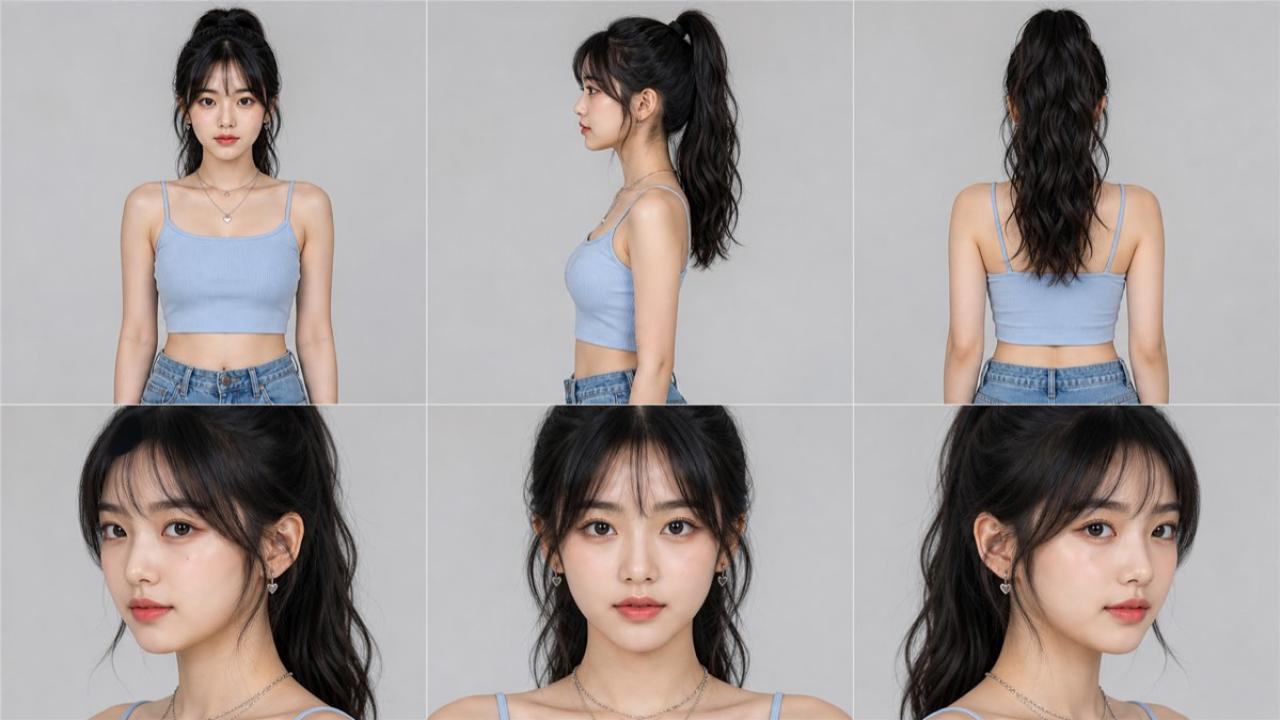
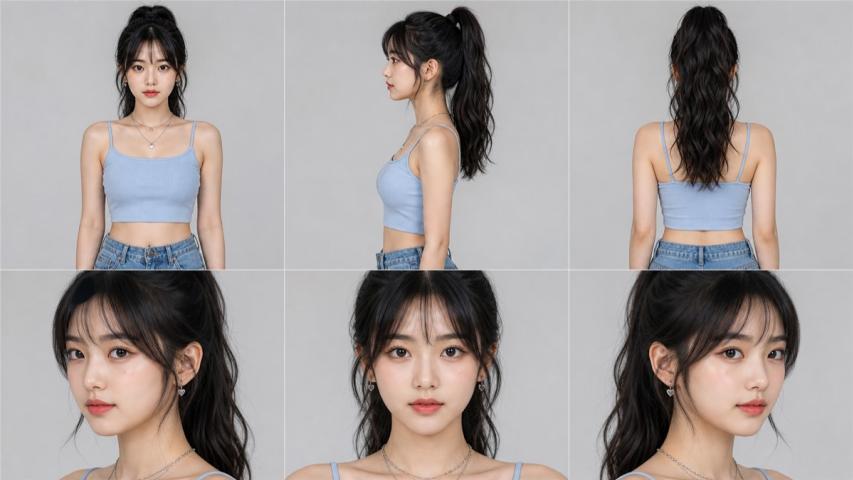
One polished portrait is useful for presentation but limited as a production reference. A practical pack should cover several views of the same character:
- A neutral front-facing portrait
- Left and right three-quarter views
- A side profile
- A wider frame showing body proportions
- One or two close-ups that preserve small facial details
Keep lighting and styling simple in this pack. Dramatic shadows, accessories, and extreme expressions can accidentally become part of the identity signal. Campaign-specific clothing and makeup can be added later.
3. Create an anchor frame before generating a set
For each campaign, generate one strong anchor image before producing ten variations. Confirm that the character, outfit, location, framing, and mood all work together. Once the anchor is approved, use it as the visual reference for related images and motion assets.
This step prevents a common waste pattern: generating a large batch first and discovering afterward that every image contains the same identity or styling mistake.
4. Change one variable at a time
Large prompt changes make it difficult to know what caused a visual drift. Use controlled iterations instead. Keep identity and wardrobe fixed while testing camera angles. Then hold the angle steady while changing poses. After the scene is stable, introduce lighting or background variations.
A simple campaign matrix can make this process measurable:
- Three hooks or messages
- Two approved locations
- Two camera distances
- Two output formats
This creates a useful set of variations without turning the campaign into a collection of unrelated experiments.
5. Move from still images to video carefully
Image-to-video usually preserves identity better than generating a video directly from a broad text description. Begin with an approved anchor frame and request restrained motion: a small head turn, a natural blink, a subtle expression change, or a slow camera movement.
Test the face first, then the hands, hair, clothing edges, and background objects. Short clips are easier to review and reuse. If a clip contains a strong opening and a weak ending, trim it rather than discarding the entire result.
6. Add a quality gate before publishing
Consistency should be reviewed with a checklist, not intuition alone. A lightweight quality gate can score each asset on:
- Identity: Does the face still match the approved character?
- Anatomy: Are hands, limbs, teeth, and clothing edges believable?
- Continuity: Do wardrobe and props stay consistent within the campaign?
- Composition: Is there enough safe space for captions and platform crops?
- Brand fit: Does the visual support the intended audience and message?
- Disclosure: Is synthetic or sponsored content labeled where appropriate?
Rejecting an asset early is cheaper than repairing a campaign after publication.
7. Preserve production history
Save the prompt, model, reference files, aspect ratio, generation date, and approval status with every final asset. Use filenames that identify the character, campaign, scene, and version. This turns successful generations into reusable production knowledge.
History also helps teams understand whether a quality change came from the prompt, the references, the model, or the review process. Without that record, the same mistakes return in later campaigns.
8. Design the workflow for handoffs
A repeatable process should survive when a different person operates it. Store the character brief, reference pack, approved anchor frames, campaign matrix, and quality checklist together. Make responsibilities explicit: who prepares scenes, who reviews identity, and who approves publication.
This is where purpose-built workspaces can help. AI Influencer Creator, for example, keeps reusable character identity separate from changing scene prompts and supports both image and video workflows. The broader principle applies to any tool: persistent decisions should be saved once, while campaign variables remain easy to change.
Consistency comes from the system
Better models can improve detail and realism, but they do not replace production discipline. A stable character brief, a multi-view reference pack, controlled iterations, anchor frames, and a clear review gate do more for campaign consistency than endlessly expanding one prompt.
When those pieces are in place, AI influencer production becomes easier to plan, review, delegate, and scale. The goal is not to remove experimentation. It is to keep experimentation from erasing the identity that makes the character recognizable.