Introduction
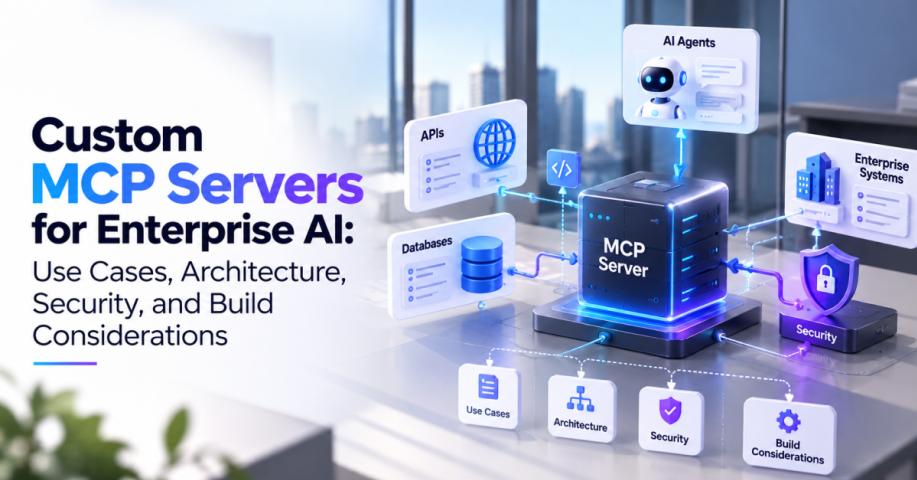
Businesses already rely on APIs, databases, CRM platforms, ERP software, and enterprise applications to manage their operations. As organizations adopt AI agents, a key challenge is making these existing systems accessible to AI without creating disconnected integrations or compromising data security. MCP server development services can help organizations establish a standardized integration layer that connects AI agents with business tools, data sources, and operational workflows.
The Model Context Protocol (MCP) provides a common way for AI applications to discover and interact with external capabilities. Instead of building a separate tool interface for every agent and system, businesses can use MCP servers to expose selected functions and contextual information through a consistent protocol.
However, successful MCP server integration involves more than connecting an endpoint. Organizations need to consider system compatibility, tool design, authentication, data access, and the operational requirements of their existing infrastructure. This guide explores how MCP integration works and how businesses can approach implementation across their technology environments.
1. What Is MCP Server Integration?
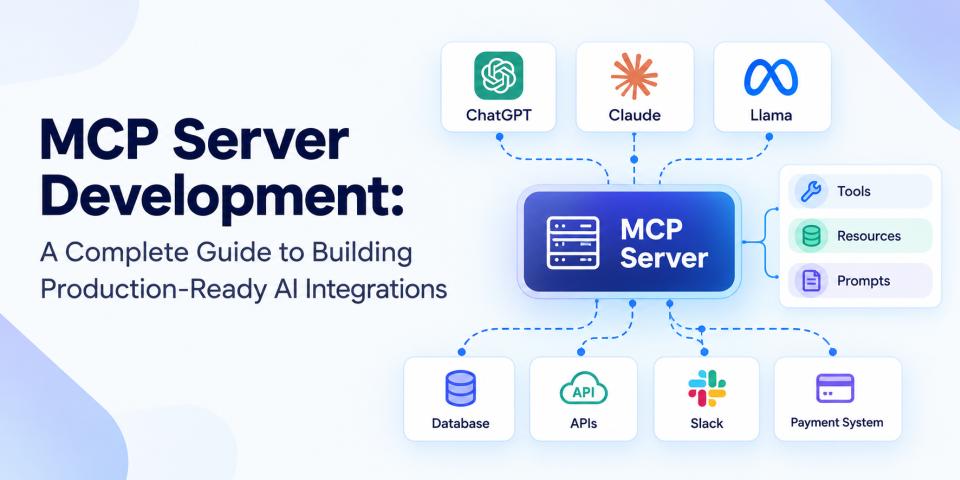
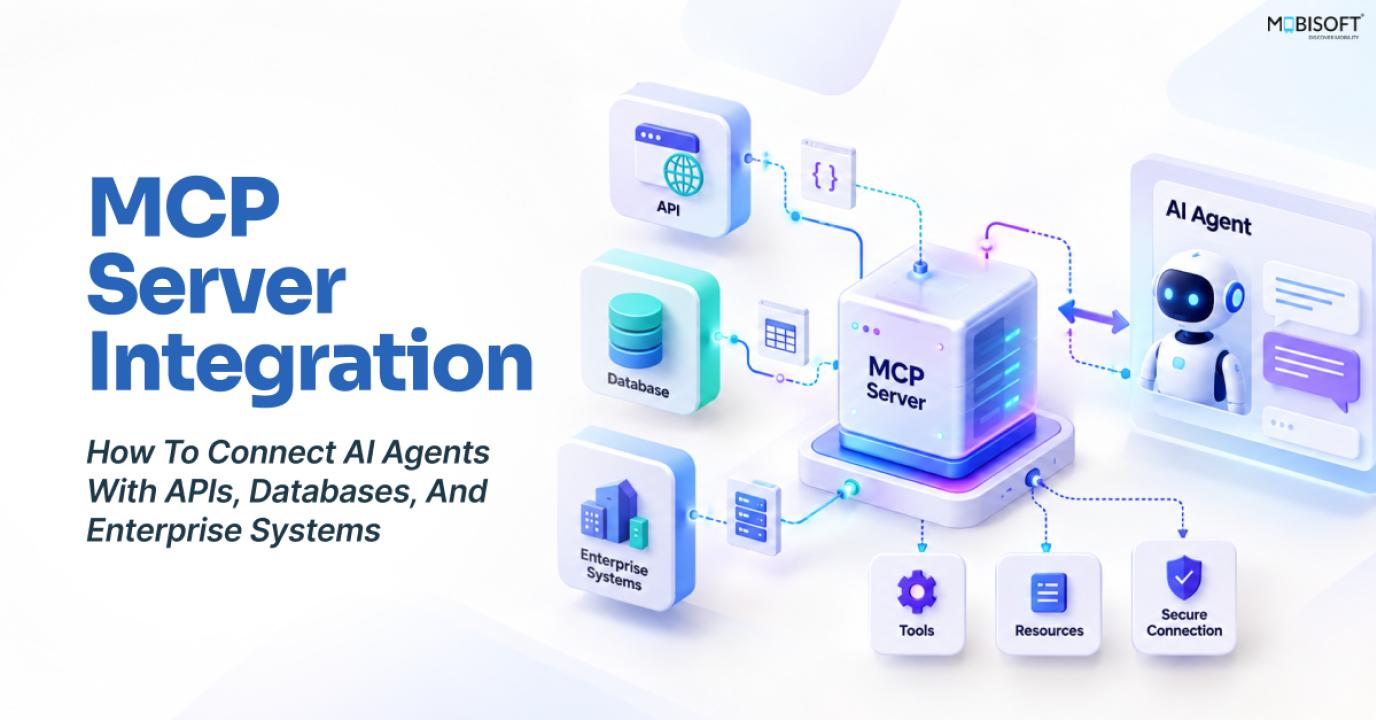
MCP server integration is the process of connecting AI applications and agents to external systems through servers that expose tools, resources, and other capabilities using the Model Context Protocol.
An MCP server acts as an intermediary between an AI application and a business system. For example, an MCP server connected to a CRM could expose tools for searching customer records, retrieving account information, or creating support cases.
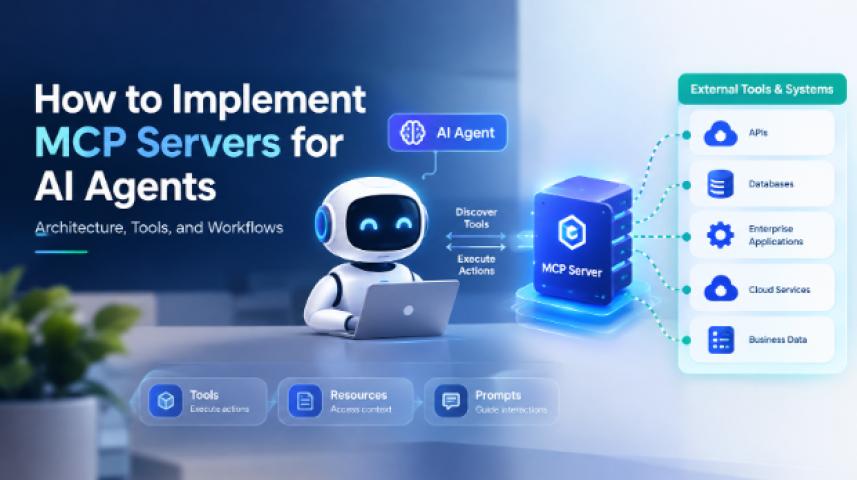
MCP provides three main capabilities:
- Tools: Functions that allow an AI application to perform specific actions, such as retrieving an order or updating a record.
- Resources: Contextual information that an application can access, such as documents, database schemas, and business data.
- Prompts: Reusable templates that help guide interactions and workflows.
This approach allows AI applications to discover and use available capabilities through a standardized interface rather than requiring each integration to be implemented separately.
2. MCP Integration vs. Traditional API Integration
Traditional API integration connects applications through defined endpoints, authentication mechanisms, request formats, and response structures. MCP builds on this existing ecosystem by providing a standardized way for AI applications to discover and invoke capabilities exposed by connected servers.
MCP does not replace REST APIs or eliminate the need for backend integration. An MCP server can call existing REST endpoints, enforce business rules, and return results in a format that an AI application can use. The value is in standardizing the agent-facing interface while retaining the underlying systems and their existing APIs.
3. Connecting MCP Servers to REST APIs
REST APIs are common in modern business applications, making them a practical starting point for MCP integration. An MCP server can wrap selected API operations as tools that agents can discover and invoke.
For example, an e-commerce application might expose tools to check product availability, retrieve order details, and create a return request. The server translates tool inputs into API requests, handles authentication and validation, and returns relevant results.
A typical integration process includes:
- Identify the API endpoints and operations needed for the agent's tasks.
- Define corresponding MCP tools with clear descriptions and validated input schemas.
- Implement server-side logic to call the existing APIs.
- Apply appropriate authentication, authorization, and error handling.
- Test the complete workflow using realistic requests and responses.
The server should expose only the operations required for the intended workflow, rather than automatically making every API endpoint available to the agent.
4. Connecting MCP Servers to Databases
Database integration allows AI agents to retrieve relevant business information from structured data sources. An MCP server can expose approved queries and database operations as tools or provide contextual resources such as schemas and documentation.
For instance, a business analytics agent might retrieve sales summaries, compare inventory levels, or query customer activity using authorized database operations.
When implementing database integration, developers should:
- Use restricted database accounts and grant only the permissions required.
- Validate inputs and use parameterized queries to reduce injection risks.
- Limit query scope, execution time, and returned records.
- Filter sensitive fields and apply data access policies.
- Monitor database activity and maintain audit logs.
Avoid giving an AI agent unrestricted access to a production database. A controlled MCP layer should enforce which queries and operations are permitted and prevent the agent from bypassing existing business rules.
5. Connecting SaaS Applications and Enterprise Systems
Organizations often depend on several SaaS platforms and internal applications that support different departments. MCP can help provide a consistent agent-facing interface across these systems, while preserving the underlying application's access controls and integration requirements.
- CRM systems
An MCP server connected to a CRM can expose tools for retrieving customer profiles, viewing interaction histories, and preparing follow-up activities. A sales agent could use these capabilities to gather relevant information before a customer meeting.
Write operations, such as modifying customer details or creating records, should require the appropriate permissions and approval where necessary.
- ERP systems
ERP integration can allow agents to retrieve information from approved business processes, such as purchase orders, inventory, procurement, and financial reporting.
For example, an operations agent could check an order's status, identify delayed items, and prepare an internal update using information from the ERP system. Any action that changes financial or operational records should follow the organization's authorization and approval policies.
- Internal enterprise systems and data platforms
MCP servers can also connect AI applications to internal knowledge bases, document repositories, analytics platforms, and other enterprise systems. A knowledge assistant might retrieve approved policy documents, while an analytics agent could access selected business metrics.
For complex environments, organizations may need several specialized MCP servers rather than one large server with access to every system. This can help separate responsibilities, permissions, and operational ownership.
6. Connecting MCP Servers With AI Agents
An MCP server provides the connection to external capabilities, while the AI application or agent decides how to use those capabilities within a workflow.
For example, a customer support agent could receive a question about an order, discover the relevant tools, retrieve the order's status, and prepare an answer based on the returned data. If the user requests a refund, the application can introduce an approval step before any financial action takes place.
Businesses developing these workflows can explore AI agent development services to understand how MCP-based connectivity fits into agent orchestration, tool use, and enterprise application integration.
It is important to distinguish the responsibilities of each component. MCP standardizes communication and capability discovery; the agent's orchestration layer still needs to manage reasoning, task sequencing, context, and decisions about when to call tools.
7. Authentication, Access Control, and Sensitive Data
Enterprise MCP integrations need security controls that account for both the connected systems and the agent's access to them.
For remote HTTP-based MCP servers, the protocol defines an authorization framework based on OAuth standards. Local servers using stdio generally require a different approach to credential management. The implementation should follow the current specification and the security requirements of the connected systems.
Important considerations include:
- Authentication: Verify the identity of the client or user before granting access to protected operations.
- Authorization: Apply least-privilege permissions to each tool, resource, and connected system.
- Credential security: Store tokens and secrets securely, and avoid exposing them in prompts, tool outputs, or logs.
- Data minimization: Return only the information necessary to complete the agent's task.
- Auditability: Record important tool calls and access events for monitoring and investigation.
Sensitive information should also be protected against accidental disclosure through model responses. Retrieved content should be treated as untrusted input, and access to critical business operations should be subject to explicit policy checks.
8. Read and Write MCP Integrations
MCP integration projects should distinguish between tools that retrieve information and tools that change business data.
Read tools might retrieve customer records, product details, or reports. Write tools might update a CRM entry, submit a purchase request, or create a support ticket.
For read operations, focus on permission boundaries, data filtering, and query limits. For write operations, add validation, business-rule enforcement, audit trails, and approval steps for high-impact changes. Idempotency controls can help prevent duplicate actions when requests are retried.
The level of human oversight should reflect the consequences of an operation. A routine information lookup may require no additional confirmation, while a payment, refund, or deletion may need explicit approval.
9. Building a Reusable MCP Integration Layer
For organizations adopting multiple AI agents, building each system connection separately can create duplicated engineering effort and inconsistent security practices. A reusable MCP integration layer can centralize common capabilities and make them available to authorized agents through well-defined interfaces.
A practical architecture may include:
- Specialized MCP servers: Separate servers for systems such as CRM, ERP, databases, and internal APIs.
- Shared authentication and authorization: Consistent identity verification and permission enforcement across connected services.
- Reusable tool definitions: Standardized operations that can be accessed by multiple compatible agents.
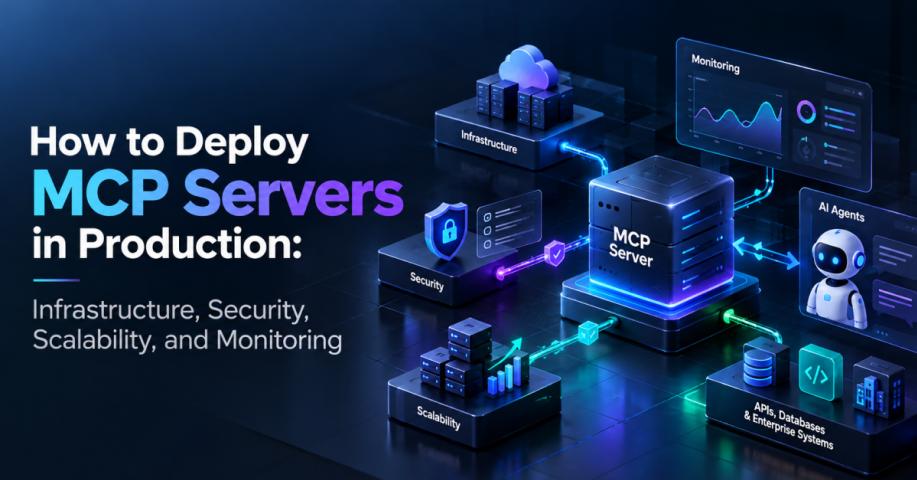
- Monitoring and governance: Centralized logging, performance monitoring, version management, and access reviews.
- Controlled deployment: Versioned releases, automated testing, and clear rollback procedures.
Google Cloud documents remote MCP servers as a standardized way to connect AI applications to services, with discovery and administrative controls. AWS also describes MCP servers as a way to centralize and govern agent access to databases, APIs, internal tools, and third-party integrations.
A reusable layer should not become a single unrestricted gateway. Keep server responsibilities clearly defined, limit the tools available to each agent, and review access as business requirements change.
10. MCP Server Integration Checklist
Before deploying an MCP integration, review the following requirements:
- Identify the business use cases and systems the AI agent needs to access.
- Decide whether existing MCP servers meet the requirements or custom development is needed.
- Select the appropriate transport and deployment architecture.
- Define focused tools and resources with validated schemas.
- Connect the MCP server to approved APIs, databases, and enterprise applications.
- Configure authentication, authorization, and least-privilege access.
- Establish separate safeguards for read and write operations.
- Implement error handling, logging, monitoring, and rate limiting.
- Test end-to-end workflows, permissions, and failure scenarios.
- Document maintenance, versioning, and incident-response procedures.
Conclusion
MCP server integration helps businesses make existing APIs, databases, SaaS platforms, and enterprise systems accessible to AI applications through a standardized interface. Rather than replacing established systems, MCP can provide an agent-facing integration layer that supports tool discovery, controlled access, and reusable workflows.
The success of an implementation depends on choosing the right integration architecture, defining focused tools, protecting sensitive data, and validating the complete agent workflow. Organizations should begin with a specific business use case, establish clear security boundaries, and expand integrations as their needs evolve.
Mobisoft Infotech offers MCP server development services to help businesses connect AI agents with enterprise applications, build custom MCP servers, and implement secure, reusable integration workflows. Explore the service to understand how MCP can support your organization's AI integration strategy.