
Software development has rapidly evolved with the rise of cloud-native applications. Modern systems are now built using microservices architecture for improved scalability, resilience, and agility. But with this shift comes new testing challenges. Can traditional automation tools like Selenium keep up? Let’s explore if Selenium remains an effective solution for testing cloud-native microservices.
Introduction
Cloud-native applications run in distributed, dynamic environments. These applications rely on independent microservices, each performing a specific function. While this approach enhances flexibility, it also complicates testing. Each microservice may have its own APIs, databases, and deployment cycles.
With Selenium being a popular tool for UI automation, many testers question its effectiveness in this new landscape. Is Selenium still relevant? Or should teams explore other tools? In this blog post, we'll break down Selenium’s strengths, limitations, and how it fits into a microservices testing strategy. Whether you’re pursuing a Selenium certification course or looking for online Selenium training, this guide will provide clarity and practical insights.
What is Selenium?
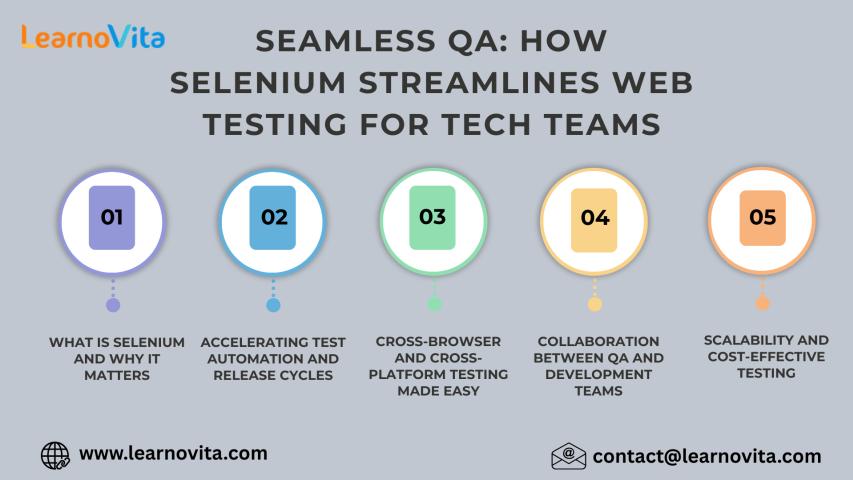
Selenium is an open-source test automation framework for web applications. It allows testers to write scripts in multiple programming languages like Java, Python, C#, and Ruby to automate browser actions.
Key Components:
Selenium WebDriver: Controls browsers by simulating user actions.
Selenium IDE: A browser extension for recording and playing back tests.
Selenium Grid: Runs tests across multiple machines and browsers simultaneously.
Many professionals enroll in an online Selenium course or Selenium training online to master these tools for web application testing.
What Are Cloud-Native Microservices?
Cloud-native applications are designed for cloud environments. They typically use microservices architecture, breaking down applications into small, loosely coupled services. Each microservice is independently deployable and scalable.
Characteristics of Microservices:
Distributed: Run on different servers or containers.
Decentralized Data Management: Each microservice manages its own database.
Independent Deployments: Teams can update one service without affecting others.
Testing Challenges in Microservices Architecture
Microservices introduce unique challenges for QA teams:
Increased Test Scope: Each microservice and their integrations need validation.
Dynamic Environments: Microservices may scale or move across servers.
Inter-Service Communication: APIs and message queues require thorough testing.
Data Consistency: Decentralized databases complicate data validation.
Faster Release Cycles: Continuous integration and delivery demand quick, reliable tests.
For automation testers considering a Selenium training online, it’s crucial to understand these hurdles.
Can Selenium Test Cloud-Native Microservices?
Strengths of Selenium in Microservices Testing
UI Testing for Web Frontends: Most cloud-native apps have web interfaces. Selenium excels in testing these.
Cross-Browser Testing: Selenium Grid enables parallel execution across browsers and devices.
Integration into CI/CD Pipelines: Selenium scripts can easily integrate with Jenkins, GitLab CI, and other CI/CD tools.
Scalability: Selenium Grid and cloud-based solutions like BrowserStack allow scaling tests for distributed systems.
Flexibility: Support for multiple programming languages and frameworks.
Example: A retail application built on microservices for payment, order management, and user authentication can use Selenium to test the web UI and interactions.
Limitations of Selenium in Microservices Testing
Limited API Testing: Selenium is designed for UI automation, not for testing RESTful APIs, which are central in microservices.
Poor at Backend Validation: Can't directly verify database states or message queues.
Higher Test Maintenance: UI changes frequently, increasing script maintenance.
Resource Intensive: Requires significant computing resources, especially at scale.
Not Ideal for Service Virtualization: Can't simulate microservices in isolation.
Evidence: According to a 2024 industry report by Capgemini, 72% of organizations use specialized API testing tools like Postman and RestAssured alongside Selenium for microservices testing.
Best Practices: Using Selenium in a Microservices Testing Strategy
Even with limitations, Selenium remains valuable for end-to-end UI tests. Here’s how to integrate it effectively:
1. Combine with API Testing Tools
Use Selenium for UI workflows and tools like Postman, RestAssured, or Karate for APIs.
Code Example: Java RestAssured API test
Response response = RestAssured.get("https://api.example.com/users");
assertEquals(200, response.getStatusCode());
2. Use Service Virtualization
Simulate dependent microservices during UI tests using tools like WireMock.
3. Integrate Selenium into CI/CD Pipelines
Automate test execution post-deployment using Jenkins or GitLab.
Diagram:
Code Commit -> Build -> Deploy -> API Tests -> Selenium UI Tests -> Release
4. Optimize Test Maintenance
Use Page Object Model (POM) design to separate UI locators and actions.
Example: Java Page Object
public class LoginPage {
WebDriver driver;
By username = By.id("username");
By password = By.id("password");
By loginButton = By.id("login");
public LoginPage(WebDriver driver) {
this.driver = driver;
}
public void login(String user, String pass) {
driver.findElement(username).sendKeys(user);
driver.findElement(password).sendKeys(pass);
driver.findElement(loginButton).click();
}
}
5. Leverage Cloud Testing Platforms
Use BrowserStack or Sauce Labs for scalable, cross-browser testing in dynamic environments.
Real-World Case Study: E-Commerce Platform
Problem: An e-commerce site built on 20+ microservices struggled with frequent UI regressions.
Solution:
Used Postman and RestAssured for API testing.
Implemented Selenium Grid for UI tests.
Adopted Jenkins for automated test execution.
Virtualized unstable services with WireMock.
Outcome: Reduced test execution time by 60% and improved release reliability.
Should You Learn Selenium for Microservices Testing?
Yes, while Selenium isn’t a one-stop solution, it remains a vital skill. Most cloud-native apps have web UIs that require thorough testing. Learning Selenium through a structured Online Selenium course builds foundational automation skills.
Benefits of Selenium Training Online:
Master cross-browser and responsive testing.
Learn integration with CI/CD tools.
Understand design patterns like POM.
Gain hands-on experience with Selenium Grid.
Key Takeaways
Selenium is effective for UI testing in microservices but limited for APIs and backends.
Combine Selenium with API testing and service virtualization tools.
Integrate Selenium tests into CI/CD pipelines.
Follow design patterns and use cloud testing platforms for scalability.
Enroll in a Selenium certification course or Selenium training online to enhance your automation skills.
Conclusion
Selenium remains a powerful tool for cloud-native microservices testing when strategically combined with complementary tools and practices. Strengthen your automation career with a comprehensive Test automation training program today!