In today’s digital landscape, chatbots have become indispensable tools for improving user engagement, providing instant support, and automating routine tasks. If you're a developer or business looking to integrate conversational AI into your web app, building a React chatbot component is a smart choice. React’s component-based architecture enables you to create reusable, maintainable, and interactive chatbot interfaces seamlessly.
In this comprehensive step-by-step guide, we’ll walk through how to build a robust React chatbot component from scratch. Along the way, we’ll explore essential concepts such as React JS chatbot integration and explain how to leverage AI capabilities with a React AI chatbot. Whether you’re a beginner or an experienced developer, this guide will equip you with the knowledge to build a powerful chatbot tailored to your needs.
Understanding the Basics: What is a React Chatbot Component?
A React chatbot component is a modular piece of your React application that handles the chat interface and logic. This component manages user inputs, displays messages, and integrates with backend AI services to generate responses. By building it as a reusable component, you can easily embed the chatbot across different parts of your web app without duplicating code.
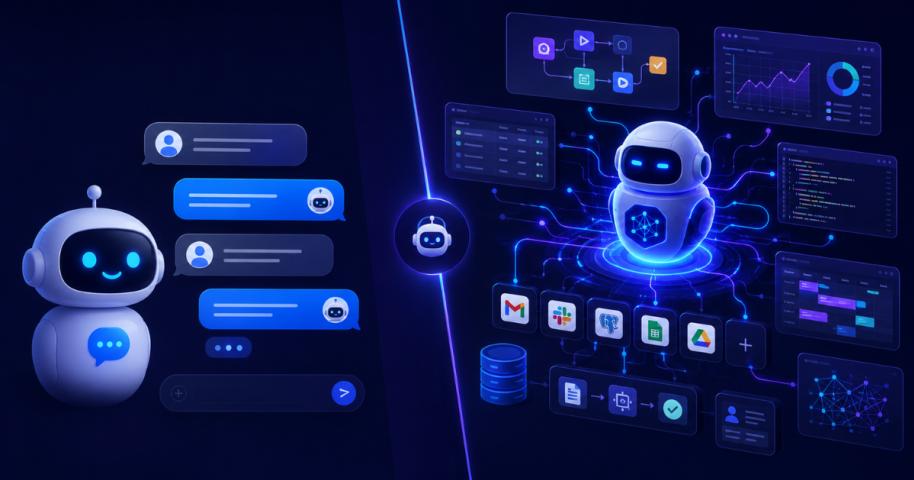
It’s important to differentiate between a standard chatbot and a React AI chatbot. While a typical chatbot might use predefined scripts or simple rule-based replies, a React AI chatbot leverages artificial intelligence, often through APIs like OpenAI or Dialogflow, to understand natural language and provide more context-aware responses.
Implementing AI into your React chatbot adds complexity but dramatically improves user experience by enabling more natural conversations.
Step 1: Setting Up Your React Environment
Before diving into the chatbot development, ensure your React environment is ready. You can quickly create a new project using tools like Create React App, Next.js, or your preferred React setup.
Once the environment is prepared:
- Install necessary dependencies such as Axios or Fetch for API calls
- Plan your project structure with clear folders for components, >
- Set up version control (like Git) for easier collaboration and backup.
A solid environment sets the stage for building a maintainable React chatbot component.
Step 2: Designing the Chat Interface
The user interface is the most visible part of your chatbot. A well-designed chat interface ensures users have an intuitive and engaging experience. Focus on the following UI elements:
- Message Bubbles: Differentiate user messages and chatbot replies with distinct >
- Input Field: Provide a text box for user queries with a clear submit button.
- Typing Indicator: Show feedback when the bot is processing to manage user expectations.
- Scroll Behavior: Automatically scroll to the latest message to keep conversations fluid.
React’s component-driven model allows you to break down the chat interface into smaller parts, like Message, MessageList, and InputBox components. This modularity makes your React chatbot component easier to manage and extend.
Step 3: Managing State and User Interactions
Handling state is crucial for your chatbot to remember conversations and respond appropriately. In React, use hooks such as useState and useEffect to
- Store the list of messages (both user and bot).
- Capture the user’s current input.
- Track loading states during API calls.
By managing this state within your React chatbot component, you enable real-time updates and smooth interaction flow.
Step 4: Integrating AI with React JS Chatbot Integration
A chatbot’s intelligence relies on integrating with AI services. This is where React JS chatbot integration comes into play. Popular AI platforms like OpenAI, IBM Watson, or Dialogflow can process natural language and generate human-like responses.
To implement this:
- Capture the user’s input and send it as a request to the AI API.
- Receive the AI-generated response asynchronously.
- Update your message state to include the AI reply.
By incorporating React JS chatbot integration, your chatbot evolves into a React AI chatbot capable of handling complex queries and providing personalized answers.
Step 5: Handling API Requests and Responses
Effective communication with AI services requires thoughtful API handling. Here are best practices:
- Use asynchronous functions (async/await) to make API calls.
- Implement error handling to manage network issues or invalid responses.
- Show loading states or typing indicators while awaiting AI responses.
- Throttle or debounce user inputs if necessary to prevent excessive API calls.
These practices improve the responsiveness and reliability of your React chatbot component, ensuring users enjoy a seamless experience.
Step 6: Enhancing Your React AI Chatbot
Beyond basic chat functionality, consider adding these features to make your assistant smarter and more engaging:
- Context Preservation: Maintain conversation context to understand follow-up questions.
- Rich Media Support: Enable sending images, links, or buttons within chat messages.
- Voice Input/Output: Integrate speech recognition and synthesis for hands-free interaction.
- Personalization: Customize responses based on user profiles or preferences.
By continually improving your React AI chatbot, you can increase user satisfaction and reduce the need for human intervention.
Step 7: Testing and Debugging
Thorough testing is essential to catch bugs and ensure your chatbot behaves as expected. Focus on:
- Unit tests for individual components like message rendering and input handling.
- Integration tests for API interaction.
- User acceptance testing to validate real-world use cases.
Tools like Jest and React Testing Library make it easy to write and run tests in your React projects.
Step 8: Deployment and Scaling
Once your React chatbot component is ready and tested, deploy it as part of your web application. Consider these deployment tips
- Host your React app on platforms like Vercel, Netlify, or your preferred cloud service
- Secure your AI API keys by using server-side proxies or environment variables.
- Monitor performance and errors with tools like Sentry or LogRocket.
- Plan for scalability by optimizing API usage and caching frequent queries.
Why Partner with a ReactJS Development Company?
Building a fully functional and scalable React AI chatbot can be challenging, especially when integrating sophisticated AI features. Collaborating with a specialized ReactJS Development Company can accelerate development, ensure best practices, and deliver a high-quality product.
Expert developers bring deep knowledge of React architecture, API integration, and AI implementation. They also help tailor the chatbot to your business needs, providing a competitive edge and enhanced user engagement.
Final Thoughts
Creating a React chatbot component is an excellent way to bring intelligent conversational interfaces into your web applications. By following this step-by-step guide, you can build a chatbot that’s not only functional but also scalable, user-friendly, and smart enough to provide meaningful interactions.
Incorporating React JS chatbot integration and transforming your bot into a React AI chatbot opens the door to rich, dynamic conversations that delight users and streamline processes.
If you want to build a cutting-edge chatbot that stands out, consider leveraging professional expertise from a ReactJS Development Company. Their guidance can help you create a robust, polished chatbot that scales with your business.
Start building your React chatbot component today and transform the way users interact with your web app!