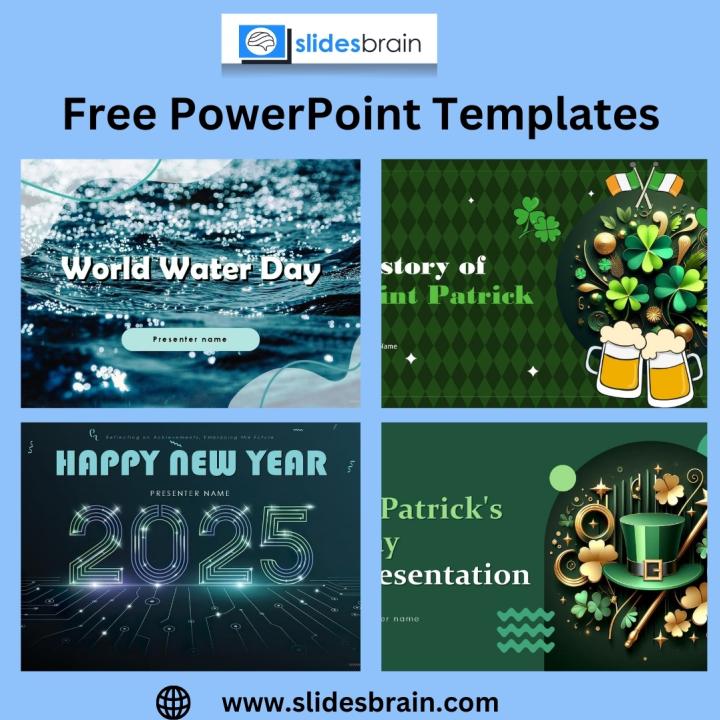
In today's fast-paced business environment, presentation tools like PowerPoint remain essential for pitching ideas, showcasing products, and sharing company visions. Free PowerPoint templates are widely used due to their convenience, cost-effectiveness, and wide availability. However, relying solely on these templates without understanding their limitations can do more harm than good, especially when you're preparing a critical pitch.
While free resources can be a great starting point, they also come with pitfalls that can compromise your presentation’s effectiveness. This blog will explore the most common mistakes professionals make when using free PowerPoint templates, and how to avoid them to ensure your pitch is impactful, professional, and memorable.
Overused and Generic Designs
One of the most significant issues with free PowerPoint templates is their widespread usage. Since they’re freely available to anyone, it’s highly likely that your audience—especially investors or seasoned professionals—has seen the same design multiple times. This familiarity can make your pitch feel uninspired or lacking originality.
Using a template that dozens of other companies have used can dilute your message and brand. It can also lead your audience to question your attention to detail or commitment to professionalism. To avoid this mistake, it’s important to customize the template thoroughly or use it only as a base while adding your unique branding elements, such as logos, fonts, and colors.
Ignoring Brand Consistency
Brand consistency is key to building trust and recognition. When you use free PowerPoint templates, you often inherit a predefined color scheme, font pairing, and layout >
This inconsistency can confuse your audience and weaken the credibility of your message. If your website, marketing materials, and product packaging use a particular design language, your pitch should reflect the same. Always take time to modify free templates so that they align with your brand’s visual identity, creating a cohesive and professional impression.
Overloading Slides with Content
Many free PowerPoint templates include pre-filled slides with placeholders for long blocks of text or dense charts. A common mistake is to replicate this structure by adding too much content to a single slide. The result is often visually overwhelming and difficult to follow, especially in a live pitch setting where time and attention spans are limited.
Remember, less is more when it comes to slide design. Your slides should complement your speech, not replace it. Instead of cramming everything into a few slides, aim to keep content concise and visually digestible. Use each slide to highlight one key idea or message and support it with visuals or brief bullet points rather than large paragraphs.
Poor Visual Hierarchy and Layout
Another frequent issue with free PowerPoint templates is a lack of strong visual hierarchy. Some templates are not designed with presentation best practices in mind and may feature inconsistent spacing, misaligned elements, or unbalanced layouts. This can make your slides difficult to read or cause important information to be overlooked.
A clear visual hierarchy guides your audience through the content logically and helps emphasize what matters most. When editing a free template, ensure that headers stand out, supporting text is readable, and visuals are properly aligned. You may need to manually adjust font sizes, spacing, and positioning to improve the overall structure of your slides.
Inadequate Image Quality and Licensing
Many free PowerPoint templates come with embedded stock images or graphics that are either low in resolution or not licensed for commercial use. Using these images in a business or investor pitch can result in poor visual quality or even legal trouble.
High-quality visuals are essential for maintaining a professional appearance. Blurry images, pixelated icons, or inconsistent >
Relying Too Much on Default Animations
Animations can add interest and help control the flow of information, but overusing or relying on the default animations in free PowerPoint templates can backfire. Excessive transitions, flashy effects, or inconsistent animation timing can distract from your message and make your presentation seem unpolished.
Animations should be used sparingly and with purpose. Stick to simple transitions that enhance understanding, such as fade-ins or slide-ins to reveal key points. Avoid using multiple animation >
Ignoring Mobile and Print Compatibility
In today’s hybrid work environment, many presentations are viewed on mobile devices or shared as downloadable PDFs. Some free PowerPoint templates are designed only for widescreen desktop display and may not convert well to other formats. This can result in distorted slides, unreadable text, or broken layouts when viewed outside of PowerPoint.
To avoid this, preview your presentation in various formats and devices before finalizing it. Save a copy as a PDF to check for layout shifts. Consider font sizes, image scaling, and readability when converting for smaller screens. Ensuring compatibility across formats is a subtle but essential part of professional presentation preparation.
Skipping the Design Refinement Process
One of the biggest misconceptions about free PowerPoint templates is that they are ready to use without further refinement. Even the best templates need customization to suit your specific goals and audience. Simply plugging in your content without adjusting layout, colors, and design can lead to a disjointed and ineffective presentation.
Take the time to go through each slide carefully. Adjust margins, align content, change graphics, and ensure that transitions flow naturally. Focus on making the presentation your own rather than relying entirely on prebuilt structures. The more effort you invest in refining the template, the more polished your pitch will feel.
Underestimating the Power of Custom Design
While free PowerPoint templates can serve as useful starting points, they are not substitutes for strategic, tailored design. A custom-designed presentation allows you to build a narrative specifically crafted for your audience, reflect your brand identity accurately, and communicate your value proposition more effectively.
If you're preparing for a high-stakes pitch—such as seeking investment, securing a partnership, or presenting at a major conference—consider working with professionals who understand visual storytelling. Custom design can make the difference between a good presentation and one that wins opportunities.
Conclusion
Using free PowerPoint templates can be a helpful way to kickstart your presentation, but relying on them without careful customization can lead to a variety of problems—ranging from visual inconsistency to poor communication. By being mindful of common mistakes like generic design, overcrowded slides, and inconsistent branding, you can use these templates more effectively.
Ultimately, your presentation is a reflection of your professionalism, clarity, and preparation. Whether you're pitching an idea, presenting a business proposal, or speaking at an event, your slides should enhance your message—not detract from it. Taking the time to customize and refine even a free template can set you apart and ensure that your next pitch makes the impact it deserves.