Shopify Tax Compliance for U.S. Sellers: Understanding Economic Nexus & Filing Obligations
Selling on Shopify is a great opportunity, but U.S. sellers often find that handling taxes is more complicated than they expected. Unlike a physical store where sales tax is collected in one place, Shopify sellers have to deal with tax laws in multiple states. With the rise of economic nexus laws and increased enforcement by states, staying compliant has become a key concern for online business owners.`
This guide outlines the basics of Shopify tax compliance, including economic nexus rules, filing duties, and practical steps to avoid costly mistakes.
Why Shopify Sellers Need to Care About Tax Compliance
Shopify makes it easy to start and grow an eCommerce business, but it doesn't eliminate tax duties. U.S. sales tax rules are set at the state level, and nearly every state that charges sales tax has economic nexus laws.
This means that even if you don’t have a physical presence in a state, you may still need to collect and remit sales tax if your sales exceed a certain level. Ignoring these rules can lead to penalties, interest, and audits, which no business wants to face.
For Shopify sellers looking to build sustainable businesses, tax compliance is not optional; it’s an essential part of responsible operation.
Understanding Economic Nexus for Online Sellers
Economic nexus is the foundation of modern sales tax compliance. It emerged after the 2018 South Dakota v. Wayfair, Inc. Supreme Court ruling, which allowed states to require out-of-state businesses to collect sales tax based on their sales volume or the number of transactions.
Here’s what this means for Shopify sellers:
- Thresholds vary by state. For instance, some states require you to collect tax once your sales hit $100,000, while others set the limit at 200 transactions.
- You don’t need a physical location. Simply selling enough products in a state can establish a nexus.
- Shopify can help automate tax calculations. However, the responsibility for setup and filing still falls on the seller.
Understanding where you’ve triggered nexus is the first step toward compliance. Sellers often use tax compliance software or services to track these obligations accurately.
How Shopify Handles Sales Tax
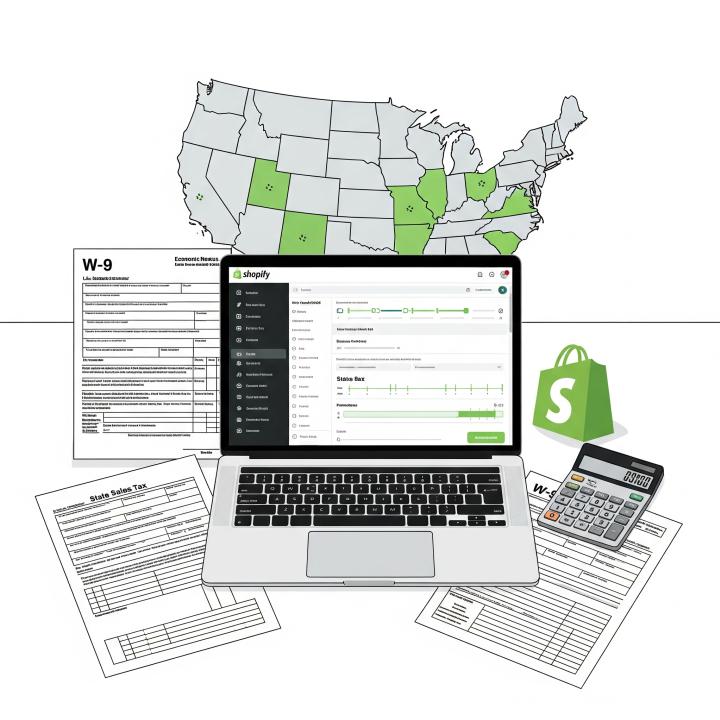
Shopify provides built-in tools to calculate and collect sales tax, but sellers need to configure these tools correctly. The platform uses state tax rates and customer shipping addresses to apply the right tax at checkout.
However, Shopify doesn’t automatically:
- Register you for sales tax permits in different states.
- File your sales tax returns.
- Remit taxes on your behalf.
As the business owner, you need to register in states where you have a nexus, file on time, and pay the correct amounts. Shopify's role is limited to making the checkout process tax-compliant, not managing the entire compliance process.
Steps to Stay Compliant with Shopify Sales Tax
- Identify Nexus States: Review your sales activity to identify where you’ve crossed thresholds. Monitor both revenue and transaction counts.
- Register for Sales Tax Permits: Before collecting sales tax in a state, you must register for a sales tax permit. Collecting without a permit can lead to penalties.
- Configure Shopify Tax Settings: Set up Shopify to collect the right tax in each state where you're registered. Regularly check your settings, as laws can change.
- Keep Accurate Records: Keep detailed records of sales, collected taxes, and filed returns. This will make audits much easier to manage.
- File and Remit on Time: States require regular filings, often monthly, quarterly, or annually. Late filings can result in fines.
- Consider Tax Software or Experts: Tools like Avalara or TaxJar can integrate with Shopify to streamline compliance. For more complex situations, hiring a professional can save time and lower risks.
Common Challenges Shopify Sellers Face
- Managing multiple state filings once nexus is triggered in several places.
- Keeping up with changing thresholds as states update their laws.
- Handling exemptions for wholesale or resale transactions.
- Reconciling tax data from Shopify with accounting software.
Many sellers underestimate the administrative workload until they face their first round of notices or filing deadlines. Being proactive is the best defense.
FAQs About Shopify Tax Compliance
1. Do I need to collect sales tax from every customer?
No, you only need to collect sales tax in states where you’ve registered for a permit after establishing nexus. Customers in states where you have no nexus generally do not pay sales tax.
2. How do I know if I have an economic nexus in a state?
Check your total sales and transaction counts for each state. If you exceed the state's threshold, you likely have a nexus and must register to collect tax.
3. Can Shopify automatically file my sales tax returns?
Not directly. Shopify can calculate and collect taxes, but filing and remitting are your responsibility. You might need third-party apps or a tax professional for this.
4. What happens if I don’t register for sales tax when required?
Failing to register and pay taxes can lead to penalties, interest, and possible audits. States are increasingly strict about enforcing compliance.
5. Are digital products on Shopify taxed too?
It depends on the state. Some states tax digital goods, while others do not. Always verify the rules in the states where you sell.
6. Do I need a federal tax ID for Shopify sales tax?
Yes, in most cases, you'll need an EIN or similar identification number to register for sales tax permits in different states.
Conclusion
Shopify tax compliance may seem daunting at first, but with the right approach, it becomes manageable. By understanding the economic nexus, registering for sales tax permits, and setting your Shopify settings correctly, you can avoid penalties and concentrate on growing your business.
Whether you decide to handle compliance yourself, use tax automation software, or work with professionals like Gapp Group, staying ahead of tax rules helps ensure your Shopify store runs smoothly and stays legally compliant.