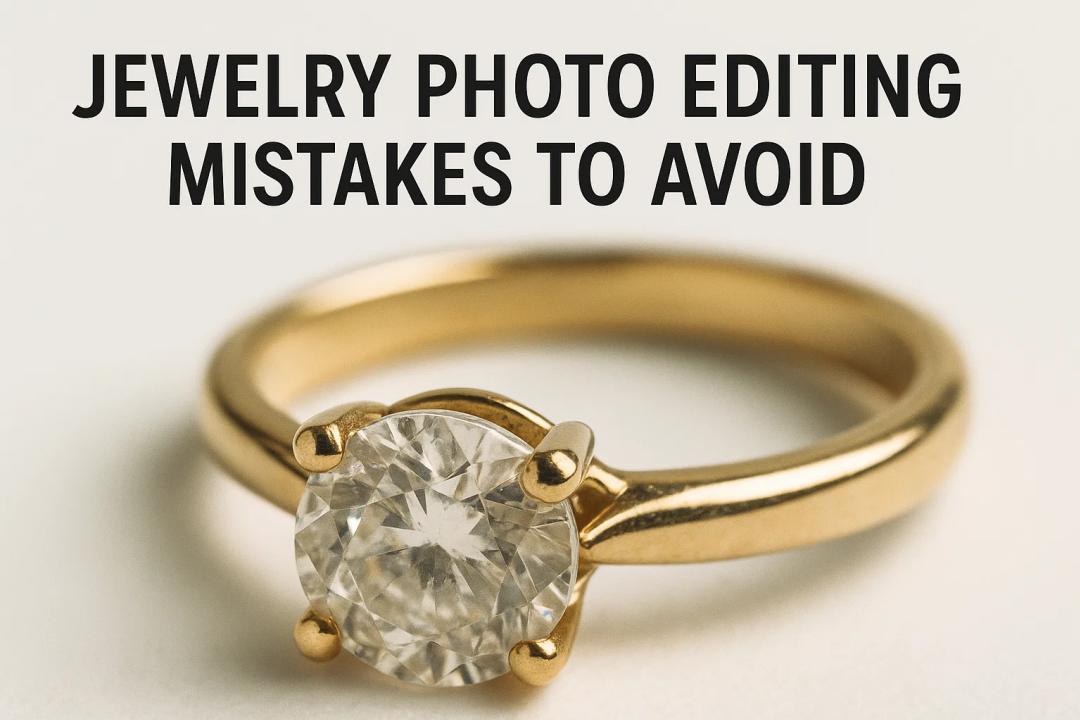
High-quality product images are the backbone of any successful online jewelry business. In the world of e-commerce, customers can't touch or try on your products—they rely solely on your images to make a purchase decision. Poorly edited photos can turn potential buyers away, while expertly retouched images can boost trust and conversions.
In this guide, we'll cover the most common jewelry photo editing mistakes, why they matter, and how to avoid them so your jewelry images look professional and true-to-life.
Why Jewelry Photo Editing Matters
Jewelry is all about detail, shine, and color accuracy. Even the slightest imperfection in your product images can:
- Reduce customer trust
- Increase return rates due to inaccurate representation
- Make your brand appear unprofessional
According to a Shopify report, 93% of consumers consider visual appearance the key deciding factor in a purchase. This is why jewelry photo editing isn't just about making images pretty—it's about selling the product truthfully and beautifully.
Top Jewelry Photo Editing Mistakes to Avoid
1. Over-Retouching That Makes Jewelry Look Fake
It's tempting to polish your jewelry images until they sparkle like diamonds—but too much editing can backfire. Overly smooth textures, exaggerated shine, and artificial glows make jewelry look unrealistic.
Why it's bad:
- Misleads customers and damages trust
- Makes returns more likely when the product doesn't match the image
- Gives a cheap, artificial look
Pro tip: Use subtle adjustments and retain natural textures of metals and gemstones.
2. Incorrect White Balance and Colors
Jewelry colors must be accurate and consistent. A slight error in white balance can turn gold into orange or silver into dull gray.
Common mistakes:
- Gemstones appearing darker or lighter than reality are
- Warm tones make diamonds look yellow
Solution:
- Calibrate your monitor regularly
- Use white balance tools in Photoshop or Lightroom
- Compare your edits with the actual jewelry under natural light
3. Poor Background Removal
Removing backgrounds is essential for clean, professional product images, especially for marketplaces like Amazon and Etsy. However, sloppy work can leave halos or jagged edges.
Mistakes to avoid:
- Visible cutout lines around jewelry
- Leaving behind distracting shadows or artifacts
- Inconsistent backgrounds across product listings
Best practice:
- Use pen tools or AI-based tools for precision
- Maintain a consistent background—usually white or transparent
4. Ignoring Reflections, Dust, and Smudges
Even with high-resolution images, tiny imperfections like dust, smudges, or unwanted reflections can ruin the photo.
Examples:
- Photographer’s reflection in a shiny ring
- Dust particles on a gemstone under macro photography
Quick fix:
- Use the clone stamp or healing brush to clean up imperfections
- Always inspect images at 100% zoom before finalizing
5. Overuse of Filters or Presets
While filters can save time, they often distort the true look of jewelry.
Why it's risky:
- Can alter gemstone hues and metal tones
- Leads to inconsistent images across your catalog
Pro tip: Create a custom editing workflow tailored to each jewelry type rather than relying on one-size-fits-all filters.
6. Inconsistent Image Style Across Products
If one product photo has a warm tone and another has a cool tone, it creates a confusing customer experience.
Why consistency matters:
- Builds brand identity
- Makes your online store look professional
- Helps customers compare products easily
Solution:
Develop editing guidelines for lighting, background, and colors
Apply the same >
7. Neglecting Image Dimensions and Compression
Uploading images that are too small or overly compressed can hurt the shopping experience.
Common errors:
- Images pixelate when zoomed in
- File sizes tare oo large, slowing down your website
Best practices:
- Use high-resolution images (at least 2000px on the longest side)
- Save in web-optimized formats like JPEG or WebP
- Compress images without losing visible quality
Jewelry Photo Editing Best Practices
To ensure professional, trustworthy product photos, follow this quick checklist:
- Adjust lighting and contrast subtly
- Keep white balance accurate and consistent
- Remove dust, scratches, and reflections carefully
- Maintain natural textures and details
- Use proper image dimensions and compression for the web
Frequently Asked Questions
What is the best software for jewelry photo editing?
Popular choices include Adobe Photoshop, Lightroom, and free tools like GIMP. Photoshop is the industry standard for precision edits.
Should I outsource my jewelry photo editing?
If you have many products and limited time, outsourcing to a specialized photo editing service can save time and ensure professional results.
Conclusion
Editing jewelry photos is a delicate balance between enhancing beauty and maintaining authenticity. Avoiding these common mistakes will help you create professional, accurate, and compelling product images that build trust and drive sales.
Take the time to review your current jewelry photos and consider creating a >