
When an application is considered scalable, it means the app can handle a growing number of users, increasing amounts of data, and the addition of new features without a significant drop in performance, speed, or stability. A specialized Flutter app development company plays a direct role in creating this capability by applying specific technical and organizational methods from the very start of the project.
This expertise ensures that the foundation of the application is strong enough to manage growth over time, preventing common issues like slow loading times, frequent crashes, or high maintenance costs as the user base expands. Their contribution moves beyond simple coding to focus on proper architecture, efficient resource use, and future-proofing the application.
Establishing a Scalable Architecture for Flutter Apps
A Flutter app development company begins by establishing a clear, multi-layered architecture, which is the most important factor for long-term scalability. This setup ensures that different parts of the app can be changed or updated without affecting the core functionality.
Applying Clean Architecture Principles
The concept of Clean Architecture is key to building a scalable Flutter app. This approach separates the application into distinct layers, ensuring that business logic is kept separate from the user interface (UI) and the data layer.
User Interface (Presentation) Layer: This layer is responsible for how the user sees and interacts with the app. It holds the Flutter widgets and screens. It should be kept thin, focusing only on displaying data and handling user input.
Business Logic Layer: This is where the core rules of the application live. For a scalable Flutter app, this means using a reliable state management system. By keeping the logic here, away from the UI, developers can change how the user sees something without rewriting the underlying rules, and vice versa.
Data Layer (Repository/Service): This layer manages where the data comes from, whether it's a local database, a remote server, or a third-party service. It acts as a shield, so if the company needs to switch from one cloud database to another, the business logic and UI layers are protected from these changes, making future updates simpler and less risky.
Choosing the Right State Management Method
State management refers to how data changes over time in the application and how the UI reacts to those changes. Using the correct method is a crucial point for scalability, especially in larger applications.
Avoiding Unnecessary Rebuilds: A core goal is to prevent Flutter from redrawing parts of the screen that haven't changed. Scalable solutions like Provider, Riverpod, or BLoC (Business Logic Component) are used to carefully manage when and where the UI updates. This optimization keeps the app fast and smooth even when handling complex data or many users.
Separation of Concerns: These chosen state management tools naturally enforce the separation of logic from the UI. The company makes sure that heavy calculations or data processing don't happen inside the UI widgets, leading to better-organized, easier-to-read, and more testable code.
Your App Deserves the Best – Partner with Our Flutter Experts Today!
Utilizing Flutter's Core Features for Growth
Flutter itself offers powerful capabilities that, when expertly used, directly lead to a scalable application. A development partner understands how to maximize these specific features.
Leveraging the Single Codebase Advantage
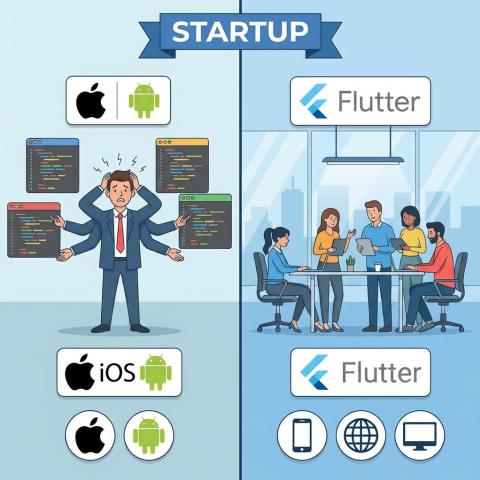
Flutter's single codebase feature is a powerful tool for scaling. It means the developer writes one set of code that works on multiple platforms—iOS, Android, web, and desktop.
Faster Feature Rollout: When a new feature is added, it’s deployed to all platforms simultaneously. This speeds up the process of scaling the product into new markets or adding new services, reducing the time needed to update the app everywhere.
Reduced Maintenance Overhead: A single codebase means a single place to fix bugs or make performance improvements. This simplification is key to maintaining a high-quality, stable app as it grows, avoiding the need for separate teams to maintain different platform versions.
Performance Optimization for High Load
As an app scales, performance under load becomes critical. The company uses specific Flutter techniques to keep the application responsive.
Ahead-of-Time (AOT) Compilation: Flutter compiles Dart code into native machine code using AOT compilation. This results in fast execution times, a necessity for apps that will handle large amounts of data or need to run smoothly on various devices. The company focuses on minimizing code that might slow down this process.
Const Widgets for Memory Efficiency: Developers use the
constkeyword on widgets whenever possible. This tells Flutter that the widget will never change, allowing the framework to build it only once and reuse the memory it takes up. For an app with thousands of users, this small step leads to significant memory and speed savings.
Development Practices to Support Team and Code Growth
Scalability is not just about the code; it’s also about how the development team can grow alongside the application. A specialized development company implements practices that allow multiple developers to work together without creating chaos.
Modular Codebase Structuring
The codebase is organized into small, independent modules or "features." This approach is helpful for development team growth and adding new features to the app.
Independent Feature Development: Each major part of the app (e.g., user login, payment system, settings screen) is treated as its own separate module. This allows different teams or developers to work on different features at the same time without interfering with each other's code. This concurrent development increases the speed at which the app can scale by adding new functionality.
Code Reusability: Breaking the app into modules encourages the creation of common, reusable components. For instance, a standardized button or a data-fetching function is written once and used across multiple features. This practice keeps the code clean, reduces overall app size, and makes it easier to change the look or function of a component everywhere at once.
Automated Testing and Quality Assurance
A scalable app must be reliable. As features are added, the risk of introducing bugs increases. Professional companies rely on automated testing to manage this risk.
Unit Tests for Logic: Unit tests check individual functions and pieces of business logic. The company ensures that a high percentage of the core application logic is covered by these tests. When the app scales, these tests confirm that new changes haven't accidentally broken existing rules.
Widget and Integration Tests: Widget tests confirm that individual UI components look and behave correctly. Integration tests check that entire user flows (like logging in and making a purchase) work as expected across all layers of the app. This testing framework provides a safety net that is necessary for continuous updates and growth.
Backend and Database Scalability for Flutter Applications
A Flutter app is only as scalable as the backend it connects to. A professional development company always considers the server-side infrastructure and data handling methods that will support the app’s growth.
Efficient Data Handling and API Design
The way the app communicates with the server, known as the API (Application Programming Interface), must be designed for large-scale use.
RESTful and Optimized APIs: The company designs the API to only send and receive the necessary data. This minimizes network traffic, which is crucial for a fast, scalable app that might be used by millions of people. Techniques like Pagination are used to load data in small chunks instead of trying to load a massive list all at once.
Data Caching Strategies: To avoid constantly asking the server for the same information, the app uses smart caching. Data that doesn't change often (like a list of categories) is stored locally on the user's device. This reduces the load on the server and makes the app feel instantly faster, a huge benefit as the user count increases.
Choosing Scalable Backend Services
The underlying technology supporting the Flutter app must also be ready to scale its resources automatically.
Cloud-Native Solutions: Development teams often choose cloud providers like Firebase, AWS, or Azure. These services are built to scale resources automatically to match user demand. If the app goes from a few hundred users to a hundred thousand in a day, the backend system can manage the sudden spike without crashing.
Database Selection: The type of database used is determined by the app's data needs. For highly flexible and rapidly changing data, a NoSQL database like Firestore or MongoDB might be selected because it can handle a high volume of reads and writes with ease. For apps that require complex, structured relationships between data, a scalable SQL option is used. The choice always prioritizes the ability to handle a large volume of queries quickly.
Implementing Continuous Integration and Deployment (CI/CD)
The ability to quickly and reliably release updates is a sign of a scalable development process. The company sets up an automated pipeline for building and deploying the app.
Automating the Build and Release Process
Manual releases are slow and prone to human error, which creates a bottleneck to scaling. CI/CD practices solve this issue.
Continuous Integration (CI): Every time a developer submits new code, CI tools automatically run the tests. This immediate feedback loop ensures that developers catch bugs as soon as they appear, before they are integrated into the main application. This keeps the codebase stable as the team and app grow.
Continuous Deployment (CD): Once the code passes all tests, CD tools automatically build the final app and prepare it for release to app stores or testing environments. This automation ensures that new features can be rolled out frequently, supporting an agile business that needs to respond quickly to market changes and scale its product offering.
Monitoring and Reporting Systems
Finally, a scalable app needs a system to constantly check its health in the real world.
Performance Monitoring: Tools are put in place to track app performance, error rates, and resource usage in real-time after launch. This allows the development company to quickly identify bottlenecks—such as a specific screen loading slowly or an API call taking too long—that only appear under heavy load.
Crash Reporting: Automated crash reporting ensures that any issue a user experiences is immediately logged and sent to the development team. By proactively tracking and fixing these issues, the company maintains the app’s quality and stability as it scales to a larger and more diverse audience. This commitment to ongoing refinement is what makes an app truly reliable for millions of users.