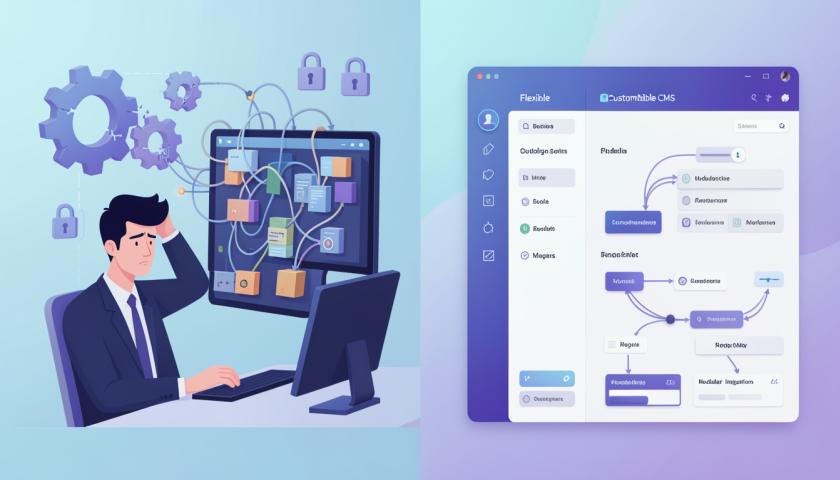

Developers require content flexibility/adaptability in this fast-paced digital era. Inability to adapt to creative thinking or scaling is where most traditional CMS platforms fall short-and then on comes Strapi into the picture: a robust open-source headless CMS that empowers developers to create tailored API-first solutions to facilitate smooth backend operations while giving them absolute freedom on the frontend. As a leading Strapi development company, Bytes Technolab uses Strapi as a tool for brands to revamp web development for quicker, scalable, and smarter digital experiences.
Key Features of Strapi
Headless Architecture: Strapi divides the backend (content management) from the frontend, leaving the developer free to choose any frontend framework, such as React, Vue, or Next.js.
- API-First Approach: Automatically creates RESTful or GraphQL APIs for your content.
- Customizable Content Types: Easily create and manage structured content with custom fields.
- User Roles & Permissions: Decide who gets to view or edit particular sections of your project.
- Plugin Ecosystem: Enhance Strapi by means of ready-to-use or customized plugins.
Benefits of Using Strapi for Development
Strapi stands out as perhaps the most popular CMS available, for it perfectly balances flexibility, performance, and ease of use.
- Is More Developer-Friendly: Being built on Node.js, it supports contemporary JavaScript frameworks and tools.
- Self-Hosted or Cloud-Hosted: Either way, you have your CMS.
- Customizable APIs: To meet specific project requirements, you can customize the endpoints with ease.
- Open Source: Frequent updates backed by a community.
- Scalable: Suitable to use for startups as projects grow and for enterprises.
Setting Up Your Strapi Project
Get started by doing the following first:
- Install Strapi: From the command line, enter `npx create-strapi-app my-project`.
- Configure Database: Connect to the database of your choice-SQLite, MongoDB, PostgreSQL, etc.
- Create Content Types: Define structures such as blog posts, authors, or products.
- Launch Admin Panel: Through this UI experience, you have a visual way to manage the contents of the site.
In a matter of minutes, you should be able to have a working CMS integrated with your website or application. Businesses that already avail of Webflow development services can even connect Strapi to have dynamic content management and scalability enhanced.
Working in Strapi with Frontend Frameworks
This one works seamlessly with any frontend technology:
- React / Next.js: Fetching data through REST or GraphQL APIs and rendering dynamic content.
- Vue / Nuxt.js: Building extremely fast web apps powered with Strapi API responses.
- Angular: Employing Strapi as your data layer for strong enterprise-grade applications.
- Webflow: Combining Webflow development services with Strapi for easy content management of heavy sites.
This flexibility ensures your frontend team will not be constrained in its innovation.
Customizing Content Types and APIs in Strapi
Through Strapi's Content-Type Builder, developers can create and customize schemas with ease. In doing so, you set fields, relationships, and permissions either visually or programmatically. When it comes to APIs, Strapi generates the basic endpoints that you may adjust as you please-if it means to add filters, authentication on top, or another custom route.
Thus, it is this very modularity with which teams can create whatever they want to once again reinforce the idea of reinventing web development with Strapi.
- Best Practices in Developing with Strapi
- Structure the content simply and in a scalable way.
- Use environment variables while configuring.
- Update Strapi and its plugins regularly to have proper performance and security.
- Use RBAC for collaboration within the team.
- Use a reputable hosting platform such as AWS, DigitalOcean, or Vercel for maximum uptime.
Following the guidelines will pave the way for your development efforts and set the foundation for long-run project stability.
Strapi plugins and extensions to further augment functionality
What follows are examples of prominent Strapi-based plugin add-ons:
- GraphQL Plugin- for flexible queries and API efficiency.
- Email Plugin- for sending automated email communications.
- Upload Plugin- for keeping media files.
- Documentation Plugin- for auto-generating and maintaining API docs.
You could also build your own custom plugins to extend functionalities needed for your project and link with Webflow development services for smooth publishing workflows.
Real-Life Use Cases of Strapi in Web Development
Developers and enterprises rely on Strapi for:
- E-commerce platforms for scalable product management.
- Corporate websites that require custom content workflows.
- Mobile apps exposed to a secure and lightweight backend.
- Marketing platforms with frequent and highly dynamic content updates.
Being the best Strapi development company in the USA, Bytes Technolab has assisted brands across industries to redefine web development with Strapi to deliver fast, flexible, and future-ready digital experiences.
Conclusion: The future of Strapi and headless CMS.
Strapi and other headless CMSs are already ingrained in the multi-channel delivery of content. From an open-source flexibility perspective to an API-first paradigm and even a growing ecosystem, it is the first pick for any kind of modern web and app development.
Partnering with an experienced Strapi development company invests your business on the best of this technology combining innovation, scalability, and customizations by giving them the best world-class experiences in CMS development.
With Strapi, the business can confidently design and develop future-ready digital experiences in a fast manner, with flexibility, and with full customizations.