Thinking about building your own Tron wallet, but not sure where to start? You’re not alone. With Tron becoming one of the fastest and lowest-fee blockchain networks, more startups, traders, and Web3 founders want their own TRC20-compatible wallet. Whether it’s for payments, token storage, NFTs, or a full-scale dApp ecosystem, Tron is a powerful choice.
So today, let’s break down how to create a Tron wallet in the simplest, most practical, and actionable way. If you’ve been searching for How to create a TRC20 Wallet app, this guide takes you from idea to launch step by step.
Why Tron Wallets Are Becoming So Popular?
If you’ve transacted on Ethereum before, you already know the pain: high gas fees, long wait times, and unpredictable network spikes. Tron flips this experience completely. Transactions cost as low as fractions of a cent, and confirmation happens in seconds.
Imagine sending money faster than you can refresh Instagram. That’s Tron.
With TRC20 tokens now widely used for USDT transfers, gaming, staking, and cross-border payments, the demand for secure and scalable Tron wallets is exploding.
Understanding the Core of a Tron Wallet
Before creating a Tron wallet, you need to understand what it actually does:
A Tron wallet:
- Stores TRX, TRC10, and TRC20 tokens
- Manages private keys and addresses
- Connects to dApps through TronLink or custom SDKs
- Executes fast, low-fee blockchain transactions
- Offers staking, resource management (Energy & Bandwidth), and governance features
Think of it as a modern digital vault—secure, flexible, and always accessible.
Key Features Your Tron Wallet Must Have
To compete with industry standards, your wallet should include:
Security Essentials
From private key encryption to biometric login, security is non-negotiable. Tron enables permission-based multisig, giving users bank-grade protection.
TRC20 Token Support
Since TRC20 tokens power most Tron payments, your wallet needs seamless sending, receiving, and swapping.
User-Friendly Interface
If a user can’t send USDT in 10 seconds, they’ll uninstall your app. Simple, clean, and fast UI wins.
dApp Connect
Integration with Web3 browsers like JustMoney, SunSwap, or Tron-based NFTs is a must.
How to Create a Tron Wallet (Step-by-Step Guide)
Here’s the part you’ve been waiting for—your roadmap from scratch to launch.
1. Choose Your Wallet Type
You can build:
- Mobile Wallet (Android + iOS)
- Web Wallet (Browser-based)
- Desktop Wallet
- Multi-platform wallet
Most modern businesses prefer mobile + web because it boosts accessibility and user adoption.
2. Set Up Tron Development Environment
Use:
- TronWeb
- TronLink SDK
- API Gateway
- Full Node / Solidity Node / Event Server
This environment helps your wallet interact with smart contracts, nodes, and the Tron blockchain.
3. Integrate Core Wallet Functions
Now comes the heart of your application:
Generate Wallet Address
Use TronWeb to create addresses and manage private keys locally.
Send & Receive TRX / TRC20 Tokens
Your wallet should allow:
- Gas-free feelers using Bandwidth
- Fast USDT TRC20 payments
- Automatic gas estimation
Staking & Resource Management
Tron runs on bandwidth and energy, so users can stake TRX to lower fees even further.
4. Build the Frontend Interface
Design your wallet UI like modern finance apps—minimal, clean, and intuitive.
- “Send” and “Receive” buttons must be visible instantly
- Balance display should auto-update
- Users should feel safe and in control
Your UI is the difference between “Okay app” and “Next-gen wallet.”
5. Add TRC20 Token Integration
Since TRC20 tokens like USDT dominate Tron’s ecosystem, integrate:
- Custom token addition
- Token list auto-fetch
- Swap and transfers
- Contract-level verification
💡 Want a shortcut? Instead of doing all token logic manually, follow this guide:
👉 Learn the full process in “How to create a TRC20 Wallet app”
6. Implement Security Enhancements
Add:
- LocalStorage encryption
- Seed phrase backup
- Multi-layer authentication
- MPC or non-custodial key handling
Security builds trust—users stay longer and transact more.
7. Test the Wallet in Shasta Testnet
Before going live:
- Test transfers
- Test staking
- Test swapping
- Check resource consumption
- Debug UI and transaction flow
A testnet saves you from real-world user complaints—fix issues before users find them.
8. Deploy and Launch the Wallet
Once everything is stable:
- Deploy your smart contracts
- Connect to Mainnet Tron
- Publish your app on the Play Store / App Store
- Launch the web version
Now your Tron wallet is officially ready for users.
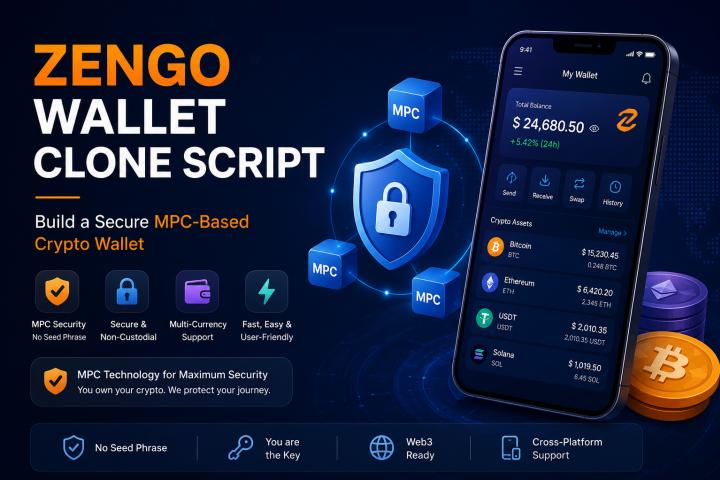
Want a Ready-Made TRC20 Wallet Instead of Building From Scratch?
Developing a Tron wallet manually can take 4–6 months, TRC 20 crypto wallet development costs a lot, and requires multiple blockchain experts.
If you want to launch your own custom wallet faster, consider a white-label TRC20 wallet solution.
This approach helps you launch a TRC20 wallet within 10–20 days with:
- TRC20 support
- USDT auto-routing
- dApp browser
- Bank-grade security
- API integration
- Custom branding
Conclusion
Creating a Tron wallet isn’t as complex as it sounds—once you understand the architecture and right development steps, it becomes a straightforward process. Whether you’re building a simple TRX wallet or a full-scale TRC20 Web3 wallet, Tron offers speed, low fees, and powerful features that users love.
And if you want to skip the long development cycle, a ready-made TRC20 wallet solution helps you launch in days, not months.