If you’re ready to build your first mobile app, getting the basics right from day one will save time, money, and frustration. Many startups and small businesses begin this journey by talking to a Mobile App Development Company in USA to scope the project, validate ideas, and turn a concept into a working product. This guide walks you through the key decisions, common pitfalls, and a practical roadmap so your first app has a real chance to succeed.
Start with a clear problem — not a feature list
The best apps solve one clear problem very well. Before you design screens or pick a tech stack, write one short sentence that explains the user and the problem your app fixes. For example:
- “Help commuters book a shared ride to work in under 2 minutes.”
- “Allow small cafes to accept advance orders and reduce queuing.”
If you can’t explain the value in a single line, your idea needs more refining. Focus on the core job-to-be-done. Features can be added later.
Validate your idea quickly and cheaply
You don’t need a full app to test demand. Use low-cost validation methods:
- Make a simple landing page that explains the app and collects email signups.
- Run a small ad campaign to drive traffic and measure interest.
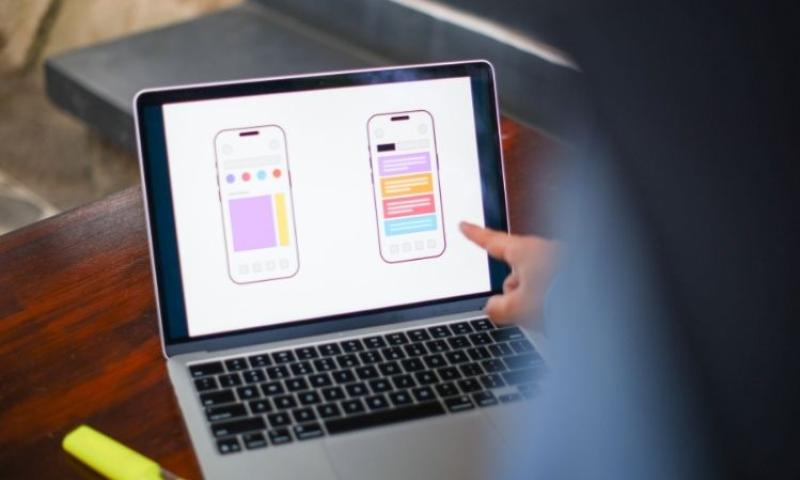
- Create a clickable prototype with tools like Figma and test it with potential users.
- Offer a manual, concierge version of the service to see if people will pay.
These steps prove whether users care before you write a lot of code.
Define your Minimum Viable Product (MVP)
An MVP is the smallest set of features that solves the core problem and delivers value. Keep it minimal. Typical MVP elements:
- User signup and login
- Core flow (book — confirm — complete)
- Basic payments or booking confirmation
- Simple driver/vendor or admin interface
- Analytics to measure usage
Avoid “nice-to-have” features in the first release. Add them only after users prove they want the product.
Choose the right platform and technology
Early on, decide whether to build native or cross-platform:
- Native (Swift for iOS, Kotlin/Java for Android) gives best performance and platform fit. It’s ideal for apps with complex animations, heavy maps, or advanced hardware use.
- Cross-platform frameworks (Flutter, React Native) let you ship iOS and Android from one codebase. They reduce cost and speed the timeline for many app types.
- Progressive Web Apps (PWAs) are an option when the app’s goals are simple and broad device support matters.
Match the choice to your budget, timeline, and user needs. If most of your audience uses one platform first, start there.
Build a realistic timeline and budget
App development has predictable phases: discovery, design, development, testing, launch, and iteration. Rough timeframes for a simple MVP:
- Discovery & planning: 2–4 weeks
- UI/UX design and prototype: 2–6 weeks
- Development (MVP): 8–16 weeks
- QA and beta testing: 2–4 weeks
- Launch and initial marketing: 2–6 weeks
Costs vary widely by region and complexity. A basic MVP might cost from a few thousand to tens of thousands of dollars. Complex apps with backend systems, payments, and advanced features can be much higher. Budget for ongoing maintenance, hosting, and updates after launch.
Design for clarity and simplicity
Good UX wins users. Keep these design rules in mind:
- One primary action per screen.
- Reduce required typing — use auto-fill, location, and simple pickers.
- Use clear, short labels and avoid jargon.
- Provide immediate feedback on actions (loading spinners, success messages).
- Make critical flows (signup, checkout) as short as possible.
Test your design with real people. Watch them use it and note where they hesitate.
Plan your backend and data needs
Even simple apps need a backend for users, content, and business logic. Consider:
- Where will user data be stored? (Cloud provider like AWS, GCP, or Firebase.)
- How will you authenticate users? (Email, social login, OTP.)
- Do you need real-time features? (Push notifications, WebSockets for live updates.)
- How will you handle payments? (Stripe, PayPal, local payment gateways.)
- What analytics do you need? (Events for signups, conversions, retention.)
Design APIs and data models that allow change. A good schema reduces costly refactors later.
Prioritize privacy and security from day one
Collect only what you need. Follow these basics:
- Use HTTPS for all network traffic.
- Store sensitive data encrypted at rest.
- Use short-lived tokens and refresh tokens for authentication.
- Implement server-side input validation and rate limits.
- Have a clear privacy policy explaining data use.
Security and privacy are trust foundations. Fixing breaches later is far more expensive than planning properly now.
Test on real devices and real users
Testing in simulators is useful but not enough. Test on a variety of devices and network conditions:
- Low-end phones and older OS versions.
- Slow 3G/4G connections and intermittent networks.
- Battery and memory constrained environments.
Run a beta program with real users. Collect feedback, crash logs, and performance metrics. Use automated tests for core flows and manual tests for UX.
Build in analytics and user feedback
You can’t improve what you don’t measure. Integrate analytics early to track:
- Activation: how many signups complete first key action?
- Retention: do users return after day 1, 7, 30?
- Funnels: where do users drop out?
- Crash and performance metrics.
Combine analytics with direct feedback in the app. Short in-app surveys and one-tap feedback can surface major user issues fast.
Plan your launch and first marketing push
A good app launch is a mix of product and promotion:
- Prepare your app store listing with clear screenshots and a concise description.
- Have a simple landing page for press and email capture.
- Use referral incentives to grow early users.
- Reach out to niche communities and influencers who match your audience.
- Consider paid ads targeted tightly at likely users.
Initial user acquisition should be efficient. Measure cost-per-install and early retention to make sure you’re attracting the right users.
Monetization options to consider
Think early about how the app will make money, but avoid aggressive monetization that hurts the user experience.
Common models:
- Freemium: basic features free, premium features paid.
- Transaction fee: take a cut of each booking or sale.
- Subscription: recurring revenue for power users.
- Ads: careful use in apps where ads don’t disrupt core flows.
- Partnerships: white-labeling, corporate accounts, or local integrations.
Test monetization with a small pilot. Users’ willingness to pay is the best signal.
Prepare for support and operations
After launch, users will have questions and problems. Set up processes:
- In-app support / help center and email support.
- Automated responses for common issues.
- Clear refund and dispute policies if you handle transactions.
- Monitoring dashboards for uptime and key metrics.
Good support is a retention tool. Slow or poor help will increase churn.
Legal and compliance basics
Don’t skip legal checks. Consider:
- Terms of Service and Privacy Policy.
- Local regulations if you handle payments, transportation, health data, or kids’ data.
- Copyright and trademark checks for app name and content.
- Contracts with freelancers or vendors that ensure IP ownership.
Talk to a lawyer for areas with strict rules, such as financial services or healthcare.
Prepare to iterate — your first release is not the final product
Expect to learn after your first users engage with the app. Use metrics and feedback to prioritize changes. Typical early improvements include:
- Fixing confusing UI or labels.
- Speeding up slow screens or APIs.
- Adding a small but high-impact feature users request.
- Reducing steps in the checkout or booking flow.
Iterate quickly but thoughtfully. Small, regular improvements beat large, infrequent rewrites.
When to hire external help
You can build many apps with a small in-house team. But consider hiring outside help if:
- You need native performance or advanced platform features.
- You lack design or UX expertise.
- You want to speed up development and hit a strict deadline.
- You need solid DevOps, security, or scalability experience.
A good external partner can bring best practices, avoid common mistakes, and mentor your internal team.
Simple checklist before you start development
- Clear problem statement and target user.
- Validated demand (landing page, prototype, or pilot).
- Defined MVP scope and success metrics.
- Chosen platform and tech stack.
- Budget and timeline in place.
- Data, security, and compliance plan.
- Analytics and feedback integrated.
- Support and operations plan.
If you can check these boxes, you’re ready to build with confidence.
Final thoughts
Building your first app is an exciting journey. A focused strategy, clear validation, careful design, and ongoing measurement will turn effort into value. If you want to accelerate the process and avoid costly mistakes, working with an experienced iphone app development company can help you move from idea to polished product faster and with fewer risks. Good planning now gives you the best chance of creating an app users love.
Frequently Ask Questions
1. How much does it cost to build your first mobile app?
Ans: The cost depends on features, design, and platform. A basic app with simple functions may cost a few thousand dollars, while advanced apps with payments, live tracking, or custom design can require a larger budget. The smartest approach is starting with an MVP and growing step by step.
2. How long does app development usually take?
Ans: A simple app can take around 2–4 months. Larger apps with multiple features may take 4–8 months or longer. Planning, design, testing, and revisions all affect the timeline.
3. Should I build for Android or iOS first?
Ans: It depends on your audience. If most users are on iPhones, start with iOS. If your audience is broader, cross-platform development can save time and money. Market research helps you decide the best platform.
4. What is an MVP and why is it important?
Ans: An MVP (Minimum Viable Product) is a basic version of your app with essential features. It helps you launch faster, test your idea, and avoid wasting money on features users may not want.
5. Can I update my app after launch?
Ans: Yes. Most apps grow through updates. After launch, you can add new features, improve design, and fix bugs based on user feedback.