Technology moves fast. A laptop that felt brand new two years ago may already struggle with newer apps. Buying equipment every time your team grows or a project starts can drain your budget quickly. That’s why many companies now turn to IT rental services.
Renting devices gives businesses flexibility, better cash flow, and access to updated hardware without long-term commitments. Whether a company needs laptops for a short project or a full setup for a new office, rentals often make more sense than buying.
In this guide, we’ll talk about how IT rentals work, who benefits most from them, and why more companies now rely on providers like IVM Techno.
What Are IT Rental Services?
IT rental services allow businesses to rent technology equipment for a fixed period rather than buying it outright. Companies can rent devices for a few days, months, or even years.
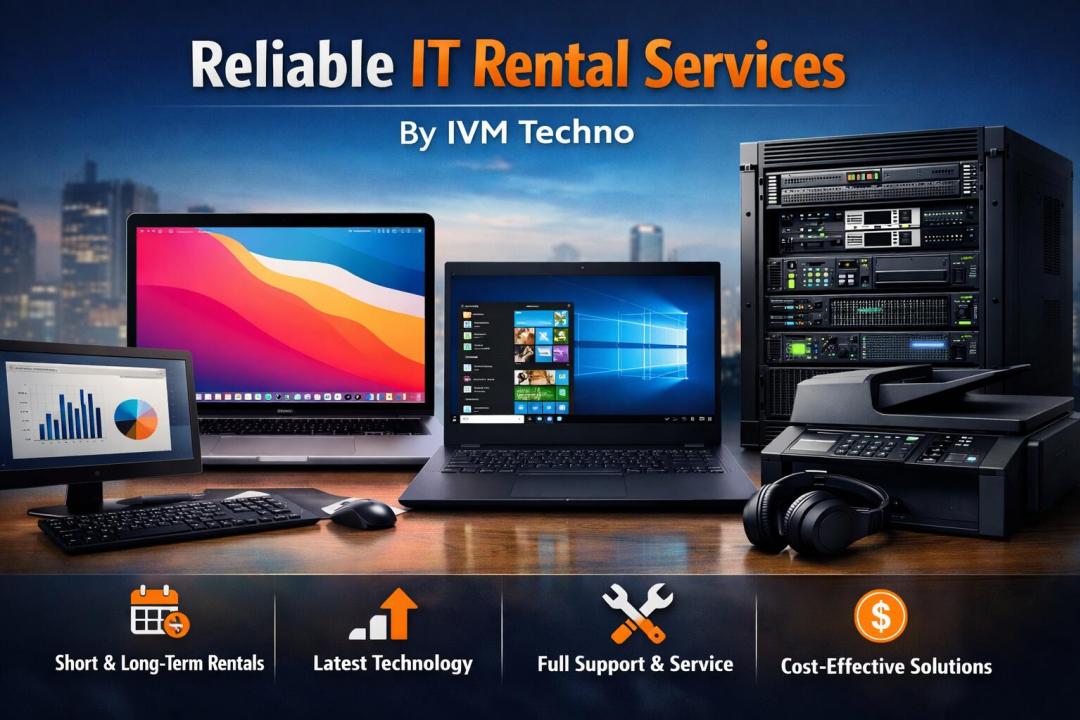
Typical equipment available includes:
Laptops and desktops
MacBooks and Windows laptops
Servers and networking devices
Monitors and accessories
Printers and office equipment
Businesses often choose rentals for training sessions, temporary teams, events, remote workers, or new startups trying to manage costs.
Why Businesses Prefer IT Rental Services
Buying hardware means spending a large amount upfront. For many businesses, that money can be better used elsewhere.
Here are a few reasons companies prefer rentals.
Lower Upfront Cost
Renting spreads the cost over time. Instead of buying 20 laptops at once, a company pays a monthly rental fee.
This helps with budgeting and keeps cash available for other priorities.
Easy Upgrades
Technology changes quickly. With rentals, upgrading hardware becomes simple.
When your rental period ends, you can switch to newer models without worrying about selling old devices.
Fast Deployment
Rental providers can deliver equipment quickly. If a company hires ten new employees next week, laptops can be ready within days.
Maintenance Support
Many rental plans include technical support or replacement options. If a device fails, the provider handles the fix or sends another unit.
That removes a lot of stress for internal IT teams.
Common Devices Available Through IT Rentals
Most IT rental providers offer a large catalog of devices. Businesses can select equipment based on project needs.
Laptop Rentals
Laptop rentals remain the most popular service.
Organizations often rent laptops for:
Training programs
Corporate events
Remote teams
Short-term employees
Businesses frequently compare macbook laptops vs windows laptops when selecting devices.
MacBooks work well for design, video editing, and creative work. Windows laptops often suit general office work, development tasks, and enterprise software.
Desktop Rentals
Some businesses still prefer desktops for office environments. Desktops provide strong performance and larger displays.
Rental providers supply fully configured desktop systems ready for work.
MacBook Rentals
Creative agencies and design teams often request MacBooks.
These machines handle graphic software smoothly and remain popular for media work.
Again, companies often evaluate macbook laptop vs windows laptop before choosing what fits their workflow.
Servers and Networking Equipment
Large projects or temporary offices may need network infrastructure. Rental providers can supply routers, switches, and servers to support business operations.
Who Should Use IT Rental Services?
IT rentals work for many industries and company sizes.
Startups
Startups often need equipment quickly but want to protect their budget.
Renting laptops helps them launch operations without heavy spending.
Corporate Training Programs
Training sessions sometimes require dozens of identical systems.
Renting ensures every participant uses the same setup.
Event Management Companies
Events like conferences or tech expos often require laptops, screens, and networking devices.
Rentals provide temporary access to large amounts of equipment.
Remote or Hybrid Teams
Companies with distributed teams may rent laptops for employees working from different locations.
Providers can ship devices directly to employees.
MacBook Laptop vs Windows Laptop: Which One Should You Rent?
Businesses often debate macbook laptop vs windows laptop when selecting rental devices.
Both options have strong points.
MacBook Advantages
Smooth performance for creative software
High build quality
Strong battery life
Popular among designers and editors
Windows Laptop Advantages
Larger price range
Wider software compatibility
More hardware choices
Easy integration with business systems
Many companies rent a mix depending on the role. Designers may use MacBooks while developers or office teams use Windows laptops.
What to Look for in an IT Rental Provider
Not all rental companies offer the same level of service. A good provider should offer more than just equipment.
Here are a few things to check.
Device Quality
Ensure the devices are well maintained and updated.
Flexible Rental Periods
Some projects last weeks, others months. Flexible plans help businesses adjust easily.
Quick Delivery
Fast delivery helps companies start projects without delay.
Technical Support
Reliable support matters if something stops working.
Providers like IVM Techno supply business-ready devices along with service support so teams can stay focused on work.
How IT Rental Services Help Growing Companies
Growth often creates sudden tech needs.
A company may hire several new employees in one month or launch a new department. Buying equipment every time slows things down.
IT rentals solve that problem by offering:
Quick device availability
Predictable monthly costs
Easy upgrades
Reduced maintenance workload
Businesses stay flexible and adapt to change without heavy investments.
FAQ
1. Is renting IT equipment cheaper than buying?
For short-term use, yes. Renting avoids the large upfront cost of buying hardware. Many companies prefer rentals for projects, training sessions, or temporary teams.
2. How long can I rent laptops?
Rental periods vary. Some providers offer daily rentals for events, while others provide monthly or yearly plans for businesses.
3. Can I rent both MacBooks and Windows laptops?
Yes. Most providers offer both options. Companies often compare macbook laptop vs windows laptop based on the work employees perform.
4. What happens if a rented laptop stops working?
Many IT rental providers include support or replacement services. The provider usually repairs the device or sends a replacement unit.
5. Do rental laptops come with software installed?
They usually arrive pre-configured with basic operating systems and requested software so teams can start working quickly.
Ready to Get Started?
If your business needs reliable laptops, MacBooks, or full IT setups without the heavy purchase cost, IT rental services can be a smart move.
Looking for flexible IT equipment for your team? Reach out to IVM Techno and get the devices your business needs—without the stress of buying and managing hardware.