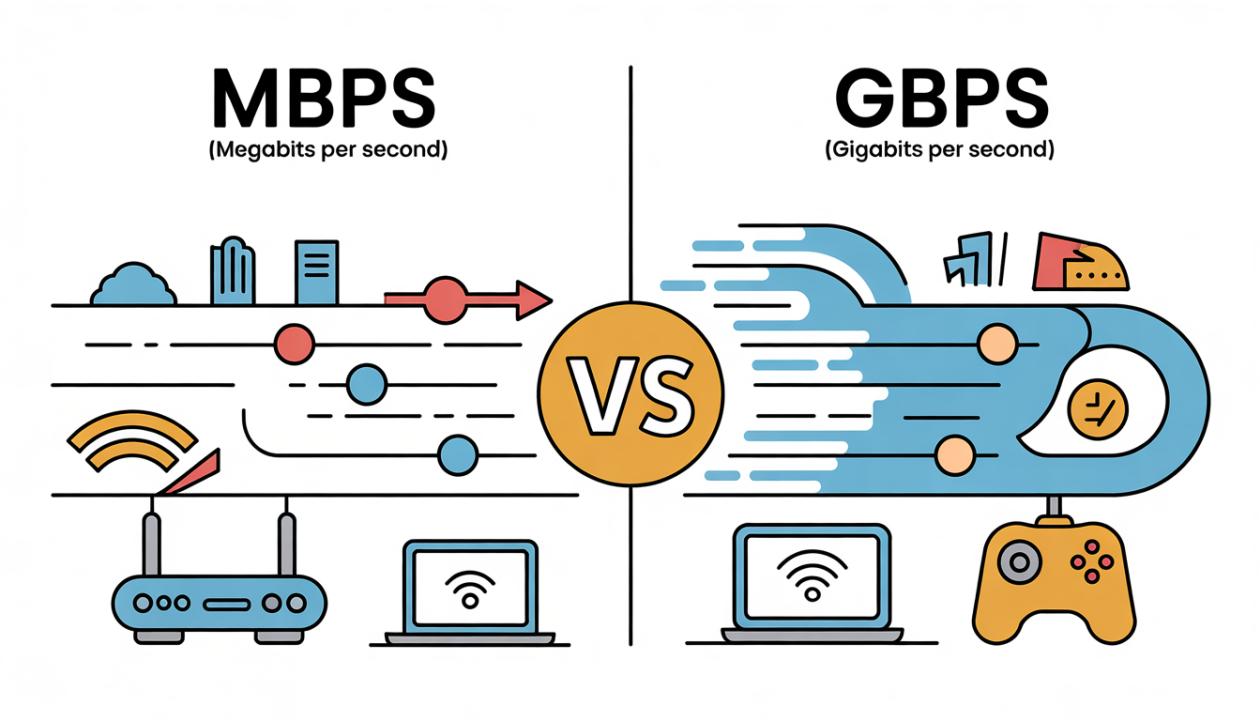
Ever felt frustrated when your internet slows down right when you're streaming, gaming, or on an important video call? You’re not alone. One of the biggest sources of confusion when choosing an internet plan is understanding Mbps vs Gbps. More importantly, which one is faster for your needs?
If you’ve ever asked yourself, “Do I really need gigabit internet, or is Mbps enough?” This guide breaks it down in a simple, practical way.
What Do Mbps and Gbps Actually Mean?
Before comparing internet speeds, it’s important to understand the basics.
Mbps (Megabits per second) = 1 million bits per second
Gbps (Gigabits per second) = 1 billion bits per second
In simple terms: 1 Gbps = 1,000 Mbps
So yes, Gbps is significantly faster than Mbps. But raw speed isn’t everything. The real question is: how much speed do you actually need for your daily activities?
For example, browsing, streaming, or video calls may work perfectly fine on Mbps speeds. However, large households, gaming, or heavy downloads might benefit from Gbps connections.
Mbps vs Gbps: Key Differences Explained
Let’s look at the real differences between Mbps and Gbps in a way that helps you choose the right internet speed for your needs.
1. Speed Comparison
100 Mbps → Good for everyday use
500 Mbps → Great for families and multiple devices
1 Gbps (1000 Mbps) → Ultra-fast, ideal for heavy usage
Upgrading from 100 Mbps to 1 Gbps means you’re getting 10 times faster speeds. That’s a noticeable jump, especially for data-heavy tasks.
2. Real-World Usage
Here’s what each speed tier actually feels like in daily life:
Mbps Speeds (10–500 Mbps):
Smooth HD streaming
Video calls without lag
Online gaming (with low latency)
Browsing on multiple devices
Gbps Speeds (1 Gbps and above):
4K/8K streaming on multiple screens
Near-instant downloads of large files
Seamless smart home connectivity
Efficient cloud backups and remote work
3. Download Time Differences
Let’s make it practical, here’s how speed impacts real download times:
| File Size | 100 Mbps | 1 Gbps |
| 1 GB file | ~1.5 minutes | ~10 seconds |
| 10 GB game | ~15 minutes | ~1.5 minutes |
| 50 GB movie | ~1.2 hours | ~8 minutes |
This is where Gbps truly shines, saving you valuable time, especially if you download large files often.
4. Number of Devices Supported
Mbps plans: Best for 1–5 devices
Gbps plans: Ideal for 10+ devices simultaneously
In today’s connected homes with smartphones, laptops, TVs, and IoT devices, this difference can significantly impact performance.
5. Cost Factor
Mbps plans → More affordable and sufficient for most users
Gbps plans → Premium pricing, but unmatched performance
The real question isn’t just: “Which is faster?” It’s: “Which speed actually fits my life>
Do You Really Need Gbps Internet?
Not everyone needs gigabit-speed internet, and paying for it when you don’t need it can be a waste. Let’s break it down so you can choose what really fits your life>
You Probably Only Need Mbps Speeds If:
You live alone or with 1–2 people
You mostly stream in HD (not 4K)
Your usage includes browsing, email, and social media
You occasionally work from home (video calls, light uploads/downloads)
In most cases, a 100 to 300 Mbps plan is enough to handle your daily activities smoothly without buffering or slow connections.
You Should Consider Gbps If:
Gigabit internet (Gbps speeds) is meant for households and users with high data needs. If your internet use goes beyond basic browsing and streaming, upgrading to Gbps can make a real difference. Consider these situations:
You have a large family or shared household: More users mean more devices competing for bandwidth. Gbps keeps everyone connected smoothly.
Multiple people stream, game, and work at the same time: From 4K streaming to video calls and online gaming, gigabit speeds prevent slow connections and buffering.
You rely heavily on cloud storage: Uploading and accessing files from the cloud becomes much faster and more efficient.
You frequently download or upload large files: Whether it’s videos, software, or backups, Gbps speeds save time and increase productivity.
You want future-proof internet: As smart devices and data use grow, gigabit internet keeps your home ready for future demands.
Bottom line: 1 Gbps internet is ideal for power users, tech-heavy households, and smart homes that need fast, reliable, and uninterrupted connectivity.
Mbps vs Gbps for Gaming
Many gamers think that higher internet speed means better gaming performance, but that’s not always the case.
What really matters for gaming:
Low latency (ping): Determines how quickly your actions register in-game
Stable connection: Prevents lag spikes and disconnections
For most online games, even 50 to 100 Mbps is enough. The actual gameplay uses very little bandwidth.
Where Gbps helps:
Downloading large game files faster
Installing updates and patches quickly
Smoother experience when multiple devices are connected
In short, speed matters, but latency and stability are even more important for gameplay.
Mbps vs Gbps for Streaming
Streaming relies more on bandwidth, especially for higher resolutions.
Typical requirements:
HD streaming: 5–10 Mbps
4K streaming: ~25 Mbps per device
What this means:
A 100 Mbps plan can handle 3 to 4 devices streaming in 4K comfortably.
A 1 Gbps plan can support dozens of simultaneous streams, which is great for large households or heavy usage.
In short:
Mbps plans are perfect for most homes
Gbps plans shine in high-demand, multi-device environments
The Hidden Factors That Affect Speed
Even if you subscribe to Gbps internet, you might not always experience those fast speeds in real life. Several hidden factors can limit your performance:
Router limitations – Older or low-end routers may not support gigabit speeds.
Wi-Fi interference – Signals from walls, other devices, or nearby networks can slow you down.
Outdated devices – Older smartphones, laptops, or network cards might not handle high speeds well.
Network congestion – Multiple users or devices using the same connection can split up bandwidth.
Tip: How to actually get full Gbps speeds
To make the most of your high-speed plan, ensure you have:
A gigabit-capable router
Modern devices that support high-speed connectivity
A wired Ethernet connection for maximum performance and stability
Mbps vs Gbps: Quick Summary
| Feature | Mbps | Gbps |
| Speed | Moderate | Extremely fast |
| Best For | Small households | Large households & heavy users |
| Cost | Lower | Higher |
| Devices | Few | Many |
| Future-Proof | Limited | Yes |
Which Internet Speed Should You Choose?
Here’s a simple rule: Choose Mbps (100 to 300 Mbps) if you want reliable, budget-friendly internet for everyday use.
Choose Gbps (1 Gbps) if you want:
Maximum performance
No slowdowns
Future-ready connectivity
Conclusion
So, Mbps vs Gbps, which is faster?
Technically, Gbps is 1,000 times faster than Mbps.
However, speed alone doesn’t determine the best plan for you.
If your internet use is light to moderate, Mbps speeds are fine. But if your home has many devices, streaming, gaming, and remote work, upgrading to Gbps can greatly improve your online experience.
Ultimately, the best choice isn’t necessarily the fastest. It’s the one that fits your life>
FAQs
1. Is 1 Gbps internet really worth it?
Yes, if you have multiple users, smart devices, or heavy usage like 4K streaming and large downloads. Otherwise, Mbps plans are enough.
2. Can I notice the difference between Mbps and Gbps?
Yes, especially in download speed, streaming quality, and multitasking. The difference is very clear in high-demand situations.
3. Is 100 Mbps enough for a family?
For small families (2 to 4 people), 100 Mbps is good for streaming, browsing, and video calls.
4. Does Gbps improve Wi-Fi speed?
Not automatically. Your router and devices need to support gigabit speeds to see the full benefit.
5. What internet speed is best for working from home?
At least 50 to 100 Mbps is recommended. For better performance with multiple users, 300 Mbps or higher is ideal.