In today’s fast-paced digital landscape, businesses need a powerful CRM system to streamline operations, enhance customer relationships, and drive growth. Microsoft Dynamics 365 CRM stands out as one of the most robust and scalable platforms for managing sales, customer service, marketing, and operations in a unified ecosystem.
However, successful implementation requires a well-defined strategy, technical expertise, and a structured approach. In this comprehensive guide, we’ll walk you through a step-by-step Microsoft Dynamics 365 CRM implementation process to ensure a smooth and successful deployment in 2026.
What is Microsoft Dynamics 365 CRM?
Microsoft Dynamics 365 CRM is a cloud-based customer relationship management platform that integrates seamlessly with other Microsoft tools like Office 365, Azure, and Power Platform. It enables businesses to manage customer interactions, automate workflows, and gain actionable insights through advanced analytics.
From lead management to customer support, Dynamics 365 offers a flexible and scalable solution tailored for businesses of all sizes.
Why Businesses Choose Dynamics 365 CRM
Before diving into implementation, it’s important to understand why organizations are rapidly adopting this platform:
- Unified Customer View: Centralizes customer data across departments
- Scalability: Grows with your business needs
- AI-Driven Insights: Leverages analytics for smarter decision-making
- Seamless Integration: Works with Microsoft ecosystem and third-party apps
- Automation: Reduces manual work through workflows and AI
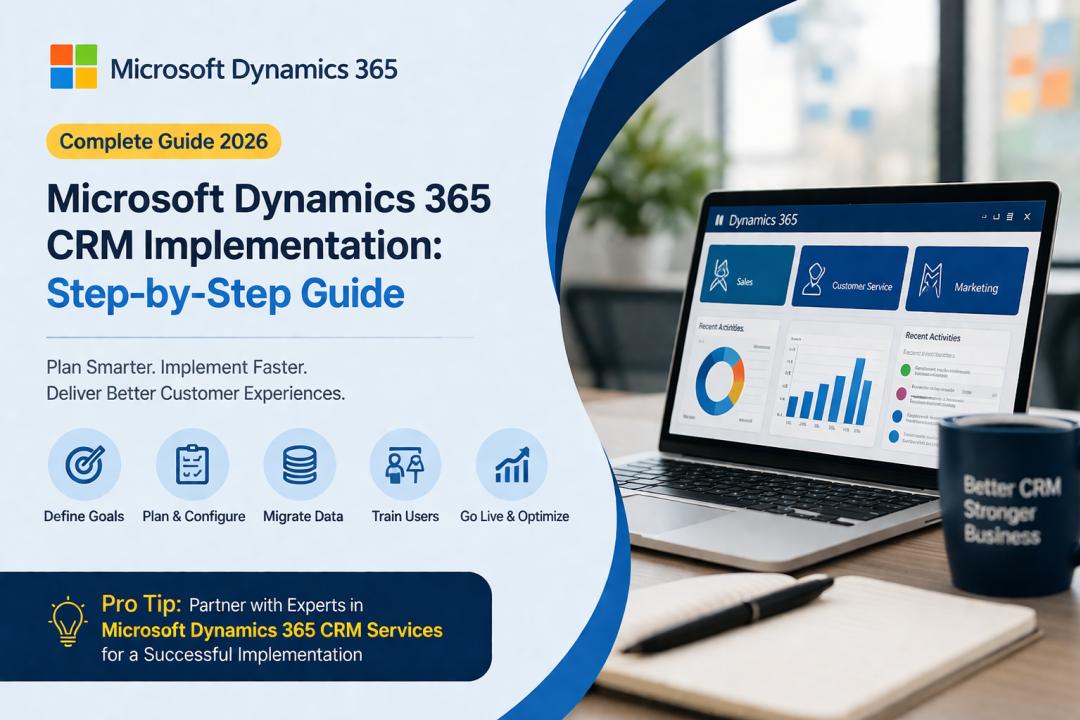
Step-by-Step Microsoft Dynamics 365 CRM Implementation Process
1. Define Business Objectives and Requirements
The first and most critical step is to clearly define your business goals.
Ask key questions:
- What problems are you trying to solve?
- Which processes need automation?
- What outcomes do you expect from CRM?
Document your requirements across departments such as sales, marketing, and customer support. This ensures alignment and avoids scope creep later.
2. Choose the Right Dynamics 365 Modules
Microsoft Dynamics 365 offers multiple modules, including:
- Sales
- Customer Service
- Marketing
- Field Service
- Finance & Operations
Select only the modules that align with your business needs to avoid unnecessary complexity and cost.
3. Plan Your Implementation Strategy
A well-structured implementation strategy ensures efficiency and reduces risks.
Key considerations:
- Deployment model (cloud vs hybrid)
- Timeline and milestones
- Budget allocation
- Resource planning
Decide whether to implement in phases or go for a full-scale rollout depending on your organization size and readiness.
4. Data Migration and Cleansing
Data is the backbone of any CRM system. Before migrating:
- Clean duplicate and outdated records
- Standardize data formats
- Validate data accuracy
Use data migration tools to transfer information from legacy systems to Dynamics 365 without loss or corruption.
5. System Configuration and Customization
This step involves tailoring the CRM to your business processes.
- Customize dashboards and reports
- Configure workflows and automation rules
- Set up user roles and permissions
- Create custom entities and fields
While customization enhances functionality, avoid over-customization to maintain system performance and scalability.
6. Integration with Existing Systems
To maximize efficiency, integrate Dynamics 365 with:
- ERP systems
- Marketing automation tools
- Third-party applications
- Payment gateways
Seamless integration ensures real-time data flow and eliminates silos across departments.
7. Testing and Quality Assurance
Testing is crucial to ensure everything works as expected before going live.
Types of testing include:
- Functional testing
- Performance testing
- User acceptance testing (UAT)
Identify and fix issues early to avoid disruptions during deployment.
8. User Training and Adoption
Even the best CRM system fails without proper user adoption.
- Conduct training sessions for employees
- Provide user manuals and documentation
- Offer ongoing support
Focus on making the system user-friendly to encourage adoption across teams.
9. Go-Live and Deployment
Once testing is complete, it’s time to go live.
- Monitor system performance
- Address initial issues quickly
- Ensure minimal downtime
A phased rollout can help reduce risks and allow gradual adaptation.
10. Post-Implementation Support and Optimization
Implementation doesn’t end at deployment. Continuous improvement is key.
- Monitor KPIs and performance metrics
- Gather user feedback
- Optimize workflows and processes
- Update system regularly
This ensures long-term success and ROI from your CRM investment.
Best Practices for Successful Implementation
To maximize success, follow these proven best practices:
- Start with Clear Goals
Define measurable objectives to track success.
- Involve Stakeholders Early
Engage teams from different departments to ensure alignment.
- Focus on Data Quality
Clean and accurate data leads to better insights.
- Keep It Simple
Avoid unnecessary complexity in customization.
Partner with Experts
Working with professionals offering Microsoft Dynamics 365 CRM Services can significantly improve implementation success and reduce risks.
Common Challenges and How to Overcome Them
- Poor Data Quality
Solution: Perform thorough data cleansing before migration.
- Lack of User Adoption
Solution: Provide training and ensure ease of use.
- Integration Issues
Solution: Use reliable integration tools and APIs.
- Scope Creep
Solution: Stick to defined requirements and roadmap.
Benefits of a Successful Dynamics 365 Implementation
When implemented correctly, Dynamics 365 delivers:
- Improved customer engagement
- Increased sales productivity
- Better decision-making through analytics
- Streamlined business processes
- Higher ROI and operational efficiency
Future Trends in Dynamics 365 CRM (2026)
The future of CRM is evolving rapidly with advanced technologies:
- AI-Powered Automation: Smarter workflows and predictive insights
- Hyper-Personalization: Tailored customer experiences
- Cloud-Native Scalability: Flexible and cost-efficient infrastructure
- Low-Code Development: Faster customization using Power Platform
Businesses that leverage these trends will gain a competitive advantage in the market.
Conclusion
Implementing Microsoft Dynamics 365 CRM is a strategic move that can transform how your business manages customer relationships and operations. However, success depends on a structured approach from planning and data migration to training and optimization.
By following this step-by-step implementation guide, businesses can minimize risks, improve efficiency, and unlock the full potential of their CRM system.
If you’re planning to implement Dynamics 365, partnering with experts in Microsoft Dynamics 365 CRM Services can ensure a seamless, scalable, and future-ready solution tailored to your business needs.