You just signed up for a "1 Gigabit" internet plan, ran a speed test, and the result says 900-something Megabytes. Now you're staring at two different words that look almost identical and wondering if your ISP just pulled a fast one on you. You're not alone. The confusion between "Gigabit" and "Gigabyte" trips up millions of people every year, and the difference is not just a letter. It's a ratio of 8, and understanding it can save you from overpaying for a plan you don't need or underpaying for one that constantly frustrates you.
The one-sentence answer
Internet speed is measured in Gigabits per second (Gbps). File sizes are measured in Gigabytes (GB). One Gigabyte equals 8 Gigabits. That single fact explains most of the confusion.
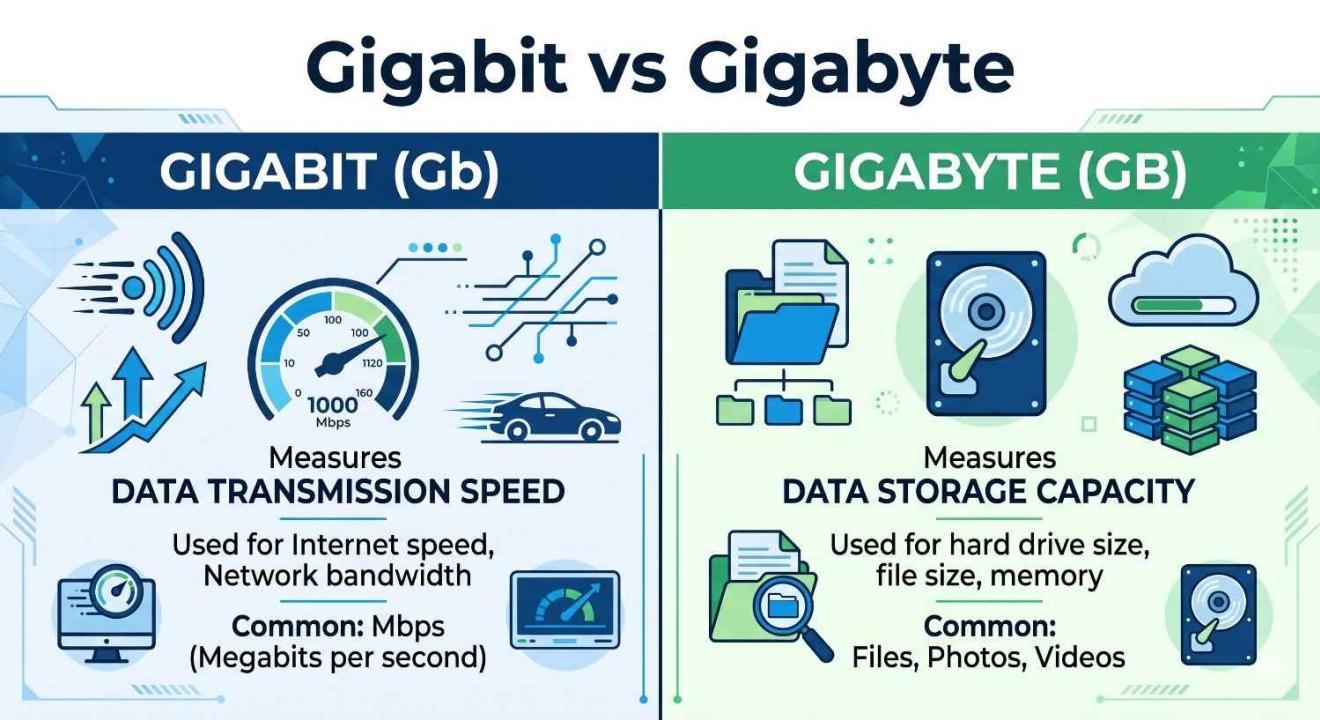
Gigabit (Gb): How fast data travels through your connection. Think of it as the width of a highway lane.
Gigabyte (GB): How much data a file actually takes up. Think of it as the size of a truck carrying goods.
Bits vs bytes — the real root of the confusion
Every digital device speaks in bits, tiny on/off signals that form the language of computers. Eight of those bits bundle together to form one byte, which is the unit your operating system uses to report file sizes.
Internet service providers report speeds in bits per second because it produces a larger, more impressive-looking number. A 1 Gigabit connection sounds better in a marketing brochure than "125 Megabytes per second," even though those two numbers describe exactly the same thing.
The capital letter matters: lowercase b = bits. Uppercase B = bytes. So Gbps means Gigabits per second, while GB/s means Gigabytes per second. Most speed tests use Mbps (Megabits), not MBps (Megabytes).
The math behind Gigabit vs Gigabyte
Here is the only formula you actually need to remember:
Speed in Gigabits ÷ 8 = Gigabytes per second you can actually download
Example: 1 Gbps ÷ 8 = 0.125 GB/s = 125 MB/s
So if you have a 1 Gigabit plan and want to download a 4-GB video file, the fastest it could theoretically arrive is about 32 seconds, assuming a perfect connection, zero overhead, and no network congestion. In real life, add 20–30% to that estimate.
A quick-reference table
| 100 Mbps | ~12.5 MB/s | ~80 sec | ~20 min |
| 300 Mbps | ~37.5 MB/s | ~27 sec | ~7 min |
| 500 Mbps | ~62.5 MB/s | ~16 sec | ~4 min |
| 1 Gbps (Gigabit) | ~125 MB/s | ~8 sec | ~2 min |
Why do ISPs use Gigabits instead of Gigabytes?
Partly due to the legacy of the telecommunications industry, it standardized on bits before the consumer internet existed. Partly optics. A plan advertised as "1,000 Megabits" sounds considerably faster than "125 Megabytes," even though they are identical. It's not deceptive per se, but it relies on most customers never converting.
Regulators in several countries are pushing for clearer labeling, and some ISPs now voluntarily display both numbers. But for now, the bits-based standard is what you'll find everywhere from Comcast to Jio Fiber.
Does your speed test show Gigabits or Gigabytes?
Almost every major speed test, such as Speedtest by Ookla, Fast.com, and Google's built-in speed test, reports results in Megabits per second (Mbps) by default. A result of 940 Mbps on a 1 Gbps plan is completely normal; that's 94% efficiency, which is genuinely excellent.
If your speed test app shows MB/s instead of Mbps, simply multiply the result by 8 to compare it against your ISP's advertised speed. A reading of 118 MB/s is roughly 944 Mbps, right in line with a Gigabit plan.
Heads up: your Wi-Fi connection can significantly reduce real-world speeds. A 1 Gbps plan delivering only 400 Mbps over Wi-Fi is not a billing problem; it's a router placement or Wi-Fi standard issue. Always test via an Ethernet cable for the true baseline.
Practical takeaway — do you actually need a Gigabit plan?
For a single person or a couple doing standard browsing, HD streaming, and video calls, a 100–300 Mbps plan is more than sufficient. Where a Gigabit connection earns its price tag is in households with five or more heavy users, people working with large files daily (video editors, architects, software developers), or anyone running a home server or smart home with dozens of connected devices.
The Gigabit vs Gigabyte distinction matters most when you're shopping: if a plan says "up to 1 Gbps," your file downloads will move at up to 125 MB/s, not 1,000 MB/s. Knowing that upfront keeps expectations realistic.
Conclusion
The difference between a Gigabit and a Gigabyte comes down to a single conversion: divide by 8. Internet providers measure speed in Gigabits; your computer measures file sizes in Gigabytes. Once that clicks, every speed test result, ISP advertisement, and download estimate starts making sense. The next time someone asks why their 1 Gbps plan only downloads files at 125 MB/s, you'll actually have a useful answer, and that's worth more than any upgrade your ISP is trying to sell you.
Frequently asked questions
Is 1 Gigabit per second the same as 1 Gigabyte per second?
No. 1 Gigabit per second (Gbps) equals 0.125 Gigabytes per second (GB/s), or 125 Megabytes per second. Because there are 8 bits in every byte, you always divide the Gigabit number by 8 to find the equivalent Gigabyte value. They are two different units measuring the same thing, data flow just at different scales.
Why does my speed test show Mbps instead of Gbps?
Most speed tests default to Megabits per second because it's the standard unit for consumer internet and produces readable numbers (940 Mbps is easier to interpret than 0.94 Gbps). There's no practical difference; 1,000 Mbps equals exactly 1 Gbps. If your plan is advertised as "1 Gbps" and your speed test shows ~940 Mbps, your connection is performing normally.
How long does it take to download 1 GB on a 1 Gbps connection?
In ideal conditions, about 8 seconds. A 1 Gbps connection delivers 125 MB/s, so 1,000 MB (1 GB) ÷ 125 MB/s = 8 seconds. In practice, server-side limits, Wi-Fi overhead, and network congestion typically push that closer to 10–15 seconds for most real-world downloads.
What is the difference between Mb and MB?
Capitalization is everything here. Lowercase "b" stands for bit; uppercase "B" stands for byte. So "Mb" means Megabit, and "MB" means Megabyte; one Megabyte equals 8 Megabits. This is a widely used shorthand in the tech industry, and mixing them up is one of the most common sources of confusion when reading speed test results or ISP plan descriptions.
Do I need a Gigabit internet plan for 4K streaming?
Not for streaming alone. Netflix recommends 25 Mbps for a single 4K stream; YouTube uses around 20 Mbps. A 100–200 Mbps plan handles 4K streaming on multiple screens simultaneously without any issues. A Gigabit plan makes more sense if your household has many heavy users downloading large files, gaming online, or running cloud backups all at once, not purely for streaming quality.