You have been posting consistently. Your captions look great. Your visuals are clean. But your engagement rate keeps sliding, having fewer likes, fewer comments, and reach that refuses to grow.
Most people blame the algorithm. But in the majority of cases, a dropping engagement rate has nothing to do with the algorithm. It has everything to do with the audience itself.
The Real Problem Nobody Talks About
Your follower count and your actual audience are two very different things. Over time, every account accumulates followers who are no longer active people who abandoned Instagram months ago, followed during a giveaway, or never had any genuine interest in your content.
Instagram calculates your engagement rate as a percentage of your total followers. So if you have 10,000 followers but only 2,000 are real and active, your engagement percentage will always look terrible no matter how good your content is.
This is a structural problem, not a content problem.
5 Real Reasons Your Engagement Is Dropping
Before changing anything about your content, you need to understand what is actually going wrong. Here are the five most common causes:
1. Audience Decay A growing portion of your followers have gone inactive over time. This is natural but compounds quickly if never addressed.
2. Content Drift Your account shifted topics slowly. People who followed you for one type of content are not engaging with another, and that gap shows in your numbers.
3. Posting Frequency Mismatch Too often overwhelms your audience and causes mutes or unfollows. Too infrequently and the algorithm forgets you exist.
4. Outdated Hashtag Strategy Old hashtags attract the wrong crowd — people who follow but never engage silently damaging your rate over time.
5. Ghost Follower Buildup This is the most overlooked cause. Inactive accounts drag your engagement percentage down even when your content is performing well. A strong Instagram marketing strategy always includes periodic audience health checks for this reason.
How to Diagnose the Problem Properly
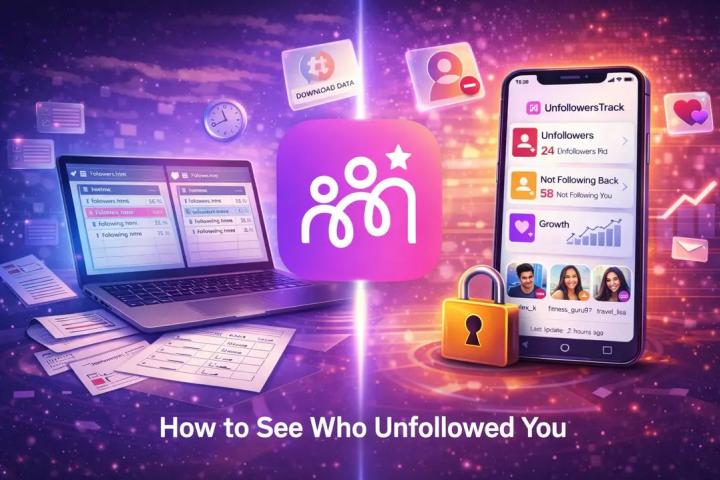
Instagram's native insights do not show you who unfollowed you or how many followers are genuinely inactive. To get that picture, use Instagram's official data export feature.
Go to your Instagram settings, request a download of your account data, and Instagram will prepare a ZIP file containing your full follower and following lists. Once you have it, a browser-based tool like Igunfollowtracker can process that file locally with no login required, nothing uploaded to any server and show you exactly who stopped following you and which accounts never followed back.
Clean data. No account risk. No password sharing.
What to Do With the Data
Once you understand your audience's health, you can act on real information instead of guessing.
If you find many ghost or inactive followers, shift focus to content that invites direct responses, questions in captions, polls in stories, conversation-starting topics that give real followers a reason to engage.
If unfollows spiked around a specific post, go back and look at what changed. A sudden increase in unfollows after a particular content type is some of the most honest feedback you can get.
If the issue is content drift, recommit to your original niche for at least 60 days. Consistency in topic and tone builds loyal audiences faster than posting volume ever will.
For practical content improvements once your audience picture is sorted, this guide on creating engaging Instagram posts covers the fundamentals well.
The Number That Matters More Than Followers
If your engagement rate was 4% a year ago and is now 1.5%, but your follower count grew during that time, your new followers are almost certainly lower quality than your original audience.
The fix is not to post more. It is to rebuild the signal, create content for the audience you actually want, stay consistent enough for the algorithm to understand your account, and audit your audience data regularly so decisions are based on reality, not vanity metrics.
Quick Action Checklist
Download your Instagram data ZIP from settings
Identify who unfollowed you recently and look for patterns
Review your last 30 posts which had highest and lowest engagement
Ask honestly whether your content has drifted from your original topic
If engagement dropped more than 2 percentage points in 3 months, audit your audience before changing anything else
Engagement is a reflection of how well your content matches the real people following you. When that match breaks down, the rate drops. The only sustainable fix is understanding your audience better, not just posting more and hoping for the best.