Accessing provident fund information online can make it easier for employees to monitor their retirement savings, review employment records and use available EPF-related services. The Employees' Provident Fund Organisation (EPFO) provides a member interface where eligible members can access several services using their Universal Account Number (UAN). The epfo login process is designed to provide convenient access to an individual's EPF account after the required credentials and account details are in place.
For many salaried employees, understanding the correct login procedure is important because an EPF account contains financial and employment-related information. A successful login can help members review their profile, service history, passbook information and other available online facilities without depending entirely on an office visit. EPFO has also introduced changes to UAN activation and generation, including Aadhaar-based face authentication through the UMANG app for certain UAN-related processes.
What Is EPFO Login?
EPFO login refers to accessing the EPFO member interface using a valid UAN and password. The UAN acts as a permanent identifier that can connect a member's different PF Member IDs during employment changes.
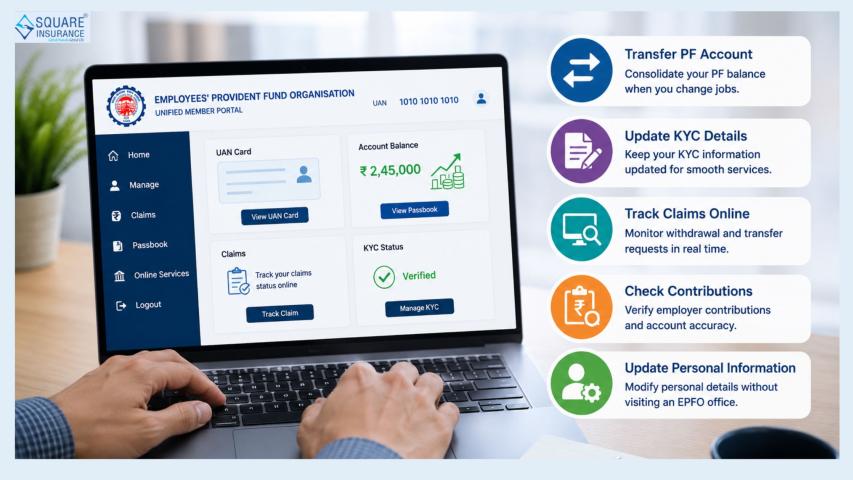
Once logged in, members can access the services made available through their account. Depending on eligibility and portal functionality, these can include viewing service history, checking account-related information, accessing the UAN card, managing KYC-related details and using online claim or service facilities.
The EPFO member portal currently provides options such as activating UAN, retrieving a UAN, tracking certain applications and accessing member services.
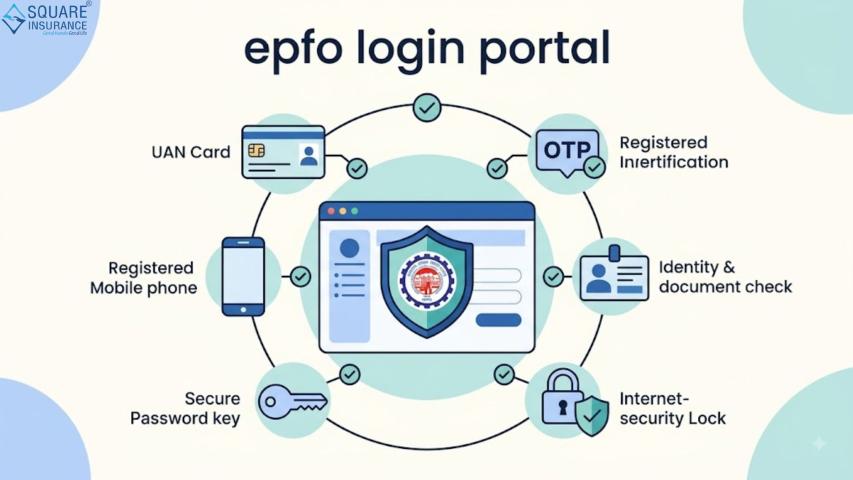
Things to Keep Ready Before EPFO Login
Before starting the login process, keep the following details available:
- Active UAN
- Registered mobile number
- UAN password
- Stable internet connection
- Updated browser or compatible device
- Captcha details displayed on the login page
Keeping the registered mobile number active is particularly important because account recovery and verification processes may depend on it. Members should also avoid sharing their UAN password, OTP, Aadhaar, PAN or banking information with unknown individuals.
EPFO itself warns members to remain alert against credential theft and fraudulent calls or messages.
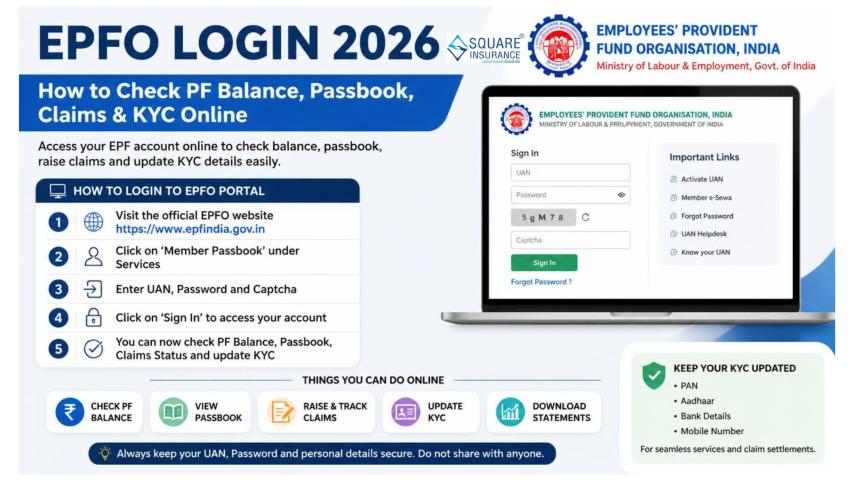
Step-by-Step Process for EPFO Login
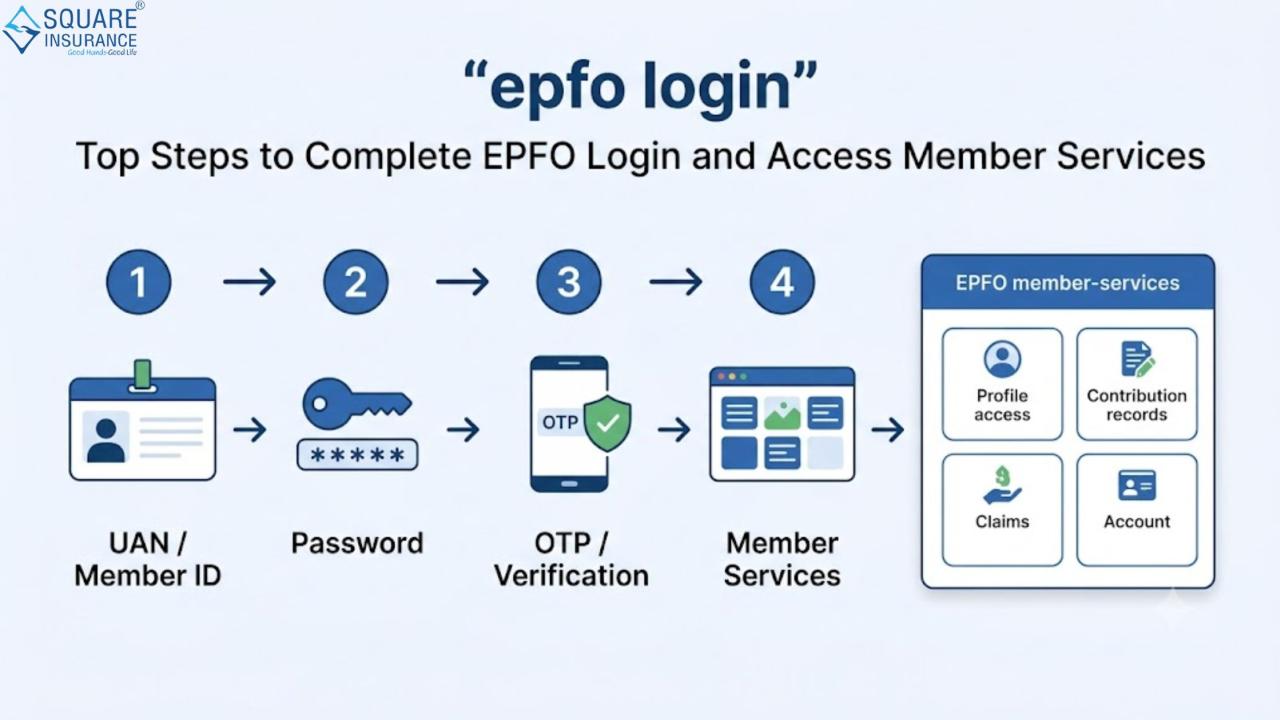
Step 1: Keep Your UAN Ready
The first requirement is a valid UAN. If you already have an activated UAN, you can proceed toward member login. Your UAN generally remains associated with you even when you change employers, helping consolidate different PF Member IDs under one account.
If you do not know your UAN, the member interface provides a “Know Your UAN” facility for retrieving it using the available identification details.
Step 2: Open the EPFO Member Interface
Use the official EPFO member interface to reach the login page. The current member portal displays fields for entering the UAN and password along with a captcha.
Always check that you are using the genuine EPFO platform before entering sensitive account information.
Step 3: Enter Your UAN
Enter your UAN carefully in the appropriate field. Avoid unnecessary spaces or typing errors. A wrong UAN can prevent successful authentication even when the password is correct.
Step 4: Enter Your Password
Enter the password associated with your UAN account. Passwords should be kept confidential and should not be saved on public or shared computers.
If you have forgotten your password, use the available password recovery option instead of repeatedly entering incorrect credentials.
Step 5: Complete the Captcha
Enter the captcha displayed on the login screen. Captchas are used as an additional security measure to distinguish genuine users from automated attempts.
If the captcha is difficult to read, refresh it and enter the newly displayed characters.
Step 6: Select Sign In
After checking the UAN, password and captcha, select the sign-in option. If all details are correct, you should be taken to the member dashboard.
The current EPFO member interface provides access to several account and service-related options after successful authentication.
What Can You Do After EPFO Login?
A successful login can provide access to several useful member facilities. The exact services available may depend on account status and current EPFO functionality.
View Service History
Members can review employment-related service information connected with their UAN. Service history can help identify whether previous Member IDs are properly associated with the account.
The EPFO portal provides a View > Service History option through which linked establishments and related joining or exit information can be reviewed.
Check Passbook Information
EPF members can use the passbook facility to review their PF account information and contributions. The separate EPFO passbook service provides access to EPF passbook and claim-status information.
Regularly checking the passbook can help members identify inconsistencies in contributions and maintain better awareness of their retirement savings.
Review UAN Card
The member interface can also provide access to the UAN card. Keeping a record of UAN-related information can be useful when dealing with employment changes or PF-related requirements.
Manage KYC Details
Members may be able to review or manage KYC-related information through the appropriate portal options. Accurate personal and financial information can help reduce difficulties during certain PF-related transactions.
Access Online Services
The portal provides online service options for eligible members. These may include claim-related facilities and other account services. Members should carefully review the information displayed before submitting any request.
What If You Cannot Complete EPFO Login?
Login problems can occur for several reasons. Common causes include an incorrect password, wrong UAN, captcha errors, temporary technical issues or account-related problems.
Try these practical steps:
- Recheck your UAN before submitting the login form.
- Enter the password carefully.
- Refresh the captcha if necessary.
- Use the password recovery facility if you cannot remember the password.
- Try again after some time if the portal is experiencing temporary technical issues.
- Keep your browser and device updated.
- Avoid repeatedly submitting incorrect credentials.
EPFO has also advised members not to make repeated attempts during periods when services are undergoing stabilization or technical changes.
UAN Activation and Recent Changes
One important point for members is that EPFO's current process has changed for certain UAN activation and generation activities. The member portal currently states that UAN activation and generation of new UANs can be completed through the UMANG app using Aadhaar-based Face Authentication.
The portal also states that direct UAN allotment through the member portal has been discontinued and directs members toward the UMANG app for the applicable face-authentication process.
Therefore, members should follow the latest instructions displayed by EPFO rather than relying on older login guides that may describe discontinued procedures.
Security Tips for EPFO Account Access
Since EPF information is financially important, account security should be treated seriously.
- Never share your UAN password or OTP with anyone.
- Do not provide Aadhaar, PAN or bank details to unknown callers.
- Avoid logging in through suspicious messages or unofficial links.
- Use a strong and unique password.
- Log out after using a shared device.
- Keep your computer or smartphone updated.
- Avoid entering account credentials on public computers.
- Be cautious of people promising faster PF withdrawals or account updates in exchange for payment.
EPFO specifically cautions members that it does not request personal information or monetary deposits through unsolicited calls.
Why Regular EPFO Account Checks Matter
Logging into the EPFO account occasionally is not only useful when a claim needs to be submitted. Regular checks can help members stay informed about their PF contributions, employment records and account details.
Reviewing the available information can also help identify discrepancies early. For example, a member may notice an incorrect joining or exit record, missing contribution information or an issue with linked Member IDs. Early identification gives the member more time to take appropriate corrective action.
Frequently Asked Questions (FAQs)
Q1. What is required for EPFO login?
A valid UAN, registered credentials, password and captcha are generally required to access the EPFO member interface.
Q2. Can I check my PF information after logging into EPFO?
Yes. Eligible members can access available account and passbook-related services through the EPFO ecosystem.
Q3. What should I do if I forget my EPFO password?
Use the password recovery option available on the member login interface and follow the instructions provided for resetting access.
Q4. Can I check my employment history through the EPFO portal?
Yes. The member interface provides a Service History section where linked employment and Member ID information can be reviewed.
Q5. Is UAN activation still available through the old member portal process?
EPFO's current member portal states that UAN activation can be completed through Aadhaar-based Face Authentication using the UMANG app. Members should follow the latest instructions shown by EPFO.
Conclusion
Completing an EPFO login correctly gives members a convenient way to access important PF-related information and online services. From reviewing service history and passbook information to checking UAN-related details, the member interface can simplify several routine activities. However, members should keep their credentials secure and always follow the latest instructions issued by EPFO, particularly because UAN activation and related processes can change over time.
For individuals who are also reviewing their broader financial protection needs, combining retirement savings awareness with suitable insurance planning can support more comprehensive financial preparedness. Square Insurance can be considered when exploring insurance-related requirements and policy management options.