When an employee leaves an organization, their Google Workspace mailbox may contain business emails, attachments, conversations, and other information that the organization still needs to retain. Simply deleting or suspending the user does not answer the bigger question: how should the mailbox be preserved in a format that IT administrators can access and manage later?
For organizations that use PST-based archives or need to provide mailbox data to Microsoft Outlook users, converting Google Workspace mailboxes to PST can be a practical option. However, the right approach depends on the number of mailboxes, the type of data that needs to be preserved, and what the organization plans to do with the resulting PST files.
Why IT Administrators Archive Google Workspace Mailboxes During Employee Offboarding
Employee offboarding is not limited to removing access to a Google Workspace account. Before an account is deleted, administrators may need to preserve information associated with that user's mailbox.
A PST archive can provide a portable copy of mailbox data that can later be opened or imported into supported Microsoft Outlook environments.
This becomes particularly useful when an organization:
- Needs to retain an employee's historical emails.
- Is moving mailbox data from Google Workspace to a Microsoft environment.
- Needs to provide an archived mailbox to another employee or department.
- Maintains PST-based email archives.
- Wants to keep a local copy before removing a Google Workspace account.
The important decision is therefore not simply "How do I convert Google Workspace to PST?" but rather "What mailbox data do I need to preserve, and which conversion approach fits my situation?"
What Should Be Preserved Before Deleting a Google Workspace User?
Before removing a departing employee's account, IT administrators should determine what information needs to be retained.
Depending on the organization's requirements, this may include:
- Email messages
- Attachment
- Original message details
- Mailbox folders or labels
- Sent and received correspondence
- Historical business communications
The required retention scope should be decided before starting the conversion. Otherwise, an administrator may complete the export successfully but discover later that the resulting archive does not contain the information they actually needed.
Google Workspace to PST: Which Approach Fits Your Situation?
There is no single conversion approach that is equally suitable for every organization.
A single mailbox being archived for an employee leaving the company presents a different requirement from an administrator processing dozens or hundreds of user mailboxes.
For a single mailbox
If an administrator only needs to preserve one user's mailbox, a manual export or conversion workflow may be sufficient, depending on the required output format and mailbox data.
For multiple employee mailboxes
When several users need to be archived, the process becomes more operationally demanding. Administrators need to consider batch processing, folder organization, duplicate handling, and how the resulting PST files will be managed.
For organizations moving away from Google Workspace
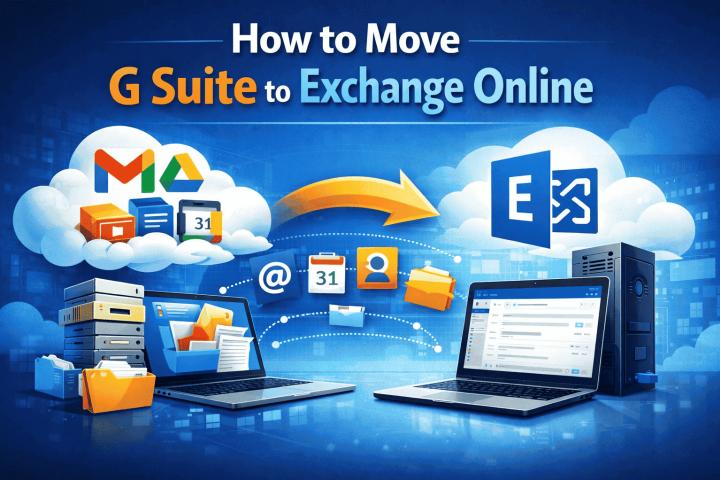
If the organization is transitioning from Google Workspace to Microsoft 365 or another Microsoft-based environment, PST conversion may be part of a broader mailbox migration or archival strategy rather than an isolated export task.
The correct method should therefore be selected based on the actual mailbox-management scenario, not simply on whether a method can produce a PST file.
Native Google Workspace Export vs. PST Conversion
Google Workspace provides administrative data-export capabilities, but an administrative export and a PST conversion are not necessarily the same thing.
A Google Workspace administrator should first determine what the native export provides and whether its resulting data format matches the organization's intended use.
If the final requirement is specifically PST files for Outlook-based access, archival, or downstream processing, an additional conversion step may be required.
This distinction is important because successfully exporting mailbox data does not automatically mean that the data is available in the format required by the administrator.
When BitRecover Google Workspace to PST Converter Makes Sense
A dedicated conversion tool can be useful when the requirement is specifically to transform Google Workspace mailbox data into PST rather than simply create a general-purpose data archive.
For IT administrators, the practical considerations include:
- How many mailboxes need to be processed?
- Is PST the required destination format?
- Does the conversion preserve the required mailbox information?
- Can multiple accounts be processed efficiently
- Does the resulting PST maintain usable organization?
- Will the PST need to be opened in Microsoft Outlook afterward?
These questions help determine whether a BitRecover Google Workspace Backup Tool workflow is appropriate for the organization's particular situation.
What to Check in the Resulting PST
Completing the conversion is not the final step.
Before deleting or permanently decommissioning the original Google Workspace account, administrators should verify the resulting PST archive.
Check that:
- Expected emails are present.
- Attachments are accessible.
- Important folders or labels have been retained as expected.
- The PST opens successfully in the intended Outlook environment.
- The archive contains the expected date range.
- The number of processed mailboxes matches the number of required archives.
A quick verification can prevent a much bigger problem later if the original account is no longer available.
Google Workspace to PST Offboarding Checklist
Use this checklist before removing a user's Google Workspace account:
1. Identify the mailbox
Determine which employee mailbox needs to be archived.
2. Define the retention requirement
Decide what emails and mailbox information must be preserved.
3. Choose the required output
If the organization specifically needs PST, select a workflow that produces PST rather than only a generic export archive.
4. Convert or export the mailbox
Process the required Google Workspace mailbox data.
5. Verify the PST
Open and inspect the resulting archive before removing the original account.
6. Store the archive appropriately
Keep the PST in the organization's approved storage location with appropriate access controls.
7. Complete the offboarding process
Only after the required mailbox information has been preserved should the administrator proceed with the remaining account-decommissioning steps.
The Right Google Workspace to PST Method Depends on the Situation
Google Workspace to PST conversion should not be treated as only a file-format conversion task. For IT administrators, the real requirement is often preserving a departing employee's mailbox in a usable archive before the account is removed.
The best approach depends on the number of users, required mailbox data, destination environment, and how the resulting PST archives will be used.
For organizations handling repeated employee offboarding or larger mailbox-archiving requirements, establishing a consistent Google Workspace to PST workflow can make the process easier to manage and verify.