Sharing a PDF Is Easy. Knowing What Happens After You Share It Is Harder
PDFs are still everywhere.
Startups send pitch decks. Sales teams share proposals. Agencies deliver reports. Recruiters distribute job information. Businesses publish catalogs, manuals, brochures, and white papers.
The actual act of sending a PDF has become trivial. You can attach it to an email, put it in a cloud drive, or upload it somewhere and copy a link.
But there is a second problem that is often overlooked:
What happens after someone receives the PDF?
Did they open it?
How long did they spend reading it?
Did they reach page 3, page 10, or the final page?
Which sections kept their attention?
Where did they stop?
For many business documents, those questions are more valuable than simply knowing that a file was delivered.
A PDF Attachment Ends the Conversation Too Early
Email attachments work well when all you need to do is transfer a file.
But attachments provide very little feedback.
Imagine sending a 25-page proposal to a potential customer. You know the email was sent, and perhaps your email software tells you that the message was opened.
That still does not tell you whether the proposal itself was read.
The recipient might have:
ignored the attachment entirely,
opened only the first page,
read the pricing section several times,
stopped halfway through,
forwarded the file to someone else,
or carefully read the entire proposal.
From the sender's perspective, all of those scenarios look almost identical.
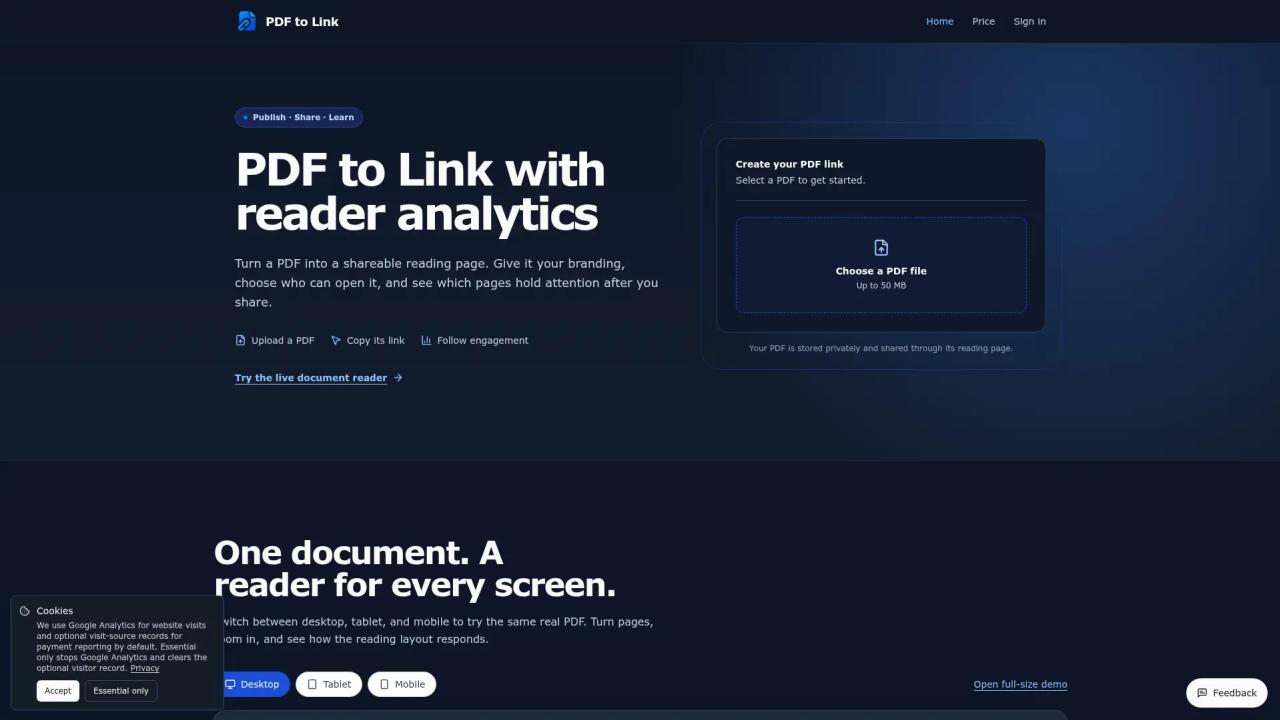
That is why sharing a PDF as a web link can be more useful than simply attaching the original file. A tool such as PDF to Link turns a PDF into a browser-based sharing page, making the document easier to distribute while also creating opportunities to understand how readers interact with it.
A PDF Link Can Be More Than a Download URL
There are several different things people mean when they say “PDF link.”
A direct PDF URL points to the actual .pdf file.
A cloud-storage link may open the document inside Google Drive, Dropbox, OneDrive, or another file-management system.
A managed reading-page link opens the PDF inside a browser-based reader.
These approaches solve different problems.
A direct file URL is useful when another application needs access to the PDF file itself.
A cloud-drive link makes sense when the document belongs to an existing collaboration workflow.
A reading-page link is more useful when the presentation of the document and the behavior of the reader matter.
If you specifically need to understand the difference between a raw file URL and a browser-based sharing page, a dedicated PDF to URL workflow can make that distinction much clearer.
The Link Becomes Part of the Document Experience
Once a PDF is delivered through a managed reading page, the surrounding experience becomes configurable.
This can include branding, access controls, calls to action, mobile presentation, and analytics.
That matters because PDFs are often being used as more than static files.
A startup pitch deck represents the company.
A product catalog represents the brand.
A proposal is part of a sales process.
A research report may be designed to generate leads or establish authority.
A PDF reader can therefore become an extension of the document instead of simply a place where the file happens to open.
For example, PDF to Link allows publishers to add elements such as a logo, favicon, background, social links, and a call-to-action around the document.
The original PDF remains unchanged, but the reader sees it inside a more controlled presentation.
Reader Analytics Change What You Can Learn
The more interesting difference appears after the link has been shared.
Traditional file delivery focuses on whether the document reached the recipient.
Reader analytics focus on what happened after the document was opened.
Useful measurements can include:
Views and visitors
These provide a basic picture of how often the document is being opened and how many readers it is reaching.
Active reading time
Simply leaving a browser tab open does not necessarily mean someone is reading.
Tracking time while the document is visible and active can provide a more useful signal than raw session duration.
Reading depth
If a PDF contains 30 pages, knowing that most readers disappear before page 5 is valuable information.
Likewise, discovering that a large percentage of visitors reach the final pages may indicate that the document holds attention successfully.
Page-level engagement
Different pages can attract very different levels of attention.
For a product brochure, readers may spend more time on specifications than on the introduction.
For a pitch deck, certain market or financial slides might receive more attention than others.
For a guide, readers might repeatedly return to one particularly useful section.
Exit pages
Knowing where readers stop can help identify potential friction.
If a large proportion of sessions consistently end at the same point, the document owner has something worth investigating.
The page may contain all the information readers needed, or it may be where they lost interest.
Analytics cannot tell you which explanation is correct, but they can tell you where to look.
Analytics Should Not Be Confused With Understanding
There is an important limitation.
Document analytics measure behavior, not comprehension.
If someone spends four minutes on a page, you know that the page remained actively visible for a period of time. You do not know whether the reader agreed with it, understood it, or even liked it.
Similarly, reaching the final page does not necessarily mean the entire document was read carefully.
Someone can jump forward.
That is why PDF analytics are most useful as signals rather than absolute conclusions.
They can answer questions such as:
Which pages are actually being reached?
Where does engagement drop?
Which documents attract repeat attention?
Are people opening a document after it is shared?
Is a call-to-action being clicked?
Those observations can then inform better decisions.
When a Trackable PDF Link Is Particularly Useful
Not every PDF needs analytics.
If you are sending a boarding pass to yourself, tracking page engagement would be pointless.
But there are several situations where understanding reader behavior can be useful.
Sales proposals
A salesperson could see whether a prospect returned to a proposal and which sections received attention before a follow-up conversation.
Pitch decks
Founders sharing a deck can get additional signals about whether recipients actually explored the presentation.
Product catalogs
Businesses can learn which areas of a catalog receive attention and whether readers reach later product sections.
Reports and white papers
Publishers can compare how deeply different reports are consumed instead of relying only on download counts.
Training material
Teams can see how far readers progress through guides or onboarding documents.
Portfolios and presentations
Designers, agencies, consultants, and freelancers can distribute polished documents while keeping the surrounding reading experience consistent with their brand.
Access Control Matters Too
Convenient sharing creates another issue: who should be able to open the document?
A URL is easy to distribute precisely because it can be copied.
For public brochures and reports, that may be exactly what you want.
For restricted material, it may not be.
A managed PDF link can add a password before the reading page opens. This gives the publisher another layer of control beyond possession of the URL itself.
Whatever platform you use, it is good practice to test the link as an outside reader before distributing it.
Open it in a private browser window.
Check whether the correct document appears.
Test the password if one is enabled.
Try it on a phone.
If you are using a QR code, scan the QR code yourself before printing it on hundreds of brochures.
Small checks prevent surprisingly common sharing mistakes.
QR Codes Connect Printed and Digital Documents
A PDF link also makes it possible to connect physical material with a digital document.
Instead of printing a long URL, the same destination can be represented as a QR code.
That can be useful on:
business cards,
posters,
conference materials,
product packaging,
brochures,
classroom handouts,
and event signage.
The reader scans the code and opens the same web-based PDF experience on a phone.
This is another reason responsive presentation matters. A document designed on a desktop may still be opened primarily from mobile devices.
Choosing Between a Raw PDF URL and a Reading Page
There is no universal best way to share every PDF.
The correct method depends on what you are trying to accomplish.
Choose a direct PDF URL when another system specifically expects a .pdf file or when you want the browser to access the raw file directly.
Choose a cloud-drive link when collaboration, shared folders, and organizational permissions are central to the workflow.
Choose a managed PDF reading page when presentation, branding, access control, QR sharing, and reader analytics are important.
For users who simply want the practical steps, this guide explains how to make a PDF a link without going through a complicated cloud-storage workflow.
The Bigger Shift: From File Delivery to Document Engagement
For years, the main problem with digital documents was distribution.
“How do I send this large file?”
“How do I get this PDF online?”
“How do I give someone a link?”
Those problems are largely solved.
The more interesting question now is what happens after distribution.
A PDF does not necessarily have to disappear into an email attachment or cloud folder after it is sent.
It can become a measurable part of a sales process, marketing campaign, publication workflow, or customer journey.
The difference is subtle but important.
Instead of thinking only about PDF hosting, we can start thinking about PDF engagement.
Instead of asking only whether the document was successfully shared, we can ask whether anyone actually read it.
And for many businesses, that second question is the one that really matters.