Video and audio files are becoming a routine part of everyday work.
A product manager may need to turn a short demonstration into a GIF for Slack. A creator may need to reduce the size of a phone video before sending it. A researcher may want only the audio from a recorded interview. A developer may need to shrink an animated GIF before adding it to documentation.
None of these tasks necessarily require a full video-editing application.
They are small, focused media operations.
This distinction is important because the traditional workflow for simple media tasks often introduces more complexity than the task itself requires. Users may need to install software, create an account, upload a large file to a remote server, wait for processing, and then download the result.
Browser-based media processing offers another approach.
Instead of treating every conversion as a cloud job, some tools now perform the actual media processing directly on the user's device.
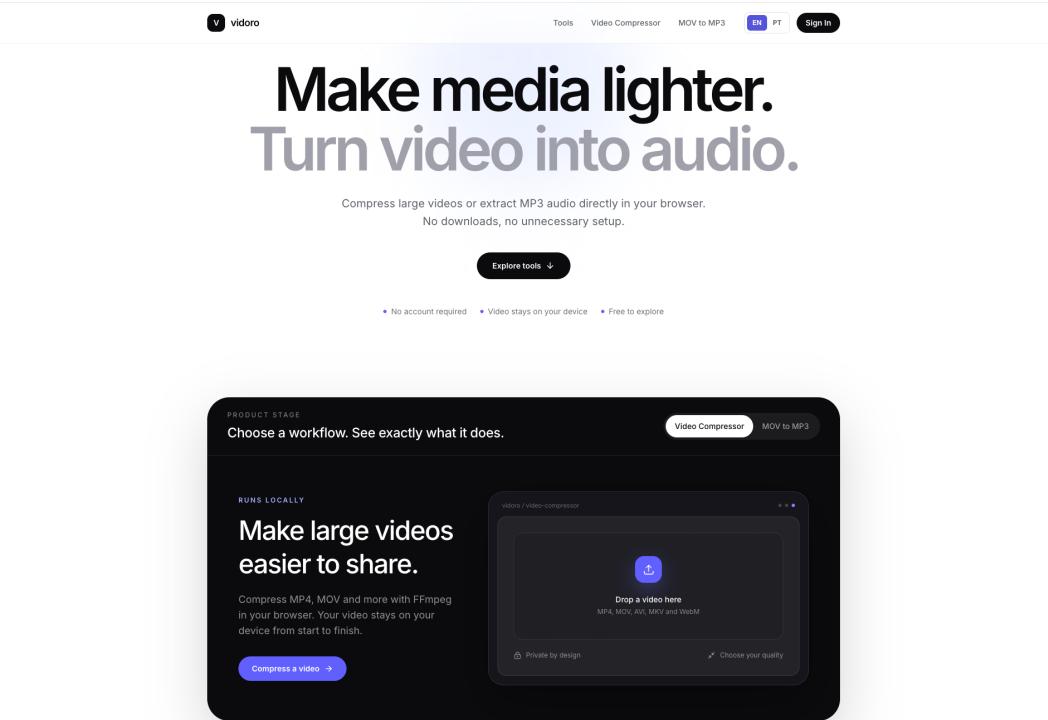
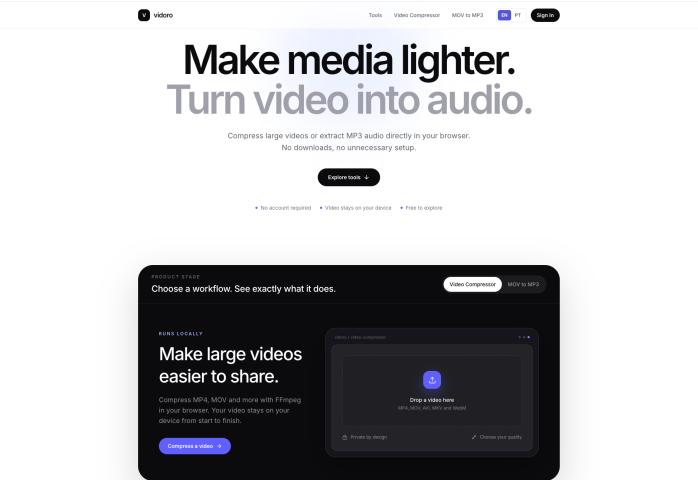
Vidoro is one example of this model.
The broader trend is worth examining because it reflects a shift from general-purpose editing suites toward small, task-specific utilities that prioritize speed, privacy, and simplicity.
Small Media Tasks Are Different From Full Video Editing
Professional video editing is complex for a reason.
Editing software may need to manage timelines, transitions, color grading, subtitles, multiple audio tracks, effects, exports, and dozens of codecs.
But many everyday media tasks are much simpler.
A user may only need to reduce a file from 180 MB to something small enough to send.
Another user may have a five-second MP4 clip and want it to loop automatically as a GIF.
Someone else may have a MOV recording where only the spoken audio matters.
Opening a large editing application for these tasks can be inefficient.
This has created a useful category of focused media tools where the interface is organized around one question:
What result are you trying to produce from the file you already have?
Why Browser-Local Processing Matters
Many online converters follow a familiar architecture.
The user selects a file, the browser uploads it to a remote server, the server performs the conversion, and the user downloads the result.
That model works, but it introduces several considerations.
Large files take time to upload.
Upload speed becomes part of the processing time.
The user must also trust another server with the source media.
For generic public clips, that may not matter much. But a video can also contain customer information, internal presentations, private conversations, unreleased product demonstrations, interviews, or personal recordings.
Browser-local processing changes the workflow.
Instead of sending the source media to a conversion server, compatible processing can happen directly on the device.
This reduces the need to transfer the media itself across the network.
Vidoro currently uses this approach for its featured conversion and compression workflows. The site states that media processing for these tools happens in the browser and that source files do not need to be uploaded to a Vidoro conversion server.Vidoro
Privacy Is Not the Only Advantage
Privacy is one benefit, but browser-local processing also changes the practical experience.
When a large video does not need to be uploaded first, the user avoids turning upload speed into a bottleneck.
The workflow can become much more direct:
choose the file → adjust the relevant setting → process it locally → save the result
There is also less need for cloud storage infrastructure around temporary files.
From the user's perspective, this matters because many conversion tasks are disposable.
If someone wants to compress a video once and immediately send it, there may be little value in uploading the original to a remote account, storing it online, and managing another library of files.
Video Compression as a Practical Workflow
One of the most common media problems is simply file size.
Modern smartphones can produce high-resolution video surprisingly quickly. Screen recordings can also become large, especially when they contain movement, animation, or long sessions.
The result may be difficult to:
send by email,
upload to a web form,
share through a messaging service,
attach to a project-management tool,
or publish where file-size limits apply.
Compression addresses this problem by trading some amount of visual data for a smaller output.
The important point is that there is no universal “best” compression setting.
A casual clip sent to a colleague can usually tolerate more compression than a portfolio video containing fine text and visual detail.
Resolution, motion, duration, bitrate, and the source format all affect the result.
Vidoro's Video Compressor follows this focused model. Users select an existing video, choose a balance between quality and file size, process it in the browser, and download the compressed copy. The current site lists support for common formats including MP4, MOV, AVI, MKV, and WebM.Vidoro
Why MP4-to-GIF Conversion Is Still Useful
GIF is technically inefficient compared with modern video formats, but it continues to solve a specific communication problem.
A GIF starts playing immediately.
There is no conventional video player interface, no play button, and usually no expectation that the viewer will enable audio.
That makes GIFs useful for short visual explanations.
A developer may show a user-interface interaction.
A support team may demonstrate where to click.
A product designer may share a quick prototype.
A community member may turn a short reaction clip into an animation.
For this type of task, the goal is not preserving an entire video at maximum quality.
The goal is extracting the useful moment.
Vidoro's MP4 to GIF workflow exposes controls such as start point, duration, frame rate, width, and image quality. These settings matter because GIF size grows quickly as the number of frames, dimensions, and visual complexity increase. Processing is performed locally in the browser.Vidoro
Existing GIFs Have a Different Problem
Creating a GIF and compressing a GIF are related but different tasks.
If the source is an MP4, the user is creating a new animation.
If the source is already a GIF, the problem may simply be that it is too large.
Animated GIFs can become surprisingly heavy because they contain many image frames.
A GIF used in documentation, email, Discord, or a web page may not need the original dimensions or frame rate.
Reducing dimensions, lowering the number of frames per second, or simplifying the color palette can significantly reduce file size.
Vidoro therefore separates MP4-to-GIF conversion from GIF compression.
Its GIF Compressor keeps the output as an animated GIF while allowing the user to reduce dimensions, frame rate, and palette complexity. This distinction keeps each workflow focused on the actual problem the user is trying to solve.Vidoro
Sometimes the Video Is Not What Matters
Another common situation is a video file where the valuable information is actually the audio.
This occurs frequently with phone recordings.
An interview may have been recorded as video even though the researcher only needs the conversation.
A lecture may be easier to review as audio.
A voice recording may have been saved inside an iPhone MOV file.
Keeping the video track in these cases creates unnecessary file size.
Audio extraction solves a simple problem: retain the soundtrack and remove the visual component.
Vidoro's MOV to MP3 tool is designed around this workflow. A user selects a MOV file, chooses an available MP3 bitrate, performs the conversion locally, previews the audio if necessary, and downloads the result.Vidoro
Vidoro as a Focused Media Toolkit
Vidoro brings these workflows together at:
The current version of the site is structured around four primary tasks:
- Video Compressor — reduce the size of an existing video.
- MP4 to GIF — turn a short MP4 segment into an animated GIF.
- GIF Compressor — reduce the size of an existing animated GIF.
- MOV to MP3 — extract audio from a MOV file.
Rather than placing every possible media function inside one complicated editor, each workflow has its own clear input, controls, and output.
The site also does not require an account for these core tools, does not require software installation, and states that it does not intentionally add promotional watermarks to generated results.Vidoro
How These Tools Fit Into Real Workflows
The value of a media utility becomes clearer when it is considered as part of a larger task.
Imagine a product team preparing a new software release.
The team records a 200 MB screen demonstration.
The original recording is useful for archival purposes, but it is too large to casually share with the rest of the organization.
A compressed version can be generated for review.
Next, a five-second interaction from the same demonstration needs to appear in documentation.
That section can be converted into a GIF.
The resulting GIF may still be too large for the documentation site, so it can be compressed further.
Finally, the team may have a MOV recording of a customer interview and only need the audio for transcription.
The video track can be removed and the conversation saved as an MP3.
These are four different operations, but none requires a full editing timeline.
This is exactly where task-specific browser tools become useful.
No Account Can Be a Feature
Software products often treat registration as an automatic part of the user journey.
For some applications, that makes sense.
Projects need to be saved.
Teams need shared workspaces.
Cloud files need persistent ownership.
But a temporary media conversion does not always need an identity layer.
If a user wants to compress one video, requiring an account can add friction without adding meaningful value to the task.
Vidoro currently allows its core media workflows to be used without creating an account or entering a credit card.Vidoro
This illustrates a broader design principle:
The amount of onboarding should be proportional to the complexity of the task.
Local Processing Still Has Tradeoffs
Browser-local processing should not be treated as automatically superior for every media workload.
Local conversion uses the user's own CPU, memory, and battery.
A powerful desktop machine may process a file comfortably, while an older phone may take longer.
Very large files can place pressure on browser memory.
Complex professional encoding tasks may still be better suited to dedicated applications or powerful cloud infrastructure.
Compatibility also depends on what browsers and codecs support.
The useful question is therefore not whether browser processing is universally better.
It is whether the task is small and focused enough that local processing provides a better tradeoff.
For compression, short conversions, GIF creation, and simple audio extraction, that tradeoff can often be favorable.
What Users Should Look for in an Online Media Tool
When evaluating a browser-based converter, users should pay attention to more than the name of the tool.
The first question should be where processing happens.
If the website says files remain local, that claim should apply specifically to the media-processing workflow rather than implying that the entire website makes no network requests.
Vidoro makes this distinction on its current site: browser-local refers to the source-media conversion process, while ordinary page assets and analytics may still involve normal web requests.Vidoro
Users should also examine whether the service explains supported formats, exposes relevant quality controls, distinguishes different input/output workflows, and clearly describes limitations.
A tool that says exactly what it does is often more useful than one promising to “convert anything to anything.”
Focused Controls Are Often Better Than Maximum Controls
More settings are not always better.
A professional encoder may expose dozens of parameters because experts genuinely need them.
A simple browser utility serves a different audience.
For example, a user converting a short MP4 to GIF may care about five decisions:
where the clip starts,
how long it lasts,
how smooth the animation should be,
how wide it should be,
and how much image quality to preserve.
They probably do not need to understand every internal FFmpeg parameter.
Good utility design therefore involves deciding which complexity to expose and which complexity to hide.
Vidoro's current tools follow this pattern by exposing controls that correspond directly to the desired result.Vidoro
The Role of FFmpeg in Browser Media Tools
Many browser-based media tools are possible because mature media technologies can now run in modern web environments.
FFmpeg has long been one of the most important open-source technologies for audio and video processing.
When adapted for browser use, similar media-processing capabilities can run on the user's own device rather than only on a backend server.
Vidoro states that its Video Compressor and MOV-to-MP3 workflows use FFmpeg-based browser processing.Vidoro
This is part of a larger trend in web applications.
Tasks that once required sending data to servers can increasingly be performed locally using browser technologies.
Media conversion is one visible example.
Image editing, document processing, machine-learning inference, encryption, and other workloads are moving in the same direction where technically practical.
Privacy-Friendly Does Not Mean Feature-Heavy
There is sometimes an assumption that a useful software product needs dashboards, accounts, storage, AI features, collaboration, and subscriptions.
Utility software demonstrates another model.
A product can create value by solving a narrow problem clearly.
For Vidoro, that means starting from concrete questions:
Is this video too large?
Should this short MP4 become a GIF?
Is this GIF too heavy?
Do I only need the audio from this MOV?
Each question maps to a distinct workflow.
That clarity can matter more than adding features that users never asked for.
Browser Tools Can Complement Professional Software
Simple web tools and professional editing software should not be viewed as direct replacements for one another.
They serve different levels of complexity.
A video editor is appropriate when a user needs precise cuts, multiple tracks, transitions, visual effects, color work, or professional export control.
A focused converter is appropriate when the media is already essentially correct and only the format, file size, or container needs to change.
A useful workflow may involve both.
A creator could finish a project in professional editing software, then use a lightweight browser tool to make a smaller sharing copy.
A product designer could export a prototype as MP4, then convert only the most relevant five seconds into a GIF.
The right tool depends on the stage of the workflow.
The Broader Shift Toward Local-First Utilities
Vidoro represents a broader category that can be described as local-first web utilities.
These applications use the browser as an execution environment rather than merely as an interface to a remote processing server.
The advantages can include lower upload friction, better control over sensitive source files, and simpler one-off workflows.
The approach is particularly attractive for tasks where users do not need permanent cloud storage.
Media processing fits that description well.
The original file is already on the device.
The user wants a transformed copy.
Once that copy is downloaded, there may be no need for the service to retain either version.
Final Thoughts
Many everyday media problems do not require sophisticated editing software.
A video may simply be too large.
An MP4 may need to become a short GIF.
An existing GIF may need to fit under an upload limit.
A MOV recording may contain useful audio but unnecessary video.
These are narrow tasks, and narrow tasks often benefit from focused tools.
Vidoro demonstrates one approach to this problem by combining several browser-local media utilities at https://vidoro.io/. Its current tools cover video compression, MP4-to-GIF conversion, GIF compression, and MOV-to-MP3 audio extraction, with no account required for the core workflows and no intentional watermark added to the output.Vidoro
The more interesting idea, however, goes beyond one website.
Modern browsers are increasingly capable of doing meaningful processing locally.
For the right kind of task, that can turn an online tool from “upload something and wait for a server” into something closer to a lightweight application that happens to run on the web.
For users, the benefit is straightforward:
less setup, fewer unnecessary steps, and a tool that focuses on the result they actually need.