Moving into an office gives a startup room to collaborate, welcome clients, and build a shared working routine. It also creates practical responsibilities that are easy to overlook during a busy move. Someone must manage keys, receive visitors, look after equipment, and decide who handles problems when the office is empty.
These responsibilities become harder to coordinate as the team grows. A process that worked when five people shared one room may become confusing across several departments or hybrid schedules. Planning office security alongside hiring and workplace operations helps founders establish clear responsibilities before informal habits become difficult to change.
Start With How the Office Will Be Used
Before comparing equipment, describe a normal working week. Consider when employees arrive, whether clients attend meetings, how deliveries are received, and which contractors need access. Include quieter periods when only a few people are present. The plan should reflect how the workplace actually functions.
For example, a software team that regularly hosts customer demonstrations may need an obvious route from reception to a meeting room. A business storing prototype devices may need a separate area with more limited access. These are different operational needs, even if both companies occupy offices of similar size.
Record the areas that need attention and the reason for each decision. This gives the team a useful starting point for discussions with building management and qualified security professionals.
Clarify What the Building Already Provides
An office inside a managed building may share a reception desk, entrances, or other facilities with neighboring businesses. Before assuming those arrangements cover the company’s own workspace, ask the property manager to explain the division of responsibilities.
Establish who manages building credentials, who handles faults, and which contact is available outside normal hours. Ask how changes involving employees or contractors should be reported. Keep those answers with the office operating documents so responsibilities remain clear when the person who arranged the lease is unavailable.
This conversation also creates a more accurate budget. The startup can identify what is included in the building arrangement and what it must arrange separately.
Match Technology to Specific Office Needs
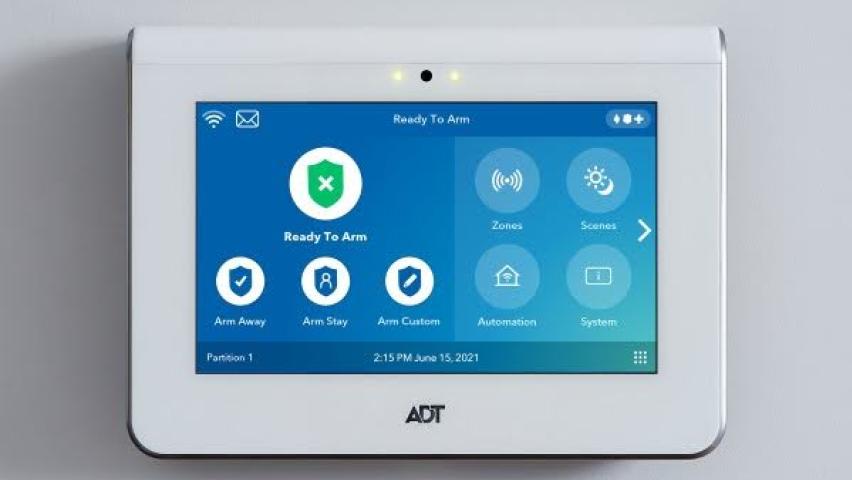
When comparing security systems for offices, start with the situations the business needs to manage, such as unauthorized entry, activity around equipment storage, or an alert when nobody is onsite. Connecting each requirement to a defined purpose makes the discussion more useful than starting with a long list of product features.
Ask providers to explain the proposed setup in ordinary workplace terms. Who receives notifications? Who can change settings? What maintenance is required? What happens when a service or connection is unavailable? Request a walkthrough of these scenarios before making a purchasing decision.
Separate equipment costs from installation, subscriptions, maintenance, and future changes. A proposal should give the business enough information to understand both the initial purchase and the work needed to operate it over time.
Include Office Access in Staff Changes
Hiring creates several administrative tasks, and office access belongs in that workflow. Decide which person approves access, who issues credentials, and where that approval is recorded. Employees should know whom to contact if a key or access card is missing.
Apply the same attention when someone changes roles or leaves. Review the access associated with the person and coordinate the necessary updates with the relevant administrator or property manager. Avoid leaving this responsibility to whoever happens to remember it during a busy handover.
Contractor arrangements deserve clear start and end dates too. A temporary project should prompt a review of access when the work ends, rather than depending on an informal conversation that may be forgotten.
Give Visitors a Predictable Experience
A visitor process should be easy for guests to understand and practical for employees to follow. Explain where visitors should arrive, who meets them, and how the host learns that they are waiting. Assign an alternative contact for occasions when the host is delayed.
Consider how deliveries and maintenance visits fit into the same routine. A process written only for scheduled client meetings may leave staff uncertain about everyone else. Keep instructions concise enough to use during a normal working day.
If visitor information is recorded, decide what information is needed, who can see it, and when it should be removed. Make privacy expectations part of the planning discussion before introducing new recording or monitoring arrangements.
Assign Ownership Beyond Installation
The person approving a purchase may not be the person running the office six months later. Name an operational owner and a backup, then document the contacts and responsibilities they need. Include building management and service providers where relevant.
Ask the provider to explain testing and maintenance procedures, and agree on how staff should report faults. Schedule those activities around business operations. Employees should also know where to find the organization’s approved incident instructions, rather than improvising a response to an unfamiliar alert.
Review arrangements after meaningful changes, such as moving equipment, adding a department, changing office hours, or taking another floor. Those changes provide a practical reason to check whether the original plan still matches daily activity.
Keep the Plan Useful as the Company Grows
A workable office security plan connects the physical workspace with routine management decisions. It explains who has access, how guests are received, what the building provides, and who maintains the arrangements the startup puts in place.
Keep those decisions in a short document that a new office manager can understand. Revisit it during workplace changes and update ownership when responsibilities move. For a growing business, that continuity makes office security easier to manage as the team, premises, and working patterns evolve.