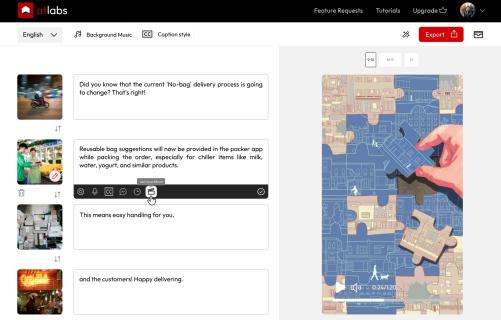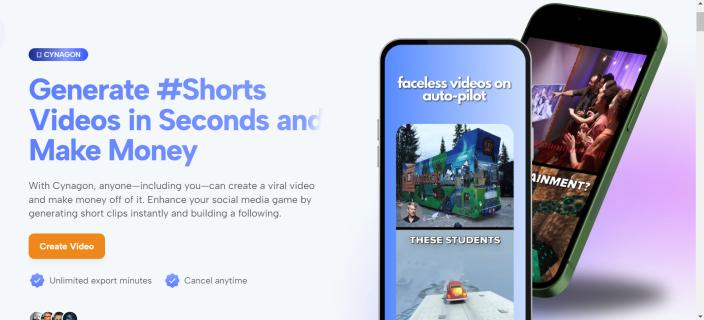
Conversational AI video generator for creating, refining, and exporting publish-ready 4K videos.
| Founded year: | 2024 |
| Country: | United States of America |
| Funding rounds: | Not set |
| Total funding amount: | Not set |
Description
What is Gemini Omni Video?
Gemini Omni Video is a conversational AI video generator designed to make video creation feel like directing a creative assistant. Instead of manually editing clips on a timeline, you describe a scene, upload references, add audio or scripts, and refine the result through natural-language feedback.
Built on Google’s Gemini Omni model, Gemini Omni Video helps creators move from a rough idea to a polished, publish-ready 4K video. You can ask for changes such as warmer lighting, a slower camera pan, a new background, a shorter intro, or a different visual style, and the tool keeps the creative context across iterations.
How to use Gemini Omni Video
1. Open the website
Visit Gemini Omni AI Video to start a new video generation session.
2. Add your creative input
Describe your scene in plain English, paste a script, upload a product image, provide reference visuals, add an audio clip, or combine multiple inputs. Gemini Omni Video turns these materials into a unified creative brief.
3. Direct the video through conversation
Give instructions the way you would brief a human video editor. For example, you can request a cinematic camera angle, a moodier color grade, faster pacing, rain in the background, or a product-focused close-up.
4. Refine and export
Preview the generated result, then continue refining shot by shot. When the video matches your vision, export it in formats suitable for YouTube, TikTok, Instagram, LinkedIn, ads, landing pages, or client projects.
Gemini Omni Video's Core Features
- Conversational video generation: Create and edit videos using natural-language instructions rather than complex editing software.
- Multi-input workflow: Use text prompts, scripts, images, audio files, and video references together in one project.
- Iterative editing: Keep session context and refine details without starting over from scratch.
- Script-to-screen creation: Turn a written outline or script into a rendered video with visuals, pacing, and transitions.
- Photo-to-motion: Animate still images such as product shots, sketches, landscapes, or character references.
- Auto-matched audio: Generate synchronized ambience, effects, and dialogue aligned with the visual output.
- 4K export: Produce high-resolution videos for professional publishing and marketing use.
- Multi-format output: Export landscape, portrait, and square versions for different social and content platforms.
- Consistent characters: Maintain character identity, styling, clothing, and visual continuity across multiple clips.
- Commercial usage rights: Use generated videos for ads, social posts, client work, product pages, and other business content.
Gemini Omni Video's Use Cases
- Social media videos: Quickly create short-form content for TikTok, Instagram Reels, YouTube Shorts, and other platforms.
- Product marketing: Animate product photos, create launch teasers, and generate promotional videos without a full production team.
- Advertising creatives: Produce multiple video ad variations for testing different hooks, formats, styles, and audiences.
- Founder and startup content: Turn product ideas, landing page copy, or pitch scripts into compelling video assets.
- Educational clips: Convert lesson outlines, explainers, or training scripts into clear visual videos.
- Client work: Help agencies and freelancers deliver fast video drafts, revisions, and finished assets.
- Storytelling and concept art: Explore cinematic scenes, character concepts, worldbuilding ideas, and visual narratives.
- Repurposing content: Transform existing scripts, voice notes, images, or campaign materials into new video formats.
Why creators choose Gemini Omni Video
- Faster production: Skip storyboarding, shooting, manual compositing, and post-production for many short-form video needs.
- Creative control: Make precise changes through follow-up prompts instead of accepting a one-shot result.
- Platform-ready exports: Re-compose videos for different aspect ratios without manually cropping each version.
- Beginner-friendly workflow: No advanced editing skills are required; the process is based on conversation.
- Flexible iteration: Adjust lighting, framing, duration, dialogue, style, audio, characters, and backgrounds as the idea evolves.
FAQ
What does Gemini Omni Video do?
Gemini Omni Video generates editable AI videos from prompts, scripts, images, audio clips, and other creative inputs. Users can refine the output through conversation and export polished video assets.
How is Gemini Omni Video different from one-shot AI video tools?
Many AI video tools require users to regenerate from scratch when the result is not right. Gemini Omni Video keeps context during the session, allowing you to adjust specific details while preserving what already works.
What inputs can I use?
You can use text prompts, written scripts, reference images, product photos, audio clips, and video materials. These inputs can be combined into a single creative workflow.
Can Gemini Omni Video create videos for social platforms?
Yes. It supports formats suitable for major platforms, including landscape videos for YouTube, portrait videos for TikTok and Reels, and square videos for feeds.
Does Gemini Omni Video support 4K export?
Yes. Gemini Omni Video can export publish-ready videos up to 4K resolution, depending on the selected project settings and output format.
Can I use the generated videos commercially?
Yes. Videos generated with Gemini Omni Video can be used for commercial purposes such as advertising, social media marketing, client deliverables, product pages, and branded content.
Is Gemini Omni Video affiliated with Google?
Gemini Omni Video is built on Google’s Gemini Omni model and offers an optimized creative workspace for AI video generation. It is an independent product focused on accessible video creation.
Have a startup you want to promote?
Feature your startup and reach thousands of entrepreneurs and investors
Feature My Startup