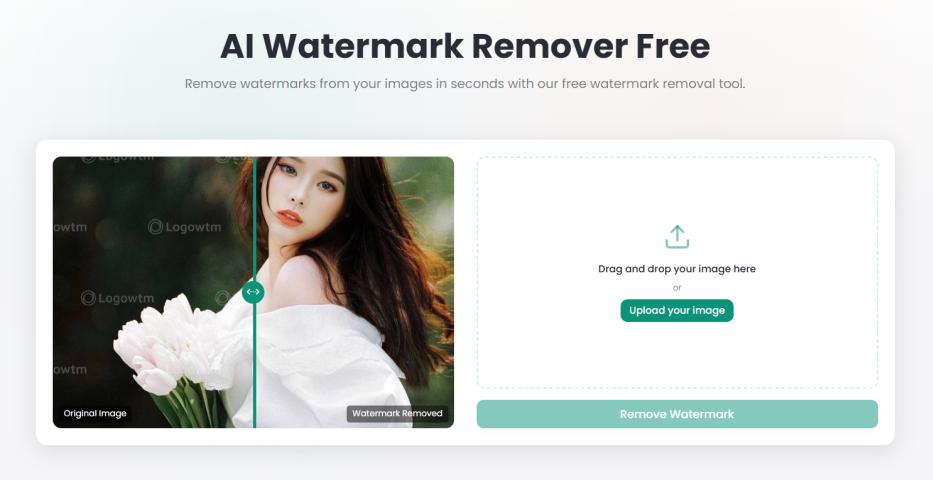
Remove a visible watermark from a Dola AI image in your browser free online.
| Founded year: | 2026 |
| Country: | Singapore |
| Funding rounds: | Not set |
| Total funding amount: | Not set |
Description
Remove a visible watermark from a Dola AI image in your browser. Compare the repair and save PNG, JPG, WebP, or PDF. Free, with no image uploads.Personal moodboards and references
A corner mark can distract from colors or a composition you want to explore. Repair that small area before adding the image to your own moodboard, then compare it with the source. Keep any required attribution.
02
Slides and visual drafts
For a slide illustration or early draft, inspect the repair at the size your audience will see. A smooth-looking preview may reveal a seam when enlarged. If the mark crosses important text or a subject, seek an authorized unmarked original.
03
Images you want to share
Before using an edited image in a post or project page, check both the image rights and the repaired edge. Removing a visible logo does not create a commercial license or cancel an AI-content disclosure requirement. Save the original alongside your edited copy for reference.
Have a startup you want to promote?
Feature your startup and reach thousands of entrepreneurs and investors
Feature My Startup