
Introduction
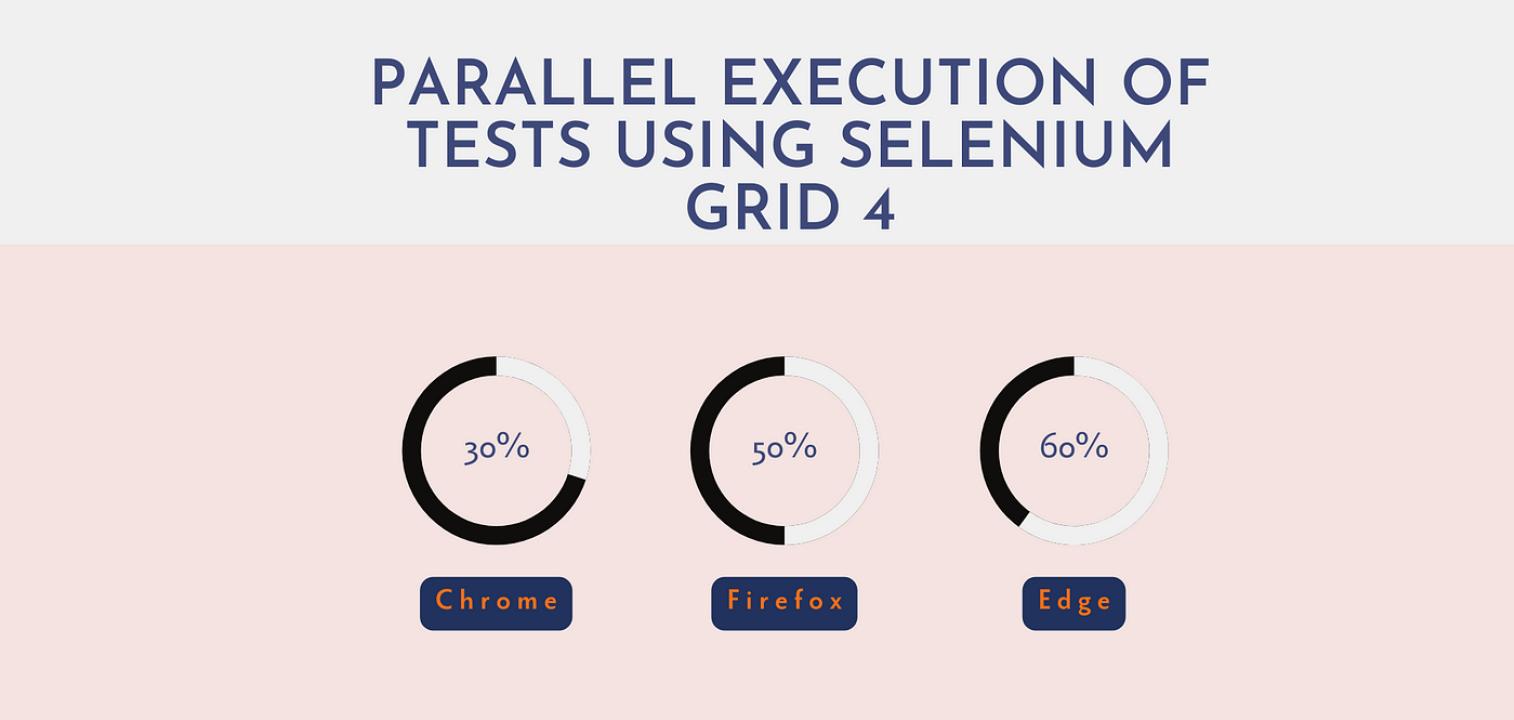
In today’s fast-paced digital world, companies need to deliver quality software products quickly and efficiently. Testing plays a crucial role in ensuring product reliability. However, running hundreds of test cases sequentially can consume a lot of time, especially for large applications. That’s where Selenium Grid comes in handy. It allows you to run tests in parallel across different browsers, operating systems, and machines, cutting down your testing time significantly.
If you're considering enrolling in an Online Selenium training program or pursuing a Selenium certification online, mastering Selenium Grid is a must-have skill. In this detailed guide, we’ll explore how to execute parallel tests using Selenium Grid, complete with step-by-step instructions, code snippets, and real-world applications.
What is Selenium Grid?
Selenium Grid is a part of the Selenium suite that allows you to run your test scripts on multiple machines at the same time. It works by connecting one central machine called the Hub to several Nodes. The Hub acts as the master, controlling the execution of tests, while Nodes run the actual tests on different browsers and operating systems.
Key Features:
Execute multiple tests in parallel.
Run tests across different browsers and platforms.
Efficient resource utilization.
Speed up testing cycles.
Real-World Example: An e-commerce company uses Selenium Grid to run its regression suite overnight on 20 different combinations of browsers and operating systems. This reduces testing time from 20 hours to just 1 hour.
Why Use Selenium Grid for Parallel Testing?
Before diving into the 'how,' let’s understand 'why' parallel testing with Selenium Grid is beneficial:
Faster Execution: Parallel testing reduces overall test execution time by running multiple tests simultaneously.
Cross-Browser Testing: Ensures your application works seamlessly across various browsers.
Cross-Platform Testing: Verify application functionality on different operating systems.
Resource Optimization: Maximize hardware and infrastructure use.
Continuous Integration Support: Integrates easily with CI/CD pipelines like Jenkins.
Industry Insight: According to a Capgemini World Quality Report, 60% of organizations use automated tools like Selenium Grid to improve testing efficiency and reduce time-to-market.
Selenium Grid Architecture
A solid understanding of Selenium Grid’s architecture, combined with Test automation training, is essential for executing parallel tests effectively.
Components:
Hub: The central point that receives test requests.
Node: Machines that execute the tests. A Node can run different browsers.
How It Works:
Test scripts are sent to the Hub.
The Hub assigns them to available Nodes based on desired capabilities.
Nodes execute the tests on specified browsers.
Results are sent back to the Hub.
Diagram:
[Test Script] -> [Hub] -> [Node 1, Node 2, Node 3...]
How to Set Up Selenium Grid
Let’s go through the setup process step-by-step.
Step 1: Install Java
Selenium Grid requires Java. Install it from the official Oracle website and set the JAVA_HOME environment variable.
Step 2: Download Selenium Server
Download the latest Selenium Server standalone JAR file from selenium.dev.
Step 3: Start the Hub
Open a terminal/command prompt and run:
java -jar selenium-server-standalone-<version>.jar hub
Step 4: Start the Nodes
On different machines or the same machine (using different ports):
java -jar selenium-server-standalone-<version>.jar node --hub http://<hub-ip>:4444/grid/register
Step 5: Verify Setup
Go to http://<hub-ip>:4444/grid/console in your browser to see connected Nodes.
Pro Tip: Use Docker to containerize your Selenium Grid setup for easier management and scaling.
Writing Parallel Test Scripts
To execute parallel tests, configure your test framework to run tests concurrently.
Example Using TestNG
TestNG is a popular test framework for Java Selenium automation.
testng.xml
<suite name="ParallelTests" parallel="tests" thread-count="2">
<test name="ChromeTests">
<classes>
<class name="com.tests.ChromeTest"/>
</classes>
</test>
<test name="FirefoxTests">
<classes>
<class name="com.tests.FirefoxTest"/>
</classes>
</test>
</suite>
Key Attribute:
parallel="tests" enables parallel test execution.
thread-count="2" defines how many threads run simultaneously.
Example Code Snippet
ChromeTest.java
WebDriver driver;
@BeforeClass
public void setUp() throws MalformedURLException {
DesiredCapabilities cap = DesiredCapabilities.chrome();
driver = new RemoteWebDriver(new URL("http://<hub-ip>:4444/wd/hub"), cap);
}
@Test
public void testGoogle() {
driver.get("http://www.google.com");
Assert.assertEquals("Google", driver.getTitle());
}
@AfterClass
public void tearDown() {
driver.quit();
}
Repeat similarly for FirefoxTest.java with DesiredCapabilities.firefox().
Best Practices for Parallel Testing
Limit Thread Count: Avoid overloading infrastructure.
Use Thread-Safe Code: Ensure no shared state between tests.
Isolate Test Data: Use unique test data for each test.
Log Results Separately: Maintain separate logs for each thread.
Optimize Test Suites: Prioritize high-value, frequently used tests.
Industry Tip: Leading organizations using parallel test execution report a 70% reduction in overall test execution time.
Real-World Applications
Case Study: A travel booking website implemented Selenium Grid for its nightly regression suite. Earlier, 100 test cases took 8 hours sequentially. By leveraging 10 Nodes with parallel execution, they completed testing in 50 minutes, catching 30% more defects before production.
How Selenium Certification and Online Training Help
Learning Selenium Grid is crucial for modern automation testers. Enrolling in a Selenium certification online course equips you with in-demand skills.
Benefits of Selenium Course Online:
Master parallel testing and CI/CD integration.
Gain hands-on experience with real-world projects.
Learn advanced Selenium frameworks.
Improve job prospects and salary potential.
Recommended Modules in Online Selenium Training:
Introduction to Selenium Grid
Selenium WebDriver Advanced
TestNG Framework Deep Dive
Continuous Integration Tools (Jenkins)
Cross-Browser and Cross-Platform Testing
Stat Insight: According to LinkedIn’s 2024 job trends, Selenium automation testers with Grid experience earn 25% higher salaries.
Conclusion
Parallel testing with Selenium Grid is a game-changer for test automation. It saves time, ensures software reliability across platforms, and boosts your career potential. Mastering it through a Selenium certification online or online Selenium training can set you apart in the competitive job market.
Start your journey today with our comprehensive Selenium course online and level up your test automation skills!