Introduction to HDMI Cables
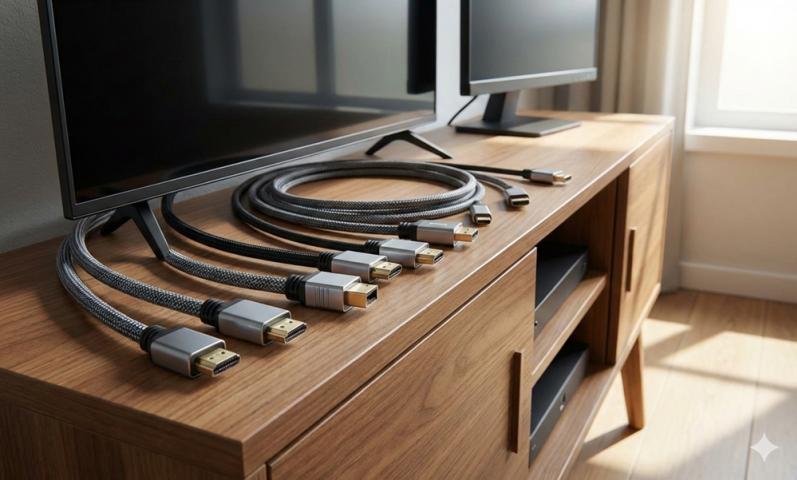
HDMI cables are essential for transmitting high-quality audio and video between devices like TVs, monitors, gaming consoles, and streaming players. Choosing the right HDMI cable ensures you get the best performance without signal loss or compatibility issues.
Understand Your Device Requirements
Before buying an HDMI cable, check the ports and specifications of your devices. Different TVs, sound systems, and gaming consoles support different features, so the cable must match those requirements.
Importance of HDMI Versions
One of the most important factors to consider is HDMI versions. Each version supports different resolutions, refresh rates, and features. Using the correct HDMI version ensures your devices perform at their full potential.
Common HDMI Versions Explained
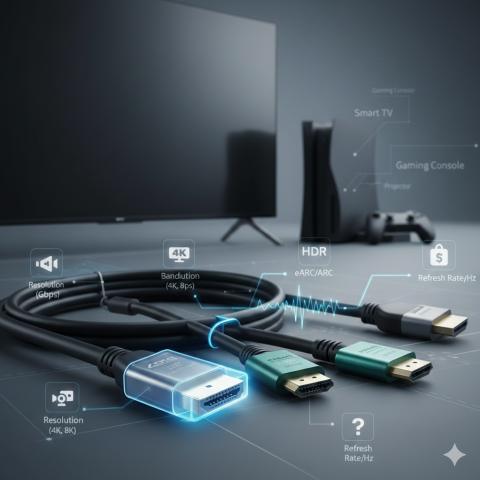
HDMI 1.4 supports Full HD and limited 4K at lower refresh rates. HDMI 2.0 supports 4K at 60Hz, which is common for modern TVs. HDMI 2.1 supports 8K resolution, higher refresh rates, and advanced gaming features.
Resolution and Refresh Rate Support
Always match the cable to your display resolution and refresh rate. If you have a 4K or 8K TV, using an older cable may limit picture quality or cause flickering issues.
HDR Compatibility
High Dynamic Range improves color depth and contrast. Ensure the HDMI cable supports HDR if your TV and source devices offer this feature, especially for streaming and gaming.
Audio Format Support
HDMI cables also carry audio signals. If you use soundbars or home theater systems, ensure the cable supports advanced audio formats like Dolby Atmos and DTS:X.
Cable Length Matters
HDMI cables come in various lengths. Shorter cables provide more stable signals, while longer cables may experience signal degradation if not well made.
Choosing the Right Cable Length
Measure the distance between your devices before purchasing. Avoid buying cables that are much longer than necessary, as excessive length can affect performance.
Passive vs Active HDMI Cables
Passive HDMI cables work best for short distances. Active HDMI cables include signal boosters and are better for longer runs, especially for 4K and 8K content.
Build Quality and Materials
High-quality materials ensure better signal transmission and durability. Look for cables with solid connectors and thick insulation.
Connector Quality
Gold-plated connectors resist corrosion and provide stable connections. While not mandatory, they can improve long-term reliability.
Cable Shielding
Proper shielding protects the signal from electromagnetic interference. This is especially important in environments with many electronic devices.
Flexibility and Installation Ease
Flexible cables are easier to install in tight spaces. Stiff cables may strain ports or be difficult to route behind walls or furniture.
Compatibility with Older Devices
If you use older devices, ensure backward compatibility. Most HDMI cables work with older ports, but features may be limited by the device itself.
Gaming-Specific Features
Gamers should look for support for features like Variable Refresh Rate (VRR), Auto Low Latency Mode (ALLM), and high refresh rates for smoother gameplay.
HDMI Cables for Consoles
Modern gaming consoles require newer HDMI versions to unlock features like 4K at 120Hz. Using the wrong cable may reduce performance.
Streaming and Home Theater Use
For streaming devices and home theaters, focus on HDR support, audio formats, and stable signal transmission rather than ultra-high refresh rates.
Certified HDMI Cables
HDMI certification ensures the cable meets performance standards. Certified cables are tested for bandwidth and reliability.
Avoid Overpaying for Marketing Claims
Expensive HDMI cables do not always provide better quality. Focus on specifications and certification rather than branding or exaggerated claims.
Understanding Bandwidth Requirements
Higher resolutions and refresh rates require more bandwidth. Make sure the cable can handle the data load required by your setup.
HDMI Cable Thickness
Thicker cables often offer better shielding but may be harder to bend. Choose a balance between durability and flexibility.
Wall Installation Considerations
For in-wall installations, use cables rated for that purpose. This ensures safety and long-term performance.
Future-Proofing Your Purchase
Buying a cable that supports newer HDMI versions can help future-proof your setup, especially if you plan to upgrade your TV or devices.
HDMI vs DisplayPort Confusion
HDMI is more common for TVs and home entertainment, while DisplayPort is often used for monitors. Choose HDMI when connecting consumer electronics.
Avoiding Signal Loss
Signal loss can cause flickering or dropouts. High-quality cables and proper length selection help prevent these issues.
Check Manufacturer Warranty
A good warranty indicates confidence in product quality. It also protects you from early cable failure.
Compatibility with Adapters
If you use HDMI adapters, ensure the cable works well with them. Adapters can sometimes limit features or bandwidth.
Portable and Travel Use
For travel, choose shorter and flexible HDMI cables that are easy to pack and resistant to wear.
Environmental Factors
Heat, dust, and frequent plugging can affect cable lifespan. Durable materials help withstand daily use.
When to Replace an HDMI Cable
If you experience signal drops, no display, or audio issues, replacing the cable may solve the problem.
Testing After Installation
Always test the cable after connecting your devices. Check resolution settings and audio output to confirm everything works correctly.
Brand Reliability
Choose trusted brands known for quality and compliance with HDMI standards to avoid performance issues.
Avoid Counterfeit Products
Counterfeit cables may not meet specifications. Buy from reputable sellers to ensure authenticity.
Importance of Reviews
User reviews can provide insight into real-world performance and durability, helping you make a better decision.
Matching Cable to Use Case
Not all setups need the latest HDMI version. Choose a cable that fits your specific needs rather than overspending.
HDMI Cable for Office Use
For office monitors and presentations, standard HDMI cables with Full HD or 4K support are usually sufficient.
HDMI Cable for Professional AV
Professional setups may require higher-quality cables for long distances and consistent performance.
Understanding Return Policies
A flexible return policy allows you to test the cable and return it if it does not meet your expectations.
Final Thoughts on Buying HDMI Cables
Choosing the right HDMI cable involves understanding your devices, HDMI versions, and usage needs. By focusing on compatibility, build quality, and certified performance, you can ensure reliable audio and video for years to come.
Sources: https://www.techwebspace.com/7-tips-for-selecting-the-perfect-hdmi-cable-for-tv/
https://sfcable.hashnode.dev/how-to-know-which-hdmi-cable-is-good