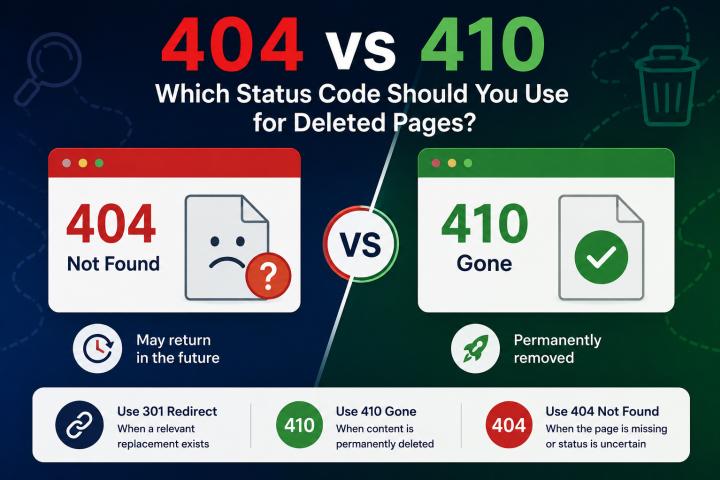

The 404 error code shows up when visitors or search engines attempt to reach a web page that does not exist on the server. Most websites experience this problem which impacts user satisfaction and search engine optimization results through its unaddressed presence. Website owners use crawlers and SEO auditing tools from KWT Spider SEO Crawler Tool to locate broken links and fix them.
The detailed explanation provides an understanding of what a 404 error represents its triggering situations and the required procedures for website repair work.
What is a 404 error?
A 404 error represents an HTTP status code that shows the server does not have the requested webpage available. The situation arises when:
- Page URLs experience changes.
- A page was removed or moved.
- The URL was typed incorrectly.
- External or internal links do not function properly.
- The error occurs when both users and search engines attempt to access pages which do not exist.
Common Sources of 404 Errors
1. Deleted Websites
Visitors who attempt to access a deleted page without a proper redirect will encounter a 404 error.
2. Invalid URL
Broken pages will occur when people enter URLs incorrectly or add unnecessary characters to the addresses.
3. Broken Internal Links
Existing internal links that connect to non-existing locations create challenges for users who navigate the website which results in 404 errors.
4. Website Migration Problems
Website migrations create issues because outdated links continue to exist after the new URL structure and page organization breaks.
5. Problems with settings or servers
A 404 error occurs when important files go missing or servers operate with incorrect settings.
How to Spot 404 Errors on Your Website
1. Make Use of SEO Crawlers
Website crawling technologies identify broken URLs on your website when they conduct their search operations. The Spider tool performs an extensive website scan to quickly identify 404 errors.
2. Google Search Console
Google Search Console indexing report shows which pages generate 404 errors, according to its coverage report. This function assists website managers to identify URLs which Google cannot access.
3. Resources for Website Analysis
The analytics system demonstrates how users reach error pages while identifying the broken links which require correction.
How to Fix 404 Problems
1. Establish 301 Redirects
The best solution requires creating a 301 redirect that directs users from the failing URL to a relevant page. This method enables users and search engines to find the correct content without delay.
For example, Redirect → New Page → Old URL
The technique maintains the SEO value which the previous page possessed.
2. Recover the Missing Page
Restoration of the original page will solve the problem because the deleted page still receives traffic and backlinks.
3. Change Internal Links
The broken internal links must receive repair work to ensure they lead users to the correct site. The improvement results in better navigation performance and enhanced search engine optimization.
4. Remove erroneous URLs from the sitemap
Your XML sitemap should show all existing active pages. You need to delete all broken URLs before submitting the corrected sitemap to search engines.
5. Appropriate External Links
Contact site owners to request an update of their broken links which currently point to your content.
Improve User Experience with a Custom 404 Page
People will still experience 404 errors because they type incorrectly or use outdated links, despite your efforts to fix all broken connections. The following elements can improve the user experience on a customized 404 page:
- A useful error message
- A zone for conducting searches
- Essential webpage links
- Navigation back to the site entrance
The design prevents users from leaving your site immediately.
How to Prevent 404 Errors the Best
- To reduce your website's 404 errors, you must complete these tasks.
- Conduct regular site audits using software that includes Crawler Software.
- Solve the problems that Google Search Console reports to you.
- Internal links should be updated when pages move.
- Implement the appropriate redirects which correspond to your site migration needs.
- Your XML sitemap must remain up-to-date.
Conclusion
404 errors lead to negative impacts on user experience, which result in decreased visibility for websites, but constant website maintenance can correct this issue. The process of website maintenance requires regular audits combined with broken link repairs and the implementation of correct redirects to maintain proper website organization.
Website owners can use KWT Spider Comprehensive Evaluation of Spider Crawling to find and fix 404 errors which keeps their websites friendly to both searchers and search engines.