Audio and video recordings are easy to create but difficult to reuse.
A meeting recording may contain important decisions, deadlines, and customer feedback. A podcast episode may include quotes that could become articles, newsletters, or social media posts. A lecture may contain useful explanations that students want to review later.
The problem is that recordings are linear. To find one specific sentence, users often have to replay the file, move through the timeline, and listen repeatedly. A transcript turns that recording into text that can be searched, edited, organized, and shared.
Why a Basic Transcript Is Not Always Enough
The simplest speech-to-text tools return a large block of text. Although this saves some typing, it may still require substantial manual work.
A practical transcript should help users understand:
When something was said
Who said it
Which topics were discussed
What decisions were made
Which tasks should happen next
How the content can be exported or reused
This is why features such as timestamps, speaker labels, synchronized playback, search, editing, summaries, and subtitle exports are important.
They transform automated speech recognition into a usable working document.
Converting Audio Recordings into Searchable Text
MP3 remains one of the most common formats for interviews, podcasts, voice notes, lectures, and recorded calls.
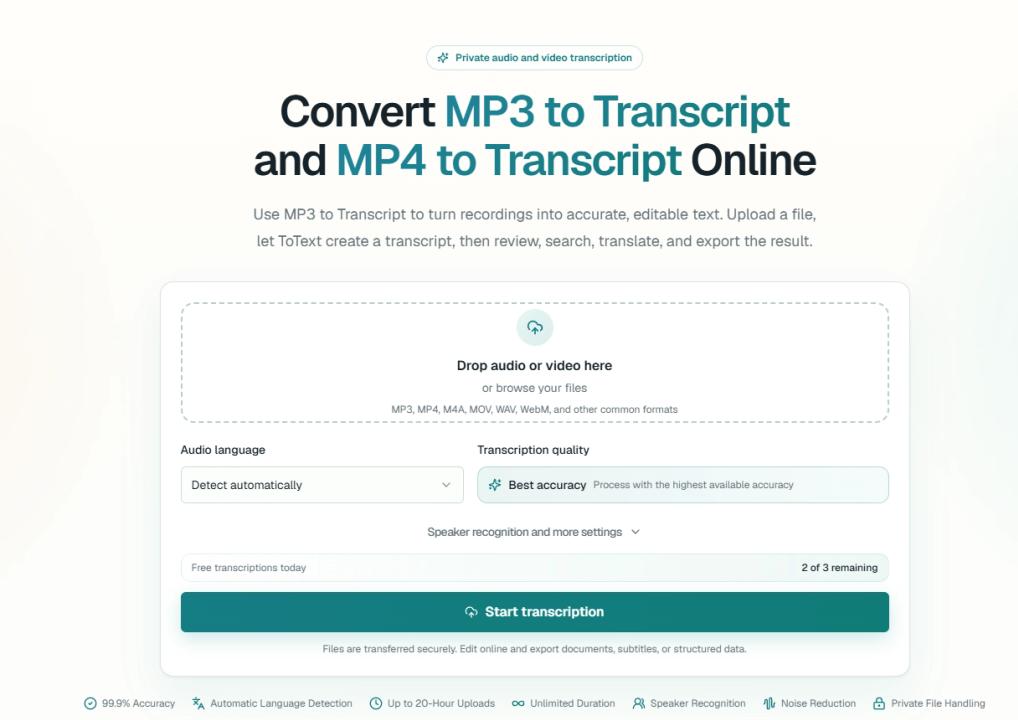
A browser-based MP3 to Transcript workflow allows users to upload an audio file and receive time-aligned text without manually switching between a media player and a document editor.
After the transcription is complete, the user should review the text while listening to the original recording. This is especially important for names, numbers, technical vocabulary, product terminology, and sentences affected by background noise.
A useful review process may include:
Searching for important words or topics.
Playing the audio from the related timestamp.
Correcting recognition errors.
Renaming speaker labels.
Organizing the transcript into readable sections.
Exporting the reviewed version.
Keeping the recording and transcript together makes verification faster and reduces the risk of publishing an incorrect quotation.
Turning Video Files into Documents
Video recordings often contain valuable spoken information, but the visual format makes them even harder to search.
Webinars, presentations, online courses, product demonstrations, research sessions, and recorded meetings may all need to be converted into written content.
An MP4 to Transcript tool extracts the spoken audio from the video and turns it into editable text. The user can then search the transcript, locate important sections through timestamps, and prepare the content for another purpose.
For example, a one-hour webinar can become:
A readable article
A concise summary
A list of key lessons
A series of social media posts
A newsletter
A set of meeting notes
A subtitle file
A searchable internal reference
Instead of treating the video as a file that must be watched from beginning to end, transcription makes its information accessible through text.
Recording Quality Still Matters
Automated transcription has improved significantly, but the quality of the source recording still affects the result.
Common problems include:
Several people speaking at the same time
Microphones placed far from the speakers
Strong background noise
Music playing behind speech
Unusual names or specialist vocabulary
Very quiet speakers
Poor internet audio from online meetings
Better recording conditions usually lead to better transcripts.
For important interviews or meetings, place the microphone close to the speakers and reduce unnecessary noise. Ask participants to avoid speaking over one another. When possible, provide the correct language and relevant vocabulary before transcription begins.
Even with a clear recording, important statements should still be reviewed by a person before publication.
Speaker Labels Make Conversations Easier to Follow
A transcript from a conversation can become confusing when every sentence appears in the same text block.
Speaker recognition separates the recording into different voices. This can make interviews, meetings, customer calls, and panel discussions easier to understand.
However, speaker labels should remain editable. Long files, overlapping voices, similar-sounding speakers, and changes in audio quality can affect automatic identification.
Users should be able to replace generic labels such as “Speaker 1” with actual names or roles. This turns a machine-generated transcript into a document that other people can read without listening to the recording.
Timestamps Connect Text to the Original Recording
Timestamps are useful for more than subtitles.
They allow users to move directly from a transcript sentence to the corresponding point in the audio or video. This is valuable when checking quotations, reviewing complex explanations, locating a product demonstration, or finding the exact moment when a decision was made.
Without timestamps, a transcript becomes separated from its source. With timestamps and synchronized playback, the transcript becomes an index for the recording.
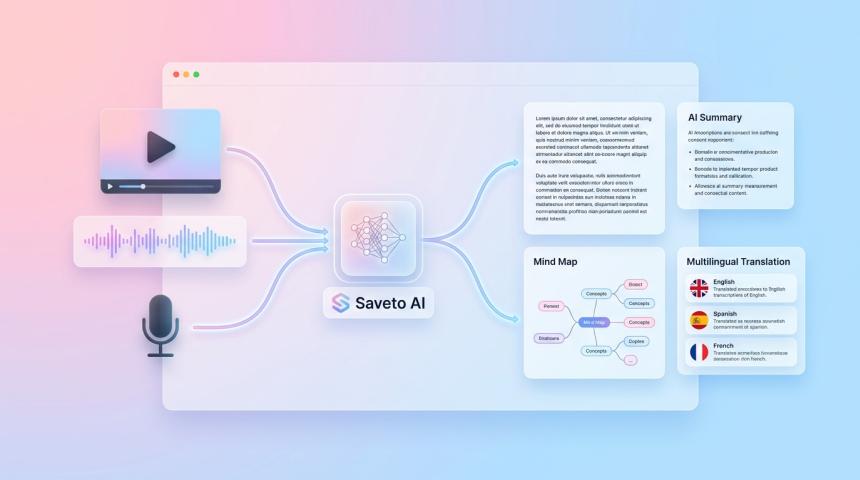
From Transcript to Useful Deliverables
The transcript is often only the first output.
Once spoken content has been converted into structured text, it can support several additional workflows.
Summaries
A summary gives readers the main ideas without requiring them to read the complete transcript. Different summary lengths can be created for internal updates, client reports, newsletters, or content planning.
Meeting Notes
Meetings can be organized into topics, decisions, questions, and conclusions. This creates a readable reference for participants who attended and colleagues who could not join.
Action Items
Tasks, responsibilities, and next steps can be identified from the conversation. These items should still be reviewed because a deadline or owner may be implied rather than clearly stated.
Automatic Chapters
Long recordings can be divided into sections based on topic changes. Chapters make podcasts, webinars, courses, and interviews easier to navigate.
Translations
A reviewed source transcript can be translated for an international audience. Correcting the original transcript first prevents speech-recognition mistakes from being carried into another language.
Captions and Subtitles
Time-aligned transcripts can be exported into subtitle formats such as SRT or VTT. These files can then be used with compatible video players, editors, and publishing platforms.
Choosing the Right Export Format
Different tasks require different file formats.
TXT is useful for simple text and quick copying. DOCX is suitable for continued editing. PDF works well for sharing and archiving. SRT and VTT are designed for captions and subtitles. CSV and JSON are useful when transcript data needs to be processed by another system.
Before exporting, users should decide what they plan to do with the transcript. A readable document, subtitle file, and structured dataset serve very different purposes.
Privacy Should Be Part of the Workflow
Audio and video files may contain private conversations, customer information, internal decisions, or unpublished research.
Before uploading a recording, users should confirm that they have permission to process it. They should also review how the transcription service handles access, storage, sharing, and deletion.
Sensitive recordings should not be uploaded to a platform unless its privacy controls are suitable for the intended use.
Making Recorded Information Easier to Use
The value of transcription is not limited to saving typing time.
A transcript makes spoken information searchable. It allows teams to verify quotes, recover decisions, organize customer feedback, create captions, prepare summaries, and reuse recorded content in new formats.
A recording normally requires continuous listening. A transcript allows the user to search for one term, open one section, and find the required information immediately.
When timestamps, speaker labels, editing tools, and appropriate export formats are included, audio and video become more than files stored in a folder. They become practical, searchable sources of knowledge.