The modern web ecosystem appears increasingly standardized compared to before. Given the prevalence of Chromium-based browsers among desktop users, it's easy to fall into the trap of assuming an application is fine if it works well in Chrome. However, frontend teams still ship bugs in visual design and interaction flow.
Despite years of standardization initiatives like the Interop project unifying CSS features and JavaScript APIs across vendors, web applications still break across different environments. Navigating this landscape requires robust cross-browser testing to understand why modern platforms diverge and catch engineering issues before users do.
The Engine Paradox - Few Engines, Persistent Divergence
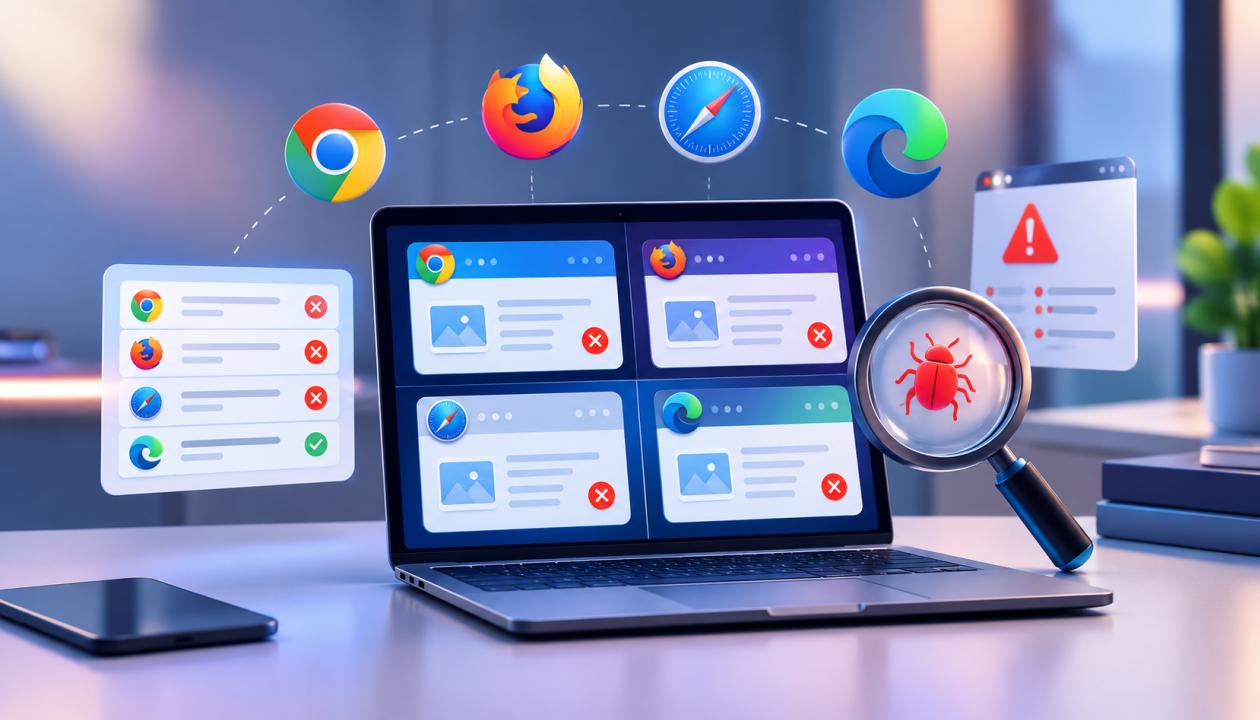
At a brand level, the browser market looks diverse. At an engine level, however, the modern web runs almost entirely on three core rendering engines-
- Blink- Powers Chrome, Microsoft Edge, Opera, and Brave.
- WebKit- Powers Safari across macOS and iOS (including all alternative browsers running on iOS devices due to underlying engine policies).
- Gecko- Powers Mozilla Firefox and its privacy-focused variants.
While having three primary engine families simplifies engine targets compared to earlier decades, subtle implementation differences persist. A layout constructed with modern CSS subgrid or view transitions might render flawlessly in Blink but encounter edge-case rendering quirks in WebKit.
Similarly, custom scroll snap behaviors, container queries, and popover API implementations often ship across engines at different cadences. When modern applications push the boundaries of browser capabilities, failure to pair performance checks with automated security testing leads to timeline gaps that produce subtle layout shifts, sandbox restrictions, and broken user interactions.
Why Modern Web Applications Still Break
The root causes of modern cross-browser failures are rarely catastrophic page crashes or blank screens. Instead, they appear as subtle UX breakdowns that degrade user trust and impact conversion metrics.
1. Storage Partitioning and Security Models
Safari’s strict privacy features, including ITP, third-party cookie blocking, and storage partitioning, can cause authentication tokens, embedded widgets, and cross-domain syncing to fail while working smoothly in Chrome.
2. Viewport and Mobile Layout Anomalies
Mobile Safari and Android Chrome handle dynamic toolbars, virtual keyboards, and viewport heights differently. Without responsive testing, sticky CTAs or bottom navigation may become hidden behind browser UI elements.
3. Font Engine Rendering and Sub-Pixel Layouts
Different operating systems render fonts and sub-pixels differently. macOS fonts may appear wider than Windows fonts, causing unexpected text wrapping in flexbox layouts and potentially increasing CLS scores.
Modern Testing Strategies - From Manual Sweeps to Intelligent Pipelines
Relying on manual visual passes across physical hardware devices is no longer viable for modern development cycles. Organizations building resilient applications rely on structured strategies to balance execution speed with platform coverage.
Automated Browser Automation
The current engineering teams use the modern framework drivers to control Chromium, WebKit, and Gecko through the same scripting API. Cross-browser testing techniques integrated directly into CI builds let engineers test each pull request against the three main engines at once in a few minutes, not days.
Visual AI and Regression Baselines
Functional tests confirm whether an element exists in the DOM, but they cannot verify whether a button is covered by a floating banner or rendered with incorrect padding. Combining automated visual diffing with intelligent baseline matching helps QA teams pinpoint visual shifts without writing fragile DOM assertions for every screen resolution.
Real-Device Cloud Execution
While headless browser instances in CI environments offer exceptional speed, they cannot fully replicate real mobile hardware behavior. Validating complex touch gestures, camera permissions, or GPU-heavy animations requires executing end-to-end tests across real iOS and Android devices hosted on cloud infrastructure. Strategic web application testing practices ensure critical user paths such as signup forms and checkout workflows - are verified on target device profiles prior to production deployment.
Self-Healing Test Suites
One of the primary friction points in automated browser testing is test flakiness caused by shifting DOM selectors. Modern testing platforms leverage self-healing capabilities that analyze structural properties, ARIA attributes, and visual context to locate UI elements even when underlying code changes, significantly reducing script maintenance effort.
Core Best Practices for Engineering Teams
To maintain high platform availability without inflating infrastructure spend, development teams should adopt these operational principles-
- Adopt Tiered Testing Matrices- Run ultra-fast headless single-engine checks on local saves, run multi-engine parallel suites on pull requests, and gate major releases with full real-device cloud sweeps.
- Test Accessibility Structures- Validate keyboard navigation focus states, ARIA roles, and screen-reader tree structures across different browsers to ensure universal usability.
- Incorporate Responsive Web Testing Early- Verify layouts against real device viewports rather than relying solely on desktop browser resizing, catching orientation changes and dynamic dynamic toolbar shifts early.
- Combine Security and Functional Sweeps- Leverage continuous security workflows to identify header misconfigurations or API authorization vulnerabilities that could behave differently across strict browser security sandbox models.
Concluding Thoughts
Cross-browser testing in 2026 no longer involves dealing with legacy engine flaws or CSS vendor prefixes. It involves managing complex interrelations among evolving web standards, strict privacy policies, flexible mobile viewports, and varying hardware capabilities.
Teams that see browser compatibility not as a one-off quality process but rather as an engineering task will develop much more robust digital solutions. Using modern execution platforms alongside real device testing ensures that any application works flawlessly on any browser its users choose.